

Why ‘digital technology’ matters for everyday life – and how to stay useful, not overwhelmed
The world of digital technology changes super fast. It feels like every day there’s a new gadget or app. In 2026, we see so many cool tech tools coming out, from smart devices to amazing AI programs. More than 78% of Americans now use AI tools in their daily lives, showing how quickly new tech is adopted 2026 AI Insights Report – TD Stories. This fast pace can be exciting, but it also brings a challenge: how do we keep up without feeling totally overwhelmed?

It’s hard to know what to trust when there’s so much information and so many new things to learn.
It’s easy to get lost in all the noise. You might wonder which new digital technology is truly useful for your life or work, and which ones are just hype. It’s also important to think about your privacy and how new tech might affect it. This guide is here to help you become more tech savvy. We’ll share simple, proven ways to filter through all the options, pick useful tools, and keep your personal information safe. Think of it as a guide to improving your tech fitness, so you can enjoy the benefits of new technology without the stress. We want to give you the motivation and technology insights you need to make smart choices. If you’re wondering what technology even means, check out our guide to define technology.
To help cut through the confusion and stay informed on the most important updates, consider a trusted source for daily insights.
The AI Newsletter Worth Reading
Understanding the Modern Digital Lifestyle
To truly make digital technology work for us, we need to know what a "digital lifestyle" really means today. It’s more than just owning a smartphone. In 2026, it includes all the devices we use, the apps on them, smart helpers like AI assistants, and all the connected services we rely on. Think about it: your phone, your smart TV, your fitness tracker, and even your smart home devices are all part of this digital world.
Almost everyone has a smartphone, and many people now use other gadgets like smartwatches or earbuds to stay connected. About 63% of people have used AI tools like ChatGPT at some point, showing how much these new technologies are woven into daily life Digital Consumer Trends 2026 | Deloitte UK. These tools help us do things like find information, get directions, or even control our lights at home.
People use digital technology for different reasons. Some folks, often called "early adopters," love trying out new gadgets and apps as soon as they come out. About 18% of people worldwide are early adopters, always keen to try new things EARLY TECHNOLOGY ADOPTERS AROUND THE GLOBE. Then there are professionals, like product managers or creators, who use technology for their work. They need tools that help them maximize productivity secure digital workflows and stay competitive. For most of us, it’s about making life easier, more fun, or helping us learn new things. This mix of desires shows our strong motivation and technology use.
Understanding these different behaviors matters a lot. When you know why you use a certain tool, or how others might use it, you can make better choices for yourself. It helps you pick tools that truly fit your life and work, instead of just buying into hype. This way, you become more tech savvy and build your "tech fitness." You learn to spot what’s useful for your personal unlock the smart future and what’s not, keeping your digital life helpful and less stressful. And don’t forget privacy. As we use more digital tools, it’s important to know how to manage your settings, like when you master your Samsung notification and tracking settings. The way we interact with technology shapes how much we trust it and use it, especially with AI Adobe 2026 AI and Digital Trends Consumer Report.
How to Filter Tech Noise and Avoid Information Overload
After learning how different people use digital technology, it’s easy to see how much new stuff comes out all the time. This constant flow of information and new gadgets can feel like a lot of "tech noise." It’s hard to know what’s truly useful and what’s just marketing talk. Getting lost in this sea of updates can lead to something called "information overload." Actually, about 65% of people report that too much digital information makes it hard to focus sometimes or often Loss of Control over Attention – Human Clarity Institute.
To keep your "tech fitness" strong and avoid this problem, you need to learn how to filter what you see.

Triage News, Apps, and Products
Think of "triage" like sorting things out. When you hear about new digital technology, an app feature, or a product launch, ask yourself these simple questions:
- Do I really need this? Does it solve a problem I actually have, or is it just something that looks like "cool tech"?
- Will it make my life better or just more complicated? Sometimes a new gadget adds more steps instead of fewer.
- Is this a real improvement or just a small change? Many updates are minor. Focus on the big changes that truly matter.
This helps you quickly decide if something is worth your time to explore further. It’s about being "tech savvy" and making smart choices instead of chasing every new thing.
Separating Hype from Help
It’s easy to get excited by shiny new products. But how can you tell if something is really good or just hyped up? Here’s a simple checklist to help:
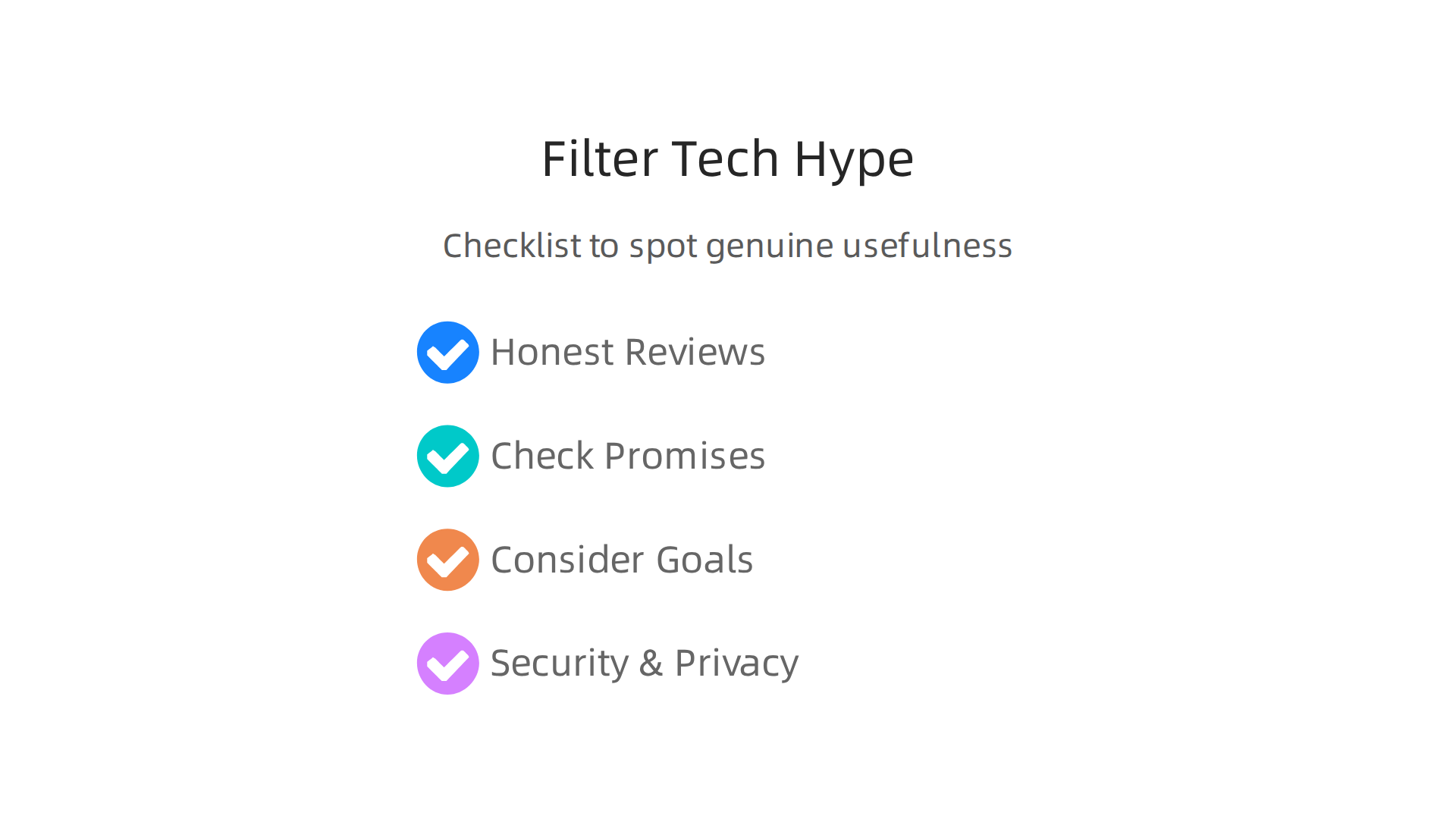
- Look for honest reviews: Don’t just read what the company says. Find trusted tech experts or everyday users who have tried the product and share their real experiences.
- Check the promises: If a product promises to do everything perfectly, it might be too good to be true. Look for specific benefits, not vague claims.
- Consider your "motivation and technology" goals: Does this new item fit what you truly want to achieve? For example, if you need to find unbelievable new gadgets that truly matter, you’ll want to dig deeper than just a fancy ad.
- Think about security and privacy: With so many smart devices, it’s vital to know how they handle your personal information. Many new rules are being put in place, like new cybersecurity guidelines for products, to help keep you safe IoT Product Cybersecurity Guidelines for the Federal Government.
By using these steps, you can save time and money, and make sure your digital tools actually help you.
Tools and Workflows to Stay Focused
You don’t have to keep up with everything. You can set up your digital life to reduce "cognitive load" a fancy way of saying "too much to think about."
- Curate your sources: Pick a few trusted news sites or tech blogs that you like and stick with them. Don’t try to read every single article online.
- Use smart alerts: Instead of getting flooded with general news, set up alerts for very specific topics that are important to you.
- Try summarizer tools: If you need to read long articles for work or school, consider using a website summarizer for your workflow. These tools can give you the main points quickly, helping you save time and reduce mental effort.
By actively managing your digital input, you can enjoy the benefits of digital technology without feeling overwhelmed. It helps you keep a healthier balance and ensures technology works for you, not against you.
Keeping Pace with Rapid Digital Technology Advances
To truly make digital technology work for you, not against you, it’s not enough to just filter out noise. You also need a smart way to keep up with new things without feeling lost. The world of tech moves super fast. In 2026, many people are using AI tools daily, and companies like Adobe report that how comfortable people are with technology affects how they adopt new AI advancements Adobe 2026 AI and Digital Trends Consumer Report. This means staying "tech savvy" is more important than ever.
Create Your Tech Check-in Routine
Just like you might have a routine for exercise, create one for your "tech fitness." This helps you learn about new digital technology without letting it take over your day.
- Pick a day and time: Maybe once a week, set aside 30 minutes to an hour. This isn’t about deep study, but about quickly scanning for important updates.
- Monitor key signals: What kinds of digital technology matter most to you? Is it smart home gadgets, new phone apps, or work software? Focus on those areas.
- Find trusted formats: Instead of endless scrolling, look for short summaries, weekly newsletters, or quick video digests. These formats are great for busy people.
Smart Sources for Busy Professionals
For those who need to stay updated for work or just to keep up with their "motivation and technology" goals, choosing the right information sources is key.
- Curated Newsletters: Many expert sources offer daily or weekly newsletters that sum up the most important news. This is much better than trying to read every article.
- Industry Briefs: If you work in a specific area, look for industry reports or briefs. These often focus on trends and big changes.
- Podcast Summaries: Some podcasts offer quick recaps of tech news, which you can listen to while doing other things.
- Specific Blogs: Follow a few high-quality blogs that focus on your areas of interest in digital technology.
If you need clear daily AI updates to stay ahead, consider getting The AI Newsletter Worth Reading.
When to Dive Deep vs. Scan Quickly
Not every new piece of digital technology needs a deep dive. Sometimes, just knowing it exists is enough.
- Quick Scan: Use quick scans for general awareness. This is about knowing the names of new products or major trends, like how mobile payment systems are growing worldwide UPI Adoption in India: Usage Patterns, Behavioural Shifts, and Economic Impact (2019-2024). It’s like knowing what’s on the menu, even if you don’t try everything.
- Deep Learning: Reserve deep learning for things that directly impact your work, hobbies, or personal goals. If a new app promises to make your client portal maximize productivity secure digital workflows much easier, then it’s worth spending more time to understand it.
Remember, the goal is not to know everything about every new gadget, but to be smart about what you learn. This helps you make informed choices and truly get the most out of digital technology.
Getting smart about digital technology isn’t just about knowing what’s new. It’s about putting that knowledge to work to make your daily life and tasks easier.

In 2026, many cool tech tools are ready to help you be more productive, both at home and at work.
Using Digital Technology to Get More Done
Let’s look at how things like AI, mobile apps, and smart devices can really change your day for the better.
- AI Helps with Hard Work: Artificial intelligence tools are great at doing jobs that take a lot of time and effort. For example, AI can help you finish research much faster, cutting down the time it takes by as much as 84% in 2026 [The 2026 AI Research Productivity Report: How AI Cut Time-to …]. This means you can get answers and ideas quicker. AI also helps with tasks like writing emails, summarizing long documents, or handling customer questions, making many jobs easier. One study even found that using AI tools can boost how much work people get done by 66% [AI Improves Employee Productivity by 66% – NN/G].
- Mobile Apps for Easy Living: Your phone is a powerful tool. Mobile apps can help you organize your schedule, manage your money, or even track your fitness. Think about apps that remind you to drink water, help you plan your meals, or keep your photos neatly sorted. You can even transform your Samsung phone smart layout ideas for productivity and security to make it work best for you.
- Smart Devices Make Life Smoother: Smart home gadgets can help you save energy, keep your home safe, and manage everyday tasks with just your voice. Imagine a thermostat that learns your habits or lights that turn on when you walk into a room. These tools blend into your life, making it more convenient.
How to Try a New Digital Tool Smartly
When you find a new piece of digital technology you think might help, don’t just jump all in. Here’s a simple way to try it out:
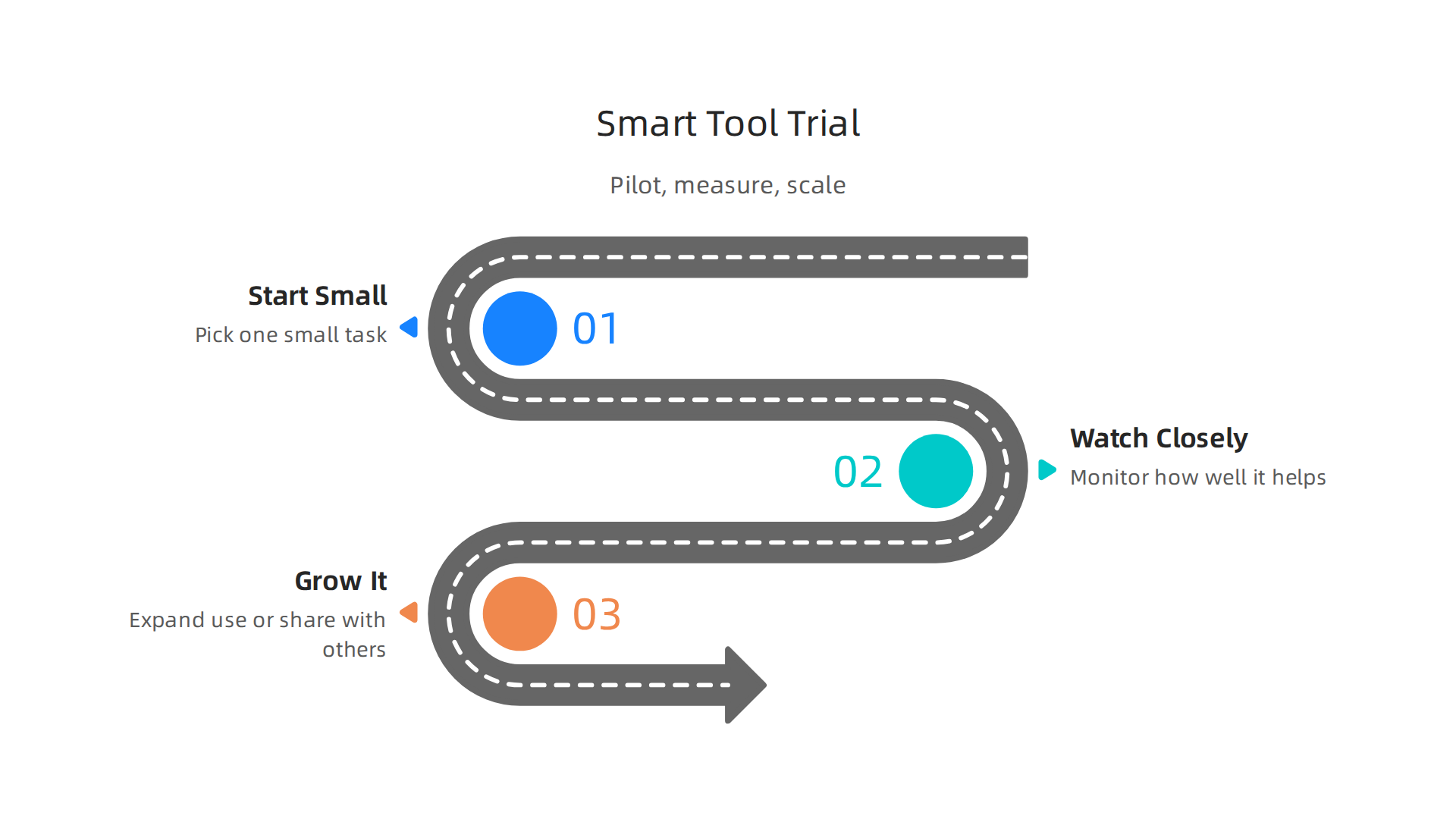
- Start Small (Pilot): Pick just one small job or task that the tool might improve. For example, if it’s an AI writing tool, try it on one type of email or report first. This helps you see if it truly works for that specific need [AI Productivity Impact Report 2026].
- Watch Closely (Measure): Keep an eye on how well it helps. Does it really save you time? Does it make the job easier or better? Pay attention to the results.
- Grow It (Scale): If the tool works well for that small job, then you can slowly start using it for more tasks or share it with others on your team.
Picking the Right Tools
Before you spend time learning a new digital tool, ask yourself a few questions to see if it’s worth it:
- Does it solve a real problem for me? Is there something you do often that is hard or takes too long?
- Will it save time or make things easier? A good tool should make your life simpler, not more complicated.
- Is it easy to learn and use? You don’t want to spend endless hours just figuring it out.
Thinking about these things helps you make smart choices. It ensures that the digital technology you use truly boosts your unlock the smart future how technology transforms life and stays secure and helps you reach your motivation and technology goals, rather than just adding more noise.
Thinking about these things helps you make smart choices. It ensures that the digital technology you use truly boosts your unlock the smart future how technology transforms life and stays secure and helps you reach your motivation and technology goals, rather than just adding more noise.
Choosing the Right Devices and Apps (A Practical Comparison)
When you’re ready to bring new digital technology into your life, picking the right device or app can feel like a big job. There are so many choices! To make smart decisions, it’s good to look at a few key things beyond just what’s new or shiny.
Here are some important points to think about when choosing new tech:
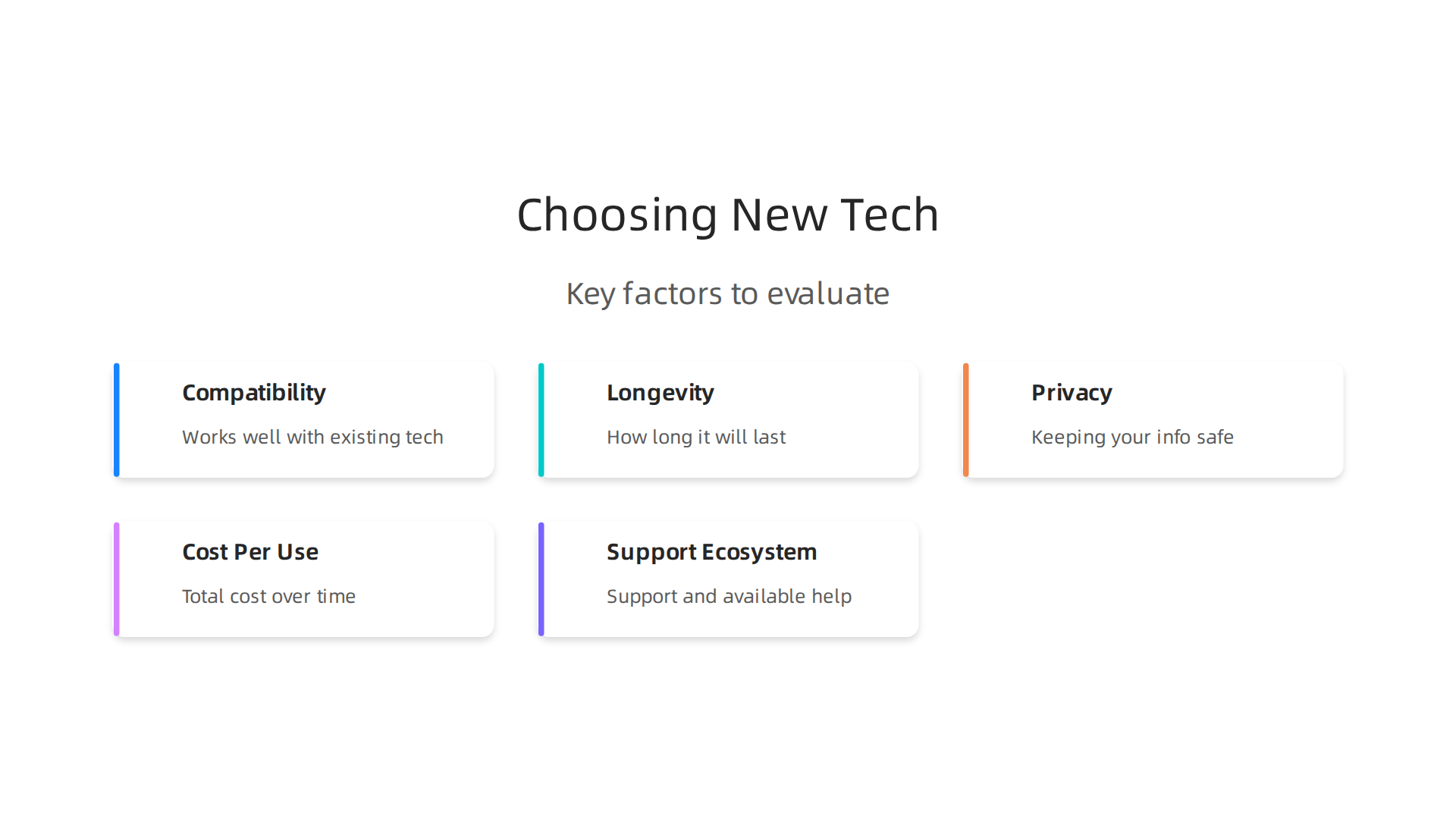
- How Well It Works with Your Other Tech (Compatibility): Does the new app or device play nicely with the things you already own, like your phone, computer, or smart home gadgets? For example, if you use a lot of Apple products, a new Apple device might work better for you. If you have many Android devices, sticking with Android often makes sense. Checking if a gadget is compatible with your current setup, like seeing if it has "Matter 1.4 certification" for smart homes, is a good idea in 2026 [How To Choose The Best Gadgets Electronic Devices In 2026].
- How Long It Will Last (Longevity): You want your tech to work for a while. Look at how long the company promises to give updates for the software and security. For phones, this means looking for at least 4 years of main updates and 5 years of security fixes, as recommended in many buying guides for 2026 [How To Choose The Best New Electronics 2026]. A good device should have a long life.
- Keeping Your Info Safe (Privacy): In 2026, privacy is a huge deal. You should check how an app or device handles your personal information. Does it keep your data on the device itself, or does it send everything to the cloud? Always choose companies that are clear about their privacy rules and how they keep your data safe [Tech Reviews and Gadgets: A Practical Guide to Navigating …]. Sadly, privacy around the world has become a bigger concern, with reports showing a drop in privacy in 2026 [2026 Global Privacy Benchmarks Report]. So, being careful is very important.
- What It Really Costs Over Time (Cost-Per-Use): Think about how much you’ll use the item versus its price. A cheaper app you never use isn’t a good deal. A more expensive device you use every day and that saves you hours might be worth every penny. You can often find great value when you compare options, like deciding between a Samsung Tablet vs iPad 2026.
- Getting Help When You Need It (Support Ecosystem): If something goes wrong or you have a question, how easy is it to get help? Look for companies that offer good customer service and clear ways to get repairs. Some even offer guides and parts for you to fix things yourself [Longevity, by Design – Apple].
Trying Before You Buy
Before you fully commit to a new piece of digital technology, try to do a quick test. See if you can use a demo, watch videos, or read detailed reviews. Ask specific questions to the people who sell the tech, like "What problem will this solve for me that my old device can’t?" or "How often will I actually use this new feature?" [Complete Buyer’s Guide to Consumer Electronics 2026]. Thinking about these things helps you become more tech savvy and ensures that the devices and apps you choose truly fit your life and help you reach your goals.
Choosing new digital technology wisely is only half the battle. Once you have your new gadgets and apps, keeping them safe and private is just as important. In 2026, many people are more worried about their online privacy and security than ever before, with reports showing that consumer concerns about privacy and security have increased significantly [New Deloitte Survey: Increasing Consumer Privacy and …]. This is especially true with smart devices and powerful AI-driven apps.
Key Privacy Risks from Smart Devices and AI Apps
Smart devices are great, but they can sometimes collect a lot of information about you. Things like smart speakers hear what you say, smart cameras see what you do, and fitness trackers know where you go and how your body works. When these devices connect to the internet, that information can be sent to companies. AI apps, which are very popular in 2026, also collect data to learn about your habits and give you personalized experiences.
Here are some worries with these types of digital technology:
- Sharing Too Much Data: Devices and apps might collect more information than they actually need to work. This data can sometimes be shared with other companies without you fully knowing.
- Hackers: If a device or app isn’t built with strong security, hackers might be able to get into it and steal your personal information.
- Misuse of Information: Even if a company has good intentions, your data could be used in ways you didn’t expect, like showing you very specific ads or even affecting things like insurance rates.
In fact, some studies show that while most consumers care about data privacy, less than half feel truly confident in protecting their data online [Clutch Report: 90% of Consumers Value Data Privacy, Only 55 …].
Simple Steps to Keep Your Devices and Data Safe
You don’t need to be a tech savvy expert to keep your digital technology secure. Here are some easy things you can do:
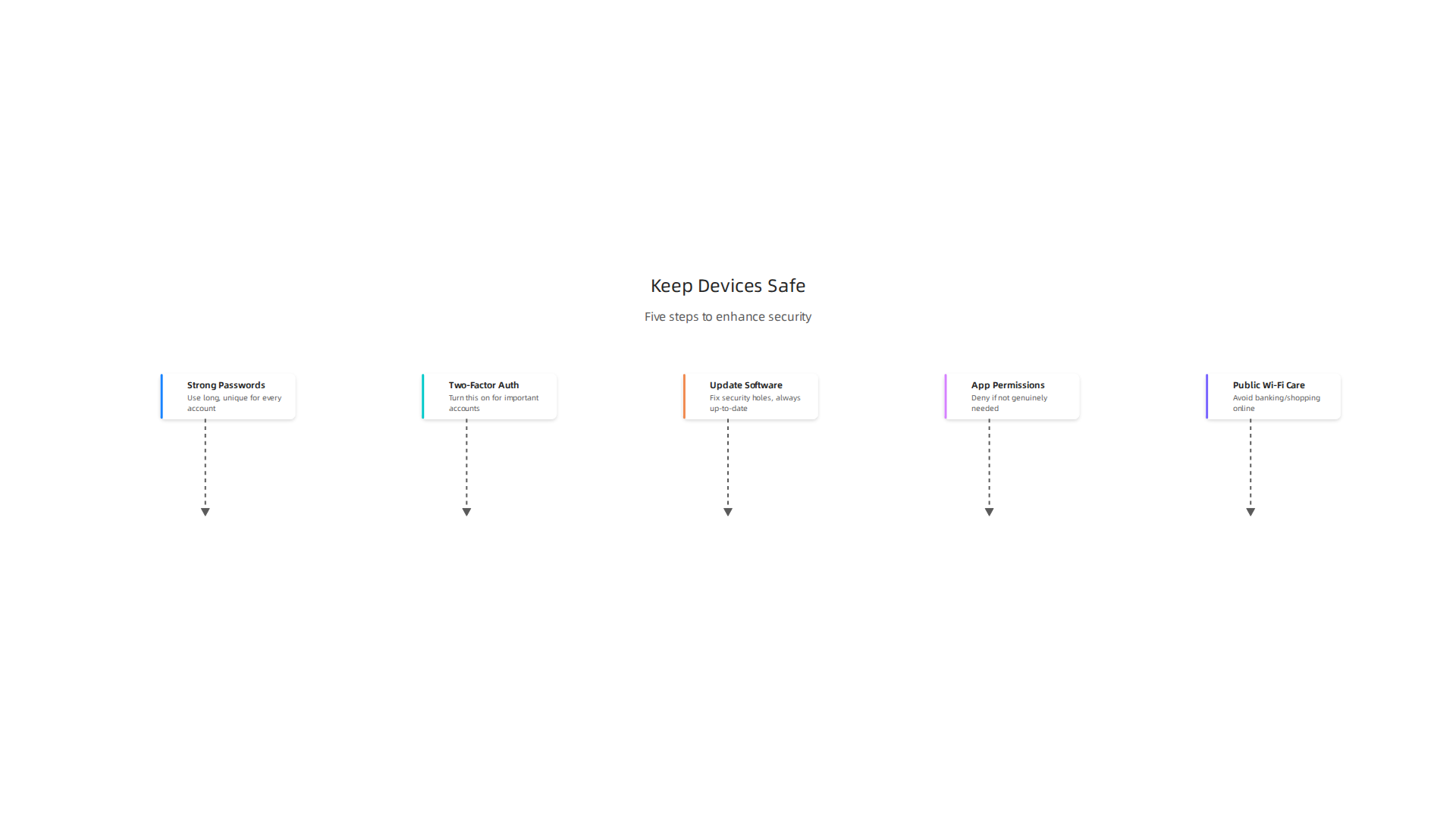
- Strong Passwords: Always use long, unique passwords for every device and online account. Think of a phrase or a mix of words, numbers, and symbols. Never use the same password twice.
- Two-Factor Authentication (2FA): This is like having a second lock on your door. When you log in, it asks for a code from your phone or email, even if someone has your password. Turn this on for all important accounts.
- Update Your Software: Companies often release updates that fix security holes. Make sure your devices and apps are always up-to-date.
- Check App Permissions: Before you use an app, look at what it wants to access on your phone or computer. Does a flashlight app really need to see your location or contacts? If not, deny those permissions. You can also review and change these settings later. Learning to manage these can really boost your master your Samsung notification and tracking settings for enhanced privacy.
- Be Careful with Public Wi-Fi: Public Wi-Fi isn’t always secure. Avoid doing banking or shopping online when using it.
For general advice on keeping your devices secure, the National Cyber Security Centre offers guidance on how to choose and use devices safely [Device security guidance | National Cyber Security Centre].
Evaluating Vendor Trust and Privacy Claims
When you’re looking at a new piece of digital technology, it’s wise to think about how much you can trust the company that made it. Here’s what to look for:
- Clear Privacy Policies: A trustworthy company will have easy-to-understand privacy policies. They should clearly state what data they collect, why they collect it, and who they share it with.
- Company Reputation: Do a quick search online. What do other people say about the company’s privacy practices? Have they had any data breaches in the past?
- Industry Standards: In 2026, many countries are putting in place new rules for smart device security. For example, some governments have introduced mandatory cybersecurity standards for consumer-grade smart devices [Security Standards for Smart Devices – Department of Home Affairs]. Look for products that follow these guidelines. Even the US government has guidelines for IoT product cybersecurity [IoT Product Cybersecurity Guidelines for the Federal Government]. Companies that meet these standards are often more trustworthy.
- Control Over Your Data: The best companies give you clear ways to see and control your data. This might include options to delete your data or decide what gets shared.
By being a bit more thoughtful about security and privacy, you can enjoy all the benefits of cool tech and powerful digital technology without putting your personal information at risk. It’s all about finding that good balance for your tech fitness.
When it comes to understanding how AI truly impacts your daily life and affects privacy, staying updated is key.
Get clear daily AI updates. You’ll find out about new AI apps, smart devices, and how they impact security, all in one place. The AI Newsletter Worth Reading
Choosing new digital technology wisely is only half the battle. Once you have your new gadgets and apps, keeping them safe and private is just as important. In 2026, many people are more worried about their online privacy and security than ever before, with reports showing that consumer concerns about privacy and security have increased significantly. This is especially true with smart devices and powerful AI-driven apps.
Key Privacy Risks from Smart Devices and AI Apps
Smart devices are great, but they can sometimes collect a lot of information about you. Things like smart speakers hear what you say, smart cameras see what you do, and fitness trackers know where you go and how your body works. When these devices connect to the internet, that information can be sent to companies. AI apps, which are very popular in 2026, also collect data to learn about your habits and give you personalized experiences.
Here are some worries with these types of digital technology:
- Sharing Too Much Data: Devices and apps might collect more information than they actually need to work. This data can sometimes be shared with other companies without you fully knowing.
- Hackers: If a device or app isn’t built with strong security, hackers might be able to get into it and steal your personal information.
- Misuse of Information: Even if a company has good intentions, your data could be used in ways you didn’t expect, like showing you very specific ads or even affecting things like insurance rates.
In fact, some studies show that while most consumers care about data privacy, less than half feel truly confident in protecting their data online.
Simple Steps to Keep Your Devices and Data Safe
You don’t need to be a tech savvy expert to keep your digital technology secure. Here are some easy things you can do:
- Strong Passwords: Always use long, unique passwords for every device and online account. Think of a phrase or a mix of words, numbers, and symbols. Never use the same password twice.
- Two-Factor Authentication (2FA): This is like having a second lock on your door. When you log in, it asks for a code from your phone or email, even if someone has your password. Turn this on for all important accounts.
- Update Your Software: Companies often release updates that fix security holes. Make sure your devices and apps are always up-to-date.
- Check App Permissions: Before you use an app, look at what it wants to access on your phone or computer. Does a flashlight app really need to see your location or contacts? If not, deny those permissions. You can also review and change these settings later. Learning to manage these can really boost your master your Samsung notification and tracking settings for enhanced privacy.
- Be Careful with Public Wi-Fi: Public Wi-Fi isn’t always secure. Avoid doing banking or shopping online when using it.
For general advice on keeping your devices secure, the National Cyber Security Centre offers guidance on how to choose and use devices safely.
Evaluating Vendor Trust and Privacy Claims
When you’re looking at a new piece of digital technology, it’s wise to think about how much you can trust the company that made it. Here’s what to look for:
- Clear Privacy Policies: A trustworthy company will have easy-to-understand privacy policies. They should clearly state what data they collect, why they collect it, and who they share it with.
- Company Reputation: Do a quick search online. What do other people say about the company’s privacy practices? Have they had any data breaches in the past?
- Industry Standards: In 2026, many countries are putting in place new rules for smart device security. For example, some governments have introduced mandatory cybersecurity standards for consumer-grade smart devices. Look for products that follow these guidelines. Even the US government has guidelines for IoT product cybersecurity. Companies that meet these standards are often more trustworthy.
- Control Over Your Data: The best companies give you clear ways to see and control your data. This might include options to delete your data or decide what gets shared.
By being a bit more thoughtful about security and privacy, you can enjoy all the benefits of cool tech and powerful digital technology without putting your personal information at risk. It’s all about finding that good balance for your tech fitness.
When it comes to understanding how AI truly impacts your daily life and affects privacy, staying updated is key.
Building a Balanced, Sustainable Digital Life
Beyond just keeping your devices safe, it’s also about making sure your digital life makes you happy and healthy in the long run.

Think of it as "tech fitness." This means setting smart limits on how much you use digital technology. For example, some research suggests that digital lifestyle interventions can help with issues like depression and anxiety, showing that how we use our tech truly matters [Effectiveness of Digital Lifestyle Interventions on …].
Creating small routines, or "rituals," can help too. This could be putting your phone away for an hour to read a book, or using an app only for a specific purpose, not just scrolling. It’s about purposeful use. Instead of letting apps just grab your attention, you decide how and why you use your cool tech. This helps reduce "technostress" and "digital fatigue," making sure your motivation and technology stay aligned for positive outcomes. One way to do this is to learn how to keep from feeling strained by your digital tools [Technostress and cognitive fatigue: Reducing digital strain …]. You can further explore how to achieve a healthy mix of technology and personal time with advice on secure your phone and find digital balance for mobile tech wellness.
How to Design a Sustainable Tech Stack
Your "tech stack" is all the digital technology you use daily: your phone, computer, smart watch, and apps. Building a good one means picking tools that work well together and last a long time. Don’t just jump on every new gadget. Look for things that truly help you and will stick around. This cuts down on buying new things all the time, which is better for your wallet and the planet. Choose devices and apps that are easy to update and fix. A guide to sustainable tech habits suggests taking care of your gadgets to make them last longer, like keeping them updated and stored properly [A Guide to Sustainable Tech Habits – HomeTechHacker]. For instance, when looking for a new device, comparing options like a Samsung tablet vs iPad 2026 the right tablet for you helps ensure you pick what truly fits your needs for the long haul.
Signals for a Tech Pivot, Upskill, or Simplify
Sometimes, even with good intentions, your digital technology setup might not feel right. How do you know it’s time for a change? If you feel constantly overwhelmed, tired from too much screen time, or like your tech isn’t helping you anymore, these are signs of digital fatigue. Studies on digital fatigue in the workplace show how important it is to find ways to reduce strain and enhance well-being [Understanding Digital Fatigue in the Workplace: A Systematic …].
It might mean you need to "pivot" to different tools. Maybe a new productivity app, or a smart device that better fits your needs. Or perhaps it’s time to "upskill" and learn how to use your current tools better. Becoming more tech savvy can unlock hidden features and make things easier. And sometimes, the best answer is to "simplify." Get rid of apps you don’t use, unsubscribe from endless emails, or even sell old gadgets that just sit around. This keeps your tech fitness strong and ensures your digital life serves you, not the other way around.
Summary
This article explains why keeping up with fast-moving digital technology matters and gives practical ways to stay useful rather than overwhelmed. It defines what a modern digital lifestyle looks like in 2026—smartphones, wearables, AI assistants and connected services—and shows how different people use tech for work, productivity, or everyday convenience. You’ll learn a simple triage method to separate hype from helpful tools, a routine for staying informed without burnout, and a pilot/measure/scale approach for trying new apps and devices. The guide also covers how to choose hardware with compatibility and longevity in mind, easy privacy and security steps anyone can follow, and how to design a sustainable tech stack that reduces digital fatigue. By the end you’ll have concrete habits, checklists, and sources to keep technology working for your goals while protecting your time and data.