

Why client portals matter for productivity and modern digital workflows
Imagine trying to get important work done with clients, but messages are spread out everywhere.

You have emails here, chat messages there, and files saved in different places. It’s like a big puzzle with pieces missing, right? This often leads to confusion, lost files, and worries about keeping private information safe. This messy way of working slows things down and makes it harder to get things done.
In 2026, businesses need a better way to work. This is where a client portal comes in. A client portal is a special online space where you and your clients can share information, talk, and work together easily and safely. It brings everything into one place. Many customers actually prefer to use these self-service options, with about 67% preferring to find answers themselves through a portal rather than calling someone for help Customer Portal Statistics 2026. The use of client portals is growing fast, with usage expected to reach 92% among service-based firms by 2030 150 Newest Client Portal Statistics [2025-2030].
Think about all the important parts of your work: sharing documents, getting approvals, sending invoices, or checking project updates. Without a client portal, these tasks can become a big headache. Emails might get missed, attachments might be too big, or you might not be sure if the latest version of a file is the one you are looking at. Plus, keeping sensitive client data secure through regular email can be a big risk. To keep up with current technology and make things easy for everyone, having a good system is key. You might even want to explore options like finding the best website builder 2026 to create such a platform or integrate one.
This article will give you practical tips to help you pick the right client portal, set it up, and make sure it works well. Our goal is to show you how a client portal can make your work much smoother and keep your information safe, helping you unlock the smart future how technology transforms life and stays secure. It will help you improve how you work and protect important data, making your digital workflows much better.
Do you want to stay ahead with the latest in technology and AI? Get clear daily AI updates from The Deep View Newsletter.
What is a client portal? Core functions and real-world use cases
A client portal is more than just a website. It is a secure, private online space designed to bring all your client interactions and project needs into one easy-to-use place. Think of it as your dedicated, always-open office where clients can access what they need, when they need it, safely. In 2026, this kind of tool is essential for smooth work and good client relationships.
Core Functions of a Client Portal
Modern client portals come with many helpful tools that make working together much simpler.
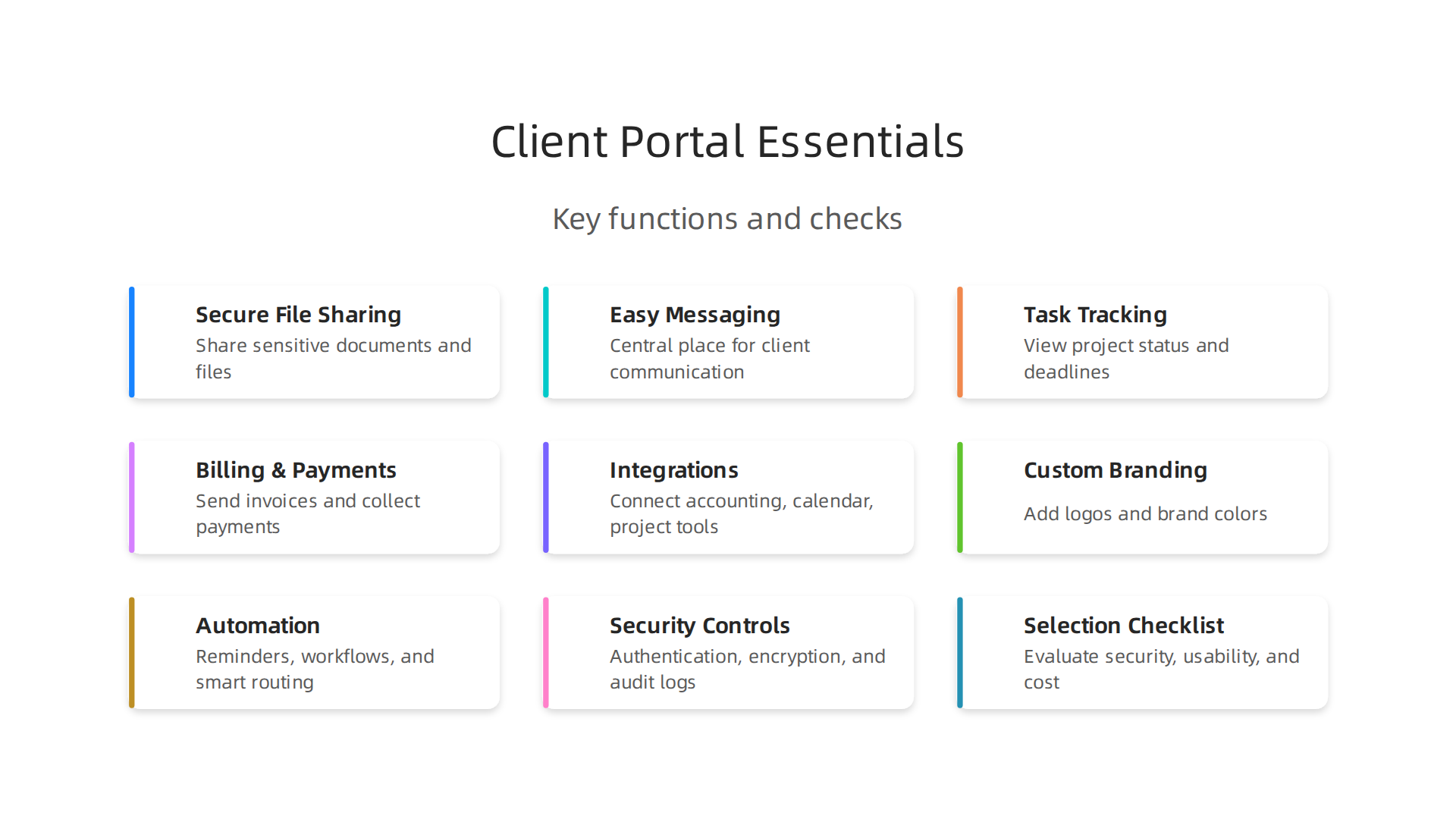
Here are the main things they let you do:
- Secure File Sharing: This is one of the most important features. You can share sensitive documents, contracts, reports, and large files without worrying about email limits or security risks. The best client portals offer features like role-based access, meaning only the right people can see certain files, keeping your information safe What a modern Customer Portal must include in 2026.
- Easy Messaging and Communication: Instead of scattered emails and chat apps, a client portal gives you a central place for all talks. You can send messages, ask questions, and get replies, keeping all conversations tied to specific projects or tasks. This means no more searching through old emails to find a crucial detail.
- Task Tracking and Project Updates: Clients can log in and see exactly where their project stands. They can track progress, check deadlines, and see what steps are next. This makes everything clear and helps manage expectations.
- Billing and Payments: Many client portals allow you to send invoices, get approvals for work, and even collect payments directly. Some even support e-signatures for contracts, making paperless work a reality The 11 must-have client portal features for service firms in 2026.
- Integrations with Other Tools: A good client portal should work well with the other programs you use, like your accounting software, calendar, or project management tools. This helps avoid copying information by hand and keeps all your data in sync. You might even find a tool that helps you master your Samsung notification and tracking settings for enhanced privacy across different connected apps.
- Custom Branding: The best portals can be customized to look and feel like your own business, with your logo and colors. This gives clients a professional and consistent experience.
Real-World Use Cases for Client Portals
Many different types of businesses are using client portals in 2026 to improve how they work:

- Customer-Facing Teams: Any business that works closely with clients, like marketing agencies or tech support teams, benefits greatly. A portal helps them manage client requests, share updates, and provide support more effectively.
- Agencies and Consultants: For agencies handling multiple clients, a client portal is a lifesaver. It allows them to organize projects for each client, share creative work, get feedback, and manage campaign results all in one place. Imagine using a client portal to give feedback on a new website design, instead of going back and forth with many emails.
- Professional Services (Law, Accounting, Finance): These fields deal with very private and important documents. Client portals offer a secure way to exchange sensitive information, get legal documents signed, share financial statements, and keep client data confidential.
- Small Businesses and Freelancers: Even small operations can gain a lot. A client portal makes them look more professional and organized. It simplifies managing tasks, sending invoices, and communicating with clients, freeing up time for actual work. While you might start with something basic, perhaps even exploring a Wix free website to create a simple hub, a dedicated client portal offers much more functionality and security. Businesses across all sizes are finding success, with 95% of new clients actively using portals for onboarding in 2026, showing how easy they are to adopt Build Client Portals: 5 Steps for 2026 Access.
Client portals do more than just make things easy; they truly make businesses work better and faster. In 2026, using a client portal is a smart way to boost how much you get done. It helps your team focus more and get important tasks completed.
Streamlining Your Work and Communications
Imagine all your client conversations, important files, and project updates in one clean spot. That’s what a good client portal gives you. Instead of jumping between emails, different chat apps, or even phone calls, everything is centralized. This stops what we call "context-switching," which is when your brain has to switch focus often from one thing to another. Each time you switch, it costs you time and energy. A client portal lets you stay focused on the task at hand. It means you spend less time searching for information and more time doing valuable work.
Actually, many clients prefer to find answers themselves. About 67% of customers would rather use a self-service portal than call someone for help Customer Portal Statistics 2026 | Self-Service, Deflection – AMW. This makes work smoother for everyone, cutting down on back-and-forth messages and saving time for your team.
Automated Workflows and Smart Helpers
Client portals also bring "automation" to the table. This is like having a smart assistant that handles the small, repeated jobs for you.
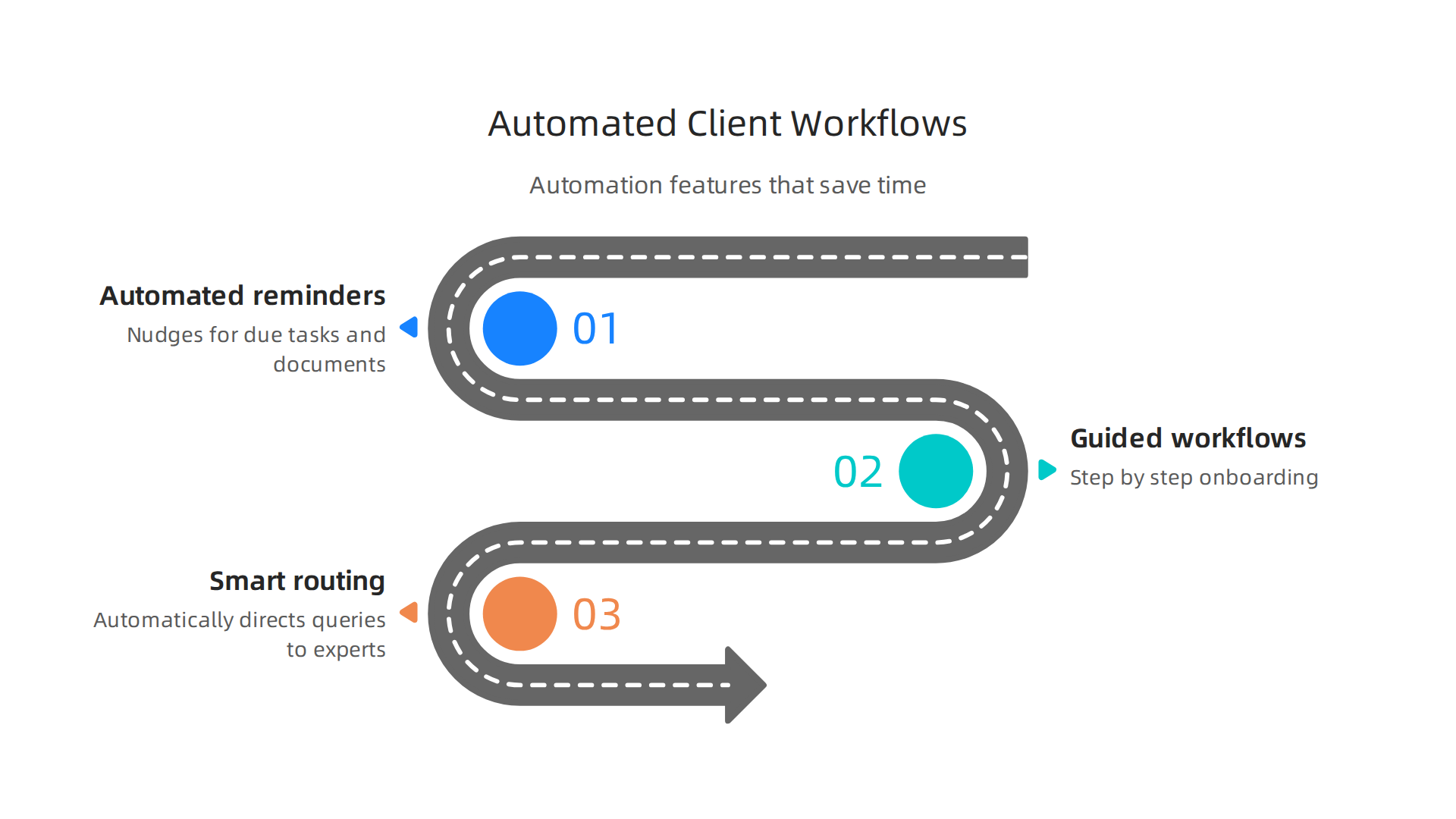
- Automated reminders: Your client portal can send clients a gentle nudge when a document is ready for review or when a task is due. This means no more manual follow-up emails for your team.
- Guided workflows: For new clients, the portal can walk them through onboarding steps, making sure all necessary papers are signed and information is collected. You don’t have to guide them through every step by hand.
- Smart routing: If a client asks a question, the portal can use smart rules or even AI to send that question to the right person on your team right away. This speeds up answers and ensures no request gets lost.
In 2026, AI is making big waves in the workplace. Companies using AI tools are seeing amazing productivity gains, with some reporting 21-32% boosts within a year Hybrid AI Workplaces in 2026: 30% Productivity Gains – LinkedIn. AI can help client portals even further by summarizing information or automating routine tasks Best AI Tools for Client Portals You Need in 2026 – mipaoverseas.com. If you’re looking for tools to help with summarizing information, you might be interested in learning how to choose the best website summarizer for your workflow. Staying on top of these changes can be tough. The AI Newsletter Worth Reading offers clear daily updates to help you navigate the world of AI.
Measuring How Much Better You Work (KPIs)
To know if your client portal is really helping, you need to look at "Key Performance Indicators," or KPIs. These are simple ways to measure success.
Think about these questions:
- Are you finishing projects faster?
- Are clients getting replies more quickly? (You can track response times within the portal.)
- Are clients more satisfied? (You could send short surveys through the portal.)
- Are you sending fewer emails back and forth? (Less email traffic means more work done in the portal.)
- Is your team spending less time on small administrative tasks?
By tracking these kinds of numbers, you can clearly see the good changes your client portal brings. Businesses that adopt client portals often see improved client satisfaction and higher efficiency across the board Client Portal Features Checklist for Agencies (2026) – Sagely. This shows that a client portal isn’t just a nice-to-have; it’s a powerful tool for making your business run smoother and more effectively in 2026.
A client portal can be the best tool ever, but if it’s hard to use, your clients won’t bother.

That’s why good design is super important. It’s like having a great car that’s impossible to drive; nobody will use it. For a client portal to truly help your business, clients need to feel good using it.
This means the portal should be easy to understand from the very first moment. The way a client portal is set up, called "information architecture," makes a big difference. It should be organized so clients can quickly find what they need without thinking too much. Experts agree that organizing things around what users need to do, rather than how your company is set up, leads to better use of the portal, making it easier for clients to adopt Enterprise Portal UX and Adoption Best Practices.
Next is "onboarding." This is how new users learn to use the client portal. It should be simple and guide them step-by-step. Imagine a quick welcome message, a short checklist, or even little tours that show them around. In 2026, the best onboarding flows often combine a few simple patterns, like clear welcome screens and checklists that take just a few minutes to complete SaaS Onboarding Flows: 8 Real Examples & UX Patterns (2026). Making it easy to start means clients will actually stick around and use it. No one wants to spend hours figuring out how to upload a file or ask a question.
Also, most people use their phones for everything these days. So, your client portal must work well on a mobile phone or tablet. It should look good and be easy to tap on a small screen. If it’s clunky or broken on a phone, clients will get frustrated and stop using it. This is why "mobile-first" access is so key.
What stops clients from using a portal?
- Too complicated: If the portal has too many options or looks messy, it can be scary.
- Hard to learn: If there’s no clear way to get started, clients might just give up. Weak onboarding makes people feel lost.
- Bad on mobile: If it doesn’t work well on their phone, they won’t use it on the go. A poor mobile experience is a common blocker.
- Not helpful: If they can’t easily do what they came to do, like checking a project status or finding a document, they won’t come back. Overly complex interfaces can hide the simple things clients want to do.
A well-designed client portal helps people want to use it. It makes them feel smart and helps them get things done. This makes your clients happy and helps your business grow. To dive deeper into the nuts and bolts of what makes technology truly useful and understandable, you might want to define technology unlock its true meaning and navigate the future of tech.
A client portal is truly helpful when it is easy for clients to use and helps your business grow. But here’s the thing: a good client portal must also be super safe. It holds important client information, like private files or messages. So, before you show your new client portal to anyone, you must check its security and privacy features very carefully. This is like making sure the doors on your safe are locked tight.
Security Controls: Keeping Your Data Safe
When we talk about client portal security, we mean several important things working together:
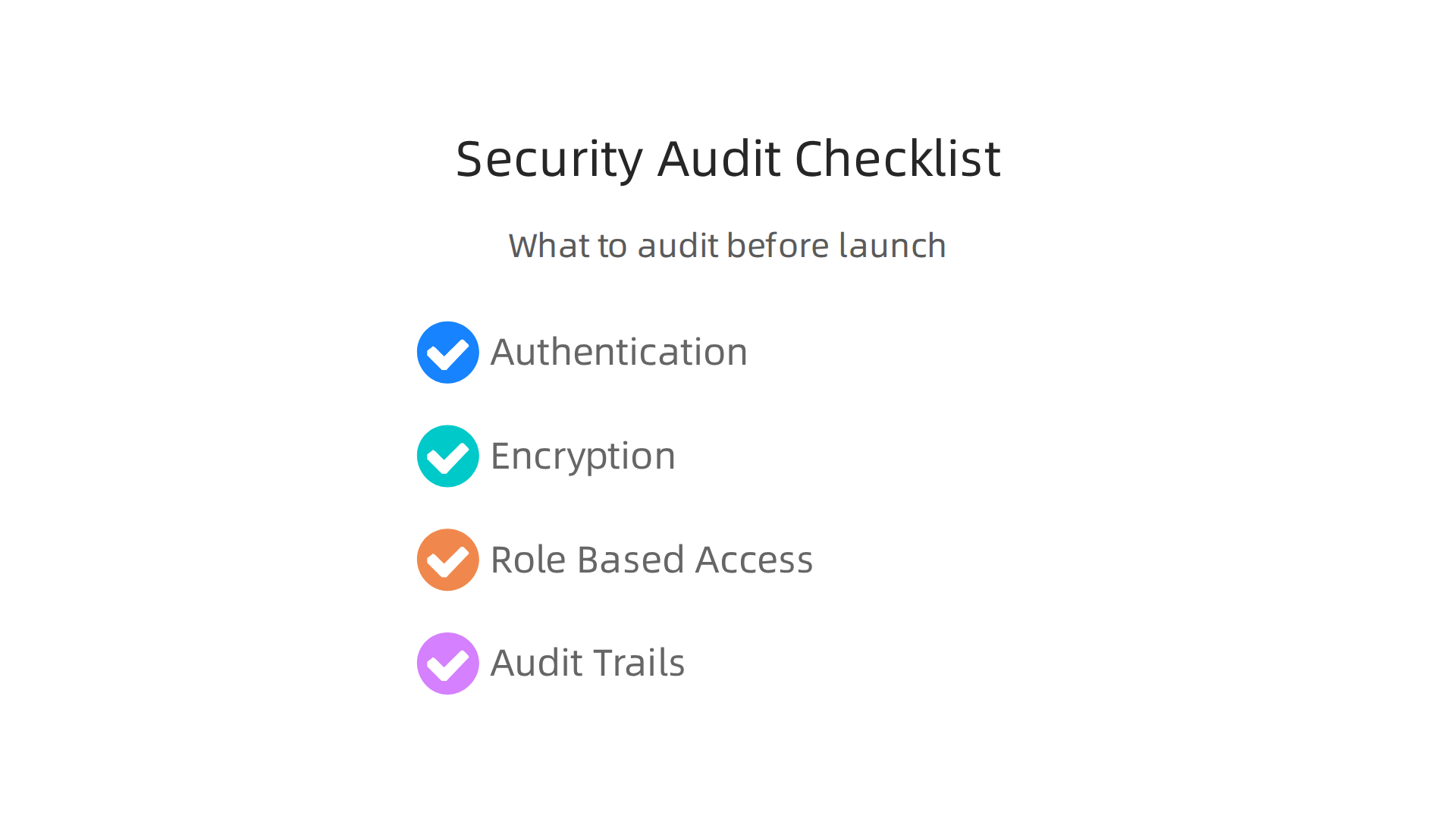
- Authentication: This is about making sure the right person is logging in. It’s like checking someone’s ID. A strong client portal will ask for a password and often a second step, like a code sent to your phone (this is called multi-factor authentication or MFA). This makes it much harder for someone else to pretend to be your client Secure Client Portal: Encryption, Audit Logs & Compliance in 2026.
- Encryption: Think of encryption as scrambling your data so only the right people with the "key" can read it. Your client portal needs to encrypt data in two ways:
- In transit: When data moves from your client’s computer to your servers, it needs to be scrambled.
- At rest: When data is stored on servers, it also needs to be scrambled. This keeps files like documents and personal information safe even if someone managed to get to the storage Secure Client Portal Setup Guide for File Sharing (2026).
- Role-Based Access: Not everyone should see everything. This feature lets you decide exactly what each person can see or do in the client portal. For example, one client might only see their own project, while another might see their billing information. This means you only give access to what’s truly needed Secure Client Portal: Complete Security Guide (2026) – AppDeck.
- Logging and Audit Trails: This is like keeping a detailed diary of everything that happens in the portal. It records who logged in, what files they looked at, when they did it, and from where. If there’s ever a question about what happened, these records can show you the full story. Many security best practices require keeping these logs for a long time Customer Portal Security Best Practices. You can learn more about keeping your tech safe and balanced by exploring how to secure your phone and find digital balance for mobile tech wellness.
Privacy and Compliance: Playing by the Rules
Beyond just being secure, your client portal also needs to respect client privacy and follow certain rules, or "compliance." These rules can come from different places:
- Data Residency: This refers to where your clients’ data is physically stored. Some countries or regions have laws that say data must be kept within their borders. You need to know these rules and pick a client portal that can store data in the right places.
- Industry Regulations: Depending on what your business does, you might have specific rules to follow. For instance, if you’re in healthcare, you need to follow HIPAA laws. If you deal with clients in Europe, GDPR rules are very important. These rules often say how you must protect, handle, and store private client information The Ultimate Guide to Secure Client Portals. For example, healthcare portals must log who accesses patient information and when HIPAA Patient Portal Security Requirements 2026.
- Consent: Clients need to agree to how you collect, use, and store their information. Your client portal should have clear ways to get this agreement. This might mean checking a box during sign-up or having an easy-to-understand privacy policy. Understanding privacy settings is crucial, like knowing how to master your Samsung notification and tracking settings for enhanced privacy.
In 2026, ensuring strong security, privacy, and compliance is not just good practice; it’s a must-have for any successful client portal. It builds trust and protects both your business and your clients. For those who want to stay informed on how artificial intelligence is shaping these complex technological landscapes, consider subscribing to The AI Newsletter Worth Reading.
After making sure your client portal is safe and private, the next big step is thinking about how it connects with your other business tools. This is called "integrations." Think of your client portal not as a standalone island, but as a central hub that talks to all your other important apps. When everything works together, it saves you a lot of time and makes your work smoother.
Integrations and the modern tech stack: connecting your client portal to apps and data
In 2026, most businesses use many different computer programs to get things done. This collection of tools is your "tech stack." A smart client portal can connect to these tools, making your daily tasks easier and more automatic.
Here are some common types of connections and why they are super helpful:
- CRM (Customer Relationship Management): This is where you keep all your client details, notes, and history. When your client portal talks to your CRM, any new information from a client, like updated contact details or a message, can go straight into your CRM. This saves you from typing things twice. Many good CRM with client portal software options exist today.
- Billing and Invoicing: Imagine a client approves a project in the portal, and an invoice is created automatically in your accounting software. That’s what a billing integration does. It makes getting paid simpler and faster. Tools like Stripe and Xero are common for these connections. You can find more details in a Customer Portal API Integration Guide.
- Calendar and Scheduling: If clients can book appointments through the portal, it’s great if those bookings show up right away in your team’s calendar. This helps avoid double bookings and keeps everyone on the same page.
- File Storage: You might use a specific service like Google Drive or Dropbox to store files. An integration means clients can upload documents directly to their secure folder within the client portal, which then syncs to your main storage. This keeps everything organized.
- Automation Platforms: Tools like Zapier or Make can connect your client portal to almost anything else. For example, when a client signs a document in the portal, an automation could trigger an email to your team or update a project task. These tools help you build complex workflows that run on their own. Comparing costs for 2026 Integration Platforms shows options like Arahi AI, Zapier, and Make with different pricing models.
How Integrations Work: APIs and Middleware
Connecting different apps can happen in a few ways:
- Native Integrations: Some client portals have built-in connections to popular apps. This means the portal’s creators have already done the hard work, and you just need to turn the connection on. This is usually the easiest path. You can compare various client portal options in guides like the Best Client Portals in 2026.
- API (Application Programming Interface): An API is like a secret language that two different apps can use to talk to each other. If your client portal or another app doesn’t have a native connection, you might use their APIs to create a custom link. This often requires a little more technical know-how. Some unified API platforms offer flexible pricing models, whether it’s per customer connection or based on how many connections are made.
- Middleware: Sometimes, you need a "middleman" program to help two apps talk. This is called middleware. It takes information from one app, changes it if needed, and sends it to the other. Middleware helps avoid problems like having the same information entered multiple times across different systems, which can happen when apps don’t talk to each other directly, as discussed in a guide on SaaS Middleware Integration Models.
Timelines and Costs for Integrating Your Client Portal
Setting up integrations can take time and cost money.
- Timeline: Simple native integrations might only take a few minutes or hours to set up. But if you need custom API work or complex middleware, it could take weeks or even months. For example, building a mid-range client portal with CRM and billing integrations might take 12 to 20 weeks, according to a Complete Guide to Building a Custom Portal.
- Costs: The cost depends on how complex the integration is. Native integrations are often included in your client portal’s monthly fee. Custom API work or using middleware platforms can add extra costs. These might be one-time setup fees or ongoing monthly charges, depending on how many connections you have and how much data they handle. Some unified API platforms charge per-connection or usage-based fees.
Choosing the right integrations for your client portal makes it a powerful tool that helps your business run smoothly. It lets you define technology in a way that truly serves your workflow, boosting your team’s efficiency and client satisfaction.
Choosing the right client portal for your business means looking at many things, not just how it connects to your other tools. It’s like picking a new car; you don’t just look at the engine. You also check how safe it is, how easy it is to drive, and what it costs over time.
Here’s a simple checklist to help you pick the best client portal for your needs:
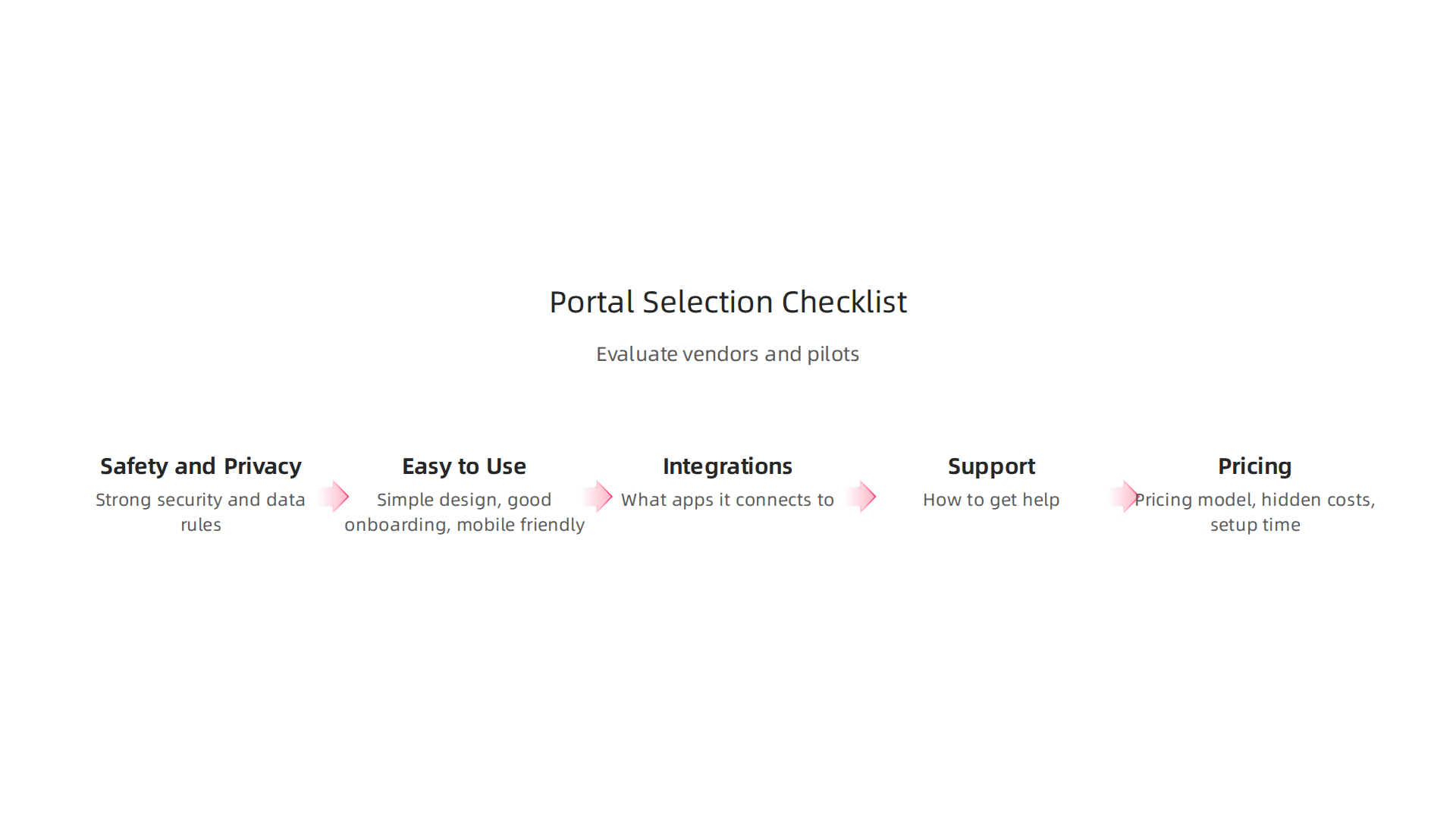
1. Safety and Privacy (Security)
Your client portal will hold important information. Make sure it keeps your clients’ data safe and private.
- Look for strong security: Does it use good ways to protect data? Think about things like two-factor authentication, where you need a code from your phone to log in.
- Understand data rules: Where is your data stored? Does the company follow rules about keeping data safe in your country?
2. Easy to Use (User Experience or UX)
If a client portal is hard to use, your clients won’t want to use it. It should be simple for them to find what they need, upload files, or send messages.
- Simple design: Is the look clean and easy to understand?
- Good onboarding: How does the portal help new users get started? Good portals guide new users step-by-step, sometimes with checklists, to show them how to use it right away. In 2026, the best client portal designs often use clear onboarding steps to make sure people actually use the portal and like it SaaS Customer Portal Design: 8 UX Patterns That Convert.
- Mobile friendly: Can clients use it easily on their phone or tablet?
3. Connections to Other Apps (Integrations)
We already talked about how important integrations are. When evaluating a client portal, ask:
- What apps does it connect to? Does it link up with your CRM, billing software, or file storage?
- How easy are these connections? Are they built-in, or do you need special help to set them up?
4. Help When You Need It (Support)
Things can go wrong, or you might have questions. Good support from the client portal company is key.
- How can you get help? Do they have phone, email, or chat support?
- Are there guides or videos? Can you find answers yourself easily with help articles or how-to videos?
5. What It Really Costs (Total Cost of Ownership or TCO)
The price tag isn’t just the monthly fee. Think about everything involved.
- Pricing model: How do they charge? Is it per user, per client, or a flat fee? Some unified API platforms, for example, charge based on the number of customer connections Breaking Down Unified API Pricing (Updated 2026). Others might charge a flat rate for unlimited users Best Client Portal Software 2026: 3 Types, 8 Picks Compared. Make sure the pricing fits how your business works.
- Hidden costs: Are there extra fees for more storage, more users, or special features?
- Setup time and training: How much time will you and your team spend learning and setting up the portal? Time is money.
Trying It Out: Proof-of-Value Pilots
You don’t have to jump all in at once. Many client portal companies let you try their service with a small group of people first. This is called a "pilot" or "proof-of-value."
- Start small: Pick a few trusted clients and a few team members to test it out.
- Set clear goals: Before you start, decide what "success" looks like. For example, "Clients should be able to upload documents easily," or "Our team should save 2 hours a week on client communication."
- Gather feedback: Ask your pilot users what they think. What was easy? What was hard?
- Measure results: Did you meet your goals? Did the portal save time or make clients happier?
By using a checklist and trying things out first, you can choose a client portal that truly helps your business grow and makes everyone’s life easier. To keep up with all the newest tech that can help your business, consider signing up for The AI Newsletter Worth Reading. Staying informed helps you define technology that supports your goals.
Staying informed about new tech is important, especially when choosing tools like a client portal. Looking ahead to 2026, client portals are changing fast. They are becoming smarter and more helpful, thanks to new technologies like Artificial Intelligence (AI). This means better ways to work and happier clients.
What’s New with AI in Client Portals?
AI is making client portals much more powerful. Imagine a client portal that can understand what you need, even before you fully ask. That’s the direction things are headed.
-
AI-enabled summaries: One big change is how AI can sum things up for you. If a client sends a long message or a big document, AI can quickly give you the main points. This saves a lot of time. For instance, AI tools can create meeting summaries and help you finish tasks faster AI-driven digital workplaces to gain pace in 2026: Research Report. You might even see AI-powered email summaries become common in tools like Google Workspace Google Workspace AI Features in 2026: How Teams Are … – Qualtir. This is similar to how you might use a website summarizer for your workflow to quickly get the gist of a long article. We are starting to rely on AI for summarizing complex information How AI will transform the workplace in 2026.
-
Intelligent routing: AI can also act like a smart helper, directing client requests to the right person or department automatically. So, if a client asks about billing, the AI can send it straight to the accounting team. This makes things move much faster. AI customer service platforms use features like smart routing to send requests to the right agents Top AI customer service software platforms in 2026. Some client portals even use AI to sort and automate tasks, reducing the amount of manual work needed Best AI Tools for Client Portals You Need in 2026 – mipaoverseas.com.
-
Predictive task automation: Imagine your client portal knowing what needs to be done next and setting it up for you. AI can learn from past actions to predict and automate common tasks, making your workflow smoother. This helps save time on everyday tasks.
-
Personalization: The future client portal will feel like it was made just for each client. It will show them the most relevant information and tools, making their experience better and more efficient. Early users of AI-powered digital workplaces are seeing better use of their data, which helps them offer more personalized experiences How AI Is Rewriting The Rules Of The Digital Workplace.
More Productivity for Everyone
With AI, businesses and clients alike will see big jumps in how much they can get done. In 2026, AI is bringing real gains in how productive we are. For example, it boosts customer support by 14% and helps developers finish 26% more tasks Global AI Productivity Impact Report 2026. Companies that use AI are seeing their productivity go up by 30-40%, helping them stay ahead AI Workplace Trends 2026: How Artificial Intelligence is …. Many businesses are already seeing 21-32% more productivity within a year of using AI Hybrid AI Workplaces in 2026: 30% Productivity Gains – LinkedIn. This is all part of how technology is helping us unlock the smart future in every area of life and work.
Planning for the Long Haul
When thinking about these future client portals, it’s smart to plan ahead.

- Extensibility: Can the client portal grow and add new features easily?
- Data portability: Can you move your data out of the portal if you need to, without problems?
- Fitting into your digital plans: How does this client portal fit with all the other digital tools and systems your business uses? It’s about how the client portal helps to define technology within your overall business strategy.
Tools like a client portal are much more advanced than just setting up a simple online presence, like a basic Wix free website. They are becoming key parts of how businesses connect with their clients, much like how a Samsung Smart View feature helps you connect devices easily. Keeping an eye on these trends will help you pick a client portal that’s not just good for today but also ready for tomorrow.
Summary
This article explains why client portals are essential for modern digital workflows and productivity, and shows how they centralize communication, files, billing, and project tracking in a single secure space. It covers core features to look for—secure file sharing, messaging, task tracking, integrations, branding—and gives real-world use cases for agencies, professional services, freelancers, and customer-facing teams. The piece also reviews design and onboarding best practices to increase adoption, security and compliance controls (MFA, encryption, role-based access, audit logs), plus how to integrate portals with CRMs, billing, calendars and automation platforms. You’ll learn practical steps for choosing a portal, running a pilot, measuring impact with KPIs, and planning timelines and costs for native versus custom integrations. Finally, the article highlights emerging AI capabilities—summaries, intelligent routing, predictive automation—and why planning for extensibility and data portability matters for the future.