How to choose between a Samsung tablet and an iPad in 2026
Choosing a new tablet in 2026 can feel a bit like picking between two really good flavors of ice cream: both are great, but which one is best for you?

Many people get stuck trying to decide between a Samsung tablet, which runs on Android, and an Apple iPad. It’s a common problem, and it’s easy to get confused by all the tech talk.
You might wonder if one is just better than the other, or if there’s a big difference in the price of an iPhone 13 or a Samsung Galaxy device. But really, the best choice depends on what you need your tablet for. It’s not just about which one has the fastest chip or the highest screen resolution. It’s about how the tablet fits into your daily life, your other devices, and your budget. For example, if you already have a galaxy note 9, a Samsung tablet might make more sense.
In this guide, we will help you make a clear choice. We will look at practical things that matter for everyday use. We’ll compare the devices beyond just raw power. You will learn about how the hardware is built, what the software can do, and how well each tablet works with other devices you own. We’ll also talk about how safe your information will be, what accessories you can use (like a special iphone 16 plus phone case for your phone, or a stylus for your tablet), and which tablet gives you the most value for your money. Samsung, for example, has made big promises for updates in 2026, offering long-term support for its newer flagship phones and tablets, some for as many as seven years of security patches and Android upgrades, which helps keep your device current for a long time
as explained by Samsung Magazine EU.
By the end of this article, you will have a simple way to figure out which tablet, a Samsung tablet or an iPad, is the right one for you in 2026. If you’re looking for more details on different Samsung tablet models, check out our guide on the Best Samsung tablet 2026 S11 FE and A series compared.
Are you interested in how new technology like AI changes the world around us every day?
Get clear daily AI updates from The AI Newsletter Worth Reading.
When you pick up a tablet, how it feels in your hands is really important. This is called ergonomics, which just means how comfortable something is to use. Both Samsung tablets and iPads are well-made, but they often use different ideas for how they look and feel.
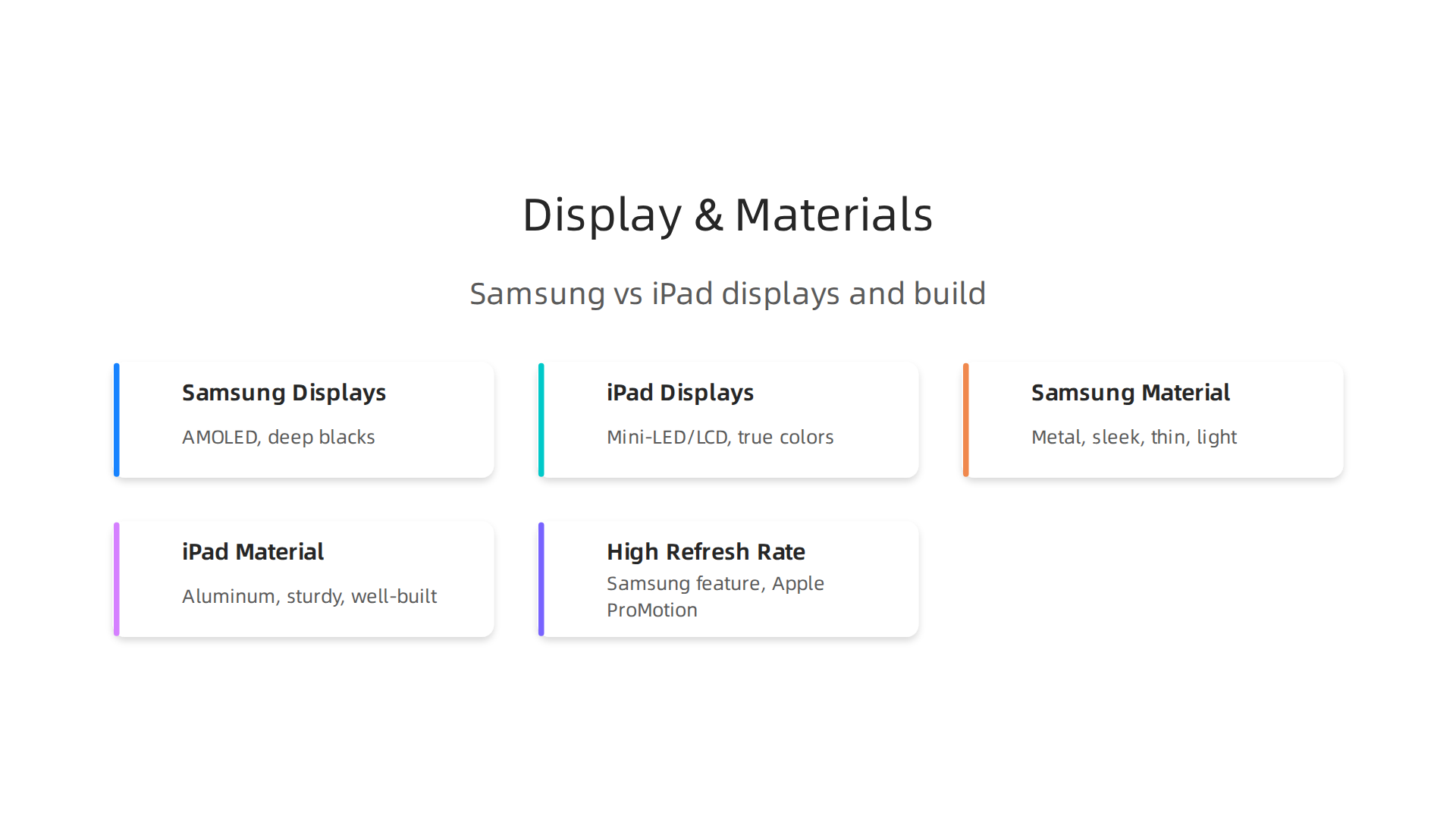
Samsung tablets, especially the Galaxy Tab S series, often use metal for a sleek and strong feel. They can be very thin and light, which makes them easy to carry around. For example, some models of the Galaxy Tab S11 Series | Samsung US are known for being super thin.
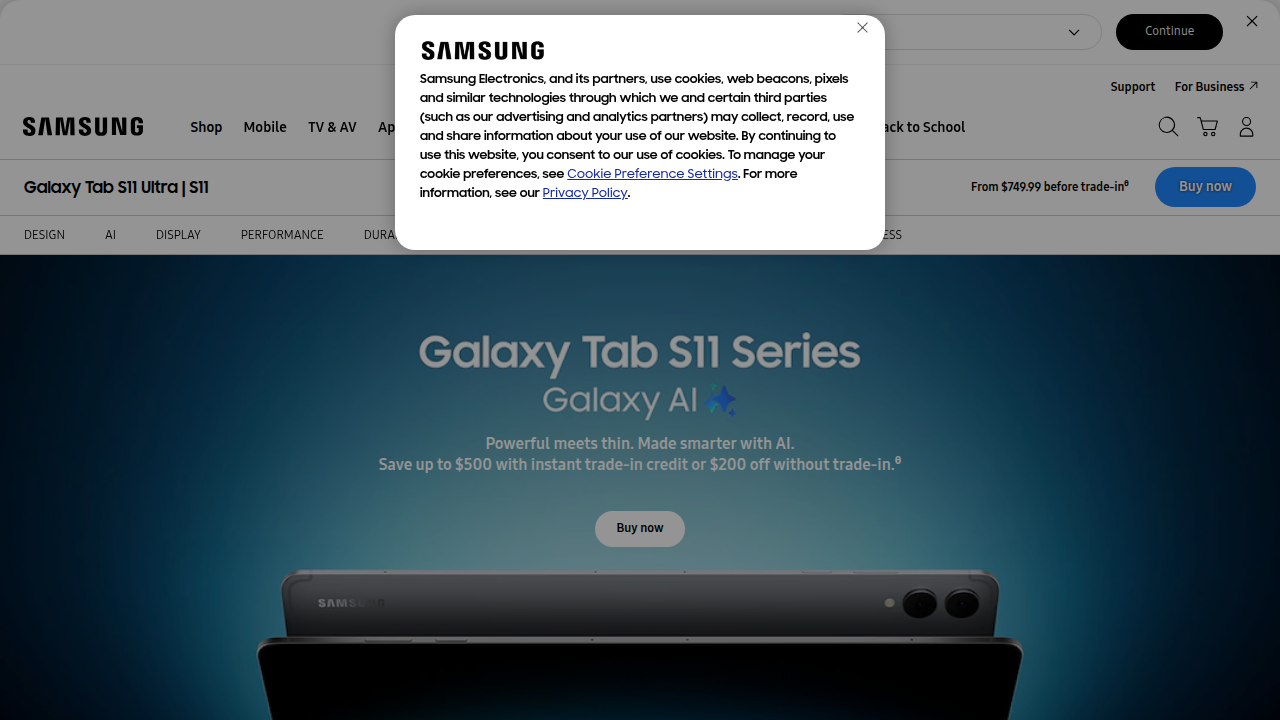
This makes a Samsung tablet great for taking to school or work, or just holding for a long time at home.
iPads also have a premium feel, usually with aluminum bodies. They are known for being sturdy and well-built. The weight and thickness of a Samsung tablet versus an iPad can change how easy it is to hold, especially if you’re holding it with one hand or carrying it in a small bag. Thinking about how you will carry your tablet helps you choose the right one.
Now, let’s talk about the screen, which is where you see everything. This is a big difference between a Samsung tablet and an iPad.
Samsung often uses special screens called AMOLED or Dynamic AMOLED 2X. These screens are known for showing very deep blacks and bright, vivid colors. They are great for watching movies or looking at photos because the colors really pop. For instance, the Samsung Galaxy Tab S10 Ultra in 2026 has an amazing Dynamic AMOLED 2X display with very high brightness. Some Samsung tablets also have a feature called a high refresh rate. This makes things look much smoother when you scroll or play games.
iPads, on the other hand, typically use LCD or, for their Pro models, Mini-LED screens. These displays are also very good, showing true-to-life colors and getting very bright. They are often praised for being great for creative tasks like drawing or editing photos because they show colors very accurately. While some iPads now also offer high refresh rates, Apple calls their version ProMotion. This technology also makes movements on the screen look super smooth, just like on some Samsung tablet models.
For someone who loves watching movies or wants colors to truly stand out, a Samsung tablet with an AMOLED screen might feel more exciting. If you are a designer, artist, or do work where exact color is super important, an iPad’s display might be what you prefer. Also, no matter which screen you pick, it’s a good idea to know how to run a screen burn in test and spot hidden damage early to keep your display in top shape.
Both brands offer excellent displays, but the way they show colors and handle brightness can give each tablet a different feel.
It really comes down to what looks best to your eyes and what you’ll use it for most.
Operating Systems & Ecosystems: Android (Samsung) vs iPadOS
Beyond how a tablet feels or what its screen looks like, the "brain" inside it is super important. This brain is called the operating system. Samsung tablets use Android, which Samsung changes a bit to make it their own, often called One UI. iPads use iPadOS, which is Apple’s special version of iOS made just for tablets. These operating systems decide how you use your tablet, what apps you can get, and how well it talks to your other devices.
Think of it like this: if you already have an Android phone, like a Samsung Galaxy Watch 7 or another Galaxy device, a Samsung tablet might feel very familiar. The apps look similar, and sharing things between devices is usually quite easy. This is part of what we call an "ecosystem."
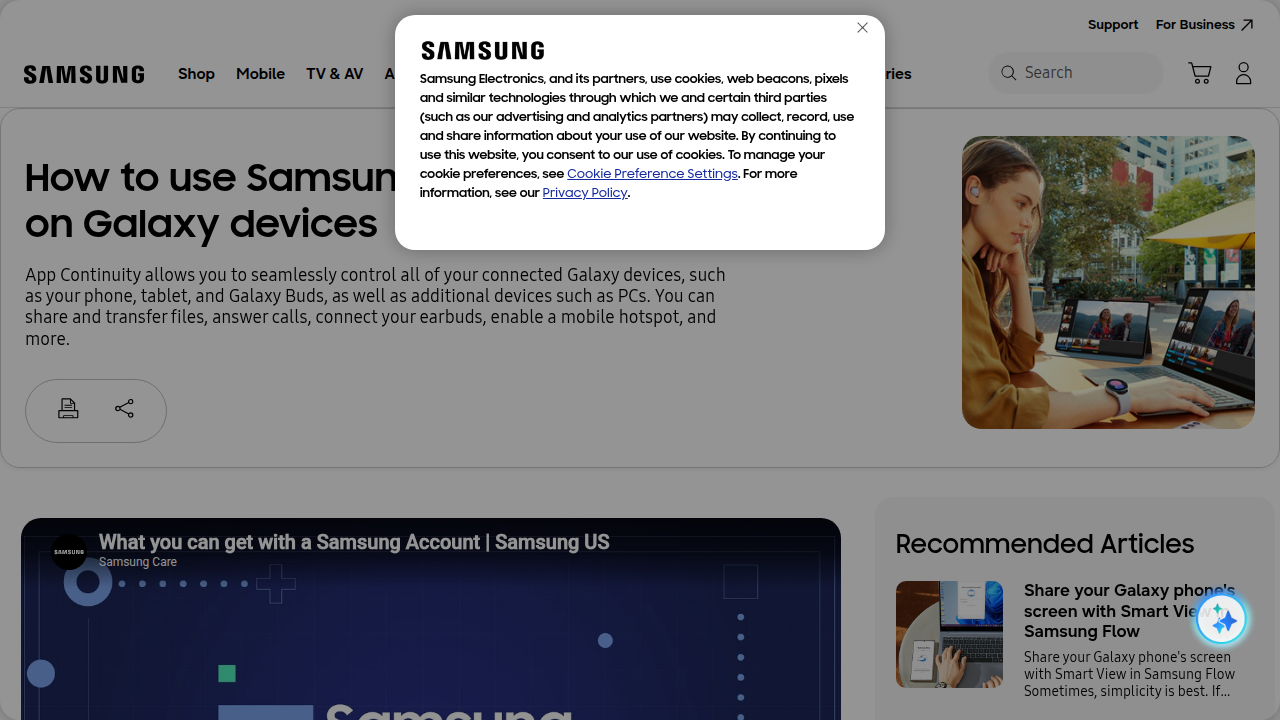
Samsung has worked hard in 2026 to make its ecosystem even better. Features like "Continue Apps" let you start something on your Samsung phone and pick it up right where you left off on your Samsung tablet. This works for apps like Samsung Internet and Samsung Notes. You can even copy something on your phone and paste it on your tablet easily, or make phone calls right from your tablet if your phone is nearby. Samsung’s One UI 7 and newer versions, like One UI 9, have brought many of these smooth connections, helping Samsung phones and tablets work together like never before. For instance, you can use your Galaxy tablet as a second screen for your PC, making work easier and giving you more space to see things How to use Samsung Apps Continuity on Galaxy devices.
This helps people who use many Samsung gadgets, whether it’s an older device like a how the Samsung Note 9 still holds up in 2026 or the newest Galaxy phone.
iPads have always been known for their strong "Continuity" features with other Apple devices. If you have an iPhone or a Mac computer, an iPad fits right in. You can send messages from your iPad, unlock it with your Apple Watch, or even start writing an email on your iPhone and finish it on your iPad. Apple’s ecosystem is very well-connected, making it simple to switch between devices without missing a beat.
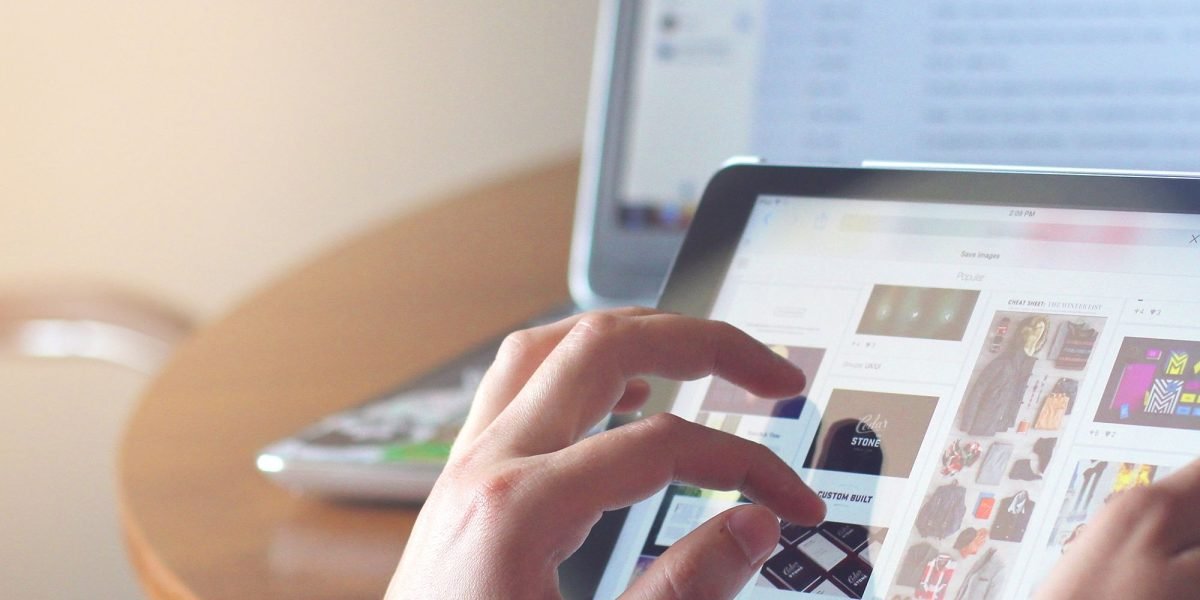
This tight connection between devices, often called "ecosystem lock-in," can be a big reason people choose one over the other.
When it comes to apps, both Android (on Samsung tablets) and iPadOS have millions of apps available. The Google Play Store for Android has a huge variety, while Apple’s App Store is known for having many high-quality apps, especially for creative work. Sometimes, professional-level apps, like those for video editing or drawing, come out on iPadOS first or are more powerful there. However, Samsung’s DeX mode on its tablets can turn your tablet screen into a desktop-like experience, which is great for getting serious work done. Also, Samsung’s focus on connecting its devices, like with One UI 9, means you get a more unified experience across all your Galaxy products and even some Windows PCs.
Choosing between a samsung ipad often depends on what other devices you use. If you like to keep up with the latest in AI and how it impacts technology, you might enjoy learning more about how these operating systems are changing.
The AI Newsletter Worth Reading
Beyond how a tablet feels or what its screen looks like, the "brain" inside it is super important. This brain is called the operating system. Samsung tablets use Android, which Samsung changes a bit to make it their own, often called One UI. iPads use iPadOS, which is Apple’s special version of iOS made just for tablets. These operating systems decide how you use your tablet, what apps you can get, and how well it talks to your other devices.
Think of it like this: if you already have an Android phone, like a Samsung Galaxy Watch 7 or another Galaxy device, a Samsung tablet might feel very familiar. The apps look similar, and sharing things between devices is usually quite easy. This is part of what we call an "ecosystem."
Samsung has worked hard in 2026 to make its ecosystem even better. Features like "Continue Apps" let you start something on your Samsung phone and pick it up right where you left off on your Samsung tablet. This works for apps like Samsung Internet and Samsung Notes. You can even copy something on your phone and paste it on your tablet easily, or make phone calls right from your tablet if your phone is nearby. Samsung’s One UI 7 and newer versions, like One UI 9, have brought many of these smooth connections, helping Samsung phones and tablets work together like never before. For instance, you can use your Galaxy tablet as a second screen for your PC, making work easier and giving you more space to see things How to use Samsung Apps Continuity on Galaxy devices. This helps people who use many Samsung gadgets, whether it’s an older device like a how the Samsung Note 9 still holds up in 2026 or the newest Galaxy phone.
iPads have always been known for their strong "Continuity" features with other Apple devices. If you have an iPhone or a Mac computer, an iPad fits right in. You can send messages from your iPad, unlock it with your Apple Watch, or even start writing an email on your iPhone and finish it on your iPad. Apple’s ecosystem is very well-connected, making it simple to switch between devices without missing a beat. This tight connection between devices, often called "ecosystem lock-in," can be a big reason people choose one over the other.
When it comes to apps, both Android (on Samsung tablets) and iPadOS have millions of apps available. The Google Play Store for Android has a huge variety, while Apple’s App Store is known for having many high-quality apps, especially for creative work. Sometimes, professional-level apps, like those for video editing or drawing, come out on iPadOS first or are more powerful there. However, Samsung’s DeX mode on its tablets can turn your tablet screen into a desktop-like experience, which is great for getting serious work done. Also, Samsung’s focus on connecting its devices, like with One UI 9, means you get a more unified experience across all your Galaxy products and even some Windows PCs.
Choosing between a samsung ipad often depends on what other devices you use. If you like to keep up with the latest in AI and how it impacts technology, you might enjoy learning more about how these operating systems are changing.
Performance & real-world usage: chips, battery, and multitasking
When we talk about how fast a tablet is, it is not just about big numbers you see in ads. It’s about how smooth things feel when you use it every day. This includes how fast apps open, how well it handles many tasks at once, and if it stays quick even when you use it for a long time.
Inside every tablet is a special "brain" called a chip. iPads often have very powerful chips, sometimes similar to what you’d find in a laptop. This lets them handle really tough jobs like editing videos or making complex drawings without slowing down. For example, some Samsung tablets like the Galaxy Tab S11 use strong chips such as the MediaTek Dimensity 9400+ or Snapdragon 8 Elite processors. These chips help them do well in tests and keep things running smoothly, even for demanding games and professional apps, as shown in the Phone Performance Test Results for 2026. You can see how different tablets stack up in Best Smartphones and Tablets – August 2026 Benchmarks.
A tablet’s "sustained performance" means how long it can keep working at its best speed before getting too hot and slowing down. Newer Samsung models, like the Galaxy Tab S10+, are known to keep their top speed for a long time, even when doing big jobs like exporting a video. This means you will not have to wait around for your tablet to catch up, making it a great choice for creative work or busy days, according to an Expert Buying Guide for 2026 Samsung Models.
Both Samsung and iPad devices are good at multitasking, which means using many apps at once. iPadOS has cool features like split-screen and slide-over, where you can have two apps open side by side or one tiny app floating over another. Samsung tablets offer their special DeX mode, which makes your tablet screen look and feel more like a computer desktop. This is super helpful if you need to work on many things at the same time or use a keyboard and mouse, turning your Samsung Galaxy Tab S10 Ultra in 2026 into a real productivity powerhouse.
Battery life is also very important. You want a tablet that can last all day without needing to be plugged in. Samsung’s bigger tablets, like those in the Galaxy Tab S series, often have large batteries. For instance, some newer Samsung Galaxy Tab models come with batteries as big as 10,090 mAh or even 11,200 mAh, which helps them last longer, as seen in the Galaxy Tabs lineup for India. Both types of tablets offer fast charging, so when you do need to power up, you won’t be waiting long. Picking the right samsung ipad really comes down to what you need it for and what kind of apps you use most often. If you’re looking for more details on different Samsung models, check out this guide on the best samsung tablet 2026 s11 fe and a series compared.
When it comes to getting things done or letting your creative ideas flow, the apps and tools a tablet offers are super important. Whether you pick a samsung ipad, you’ll find plenty of ways to be productive and creative.
Both Android (on Samsung tablets) and iPadOS have millions of apps. The Apple App Store is often seen as having many high-quality apps, especially for things like drawing and video editing. Professional apps for these creative tasks sometimes show up on iPadOS first or work even better there. On the other hand, the Google Play Store for Android has a huge library too, with many apps for all kinds of uses.
For productivity, Samsung tablets offer unique features like DeX mode. This mode can make your tablet screen look and work like a computer desktop, which is fantastic for working with many windows open or using a keyboard and mouse. It helps turn your Samsung tablet into a serious work tool, making it easy to handle office suites and collaboration apps. Many users find Samsung’s DeX mode especially helpful for a seamless work experience when paired with their accessories, as mentioned in a guide on tablets that support smartphone continuity.
iPads also shine in productivity with their powerful iPadOS features. You can easily use split-screen to have two apps open side by side, or slide-over for a quick third app. For those who want to type a lot, accessories like the Magic Keyboard transform an iPad into a laptop-like device. Apple’s ecosystem makes it smooth to work on documents or presentations, moving easily between devices.
When it comes to being creative, iPads have been a favorite for a long time. The Apple Pencil is known for its amazing precision, making it perfect for artists and designers.
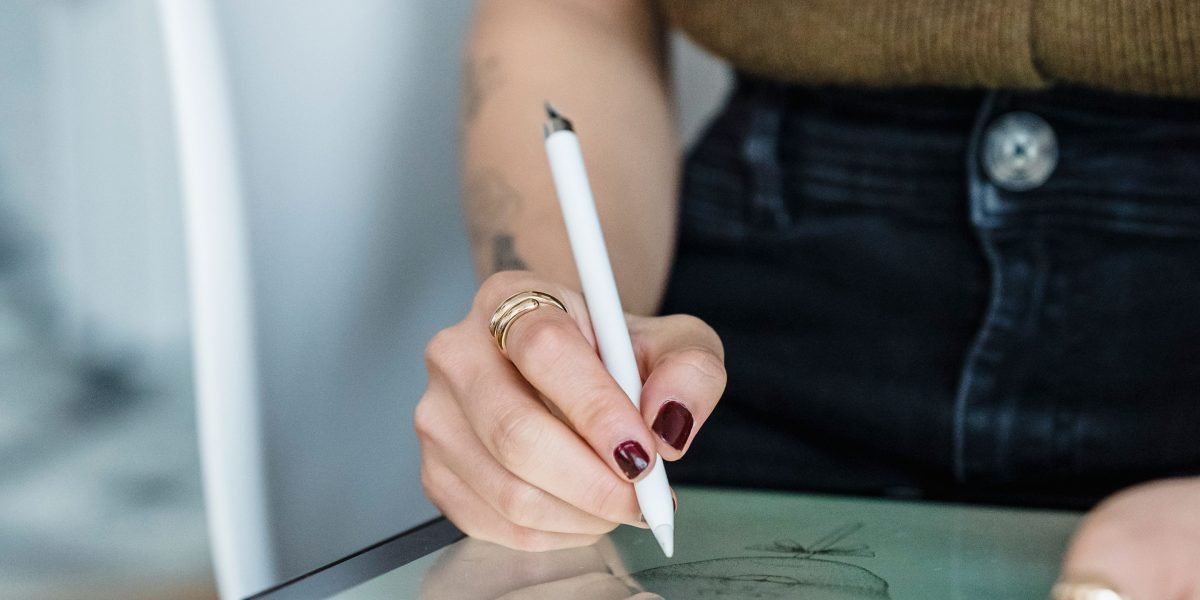
Apps for serious video editing, music making, and complex illustrations are often highly optimized for iPads.
However, Samsung tablets are catching up quickly, especially with their S Pen. The S Pen comes with many Samsung tablets and offers great precision for drawing, note-taking, and editing, similar to Apple’s offering. The Samsung Galaxy Tab S8 Review noted it as a premium Android tablet offering S-Pen support. Many creative apps are now also available and perform well on Android tablets, allowing artists and creators to choose a samsung ipad based on their ecosystem preference. Deciding between a samsung ipad for creative work often depends on which apps you already use and what ecosystem you prefer.
To get the most out of your tablet, whether for work or play, thinking about accessories like a good stylus or keyboard cover is important. These can change how you use your tablet every day. To help you get more out of your tech, consider exploring how to transform your Samsung phone with smart layout ideas for productivity and security.
Staying on top of the latest tech trends and knowing how new tools can boost your productivity is key in 2026. For those who want clear, daily updates on how AI and technology are changing our world, there’s a valuable resource.
The world of AI is moving fast, and it can be tough to keep up. Get clear daily AI updates from The AI Newsletter Worth Reading.
Keeping your tablet safe and working well for a long time means thinking about privacy, security, and how often it gets updates.
This is a big deal whether you choose a Samsung or an iPad. Regular updates help protect your tablet from new online dangers and keep it running smoothly.
Software Updates and Support
Both Samsung and Apple care about updates, but they do things a little differently. Apple is known for providing software updates to its iPads for many years. This means even an older iPad might get the newest features and security fixes.
Samsung has really stepped up its game in 2026. For its newest, best tablets and phones, Samsung now promises seven years of big Android updates and security fixes. This is a great change! For some of its other tablets, like mid-range ones, you can still expect six years of support. You can check if your new Samsung is eligible for 4, 6 or 7 years of updates. This means your Samsung tablet will stay safe and useful for a long time. For example, some older Samsung Galaxy models, like certain ones from the S22 series, are still getting updates, though maybe not as often as the very newest models in 2026, receiving quarterly security updates instead of monthly ones.
It’s good to know that Samsung regularly puts out security updates for its Galaxy devices. These updates can come monthly, every three months, or twice a year, depending on your tablet model. Learning about Samsung’s support policy can help you understand what to expect. This helps your tablet stay secure.
However, some older Galaxy tablets and phones will stop getting updates in 2026. This is normal as tech gets older. If you have an older device, like a galaxy note 9, you might not get the newest software, which could mean it’s not as safe over time. You might even use an android flash tool to update older devices, but this is more for tech-savvy users.
Keeping Your Tablet Safe
When we talk about security, both Apple and Samsung tablets have strong features built in.
- App Checking: Both companies check apps in their stores very carefully. This helps make sure that the apps you download are safe and don’t have bad software.
- Sandboxing: This is a fancy word for keeping apps separate. It means one app can’t easily mess with another app’s data or peek at your private stuff. This is a key part of how devices like a
samsung ipadprotect your information. - Privacy Controls: You have a lot of power over your privacy on both types of tablets. You can choose which apps can see your location, your photos, or use your microphone. It is really important to check these settings after you first set up your tablet. To get more privacy on your device, learn how to master your Samsung notification and tracking settings.
By keeping your tablet updated and checking your privacy settings, you can enjoy your device safely for many years. Whether you’re looking for a samsung ipad for games, work, or staying in touch, knowing about its long-term support and security features is super important for a worry-free experience. If you are comparing an iphone 13 price to a new tablet, remember to also think about how long each device will be supported. It’s like choosing a iphone 16 plus phone case; you want something that protects your investment for the long haul.
Accessories, portability, and pricing: Cost of ownership
When you pick out a new tablet, like a samsung ipad style device, the sticker price is just the start. You also need to think about all the other things that add to the total cost.
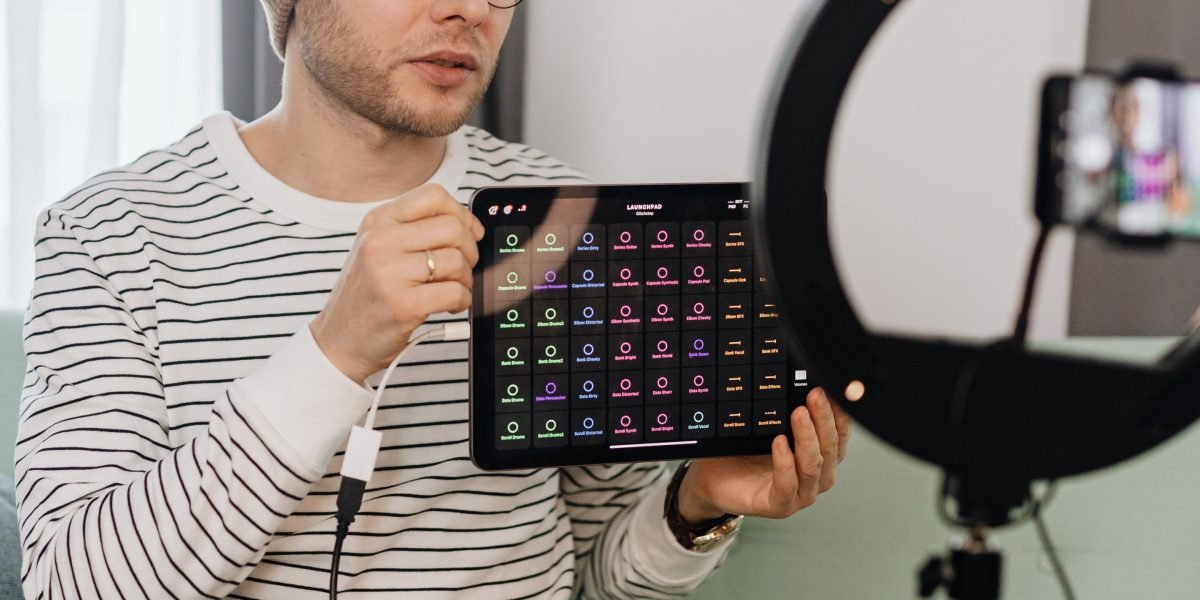
These are things like pens, keyboards, and even more storage. These extra items can change the true value and how much you enjoy your tablet.
For example, many Samsung Galaxy tablets come with the S Pen right in the box. This is a neat bonus if you like to draw or take notes. But if you choose an iPad, you usually have to buy the Apple Pencil separately. This adds to the overall price. The same goes for keyboard covers. Both brands offer great keyboard cases that turn your tablet into a mini-laptop. But they often cost extra, and sometimes they can be quite pricey. When you factor in these costs, an iphone 13 price for a tablet setup can quickly go up.
Another thing to think about is storage. Tablets come with different amounts of space for your apps and files. If you know you will need a lot of room, getting a tablet with more storage from the start is smart. Upgrading storage later is not usually an option, except for some Samsung tablets that let you add a memory card. This can be a big money saver compared to buying a tablet with huge built-in storage.
Next, let’s talk about carrying your tablet around. This is called portability. Smaller tablets are lighter and easier to fit in a bag, but they might have smaller batteries. Bigger tablets, like the Galaxy Tab S11 Series with its large screen, usually have a bigger battery, but they also weigh more. For example, some Samsung Galaxy Tab S10 Ultra models can weigh over 700 grams (about 1.5 pounds) for the Ultra version, which can feel heavy if you carry it all day.
Adding a keyboard case or a sturdy 10 best iPhone 16 Pro Max Magsafe cases in 2026 also changes how heavy and bulky your tablet becomes. While these accessories protect your device and make it more useful, they also add weight and size. For those who travel often, a lighter setup might be better, even if it means a smaller screen. The best samsung ipad for you depends on what you need it for and how much you want to spend on extras. Thinking about these total costs helps you pick the right tablet for your life. If you want to dive deeper into specific models, you can compare the best Samsung tablet 2026 S11 FE and A series compared.
Want to know more about the latest tech trends and how they impact your devices?
The AI Newsletter Worth Reading
Get clear daily AI updates from The Deep View Newsletter.
When choosing between a Samsung tablet and an iPad, it really comes down to what you need it for. There’s no single "best" tablet for everyone. To help you decide, let’s look at different ways people use tablets and which options might be a good fit.
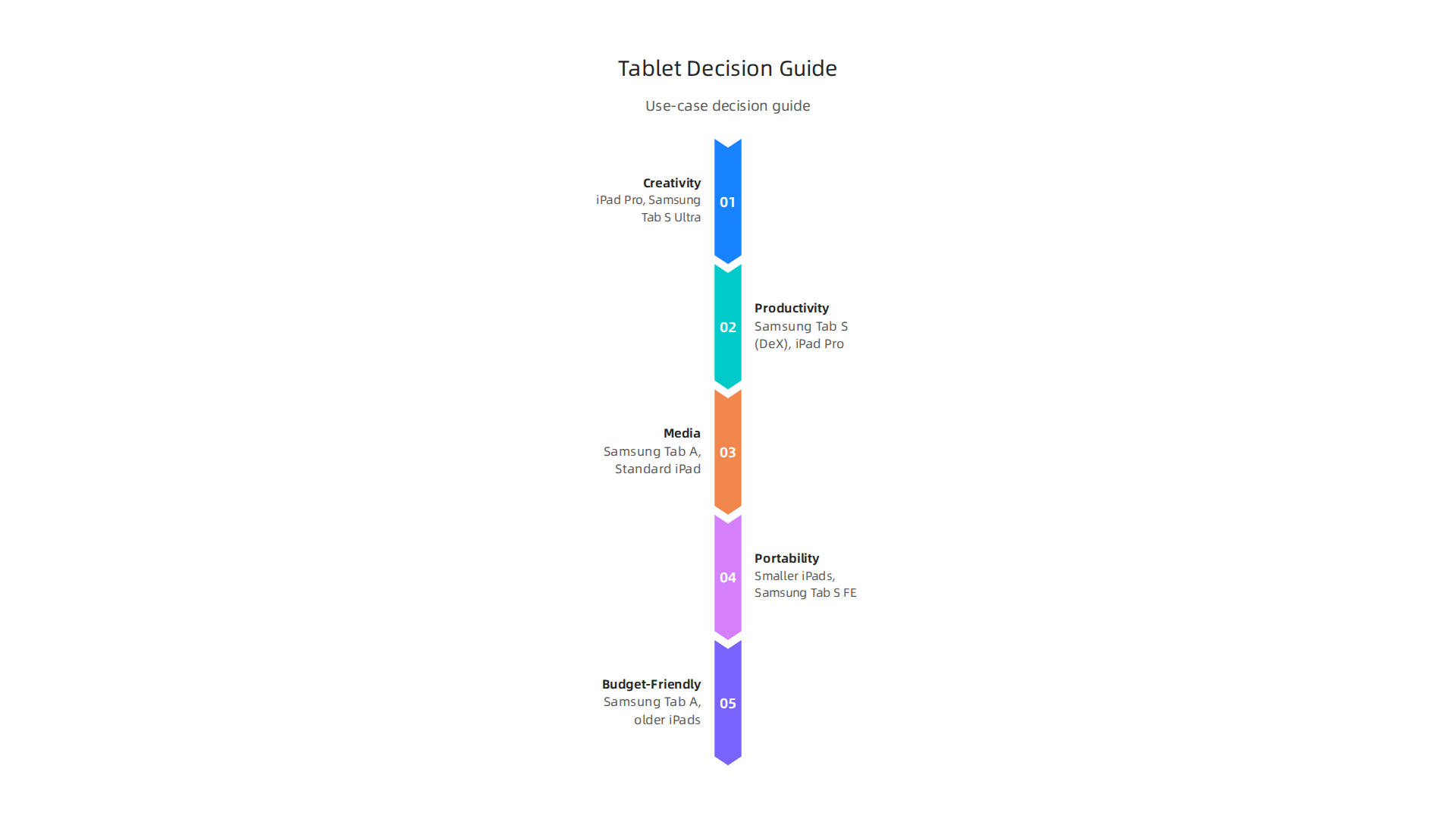
Think about how you’ll use your tablet every day.
For Students and Note-Takers
If you’re a student, you’ll want a tablet that’s good for taking notes in class and carrying around campus.
- Look for: A tablet with a good pen, like the S Pen that comes with many Samsung Galaxy tablets, or the Apple Pencil for iPads. Good battery life and a screen size that fits in your backpack are also key.
- Recommendation: Samsung Galaxy Tab S series or the standard iPad models often work well. Samsung’s tablets are known for their strong performance, with the Samsung Galaxy Tab S11 Ultra showing good benchmark scores in 2026. This means it can handle many apps at once without slowing down.
For Creative Pros and Artists
Artists, designers, and video editors need powerful tablets that can handle complex apps.
- Look for: A fast processor, a large and colorful screen, and excellent stylus support. You’ll need enough storage for your big files too.
- Recommendation: High-end iPads like the iPad Pro are very popular for creative work because of their powerful chips and a wide range of creative apps. However, top-tier Samsung Galaxy Tab S models, like the Samsung Galaxy Tab S10 Ultra in 2026, offer excellent S Pen precision and DeX mode for a desktop-like feel, making them great for artists who also want to do other work.
For Media Lovers
If you mostly want a tablet for watching movies, reading books, or playing games, your main focus will be on the screen, sound, and battery.
- Look for: A vibrant display, good speakers, and a long-lasting battery. You might not need the most powerful or expensive tablet.
- Recommendation: Both Samsung Galaxy Tab A series and standard iPads offer great screens and sound for media. The choice often comes down to which brand’s apps and ecosystem you prefer.
For Busy Professionals and Travelers
People who use their tablet for work on the go need something that’s easy to carry, secure, and can handle productivity tasks.
- Look for: Good keyboard options, strong multitasking features, and long-term software support. Features that help your tablet work well with your phone or computer are also a big plus.
- Recommendation: Samsung Galaxy tablets with DeX mode can turn your tablet into a laptop-like device, which is great for work. Samsung also offers good "Continuity" features that let you switch tasks between your phone and tablet smoothly, like answering calls or continuing browsing on a bigger screen. You can learn more about how to make the most of your device’s privacy settings to protect your information by checking out how to master your Samsung notification and tracking settings. Samsung has also committed to giving many of its newer tablets up to seven years of software updates, which means your tablet will stay safe and up-to-date for a long time.
Quick Decision Guide
| Goal | Best Fit (Primary) | Key Features to Look For |
|---|---|---|
| Creativity/Art | iPad Pro, Samsung Galaxy Tab S Ultra | Powerful processor, great pen (Apple Pencil/S Pen), large screen |
| Productivity/Work | Samsung Galaxy Tab S (with DeX), iPad Pro | Keyboard support, multitasking, phone/PC integration, long updates |
| Media/Entertainment | Samsung Galaxy Tab A, Standard iPad | Bright screen, good speakers, long battery life, affordable |
| Portability/Travel | Smaller iPads, Samsung Galaxy Tab S FE | Lightweight, good battery, optional cellular |
| Budget-Friendly | Samsung Galaxy Tab A series, older iPads | Good value for basic tasks, expandable storage (Samsung) |
Remember, the best samsung ipad style tablet for you is the one that fits your daily life and tasks the most. Consider the performance you need, the accessories that are important to you, and how long you expect the device to get software updates.
Summary
This guide helps you choose between a Samsung tablet and an Apple iPad in 2026 by focusing on what matters in real life: feel, screen quality, software, performance, battery, apps, accessories, and long-term support. It compares Samsung’s AMOLED displays, S Pen and DeX productivity mode with Apple’s color-accurate displays, Apple Pencil and tightly integrated iPadOS ecosystem. The article explains how operating systems affect app choices and device continuity, shows how chips and sustained performance shape real-world multitasking, and highlights battery and accessory costs that change total ownership. It also covers security and update policies—Samsung now promises up to seven years for many newer models—plus practical recommendations for students, creatives, media lovers, and professionals. After reading, you’ll have a simple checklist to match a tablet to your devices, budget, and daily tasks so you can pick the tablet that fits your life, not just the best specs.