

Why Samsung Health Matters for Everyday Wellness
In 2026, keeping up with your health is easier than ever, thanks to smart tools like Samsung Health.

This app is a big part of how many people manage their well-being every day. It’s like having a helpful friend in your pocket that cares about your health goals.
Samsung Health is a free app made by Samsung Electronics. It helps you keep track of many things that add to how well you feel. Think about tracking your daily steps, how well you sleep, what you eat, and even your stress levels. It brings all this important information together in one easy-to-see place Samsung Health | Apps & Services | Samsung US.
The app is available on both Android and iOS phones, making it easy for lots of people to use Samsung Health.
This useful tool works by gathering information from different parts of your Samsung tech. For example, your phone has sensors that can count your steps. But when you use a Samsung smartwatch, like the latest Samsung Galaxy Watch 7 review: the smartwatch that does it all, Samsung Health gets even more details. It can learn about your heart rate, how much oxygen is in your blood, and even how deeply you sleep. This mix of wearable data and phone sensors helps Samsung Health give you a full picture of your health.
All this information helps you make good choices for your daily routines. For example, if Samsung Health shows you aren’t sleeping well, you might try to go to bed earlier. If it reminds you that you haven’t moved much, you might take a walk. It’s all about using digital technology to understand your body better and work towards your long-term wellness goals. Samsung Health is not just about tracking; it also gives you tips and insights to help you get healthier. As technology keeps changing, it’s good to stay informed about new tools.
If you’re interested in how digital technology and AI are shaping our future, you might want to look at The AI Newsletter Worth Reading.
Samsung Health is more than just an app on your phone; it’s a key part of how all your Samsung devices work together to keep you healthy.
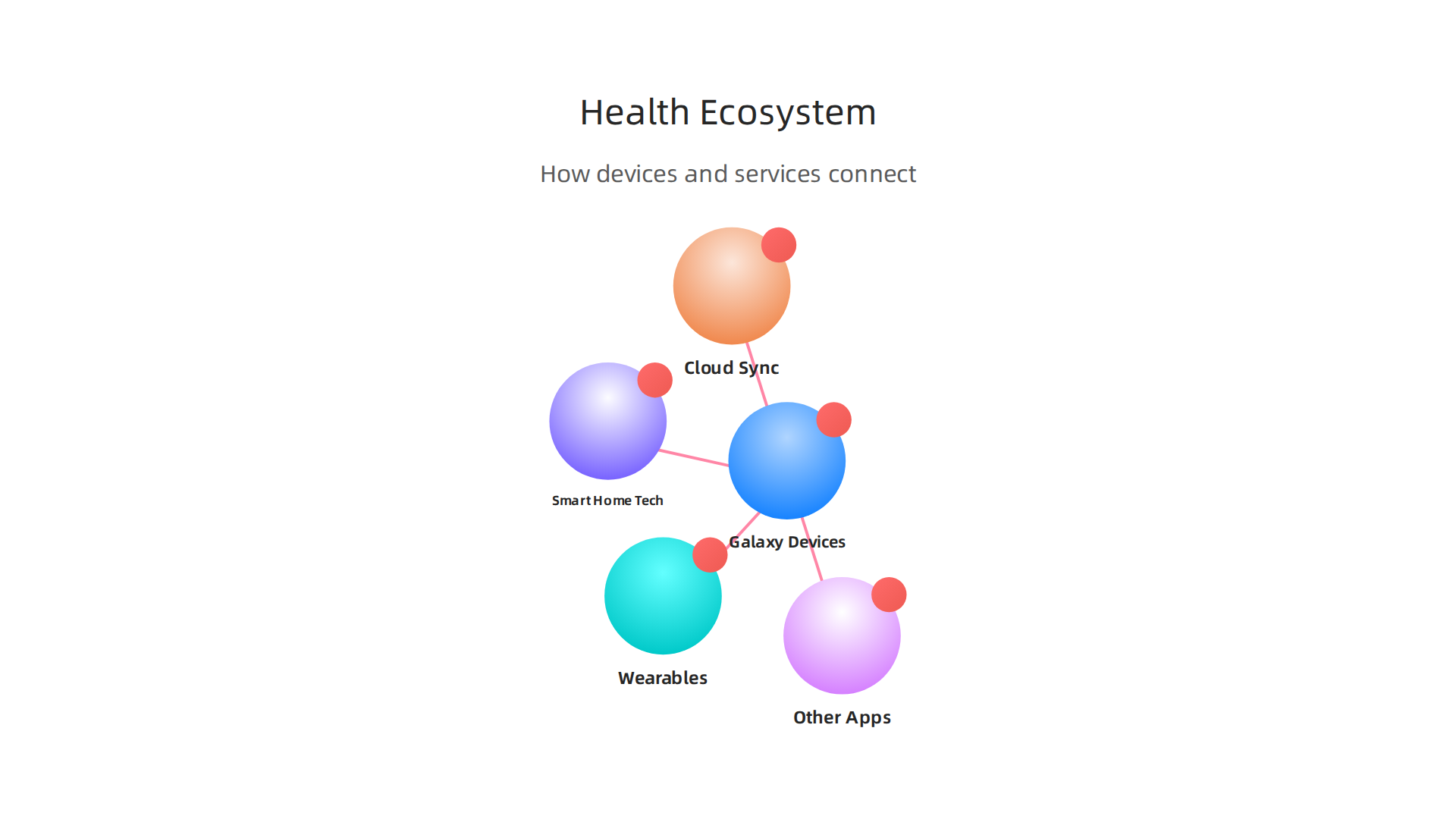
It creates a complete network, or "ecosystem," where different gadgets share your health information smoothly.
Working with Galaxy Devices and Wearables
Your Samsung Galaxy phone or tablet is the main hub for Samsung Health. It collects basic activity data on its own. But when you add a Samsung smartwatch or other wearable like a Galaxy Fit, the system becomes even smarter. These wearables are made to track your body closely. They watch your heart rate, how much oxygen is in your blood, and even how well you sleep. In fact, in 2026, Samsung made a big update to the Samsung Health app, turning the Galaxy Watch into a smart health helper that can give you even better advice Samsung Health App Evolves With AI-Powered Proactive ….
The beauty of this system is that all this data from your wearables and phone goes straight into your Samsung Health app. It’s like all your Samsung devices are talking to each other to understand your full health story. This means whether you’re using a phone, tablet, or a Samsung smartwatch, your health data is always up to date. If you’re looking for other great Samsung devices, you might want to check out the Best Samsung Tablet 2026 S11 Fe and A Series Compared.
Your Health Data, Everywhere You Go
To make sure your health information is always ready for you, Samsung Health uses cloud sync. This means your data is saved online, linked to your Samsung account. So, if you get a new Samsung device, all your past health records and progress can be brought over easily. You just log into your Samsung account, and your personal health dashboard is there.
This cross-device continuity is super helpful for keeping up with your health goals. You can check your steps on your phone during the day, then look at your sleep patterns on your tablet in the evening. Everything stays connected and in sync. It’s important to keep your permissions set correctly to make sure your data syncs properly.
Connecting with Other Apps and Smart Home Tech
Samsung Health doesn’t just work with Samsung’s own devices. It can also connect with other health and fitness apps and services. For example, it can link up with Google’s Health Connect, which acts like a central place for your health data. This helps share your fitness tracking info with other apps you might use Paring Samsung Health via Google’s Health Connect.
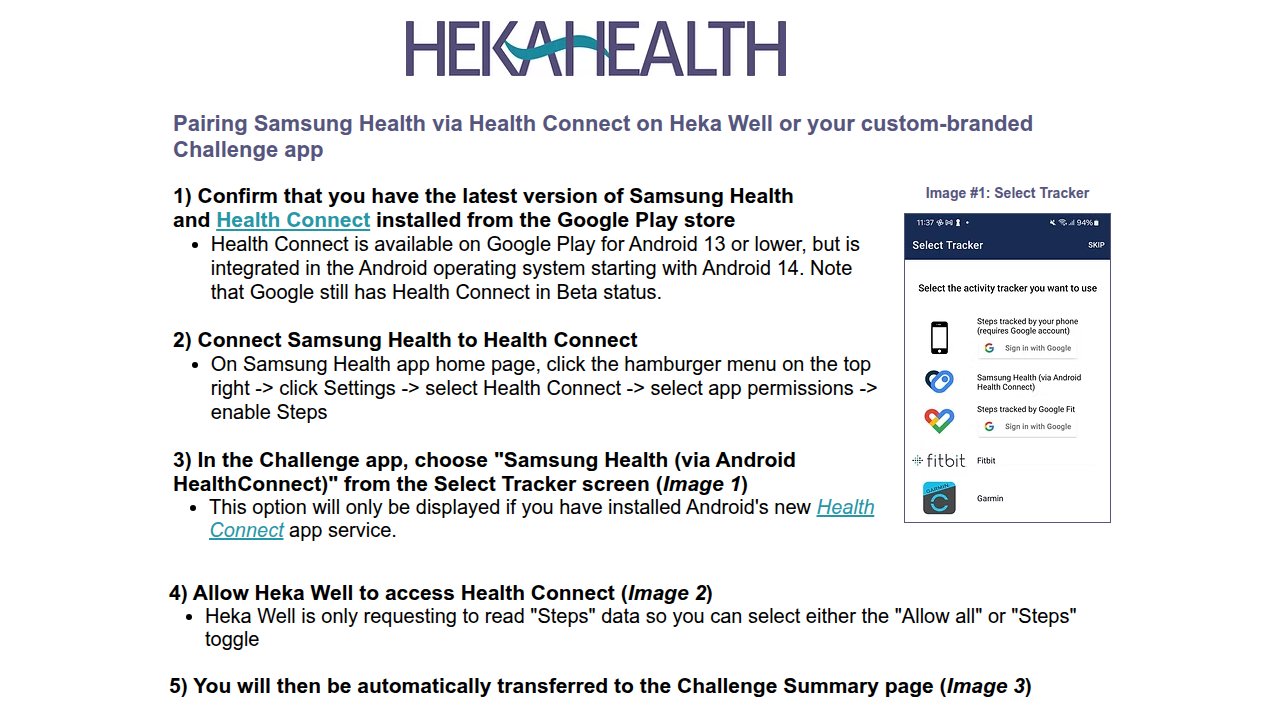
This openness means you can use your favorite apps for things like tracking diet or special workouts, and still have that info show up in your main Samsung Health view.
Another cool part of this digital technology ecosystem is how Samsung Health now works with SmartThings. SmartThings is Samsung’s smart home platform. In a 2026 update, Samsung made it so your health data could help control your home Samsung Announces Latest SmartThings Update. Imagine your SmartThings setup knowing when you fall asleep from your Galaxy Watch and then dimming the lights or turning off the TV for you. This makes your home smarter and helps you build healthier habits without even thinking about it.
Remember, keeping your data safe is key. It’s a good idea to Master Your Samsung Notification and Tracking Settings for Enhanced Privacy to make sure your personal health information is only shared where you want it to be. This whole system helps you manage your tech fitness and overall wellness in a very smart way.
Setting Up Samsung Health: Accounts, Permissions, and Device Sync
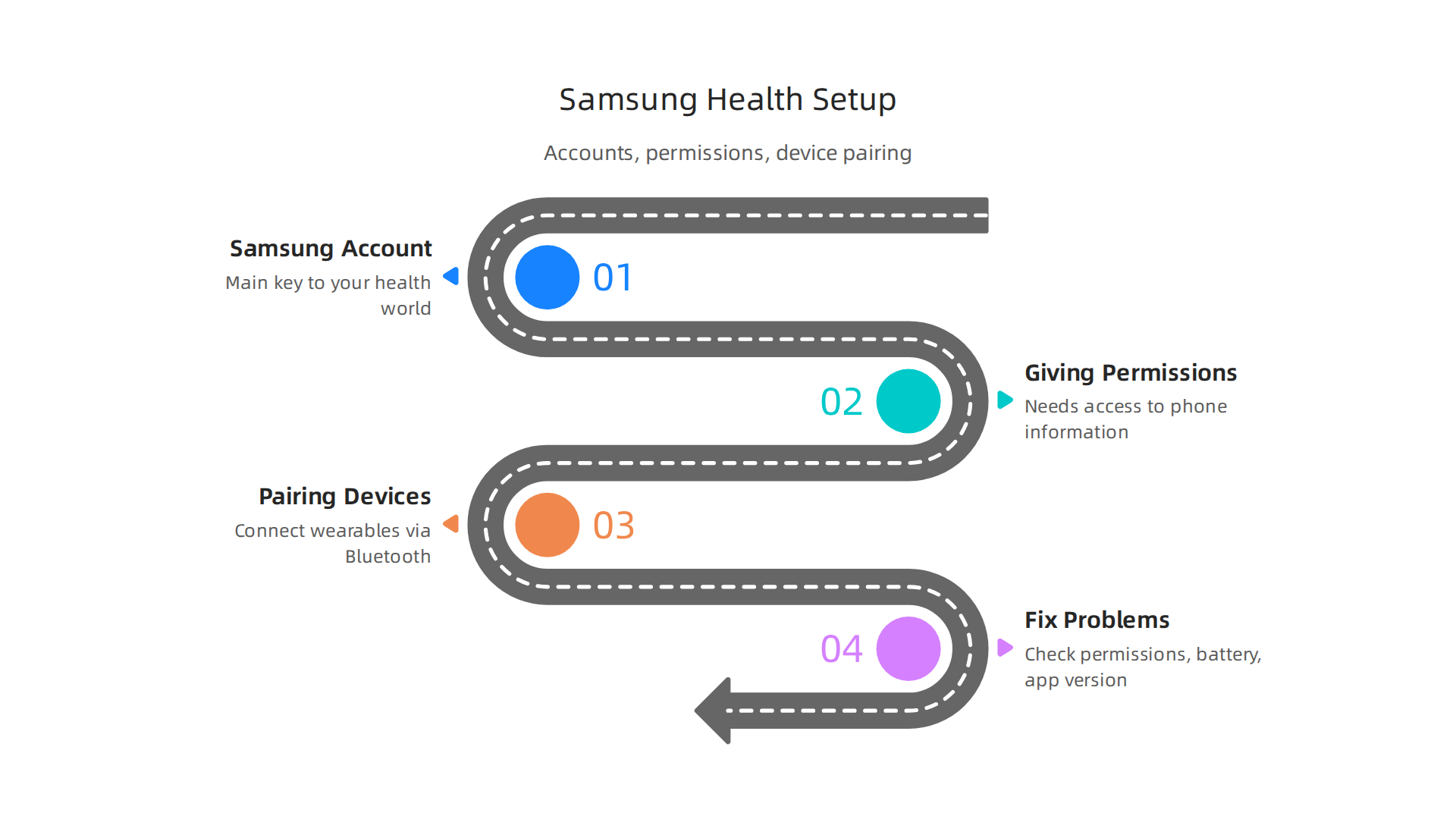
Now that you know how Samsung Health creates a helpful digital technology ecosystem, let’s talk about how to get it all set up. This is where you connect your personal info and devices to start your tech fitness journey. Making sure everything is set up right from the start means your health data will track smoothly.
Your Samsung Account: The First Step
Think of your Samsung account as the main key to your Samsung Health world. You need one to save all your health data online, so it’s always ready for you. If you already have a Samsung phone or tablet, you likely have an account. If not, it’s easy to create one when you first open the Samsung Health app. This account helps your health information move from one Samsung device to another without you losing anything. You can also make sure your data syncs correctly by checking the settings in the app itself Samsung Health Sync Not Working? Fix Samsung Account ….
Giving Permissions: Letting Samsung Health Work
For Samsung Health to really work for you, it needs your permission to see certain information on your phone and from your wearable devices. These are called "permissions." For example, it needs to know your location for tracking runs or access your heart rate from your samsung smartwatch.
Here’s how to check important permissions:
- Open the Samsung Health app.
- Go to "Settings" then "Data Permissions" or "App Permissions."
- Make sure Samsung Health has permission to access things like your body sensors, storage, and physical activity. If permissions are off, the app can’t collect data correctly How to fix Samsung Health app permissions.
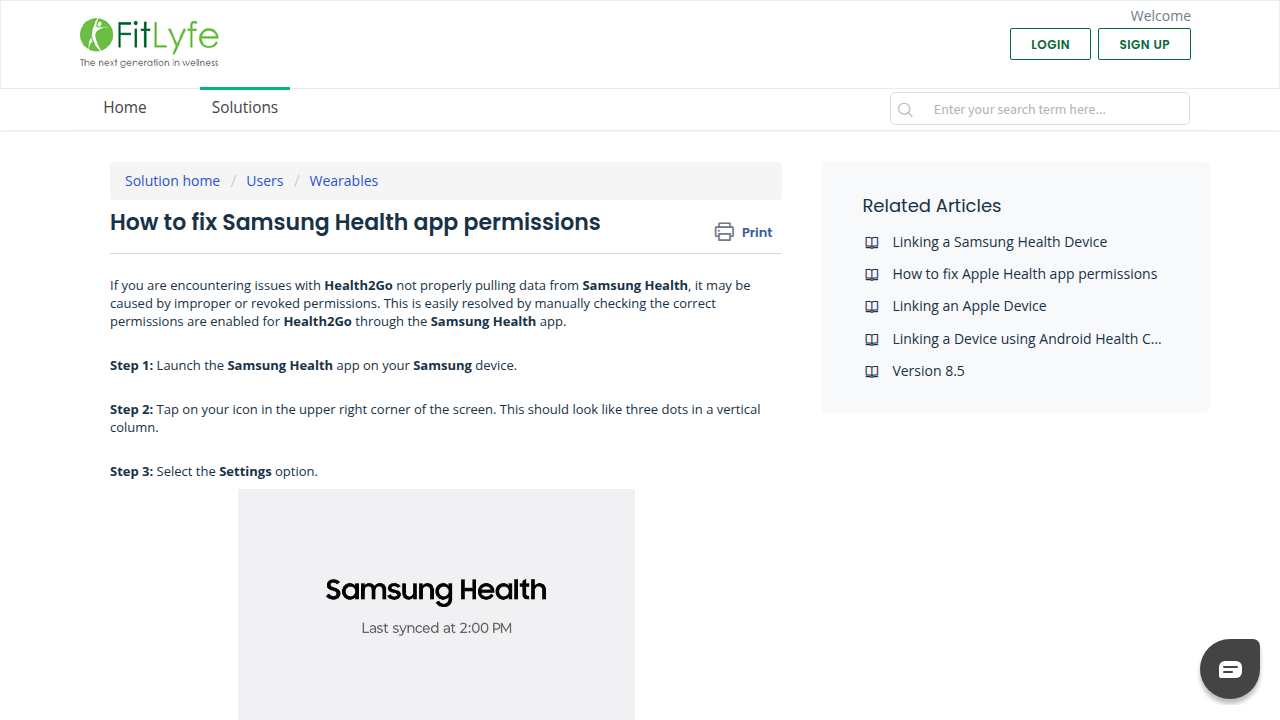
Sometimes, after an update, you might need to check and reset these permissions Samsung Health external connections & data permissions ….
Pairing Your Devices: Getting Connected
Once your account and permissions are good, it’s time to connect your devices. This is usually very simple:
- Turn on Bluetooth: Make sure Bluetooth is on for both your Samsung phone and the device you want to connect (like a samsung smartwatch).
- Open Samsung Health: The app will often guide you to connect new devices.
- Find Your Device: Look for your wearable in the "Devices" or "Accessories" section of the app.
- Pair It: Follow the steps to connect. This usually involves tapping on the device name and maybe confirming a code.
If your fitness tracker or samsung smartwatch is not pairing, first check that Bluetooth is on for both devices. Also, make sure your wearable isn’t in airplane mode or has a very low battery, as these can stop it from connecting Why is my fitness tracker not pairing with Samsung Health? Possible Tech Drama Unfolds. Sometimes, a simple restart of both your phone and watch can fix connecting problems Samsung Watch Not Syncing Troubleshooting Solutions.
Fixing Common Setup Problems
Sometimes, things don’t go perfectly the first time. Here are some common setup problems and how to fix them:
- Data Not Showing Up: If your steps or heart rate aren’t appearing, it’s often a permission issue. Go back to "Settings" in Samsung Health and then "Data Permissions" to make sure everything is turned on. If you’re using Health Connect, check its permissions too, as this can affect how Samsung Health shares data with other apps Health Connect Not Syncing With Samsung Health – Gear Probe.
- Battery Saver Settings: Some phones have "battery optimization" settings that can stop apps like Samsung Health from running in the background. This can keep it from tracking your activity properly. You might need to go into your phone’s battery settings and tell it not to "optimize" Samsung Health.
- Old App Version: Always make sure your Samsung Health app is the newest version. You can check for updates in the Google Play Store or Samsung Galaxy Store. An old app can cause many problems with tracking and syncing Samsung Health – The Outbreak™ Support.
By carefully setting up your Samsung account, checking permissions, and pairing your devices, you’ll be ready to get the most out of your samsung health experience. Taking control of your digital technology and how it helps your wellness is a great step. If you’re interested in keeping up with the latest advancements in technology and AI, consider reading The AI Newsletter Worth Reading. It offers clear daily updates that can help you understand how innovations shape your daily life and tech fitness. Also, to ensure your overall digital wellness, learning how to manage your device’s settings for improved safety is key. For more tips on managing your phone’s privacy and data, check out this guide on how to Secure Your Phone and Find Digital Balance for Mobile Tech Wellness.
Now that your Samsung Health app is all set up, your tech fitness journey truly begins. Your wearable devices, like a samsung smartwatch, can now collect lots of helpful information about your body and daily activities. This constant stream of health data helps you understand how you’re doing each day.

Samsung Health acts as your personal helper, gathering this data to give you a full picture of your well-being Samsung Health | Apps & Services | Samsung US.
What Your Wearable Devices Track
Your smartwatch or fitness tracker works hard to measure many things throughout the day and night. Here are some of the main things these smart devices keep an eye on and share with Samsung Health:
- Heart Rate: This tells you how fast your heart is beating. Your watch tracks your heart rate during workouts and also when you are resting. This can show how hard you’re working or how calm you are.
- Steps and Activity: This is perhaps the most common tracking. It counts how many steps you take and helps track different kinds of physical activity, like walking, running, or cycling. Samsung Health can track your steps, activity, and heart rate automatically What is Samsung Health? Features, compatibility, and more.
- Blood Oxygen (SpO2): This number shows how much oxygen is in your blood. It’s often checked during sleep to make sure you’re breathing well.
- Sleep Stages: Your smartwatch can tell if you are in light sleep, deep sleep, or REM sleep. It also looks at how long you sleep and how often you wake up. This helps you understand the quality of your rest. You can even get personalized coaching based on your sleep What are the new AI Samsung Health features?.
- Stress Estimates: Many devices try to guess your stress levels based on your heart rate and other body signals. This can help you notice when you might need to take a break or relax.
How to Understand and Use Your Health Data
It’s great to have all this data, but what do you do with it? The trick is to look at trends, not just one number. A single high heart rate reading might not mean much, but if your resting heart rate is higher for a whole week, that could be a sign to pay attention.
Here’s how to make your health data useful for your habits and routines:
- Spot Patterns: Look at your data over a few days or weeks. Do you walk more on certain days? Does your sleep get worse when you eat late? Seeing patterns helps you understand what helps or hurts your health.
- Set Goals: Use your data to set small, reachable goals. If you usually take 5,000 steps, try for 6,000 next week. If you’re only getting 6 hours of sleep, aim for 7.
- Make Changes: Once you see patterns and set goals, you can make smart changes. For example, if you see your stress is high on workdays, you might plan a short walk during your lunch break. Or if your sleep is poor, try going to bed at the same time every night.
- Get Personalized Help: Samsung Health in 2026 uses smart AI to turn your daily measurements into helpful advice. It can compare your numbers to your own normal levels and give you ideas for better sleep, activity, and less stress Samsung Health AI Insights Turn Galaxy Watch Into a Wellness Coach. This digital technology helps you build good habits over time.
Remember, your health data is a tool. It’s there to give you information so you can make choices that lead to a healthier life. Managing how your phone tracks and shares this data for better privacy is also important. Learn more about how to master your samsung notification and tracking settings for enhanced privacy. By understanding what your devices measure and how to use that information, you take charge of your wellness in a whole new way.
By understanding what your devices measure and how to use that information, you take charge of your wellness in a whole new way. But what if your Samsung Health data could do even more than just show you insights? What if it could actually help manage your home and daily schedule automatically? This is where Samsung’s SmartThings and other clever automation tools come in.
Connecting Health to Daily Routines: SmartThings, Automations and Contextual Triggers
In 2026, your Samsung Health information can now work hand-in-hand with your smart home. Samsung has updated its SmartThings platform to directly link with your health data, making your home smarter based on your body’s signals Samsung adds Health integration into SmartThings. This means your wearable devices can trigger routines that make your life easier and healthier. It’s a big step forward in what we call "tech fitness," where your technology works for you to improve your well-being.
Think of it like this: your Samsung Health data becomes a guide for your smart home. You can set up "routines" in the SmartThings app that make things happen automatically when certain conditions are met Use routines in SmartThings. This is a kind of digital technology that connects your health to your living space.
Here are some cool ways your health data can trigger smart routines:
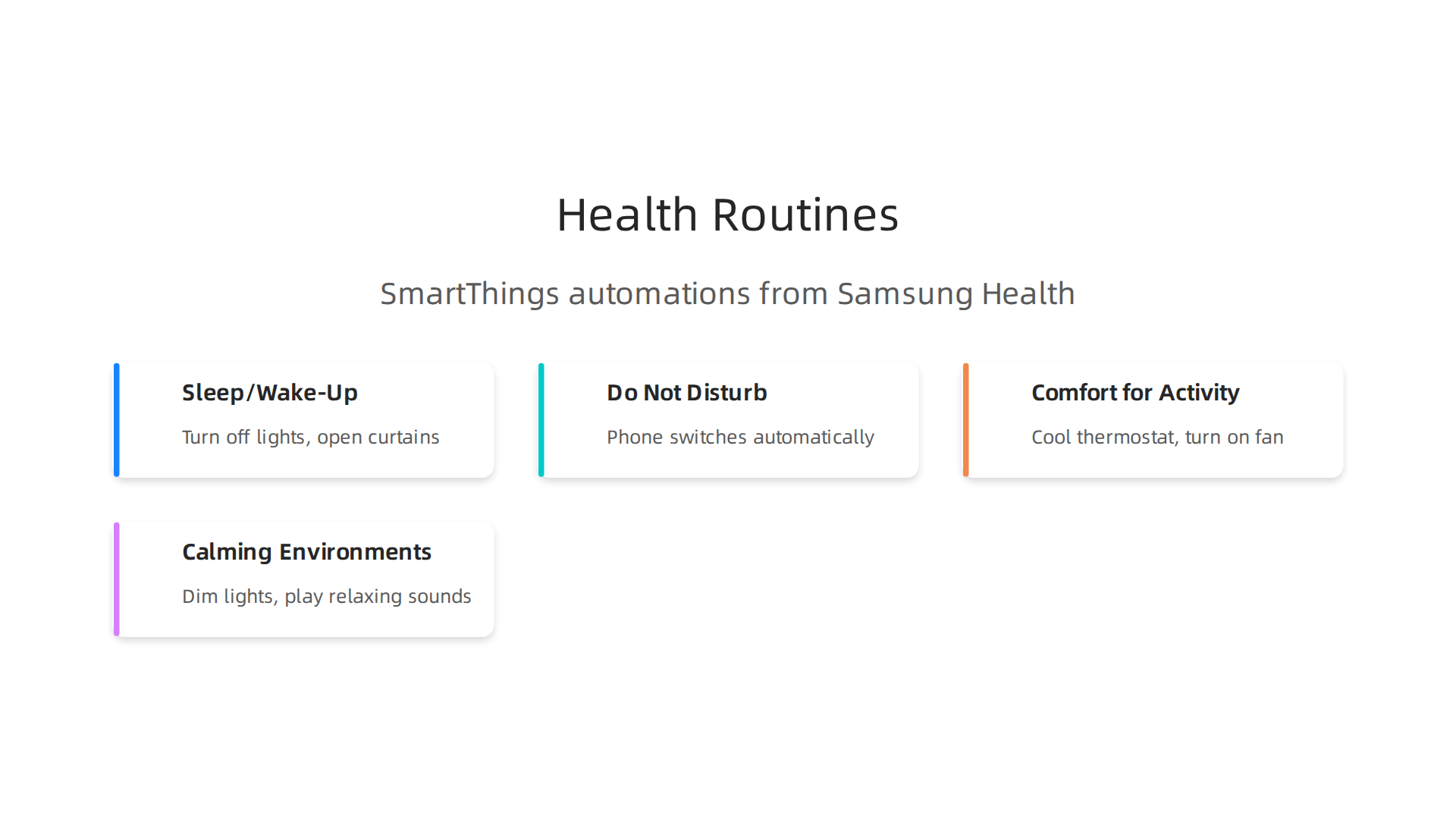
- Sleep and Wake-Up Routines: Your device knows when you fall asleep and wake up. Based on this, SmartThings can turn off your lights and TV when you’re sleeping. Then, when you wake, it can slowly open your smart curtains and even play soft music to help you start your day calmly Samsung Announces Latest SmartThings Update. This helps you get better rest and wake up gently.
- "Do Not Disturb" Mode: If your Samsung Health app detects you’ve fallen asleep, your phone can automatically switch to "Do Not Disturb" mode. This stops calls and notifications from waking you up.
- Comfort for Activity: Imagine you finish a long run. Your smartwatch might notice your high heart rate or increased activity. A smart routine could then cool down your thermostat or turn on a fan before you even walk through the door.
- Calming Environments: While direct stress triggers are still growing, you can imagine a future where high-stress alerts from your Samsung Health app could dim the lights, play calming sounds, or even start an air diffuser to help you relax.
These clever connections help create a home that feels more in tune with you. They show how digital technology can not only track your health but also actively work to improve it by creating helpful routines. For more ways to customize your tech, you might want to learn how to transform your samsung phone smart layout ideas for productivity and security. This kind of smart automation is becoming a key part of modern tech fitness, making wellness feel natural and effortless.
Want to stay ahead with the latest in smart tech and AI that makes your life easier? Get clear daily AI updates from The AI Newsletter Worth Reading.
Connecting your health data to your smart home is amazing for "tech fitness." But with all that personal information moving around, it’s very important to think about privacy and security. You want to make sure your sensitive health details stay safe.
Privacy, Security and Data Control with Samsung Health
When you use Samsung Health, it collects a lot of information about you.

This includes things like how much you weigh, your blood pressure, heart rate, and even your body makeup. If you use a Samsung smartwatch, it can track your activity, sleep, and more. All this information is saved to help you understand your health better Are Samsung’s "S Health" devices storing health data in the cloud.
Samsung says it keeps your health data safe by encrypting it. This means your data is turned into a secret code so others can’t easily read it. This protection is made stronger by the Knox security system on your phone How does Samsung Health protect my data. They also say your data isn’t shared with anyone without your clear permission Share Important Data More.
Controlling Your Health Data
Actually, you have a lot of control over your data in Samsung Health. This is super important because your health information is very private. You can:
- See Your Data: You have the right to ask for and get copies of the health data Samsung has collected about you SAMSUNG CONSUMER HEALTH DATA PRIVACY.
- Delete Your Data: You can ask Samsung to delete your health data. If you want to erase it, you can often do this right from the app’s settings Download or erase your personal data from Samsung Health.
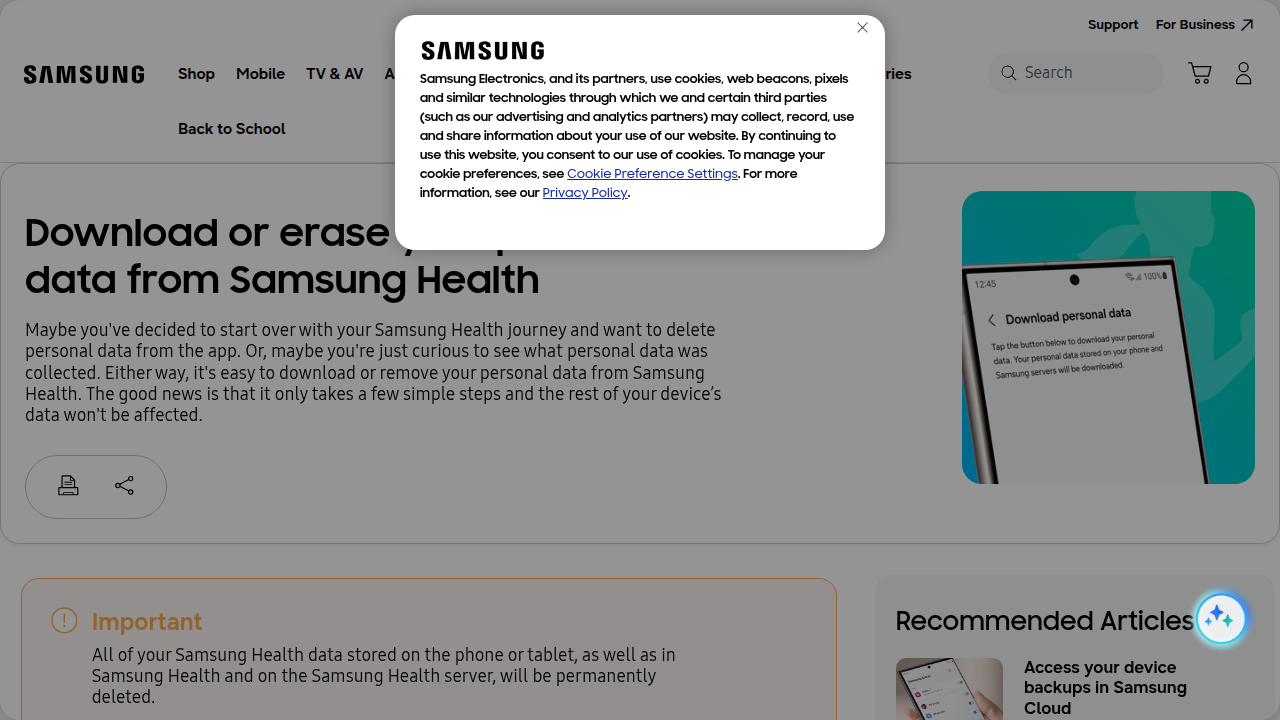
- Control AI Training: In 2026, Samsung Health quietly added a choice about using your data for training AI systems. This could include things like your medications or cycle data. You can choose to allow this or opt out. If you opt out, only the data used for AI training will be deleted, not your whole health history Samsung Health will delete your data without AI training …. It’s good to be aware of these types of settings for any digital technology you use.
Samsung’s official policy states that they won’t keep your personal information longer than needed for its original purpose Privacy Policy | Samsung US.
How to Make Your Settings Stronger
Since your health data is so personal, it’s wise to check your privacy settings often. Here are some steps you can take:
- Review App Permissions: Go into your phone’s main settings, then find "Security and privacy." From there, look for "More privacy settings" or "Permission manager." Here, you can decide which apps, including Samsung Health, can access things like your camera or microphone Use Security and privacy settings on Galaxy phones.
- Check Samsung Health Settings: Open the Samsung Health app itself. Look for settings related to data sharing, connected services, and privacy options. Turn off anything you’re not comfortable with.
- Stay Informed: The world of digital technology and privacy changes fast. Keep an eye out for updates from Samsung and news about how your data is used.
Taking these steps helps you stay in charge of your personal health data, making sure your "tech fitness" journey is both helpful and secure. If you want to learn more about protecting your mobile devices, check out how to secure your phone and find digital balance for mobile tech wellness.
Beyond just keeping your data safe, Samsung Health is also getting much smarter. In 2026, Samsung Health and its companion devices are using amazing new features, especially with the help of AI. This means your "tech fitness" journey can become even more personal and helpful.
Advanced Features: AI Insights, Coaching, and Clinical Integrations
Your Samsung Health app isn’t just a tracker anymore. It’s becoming like a smart helper for your health. This is because of AI, which is short for Artificial Intelligence. AI can look at all your health data and find patterns or give you advice you might not see on your own.
Smart Insights and Personal Coaching
The newest updates in Samsung Health bring AI-driven insights and coaching right to your phone or Samsung smartwatch. For example, your watch can now act like a health coach. It takes all the raw numbers from your body and turns them into simple tips you can actually use Samsung Is Turning Galaxy Watch Into an AI-Powered Health Coach.
Think about it:
- Sleep Coaching: AI can look at how you sleep and give you special advice to help you get better rest What are the new AI Samsung Health features?.
- Activity Recommendations: It can suggest the best exercises for you based on your past activities and goals.
- Health Trends: The app can spot important changes in your health over time, like how your heart rate usually acts or how your weight changes. This helps you understand your body better and make healthier choices Samsung Health AI Insights Turn Galaxy Watch Into a Wellness Coach.
- Personalized Training: For people who work out a lot, the Galaxy AI features can even offer personalized training tools Samsung Health & Galaxy AI Offer Personalized Training ….
This kind of digital technology aims to make your health metrics truly useful, not just a bunch of numbers Samsung’s New AI Health Assistant Aims to Make Health Metrics Actually Useful.
Connecting with Doctors
Beyond personal coaching, Samsung Health is also looking at how it can work with real doctors. This is called clinical integration. For example, some Samsung smartwatches have special sensors that can take an ECG. An ECG checks your heart’s electrical signals and can help spot certain heart issues. This data can be very useful for doctors.
The idea is that in the future, it might be easier to share your health data from Samsung Health directly with your doctor during a telehealth visit. This could mean your doctor gets a clearer picture of your health without you having to write everything down. However, sharing health data with medical professionals always has strict rules to keep your information safe and private. As these new types of gadgets and services grow, it’s exciting to think about what else is possible. You can learn more about how new gadgets are truly making a difference in the world of health by reading about unbelievable new gadgets 2026 that truly matter.
To keep up with all the fast changes in AI and how it’s used in technology like Samsung Health, it’s good to get clear, daily updates. Get clear daily AI updates from The AI Newsletter Worth Reading.
Now that we know how smart Samsung Health is becoming with AI, the next step is to pick the right tools for your own health journey. Choosing the best Samsung devices and accessories means thinking about what you need and what each gadget can do. It’s like finding the perfect pair of shoes for a long walk: they need to fit you just right.
Picking Your Perfect Health Gadget
When you want to use Samsung Health to its fullest, you should look at a few key things.

These include the sensors inside the device, how long the battery lasts, how comfortable it is to wear, what special features the app offers, and your budget.
- Sensors: Different Samsung smartwatches and phones have different health sensors. If you want to track your heart rate, sleep, or even get an ECG, make sure your device has those specific sensors. For example, some devices are better at tracking your heart rhythm than others.
- Battery Life: If you plan to wear your device all day and night for continuous tracking, good battery life is super important. You don’t want it dying in the middle of a long workout or while you’re sleeping, missing important data for your
tech fitnessgoals. - Comfort: You’ll be wearing this gadget a lot, so it needs to feel good. Think about the size, weight, and material. A comfortable
Samsung smartwatchor phone makes it easier to stick with your health habits. - App Features: The
Samsung Healthapp itself is key. Look at how well it works with the device and if it has the AI coaching or tracking tools you want. Also, remember that how you manage app permissions and privacy settings is important for your health data. You can learn more about privacy for your devices by looking at how to Master Your Samsung Notification and Tracking Settings for Enhanced Privacy. - Budget: Samsung offers many devices at different prices. You don’t always need the newest or most expensive gadget to get great health tracking. If you’re looking for good value, you might find helpful information on How to Find the Best eBay Samsung Deals in 2026.
Matching Devices to Your Health Goals
Your personal health goals should guide your choice.
- For daily steps and general activity: Most Samsung phones and basic smartwatches are great. They track steps, calories, and remind you to move.
- For sleep and exercise tracking: A
Samsung smartwatchwith advanced sleep tracking and workout modes will be more useful. These devices give you detailed insights into your rest and how well you perform during different exercises. - For clinical monitoring: If your doctor suggested you track specific things like your heart’s electrical activity (ECG), you’ll need a Samsung smartwatch that has that special sensor. Remember to always talk to your doctor about how to use this
digital technologyfor your specific health needs. - For overall wellness and digital balance: Choosing a device that helps you secure your information and manage your tech use is part of a bigger picture. Think about how to Secure Your Phone and Find Digital Balance for Mobile Tech Wellness.
By thinking about these points, you can pick the Samsung devices that truly help you on your path to better health in 2026.
Summary
Samsung Health is a free wellness app that gathers activity, sleep, heart rate, SpO2 and other health data from your Galaxy phone, watch and third‑party apps to give you a single picture of daily wellbeing. This article explains how Samsung Health works in the Samsung ecosystem, how to create and sync a Samsung account, grant needed permissions, and pair wearables so tracking runs smoothly. It covers practical fixes for common setup and battery‑optimization problems, shows how to read trends and set achievable goals, and highlights new 2026 AI coaching and clinical integrations. You’ll also learn how Samsung Health links with SmartThings to trigger home routines, what sensors to choose when buying devices, and how to manage privacy, data deletion, and AI training consent. After reading, you’ll know how to set up, protect, and use Samsung Health to turn raw metrics into useful habits and smarter daily routines.