
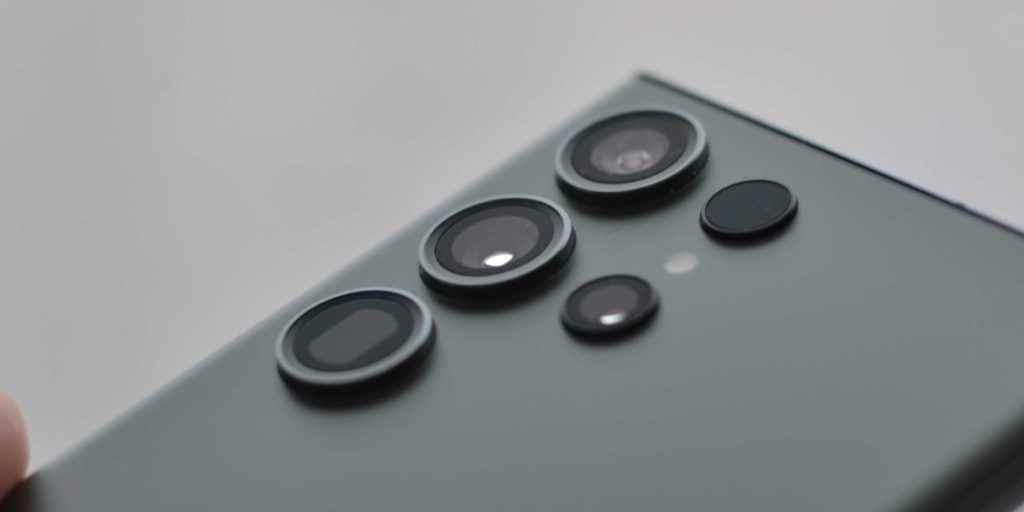
The Samsung Note series has always been special in the world of smartphones. From the very start, these phones were made for people who wanted to do more. Think of them as tiny computers you could hold in your hand, always ready for work or creative fun.

The main reasons they stood out were their large screens and the handy S Pen, which is like a magic wand for your phone. These features made the Note phones perfect for getting things done.
The first Samsung Galaxy Note came out in 2011. It had a big 5.3-inch screen, which was huge back then, and it brought the S Pen to life. This phone was so new that people even made up a word for it: "phablet," because it was a mix of a phone and a tablet. Over the years, the Note series kept getting better, pushing the limits of what a smartphone could be, as you can see in The Evolution of the Samsung Galaxy Note Series: A Complete History (2011-2024).
Fast forward to 2018, and we got the much-loved Samsung Note 9. This phone was a big deal because it brought together all the best parts of the Note series and added even more power. It was known for having a really big battery, which was a huge plus for people who used their phones all day. The S Pen also got a major upgrade, now working with Bluetooth, letting you do things like take pictures from far away. The Samsung Note 9 showed how a phone could be both powerful and helpful for everyday tasks.
Even today in 2026, the influence of the Samsung Note 9 can still be seen. It helped shape how other phones, even newer ones like the Galaxy Note 10, were designed, especially when it came to screen size and battery life. It pushed companies to think about phones not just for talking, but as tools for creativity and work. Whether you’re trying to figure out your samsung tab a imei number or looking for ways to use samsung find my mobile, the legacy of powerful, feature-rich Samsung devices often traces back to models like the Note 9.
Stay on top of all the latest changes and big ideas in the tech world.
The AI Newsletter Worth Reading
The Samsung Note 9 stands as a shining example of how a phone series can grow and get better over time. To really understand why the Samsung Note 9 was such a big deal, let’s look back at the path the Galaxy Note line took to get there.
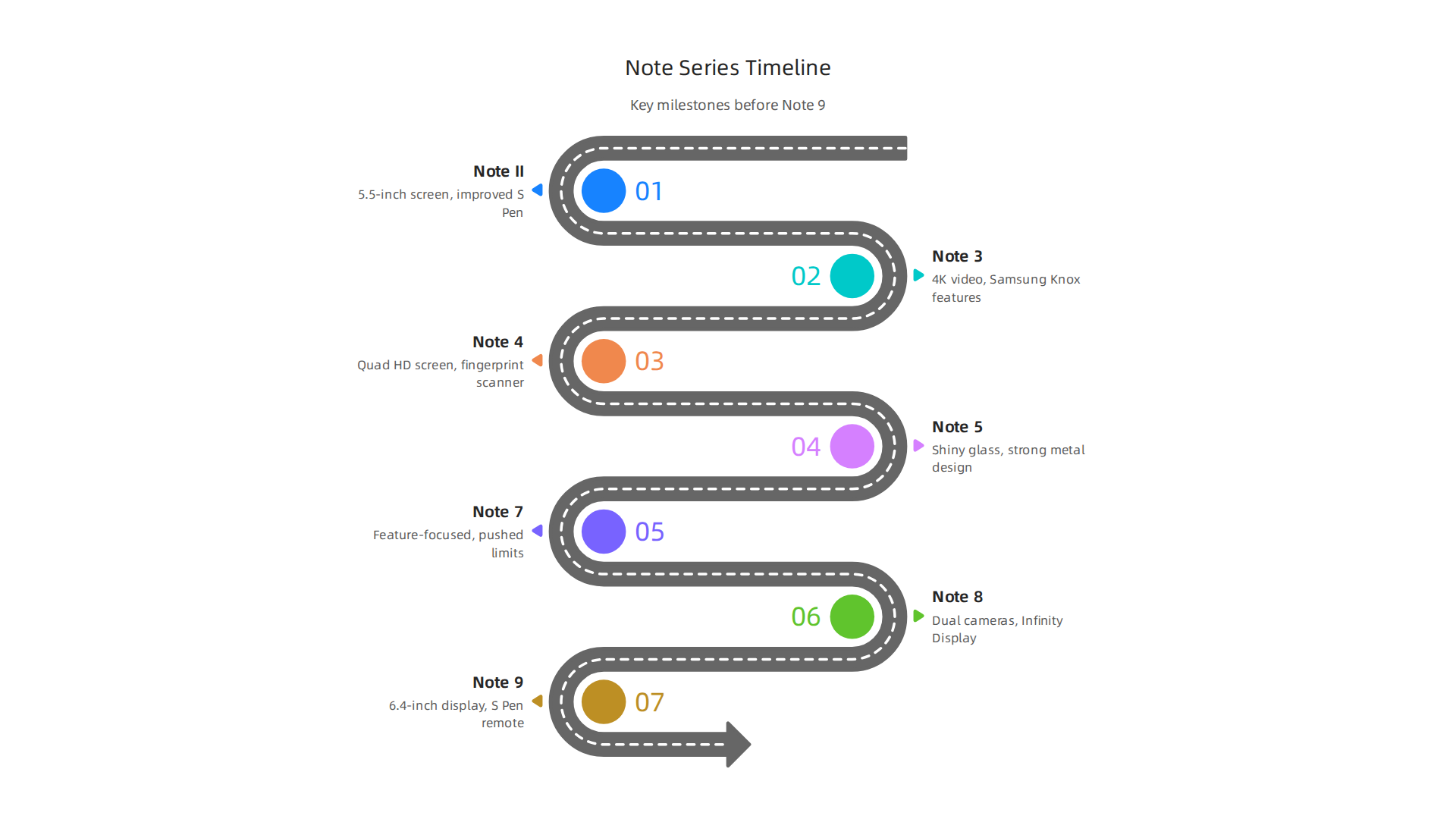
It’s a journey of making phones bigger, smarter, and more helpful for everyday life, often pushing other phones like the Galaxy Note 10 to follow along.
The Early Days: Bigger Screens and the S Pen
The story began in 2011 with the very first Galaxy Note. It had a big 5.3-inch screen and introduced the S Pen, making it unique. People even called it a "phablet" because it was bigger than a phone but smaller than a tablet. This phone showed that people wanted more than just a small screen.
- Galaxy Note II (2012): Samsung quickly followed up with the Note II, making the screen even bigger at 5.5 inches. It also made the S Pen better and added more power inside, helping users do more. You can see a good overview of this progress in "The Rise and Fall of Galaxy Note – Every Note series ever made 🔥🔥" The Rise and Fall of Galaxy Note – Every Note series ever made 🔥🔥.
- Galaxy Note 3 (2013): This model introduced a fancier look with a faux leather back. It was also one of the first phones to record videos in super clear 4K quality. It added Samsung Knox, a special security feature that made the phone safer for work.
- Galaxy Note 4 (2014): The Note 4 brought an even sharper Quad HD screen. It was also one of the first Samsung phones to have a fingerprint scanner to unlock it quickly and safely. That same year, the Galaxy Note Edge came out, which was special for having a curved screen on one side Recalling every Samsung Galaxy Note device launched before Note …. This showed Samsung was always looking for new ideas.
- Galaxy Note 5 (2015): This phone changed how the Note looked and felt, using shiny glass and strong metal. It was beautiful and strong, meeting users’ desire for more stylish phones.
- Galaxy Note 7 (2016): While the Note 7 faced problems and had to be called back, it still pushed the limits of what a phone could do, with a focus on great features and design.
Moving Towards the Note 9: Bigger and Smarter
- Galaxy Note 8 (2017): After the Note 7, the Note 8 came out strong. It was the first Note to have two cameras on the back, letting you take amazing photos with blurry backgrounds. It also had the "Infinity Display," which meant the screen went almost edge to edge, making everything look bigger and better. This phone set the stage for the next big leap.
This steady march of improvements led directly to the Samsung Note 9. Each Note phone listened to what people wanted: bigger screens, better S Pen features, stronger batteries, and clearer cameras. By 2018, the Samsung Note 9 brought all these dreams together in one super powerful device. It had the largest screen yet at 6.4 inches and an impressive 4,000 mAh battery, which was the biggest in a Note phone up to that point. Its S Pen could even use Bluetooth, allowing you to control your phone from a distance, like taking a photo with a click Samsung showed Note Series history1to9😲😍.
The Samsung Note 9 was not just a phone; it was a powerful tool made for people who needed their phone to do almost anything. Whether you wanted to draw, write, play games, or work, the Samsung Note 9 was ready. It showed how much the Note series had grown, offering both power and smart features.
Keeping your Samsung phone updated is important for getting the most out of these features. Learn more about how to keep your device running smoothly with a Samsung firmware update troubleshoot and flash your Galaxy phone.
The Samsung Note 9 wasn’t just a powerful idea; it was built with top-notch parts that truly made it stand out. When it came out, this phone grabbed everyone’s attention with its strong design, amazing screen, long-lasting battery, and smart cameras.
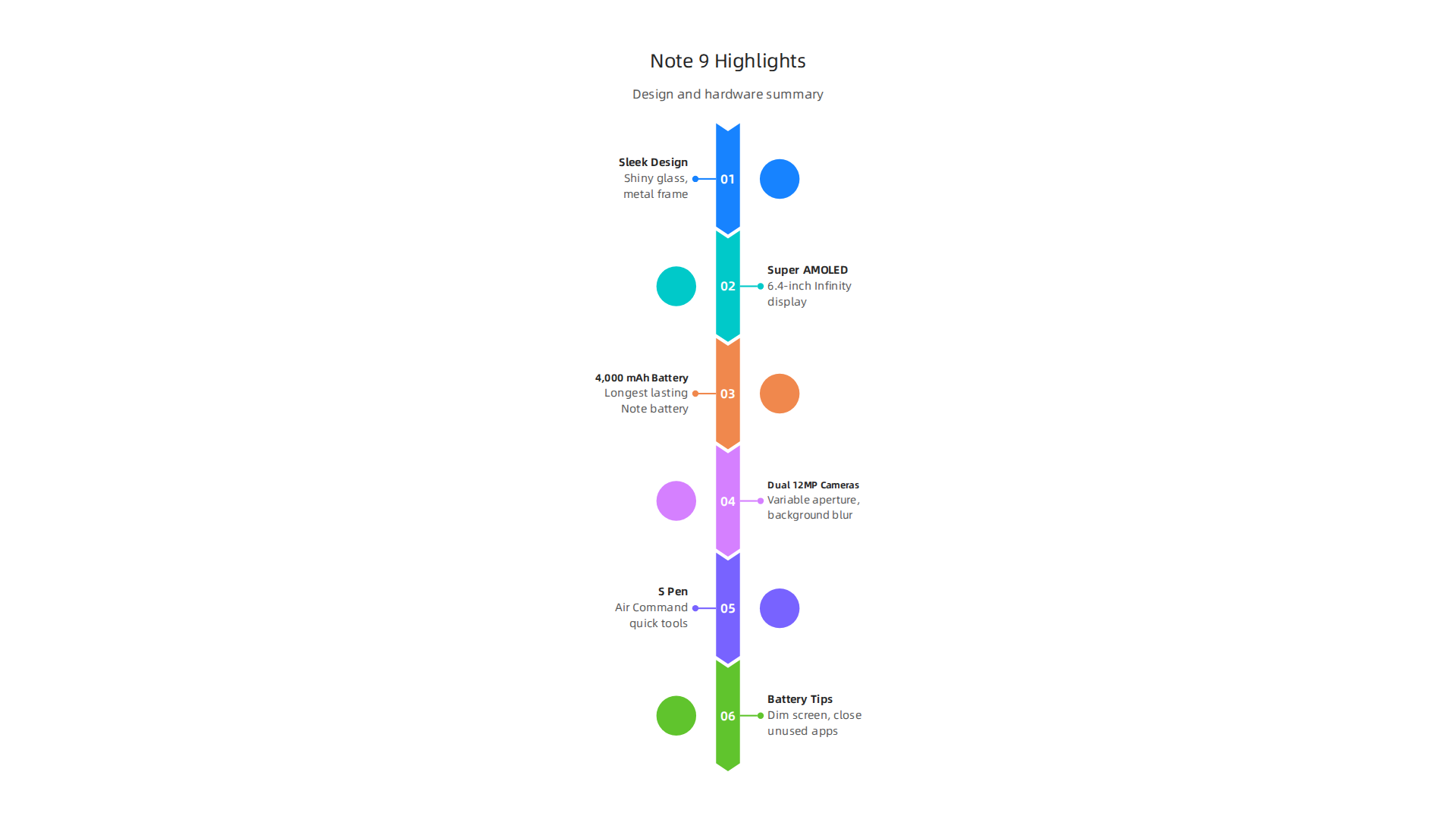
Let’s look closer at what made the Samsung Note 9 such a special device in its time.
Built to Impress: Design and Feel
The Samsung Note 9 kept the sleek, modern look that Samsung phones were known for. It had a mix of shiny glass on the front and back, held together by a strong metal frame. This made the phone feel very fancy and solid in your hand. It came in cool colors like Midnight Black, Ocean Blue, Metallic Copper, and Lavender Purple, giving users choices that fit their style Samsung Galaxy Note9 hands-on review. The way it was built meant it was not just pretty to look at but also felt like a premium product.
A Feast for Your Eyes: The Incredible Display
One of the biggest reasons people loved the Samsung Note 9 was its screen. It featured a large 6.4-inch Super AMOLED ‘Infinity Display’ that stretched almost to the edges of the phone. This screen was super clear, with a resolution of 2960×1440 pixels, meaning everything looked sharp and colorful Galaxy Note9. Pictures, videos, and games popped with vibrant colors and deep blacks. Compared to earlier Note phones, which started around 5.3 inches, the Samsung Note 9 showed how much phone screens had grown, offering an immersive viewing experience that few other phones could match.

Power for Days: The Battery that Kept Going
For a phone designed to do so much, a good battery was a must. The Samsung Note 9 packed a large 4,000 mAh battery, which was the biggest ever put into a Note phone at that point. This meant you could use your phone for much longer without needing to charge it, whether you were drawing with the S Pen, watching movies, or working Galaxy Note 9 Full Specs and Pricing: Here’s What You Get. This was a huge step up and something users really wanted, helping the Samsung Note 9 handle busy days with ease.
Capture the Moment: Advanced Cameras
The camera on the Samsung Note 9 was also a big deal. It had two cameras on the back, both with 12 megapixels. One camera had a special feature that could change how much light it let in, just like a professional camera. This meant it could take great photos in bright sunlight and also in dim places Samsung Galaxy Note 9. The two cameras also allowed for cool effects, like making the background blurry in portrait photos. This camera setup was very advanced for 2018 and even set a high bar for future phones, like the later Galaxy Note 10. For those who wanted to capture important moments or just take fun pictures, the Samsung Note 9 delivered fantastic results.
In essence, the Samsung Note 9 brought together all these strong hardware features to create a phone that was powerful, beautiful, and ready for anything. It truly stood out from other phones of its time by offering more screen, more battery, and better cameras, all wrapped in a sleek design.
If you ever need to check important details about your Samsung phone, like its unique number, you can learn more about how to do that with a Samsung IMEI Check.
Beyond its strong physical features, the Samsung Note 9 also had a special tool that set it apart: the S Pen. This wasn’t just a simple stylus; it was a smart helper that opened up many new ways to use your phone, boosting how much you could get done.
The Smart S Pen: More Than Just a Stylus
The S Pen with the Samsung Note 9 was a big step up from earlier versions. For the first time, it had Bluetooth built-in. This meant it could do much more than just write on the screen. It could act like a remote control for your phone, even when it wasn’t touching the display Bringing Galaxy Note9’s S Pen Connectivity to Life. You could use the button on the S Pen to snap photos, play or pause videos, or even flip through slides in a presentation, all from up to 30 feet away. This was a super handy feature for many different people.
To get these remote features working, users just had to activate the S Pen remote in their phone’s settings How to Activate S Pen Remote on my Note9?. Once set up, the S Pen really changed how people interacted with their Samsung Note 9.
Precision for Drawing and Writing
Even with its new remote tricks, the S Pen was still great for its original purpose: precise input. It felt very natural to write and draw on the large screen of the Samsung Note 9. The pen could sense different levels of pressure, so artists could create detailed drawings, and students could take neat, handwritten notes in class. This precision made the phone a powerful tool for anyone who needed to create or jot down ideas quickly.
Smart Software to Match
The S Pen also worked smoothly with special software on the Samsung Note 9. One popular feature was "Screen Off Memo," where you could pull out the S Pen and immediately write notes on the locked screen without unlocking your phone. It was perfect for sudden ideas or quick reminders. The "Air Command" menu would pop up when you pulled out the S Pen, giving you quick access to tools like:
- Create Note: To quickly start a new note.
- Smart Select: To cut out parts of the screen.
- Screen Write: To write or draw on any screenshot.
- Live Message: To send animated handwritten messages.
These tools made the S Pen a central part of how users worked and played on their Samsung Note 9.
Real-World Uses for Everyone
The S Pen made the Samsung Note 9 a go-to device for many:
- For Professionals: Giving presentations became easier. You could use the S Pen to move slides forward or backward without touching your phone

A Mobile Remote Control: The Galaxy Note9’s Updated S Pen. This made meetings smoother and more professional.
- For Creators: Artists loved being able to draw detailed sketches directly on their phone. The precision and software tools meant their creative flow was never interrupted.
- For Everyday Users: Taking group selfies or pictures from a distance was simple. Just set up your phone and click the S Pen button. It was also great for remotely controlling music or videos, like when your phone is plugged into speakers across the room.
The S Pen truly helped the Samsung Note 9 stand out as a phone that could handle serious work, creative projects, and fun daily tasks, all with unique ease. To see how the Note series continued to evolve, you might be interested in learning about future developments in the line with samsung note 2026 rumors.
Software, updates, and security: longevity of the Note 9 in 2026
While the Samsung Note 9’s S Pen brought amazing new features, a phone’s true lifespan also depends on its software. In 2026, many years after its release, it’s fair to ask: how well does the Samsung Note 9 hold up with its software and security?
Official Software Updates: A Look Back
The Samsung Note 9 first came out in August 2018 with Android 8.1 Oreo. Over time, it received two major Android updates. First, it got Android 9 Pie in 2019. Then, in early 2020, it was updated to Android 10 with Samsung’s One UI 2.5 Samsung Galaxy Note 9 update details. This Android 10 update was the last big software upgrade the phone received from Samsung Samsung Galaxy Note 9 latest Android version.
The End of Official Support
Samsung usually provides major Android updates for about two years and security updates for four years. For the Samsung Note 9, official support ended in September 2022 Galaxy Note 9 updates ended. This means that after August 2022, the phone generally stopped getting new security patches Samsung Galaxy Note 9 support timeline. Although there was a surprise update in March 2023 for a February 2023 security patch Galaxy Note 9 unexpected update, these were rare exceptions. By 2026, without regular security updates, using a Samsung Note 9 for everyday tasks can come with risks. Older software can have holes that hackers might use to get into your phone, making your private information less safe. This highlights the importance of software updates for keeping devices secure.
Aftermarket Options: Custom ROMs
If you own a Samsung Note 9 in 2026 and want newer features and better security, there are other paths. Some tech-savvy users choose to install "custom ROMs." These are unofficial versions of Android made by a community of developers. For example, some users can even update Galaxy Note 9 to Android 16 LineageOS 23 using these methods.
This can breathe new life into an older device, letting it run a much more modern version of Android than Samsung officially offered. However, installing custom ROMs isn’t for everyone:
- It can be tricky: The process can be complicated and, if done wrong, might damage your phone.
- Warranty void: It usually voids any remaining warranty on your device.
- Security risks: While custom ROMs often bring newer security patches, they aren’t officially checked by Samsung or Google. You need to trust the community that built the ROM.
If you’re thinking about installing custom firmware, it’s wise to research thoroughly and understand the steps involved. You can find more information on how to handle software on your Samsung phone by exploring guides on Samsung firmware update troubleshooting. This option keeps your device updated but does require a certain level of technical comfort. For general tips on keeping your phone safe and managing your digital habits, learn how to secure your phone and find digital balance.
Staying updated on technology, whether it’s managing old devices or understanding new trends, is always helpful. For those who want clear, daily updates on the world of AI and technology, consider subscribing.
Get clear daily AI updates from The Deep View Newsletter. The AI Newsletter Worth Reading
Even though the Samsung Note 9 is an older phone in 2026, you can still use it well every day. You just need to know some tricks to keep it working smoothly. Let’s look at how to get the most out of your Samsung Note 9, from keeping its battery going to picking the right apps and gear.
Making Your Note 9 Battery Last Longer
After so many years, the battery in your Samsung Note 9 might not last as long as it used to. This is normal for all older phones. But there are ways to help it:
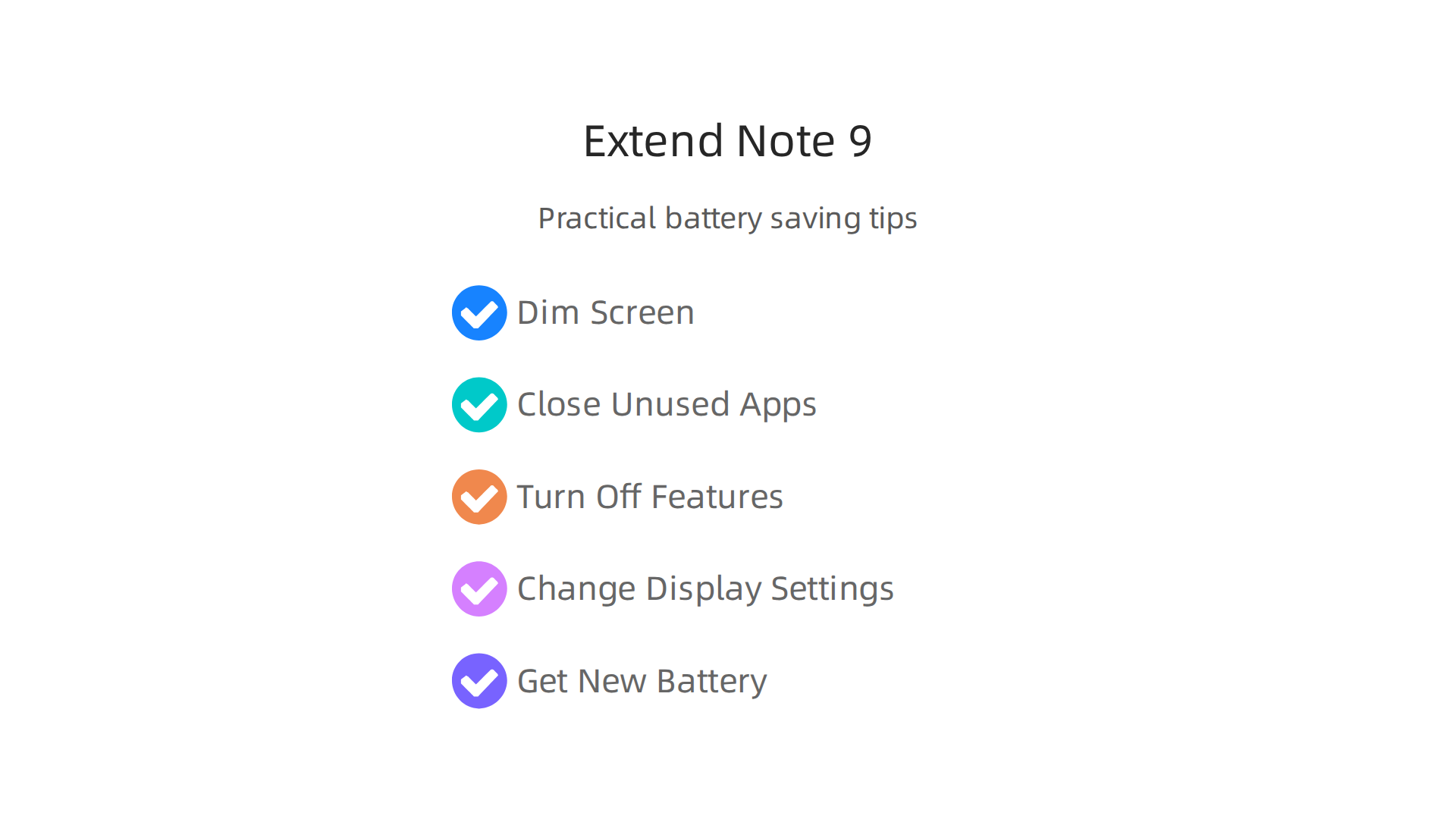
- Dim your screen: The screen uses a lot of power. Turning down the brightness saves a lot of battery life.
- Close unused apps: Apps running in the background can drain power without you knowing. Make sure to close apps you aren’t using.
- Turn off extra features: If you don’t need Bluetooth, GPS, or Wi-Fi all the time, turn them off. They constantly look for connections and use power.
- Change display settings: Using a dark mode can save power on the Note 9’s OLED screen because dark pixels use less energy.
- Get a new battery: If your battery is really struggling, you might want to replace it. You can find Samsung Galaxy Note 9 Replacement Parts from various places. Getting a new battery can make a big difference in how long your phone lasts each day.
Choosing Apps for Older Hardware
Since the Samsung Note 9 isn’t running the newest Android, some very new apps might be slow or not work at all. Here’s what to do:
- Stick to lighter apps: Look for "Lite" versions of apps, like Facebook Lite or Messenger Lite. These use less power and less memory.
- Use web versions: For some services, you can just use their website in your phone’s browser instead of downloading the app.
- Old reliable apps: Many popular apps still work fine on Android 10, like most social media, streaming services, and basic tools. Just keep them updated to their latest compatible version.
- Organize your apps: Keeping your phone tidy can help it run better. Learn how to Samsung organize apps on your Galaxy phone with One UI 7 and Smart Switch to make your phone feel faster.
The S Pen: Still a Star
The S Pen is what makes the Samsung Note 9 special. Even today, it’s very useful for many tasks:
- Quick notes: Jot down ideas without unlocking your phone.
- Drawing and editing: Use it for quick sketches or to mark up photos and documents.
- Remote control: The S Pen has Bluetooth, so it can act like a remote. You can use it to take photos from a distance, change slides in a presentation, or play/pause music. You can learn How to Activate S Pen Remote on my Note9? to make the most of this feature. This is great for selfies or group photos where you don’t want to hold the phone.
- Precise tapping: Sometimes, using the S Pen is just easier and more accurate than your finger, especially for smaller buttons or links.
Must-Have Accessories and Maintenance
To keep your Samsung Note 9 going strong, think about these:
- Good case and screen protector: Protect your phone from drops and scratches. This is even more important for an older phone.
- Portable charger: A power bank can give your phone extra juice when you’re out and about, helping with that older battery.
- USB-C cables: Make sure you have good quality charging cables.
- Cleaning: Keep your charging port and S Pen slot clean to avoid issues. A little compressed air can help.
With these tips, your Samsung Note 9 can still be a valuable tool in 2026, helping you stay productive and connected. It might not be the newest phone, but it still has a lot to offer.
While your Samsung Note 9 can still work great in 2026, it is also good to think about what happens if it needs fixing or if you decide to get a newer phone. This is about its lifecycle: how easy it is to fix, how much replacement parts cost, how much the phone is worth if you sell it, and if it is better to repair or replace it.
How Easy Is it to Repair Your Note 9?
The Samsung Note 9 was not made to be super easy to fix. When it first came out, experts gave it a low score for how easy it was to repair. For example, the iFixit team gave the Samsung Galaxy Note9 Teardown a 4 out of 10, where 10 means it is very easy to repair. This is because some parts are hard to get to. For instance, replacing the battery means dealing with a lot of strong glue, which makes it harder for simple home repairs. Many repair guides mention that the phone is generally hard to repair.
The most common parts that need fixing on a Samsung Galaxy Note 9 are the battery, screen, and charging port. Screens are often replaced if cracked or unresponsive. Even though the phone is tricky to open, many repair shops can still do these fixes. A screen replacement for a Samsung Note 9 can cost a good bit, but you can find aftermarket parts that are less expensive than official Samsung services. For typical users, getting a Galaxy Note 9 Screen Replacement from a local shop might be the best deal.
Finding Parts for Your Older Phone
Even though it is an older phone, you can still find replacement parts for the Samsung Note 9 in 2026. Many online stores and suppliers offer genuine or good quality aftermarket parts. If you are looking for specific pieces, you can often find information on where to purchase genuine Note 9 parts from other users or repair guides. This means if you are handy, you might be able to fix some issues yourself, or at least help your repair person find the right parts.
Repair or Replace: A Sustainability Question
Deciding whether to repair your old Samsung Note 9 or buy a new phone is a common question, especially when thinking about how it affects the environment.

Keeping your phone for a longer time is usually better for the planet because it means less electronic waste.
However, if a repair costs almost as much as a much newer phone, like a budget-friendly galaxy note 10 or another modern device, it might be a tough choice. For example, if your screen is broken and the repair is very expensive, you might start looking at what newer phones offer. The goal is to make your phone last as long as it can be useful to you.
What about Resale Value?
If you decide to sell your Samsung Note 9, its value in 2026 will not be very high compared to when it was new. Like all older tech, its value goes down over time. But a phone that is in good shape, with all its features working, will always get you more money than one that is broken or very worn.
When buying or selling any used phone, it is smart to check some things. For example, doing your Samsung IMEI check can save you from a stolen phone to make sure it is not stolen. You can also how to find the best eBay Samsung deals in 2026 for older phones or even newer models if you are looking to upgrade without spending too much.
The Samsung Note 9 has become a legacy device, meaning it is still talked about and used, even years after its release. Its lifecycle shows that while it was not built for easy repairs, parts are still around, and keeping it going helps with sustainability.
If you enjoy staying up to date with technology trends and how they impact your daily life, especially the fast-changing world of AI, you might find something else useful. Get clear daily AI updates from The AI Newsletter Worth Reading.
Summary
This article reviews the Samsung Galaxy Note 9 as both a milestone in the Note line and a practical device to use in 2026. It traces the Note family’s growth from the original phablet to the Note 9’s 6.4-inch display, 4,000 mAh battery, upgraded dual cameras, and Bluetooth-enabled S Pen that added remote controls and creative tools. The piece explains why those features mattered, how the Note 9 felt premium in design, and what made it useful for professionals, creators, and everyday users. It also covers software support history, noting official updates ended around 2022, and explains aftermarket options like custom ROMs for users who want newer Android versions. Practical advice follows on battery care, app choices, accessories, and simple S Pen tips to keep an aging Note 9 useful. Finally, the article walks through repairability, parts availability, resale considerations, and whether to repair or upgrade for sustainability and value.