

Introduction: Why Your Digital Toolkit Matters More Than Ever in 2026
Technology moves fast. In 2026, it moves faster than ever. AI powered tools and low code platforms have made it possible for anyone to build a professional website without knowing a line of code. That sounds great, right? But here is the problem: there are so many options that choosing the right one feels paralyzing.

The global website builders market is estimated at USD 3.57 billion in 2026, according to the Website Builders Market Size, Share, Growth & Research Report.

Whether you are a solopreneur launching your first brand, a marketer building campaign pages, or a product manager juggling too many tools, the right combination of a best website builder and a workflow tool can save hours every week. It can also dramatically improve the quality of your output.
But here is the thing most guides miss. They throw a hundred tools at you and say "good luck." That does not help when you are already drowning in information. You need a short list. You need tools that actually solve the real pain points, like security worries, decision fatigue, and the sinking feeling that you are missing out on something better.
This article is different. It distills months of real world testing and market analysis into a curated list of 9 tools that genuinely work. No fluff. No hype. Just the tools that help you get things done. And if you want to stay ahead of the curve on everything AI and tech, you can get clear daily updates from The AI Newsletter Worth Reading to keep your digital toolkit sharp year round.
1. Wix – Best All-Rounder for Beginners and Small Teams
You want a website. You do not want to learn code. You also do not want to spend weeks figuring out how to make it look decent. That is exactly where Wix shines.
Wix is the closest thing to a no brainer in the website builder world.
In 2026, it powers 4.3% of all websites on the internet and grew over 32% in a single year, according to the latest Website Builder Market Share 2026 report. Those numbers tell you one thing: people trust this tool.
Why Wix Works So Well
The magic starts with the drag-and-drop editor.
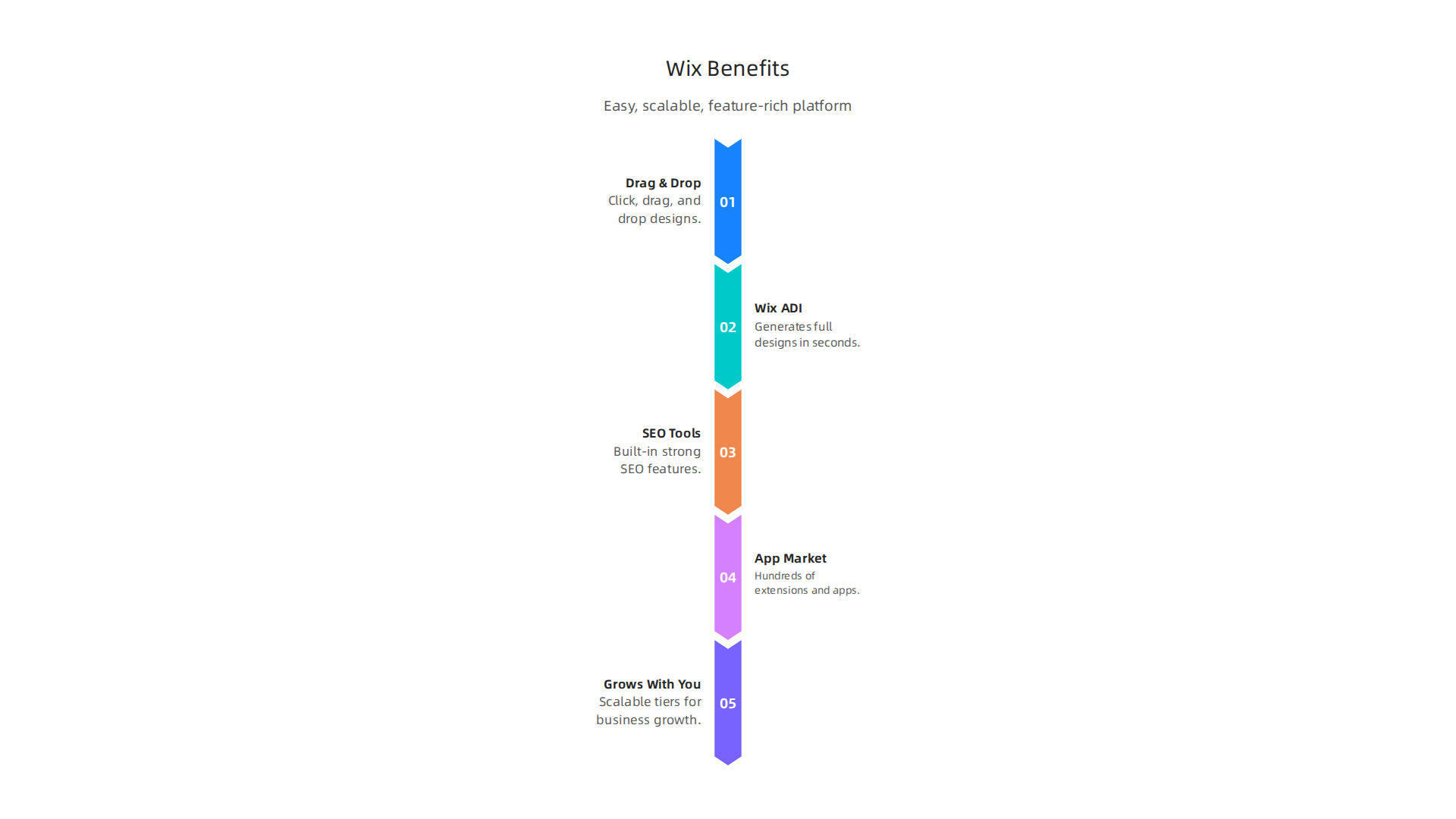
You click. You drag. You drop. That is it. If you have ever used a word processor, you already know how to build a page with Wix.
But here is where it gets really interesting. Wix ADI (Artificial Design Intelligence) takes the heavy lifting off your shoulders. Tell it what kind of site you need, answer a few simple questions about your style, and it generates a complete design in seconds. It is like having a designer sitting next to you, except the designer works instantly and does not charge by the hour.
SEO and Apps Built Right In
Most beginners do not think about SEO until after they launch. Then they panic. Wix solves this by baking strong SEO tools directly into the platform. You can edit meta titles, alt text, and URL structures without installing a single third-party plugin.
Need more power? The Wix App Market has hundreds of extensions for booking systems, analytics, live chat, and more. You add only what you need. No bloat. No clutter.
Grows With You
Wix offers free plans to get your feet wet, plus scalable business and e-commerce tiers when you outgrow the basics. You do not have to migrate to a new platform later. Wix handles the growth.
If you want to learn more about streamlining your workflow even further, check out our guide on how to choose the best website summarizer for your daily research and content gathering.
For most people just starting out or running a small team, Wix is the first tool on the list for a reason. It handles the hard parts so you can focus on what actually matters: your content, your brand, and your audience.
2. Squarespace – Best for Design-Focused Creators and Portfolios
If you are a photographer, writer, or artist, your website needs to look like an extension of your work.

You cannot afford clunky layouts or generic templates. That is exactly why Squarespace exists.
Squarespace is built for people who care deeply about how their site looks and feels. The templates here are not afterthoughts. They are award winning designs with serious attention to typography, spacing, and visual flow. Every template feels like it was crafted by a professional studio.
Why Creators Love It
The Fluid Engine editor gives you granular control over your layout. You can move elements pixel by pixel without touching a single line of code. Want a photo to sit exactly two inches below your headline? You can do that. Want your text to wrap around an image in a specific way? No problem.
Squarespace also includes integrated analytics and marketing tools designed specifically for creatives. You can track which pieces of your portfolio get the most attention, send email campaigns to your audience, and even sell prints or digital downloads directly from your site. Everything lives in one place. No plugins. No extra subscriptions.
Design Without Compromise
A 2026 comparison of Squarespace vs WordPress vs Webflow shows that Squarespace wins on structured, conversion-focused design while keeping complexity low. You do not need to be a developer to make something beautiful. You just need content worth showing.
If you are shopping for new gear to capture better portfolio images, check out our guide on finding the best Samsung tablet for your creative workflow. A good tablet can make editing and reviewing your work on the go much easier.
Built for Growth
When your audience starts to grow, Squarespace grows with you. Built in SEO tools, fast hosting, and reliable e-commerce features mean you never hit a ceiling. You can start with a simple portfolio and scale to a full online store without switching platforms.
Staying current with tech trends helps too. Getting clear daily AI updates from The Deep View Newsletter can keep you informed about the latest tools that complement your creative work. Quick insights delivered straight to your inbox so you spend less time searching and more time creating.
For designers and artists who refuse to settle for average, Squarespace is the best website builder choice. It makes beautiful easy.
3. WordPress.org – Best for Scalability and Full Customization
Maybe you want total control. Not just the look and feel of your site, but every single feature it can do. You want to sell products, run a membership area, build a forum, and show a blog all on the same domain. For that kind of ambition, nothing beats WordPress.org.
WordPress.org is different from the hosted builders we talked about. You download the software yourself and install it on your own web hosting. This gives you complete ownership. No one can shut down your site or change your terms. You own your content and your data, period.
According to recent data, WordPress powers over 42 percent of all active websites. That is not a small number. It runs the internet for a massive share of the web. This dominance means there is a plugin for almost anything you can imagine. Want to add a booking system? There is a plugin. Want to turn your site into a full online course platform? Plugin. Want to add a forum, a job board, or a donation system? Plugins exist for all of them.
The Investment of Time vs. Reward
Here is the honest truth. WordPress has a steeper learning curve than Squarespace or Wix. You will need to choose a hosting provider, install the software, pick a theme, and configure plugins yourself. That sounds like work because it is.
But the reward is unmatched flexibility. You control every line of code. You control your SEO completely. You control how fast your site loads. There are no monthly subscription fees eating into your profits after year one. Just hosting costs and domain renewals.
The community behind WordPress is huge and constantly updating the software with security patches and new features. This keeps your site safe and modern without you needing to manually fix things. If you get stuck, millions of tutorials, forums, and experts exist to help you.
Scale Without Switching
When your traffic spikes, WordPress scales right along with you. You can start on cheap shared hosting and move to a dedicated server as you grow. You never have to migrate to a new platform. Your content, your design, your custom features all come with you.
For people who want to stay on top of the latest tools that make building and managing a site easier, getting clear daily AI updates can save hours of research time. Staying informed means you can build smarter, not just harder.
WordPress.org is not for everyone. But if you want power, ownership, and room to grow without limits, it is the clear winner in the search for the best website builder.
4. Shopify – Best for E-commerce and Omnichannel Selling
But what if your main goal is to sell products online quickly and easily? That is where Shopify comes in.

While WordPress.org gives you total control, Shopify gives you a dedicated engine built specifically for online stores. You do not have to piece together payment gateways, shipping calculators, and inventory tracking. It all works right out of the box.
Shopify handles everything from processing credit cards to printing shipping labels.
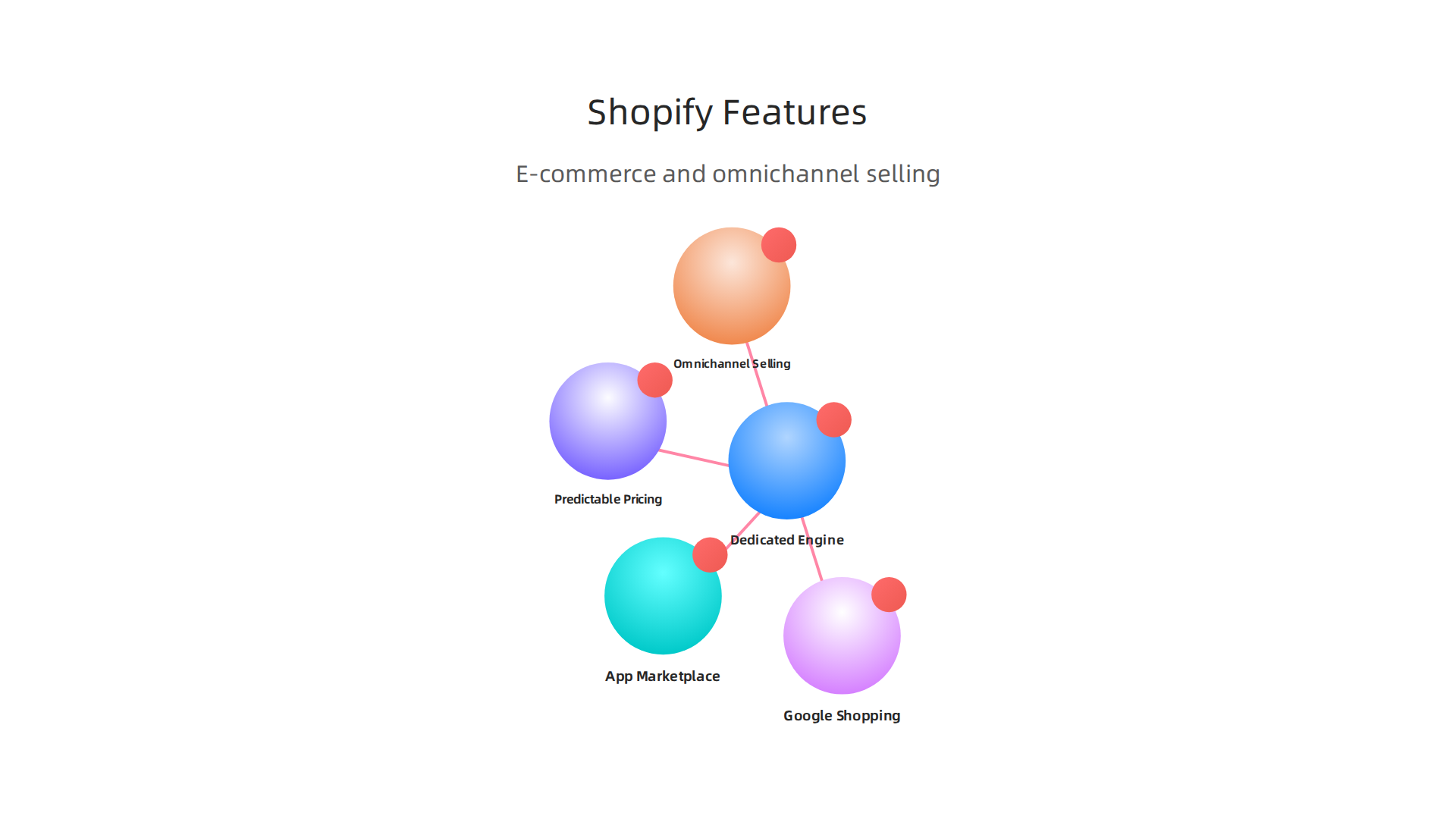
You can start selling physical products, digital downloads, or services in minutes.

Their app marketplace is massive. Whether you want to run a dropshipping business or a subscription box service, there is an app for that. This ease of use makes it a strong contender for the best website builder in 2026.
One of Shopify’s superpowers is omnichannel selling. Shopify POS lets you sell at a local fair or pop-up shop, and your inventory syncs with your online store in real time. You can manage your entire business from your phone. Imagine updating your product catalog from your Apple iPhone 15 while you stand in your storage unit. It is that flexible.
Shopify also integrates perfectly with Google Shopping, making it a powerful choice if you want a google website builder that connects directly to product ads. If you are selling tech gadgets for women or any niche, Shopify makes product organization and promotion easy.
Compared to self-hosted options like WooCommerce, Shopify offers more predictable pricing. As a detailed 2026 comparison of Shopify pricing and features shows, this simplicity is a major reason why business owners choose Shopify when they value time over total code control.
To get the most out of your online store, you need to stay informed about the latest marketing and automation tools. Getting clear daily AI updates can help you save hours of research and build a smarter business.
If you want to build a serious online income without writing code, Shopify is likely the best website builder for your e-commerce dreams.
5. Webflow – Best for Advanced Designers and No-Code Agencies
What if you have a very specific design idea in your head that no template can match? That is where Webflow shines.
Webflow is a visual development platform that lets you build websites by dragging and dropping elements. But here is the difference: it exports clean, production-ready code. So you are not just making a pretty layout. You are building a real, custom website that could pass for hand-coded work. For many advanced designers, this is the best website builder in 2026 because it removes the need to rely on developers for every little change.
With Webflow, you get a powerful CMS and interactions engine. You can create complex animations, dynamic content, and fully responsive pages that look stunning on any screen, whether the visitor is using an Apple iPhone 15 or an Android tablet. The learning curve is steeper, no question. But the reward is complete creative freedom.
If you compare Webflow to simpler drag-and-drop tools, the trade-offs become clear. As a detailed Webflow vs Squarespace comparison shows, Webflow offers much more design flexibility and advanced SEO features. Squarespace is easier for beginners, but Webflow is built for professionals and no-code agencies who want to deliver client work that stands out.
Pricing is higher than many all-in-one builders. Plans start around $15 a month, but for professional-grade output, that cost is easy to justify. When you factor in the time you save by not needing a developer for every layout change, Webflow pays for itself.
If you are building a portfolio, a high-end blog, or a custom store for a niche like tech gadgets for women, Webflow gives you the tools to make it look exactly how you want. It is not the easiest platform to pick up, but for those who value control over convenience, it is the clear winner.
6. Notion – Best All-in-One Workspace for Teams and Individuals
Notion works a little differently than the tools we have covered so far. It is not a website builder in the traditional sense. But if you are looking for the best website builder to support your full content workflow, you need a central hub to plan, write, and manage everything before it goes live.

That is what Notion does best.
Notion combines notes, databases, wikis, and task management into one clean workspace.
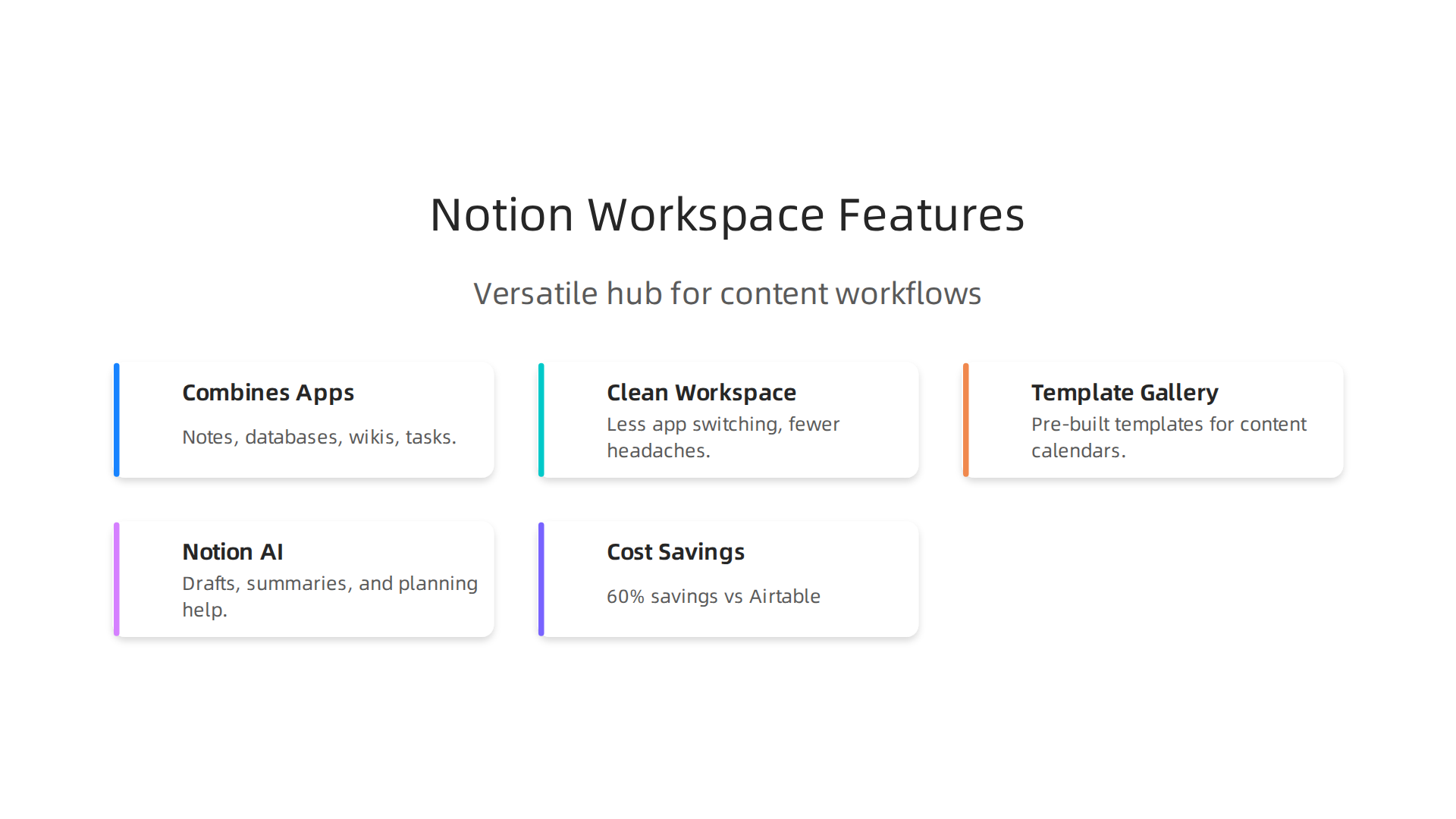
Instead of jumping between separate apps for note-taking, project tracking, and documentation, you get it all in one place. For teams and solo creators, this means less app switching and fewer headaches.
The template gallery is a huge time-saver. You can grab pre-built setups for content calendars, product roadmaps, or personal goal tracking. These templates let you skip the setup phase and start working immediately.
Notion also includes AI features. Notion AI helps with writing drafts, summarizing meeting notes, and planning projects right inside your workspace. If you manage a blog or handle lots of documentation, this speeds up your work significantly. While you are streamlining your process, you might also want to learn how to choose the best website summarizer for your workflow to save even more time on research.
When comparing Notion to tools like Airtable, the pricing difference is huge. A detailed Airtable vs Notion 2026 comparison shows that for a 50-person team on Business plans, Notion costs about $10,800 per year compared to $27,000 for Airtable. That is a 60% savings.
For anyone building content, managing a team, or just trying to stay organized, Notion is a strong option. And if you want to keep up with how AI is changing productivity tools, The AI Newsletter Worth Reading delivers clear daily updates straight to your inbox.
7. Airtable – Best for Flexible Project Management and Databases
So where does that leave Airtable? If Notion is like a smart notebook, Airtable is more like a turbocharged spreadsheet. It looks like a grid at first glance, but behind the scenes it is a full relational database. That makes it a great companion for your best website builder workflow, especially when you need to organize complex, structured data.
Airtable gives you multiple views for the same data. You can see tasks in a grid, switch to a Kanban board, look at a calendar view, or browse a gallery. This flexibility is perfect for content calendars, CRM pipelines, inventory tracking, and team project management. Each record can hold images, attachments, long text, and linked fields. You connect records across tables just like in a real database.
Integrations are a big reason teams pick Airtable. It connects easily with hundreds of apps through Zapier, Make, and its own Airtable Sync feature. You can build automated workflows that save hours each week. If you are thinking about organizing your digital space for productivity, you might also like tips on organizing your digital space for productivity.
One key difference between Airtable and Notion is how each handles data relationships. Notion databases are simpler and work well for small to medium sets. But Airtable shines with relational data, letting you link records, roll up information, and manage complex processes. For a deeper look, read this Airtable vs Notion comparison from Getint.
If you run a business or manage a team that follows structured processes, Airtable is a strong choice. It is not a website builder on its own, but it is a powerful engine to power the content and operations behind your site. It scales from a solo creator to enterprise teams and offers strong automation and data integrity features.
8. Zapier – Best for No-Code Automation Across 6,000+ Apps
So after all those tools that help you build, organize, and manage, you still need the glue that sticks everything together. That is where Zapier comes in.
Think of Zapier as the invisible assistant that moves data between your apps automatically.
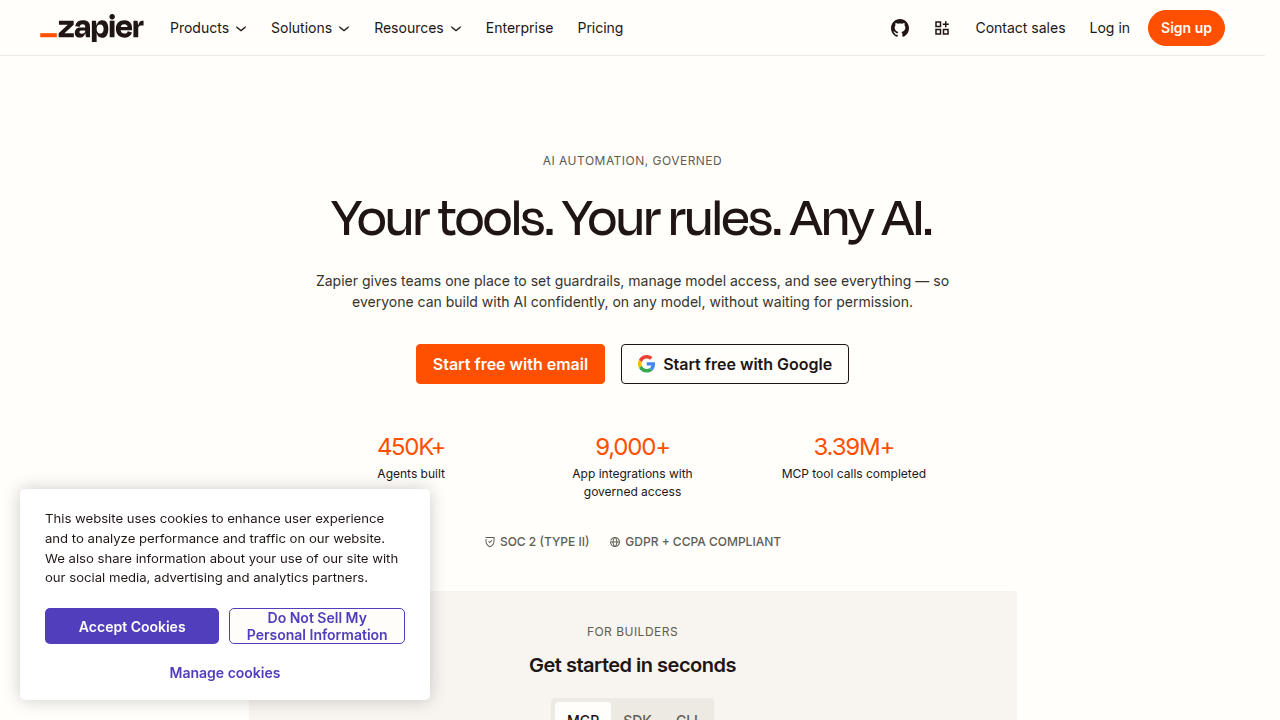
It connects over 6,000 apps without requiring a single line of code. You create workflows called Zaps that say things like when someone fills out a form on your site, automatically add them to your email list and send a welcome message.
What makes Zapier stand out in 2026 is its power to handle complex logic. You can build multi-step Zaps with conditions, delays, and filters. For example, only send a notification if a deal is over $500 and the customer is in a certain region. That kind of control matters when you run a serious business. If you want a deeper comparison, check out this Zapier vs IFTTT comparison for 2026 straight from the source.
Zapier has also embraced AI in a big way. New features like Zapier Central let you describe what you want in plain language and the system builds the automation for you. There are also AI-powered chatbots that can handle simple customer questions without extra coding.
The pricing model is task-based. A free plan gives you 100 tasks per month and unlimited Zaps, which is generous enough for personal use or testing. Paid plans start at around $30 per month and scale up based on how many automated actions you need each month. For most small teams, the free or Starter plan covers the basics well.
If you are pairing this with your best website builder, Zapier becomes the bridge that connects your site to everything else. New leads land in your CRM. Orders create shipping labels. Blog posts auto-share to social media. It turns your website into a living system that works while you sleep.
And if you want to keep up with how AI is reshaping these workflows, you might appreciate something practical. The AI Newsletter Worth Reading delivers clear daily updates on exactly these types of technology shifts, helping you stay ahead of automation trends without the noise.
9. IFTTT – Best for Personal Workflow Automation and IoT Integration
If Zapier is the business workhorse, IFTTT is the personal sidekick. The name stands for "If This Then That," and that is exactly how it works. You create simple conditions: if something happens (like your smart doorbell detects motion), then do something (send you a phone alert). No coding needed. That simplicity makes it perfect for anyone who wants automation without the learning curve.
IFTTT truly shines in the smart home space. It connects with hundreds of IoT devices including smart lights, thermostats, sensors, cameras, and voice assistants. You can set your lights to turn on at sunset or have your thermostat adjust when your phone leaves home. For anyone building a connected living space, IFTTT makes it dead simple.
But it is not just for smart homes. IFTTT also links to over 700 digital services like email, social media, cloud storage, and productivity apps. You could automatically save email attachments to Dropbox or post your Instagram photos to Twitter. The setup takes seconds.
In 2026, IFTTT has grown up with new Pro plans that bring faster execution and multi-step queries. This bridges the gap between simple personal automations and more complex workflows. If you are curious how it compares to other tools for your specific needs, this IFTTT vs Zapier guide for personal users breaks down the differences clearly.
Pricing remains friendly. The free plan covers 5 Applets (what IFTTT calls its automations), which is enough for basic smart home setups. Pro plans start at around $5 per month and unlock unlimited Applets, multi-step queries, and faster check speeds. That is much more affordable than business-focused tools.
So when you are evaluating the best website builder for your next project, think about what happens after the site goes live. IFTTT can automate parts of your workflow, like sending new form entries straight to your phone or syncing calendar events across apps. It turns your simple website into a more responsive tool without extra development work. And if you like keeping your tech life organized, you might also enjoy this guide on finding the best website summarizer for your workflow.
Summary
This article cuts through the noise to recommend nine practical tools that make building, managing, and automating websites in 2026 faster and less painful. It explains who each tool serves—Wix for beginners, Squarespace for designers, WordPress.org for full control, Shopify for merchants, Webflow for advanced visual developers, Notion and Airtable for content and data workflows, and Zapier/IFTTT for automation—and highlights key strengths like built‑in SEO, design flexibility, scalability, and integrations. Rather than listing every shiny option, the guide focuses on real pain points such as security, decision fatigue, and growth constraints, giving you clear reasons to choose one platform over another. Read it to understand which tool matches your skill level and goals, how the tools fit together in a workflow, and what to prioritize when launching or scaling a site.