

Introduction
Every day, knowledge workers face a mountain of information. Articles, reports, emails, newsletters, and webpages all compete for your attention. The result? According to a recent study, 83% of U.S. workers report feeling overwhelmed by the amount of information they need to do their jobs.

This feeling of information overload is real, and it costs businesses an estimated $900 billion annually in lost productivity.
That is where a website summarizer comes in. These AI-powered tools take long content and condense it into short, actionable summaries. Instead of reading a 3,000-word report, you get the key points in seconds. It is a simple way to fight back against constant information overload and free up your time for actual work.
But not all summarizers are created equal. Choosing the right one means understanding how the technology works, what features matter most, and which use cases fit your daily routine best. As the AI landscape evolves rapidly in 2026, with companies like those covered in our Elon Musk AI 2026 guide pushing boundaries, staying informed about new tools is key.
In this guide, we will walk through everything you need to know to pick the best website summarizer for your needs. If you want to stay on top of the fast-moving world of AI, you can get clear daily updates delivered straight to your inbox. Subscribe to The AI Newsletter Worth Reading for curated insights you can actually use.
Understanding Website Summarizers
So how do these tools actually work? It sounds a bit like magic, but the technology behind a website summarizer is both logical and fascinating.
At their core, website summarizers use a branch of artificial intelligence called natural language processing, or NLP.
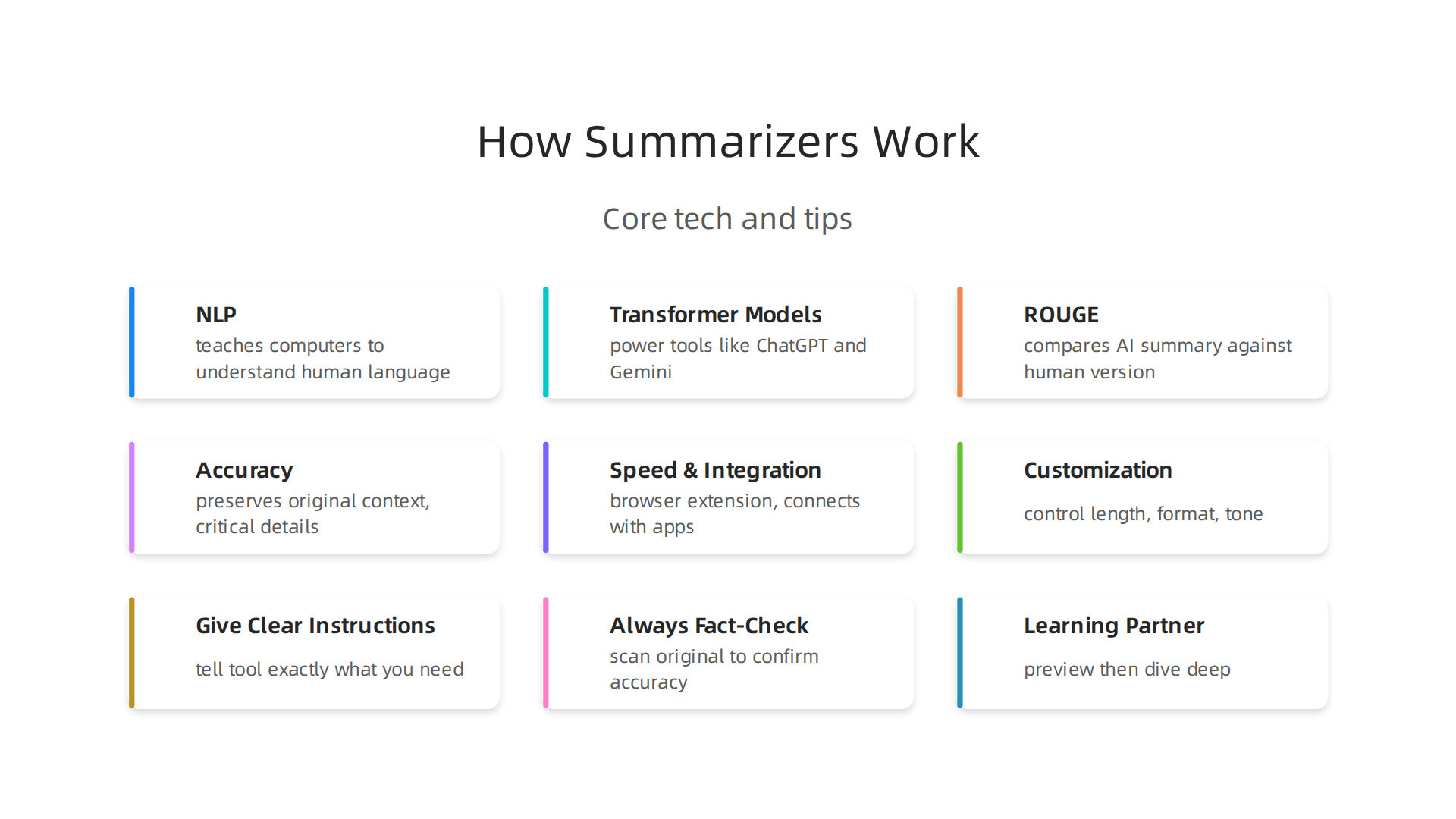
Think of NLP as the part of AI that teaches computers to read, understand, and even write in human language. The most advanced summarizers today rely on transformer models. These are the same type of models that power tools like ChatGPT and Gemini. They can analyze entire documents at once, picking out which sentences carry the main ideas and which ones are just supporting details.
The result is a short, focused summary that saves you from reading the full page. This is incredibly useful for busy professionals. Imagine you have five industry reports to get through before a meeting. Instead of spending two hours reading every word, you feed each report into a summarizer. In a few seconds, you get the key takeaways. That is hours of your life back.
Developers use special metrics to measure how well these summaries capture the real meaning of the original text. One common benchmark is called ROUGE. It compares the words in an AI-generated summary against a version written by a human. This tells researchers how accurate the tool really is. The transformative impact of large language models on summarization has made these scores climb higher every year.
Modern summarizers go beyond simple cut and paste. They let you choose the length of your summary. Do you want three bullet points or a short paragraph? You can also pick the tone. Need a formal summary for a client? Done. Want a casual one for your team? No problem. Some tools even let you choose the format, like a list of key facts or a narrative overview.
This kind of customization makes a huge difference. It means you are not stuck with a one-size-fits-all result. You get exactly what you need for the task at hand. As AI technology keeps improving in 2026, these tools are becoming smarter and more flexible. The growing connections within Elon Musk’s 2026 tech empire show just how fast AI capabilities are expanding across different areas.
The best part? You do not need a technical background to use any of this. Most website summarizers have a simple interface. You paste a link or upload a file, and the tool does the heavy lifting for you.
The Information Overload Problem
Here is a number that might stop you in your tracks. The average knowledge worker spends about 28% of their workweek just reading, writing, and managing emails and information.
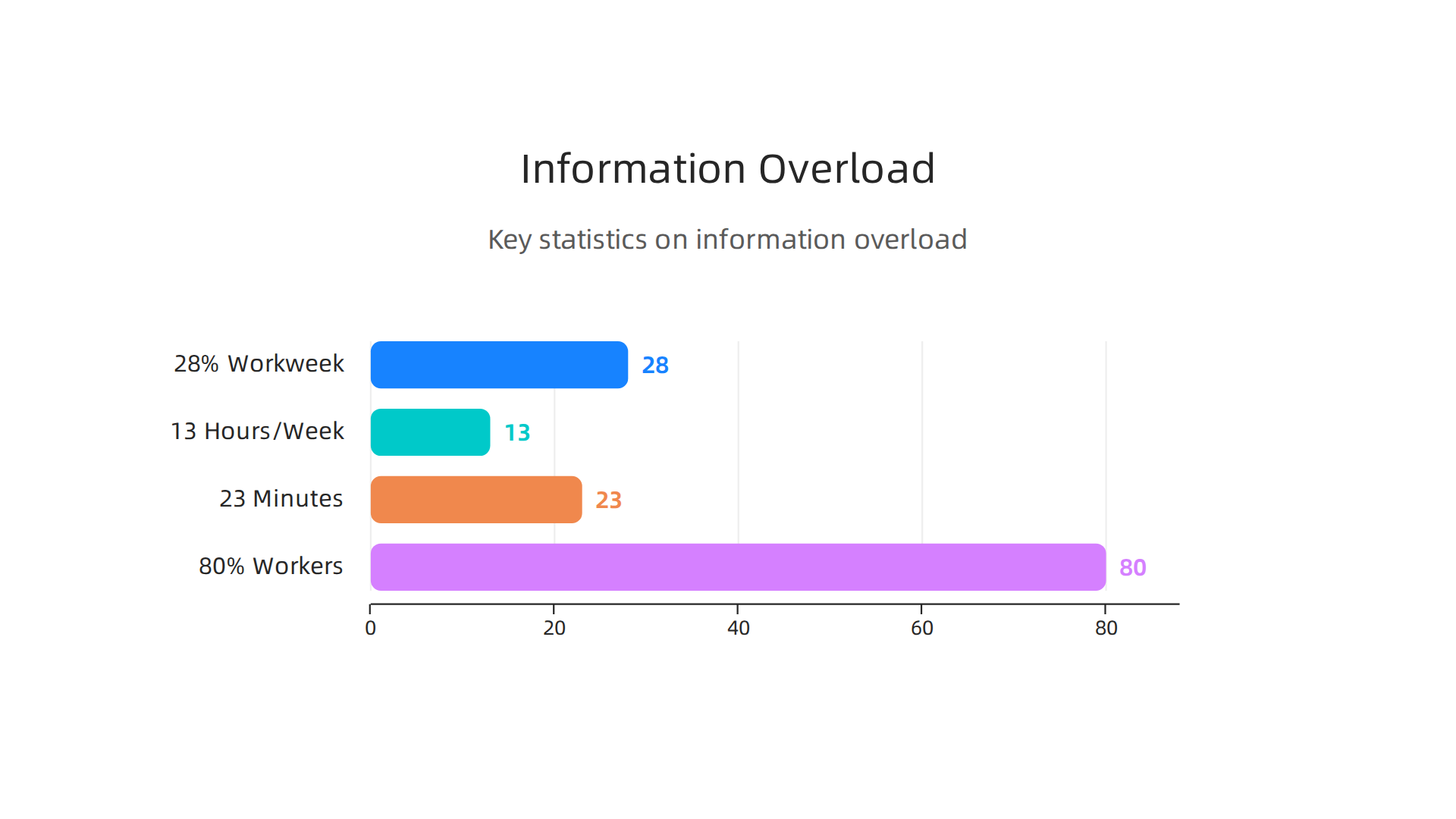
That is roughly 13 hours per week. According to the latest 100+ Productivity Statistics for 2026 from Asian Efficiency, that adds up to 676 hours per year. Misspent hours, in many cases.
Now add the cost of interruptions. Every time you check a message or switch tasks, it takes over 23 minutes to get back into a deep focus state. If you get interrupted 15 times a day, which is the average, your workday basically turns into a collection of tiny, scattered moments. Researchers call this "time confetti." You end up busy all day but finishing almost nothing that matters.
The real problem is not that we have too much information. It is that we lack a good way to filter it. A report from 2022 found that 80% of global workers experience information overload. And that number has only climbed since then. Decision fatigue sets in. Your brain gets tired from constantly deciding what to read, what to save, and what to ignore. Your stress levels go up. Your ability to make smart choices goes down.
This is where a website summarizer becomes more than a convenience. It becomes a survival tool. Instead of drowning in a sea of articles, reports, and newsletters, you let the AI do the heavy lifting. It reads the long text so you do not have to. It pulls out the essential points. It hands you a clean, digestible summary in seconds.
Think about what that means for your day. You cut those 13 hours of reading time down dramatically. You protect your focus. You make better decisions faster. And you stop feeling like you are always playing catch-up.
That is the promise of a good summarization tool. It does not just save you time. It gives you back your mental energy.
If you are ready to take control of your information diet, try getting your news in a smarter way. The AI Newsletter Worth Reading delivers clear daily AI updates straight to your inbox so you can stay informed without the overwhelm.
Essential Features of a High-Quality Website Summarizer
Not every summarizer is built the same. Some will save your day. Others will give you summaries that miss the point entirely. So what should you look for before you trust a tool with your reading time?
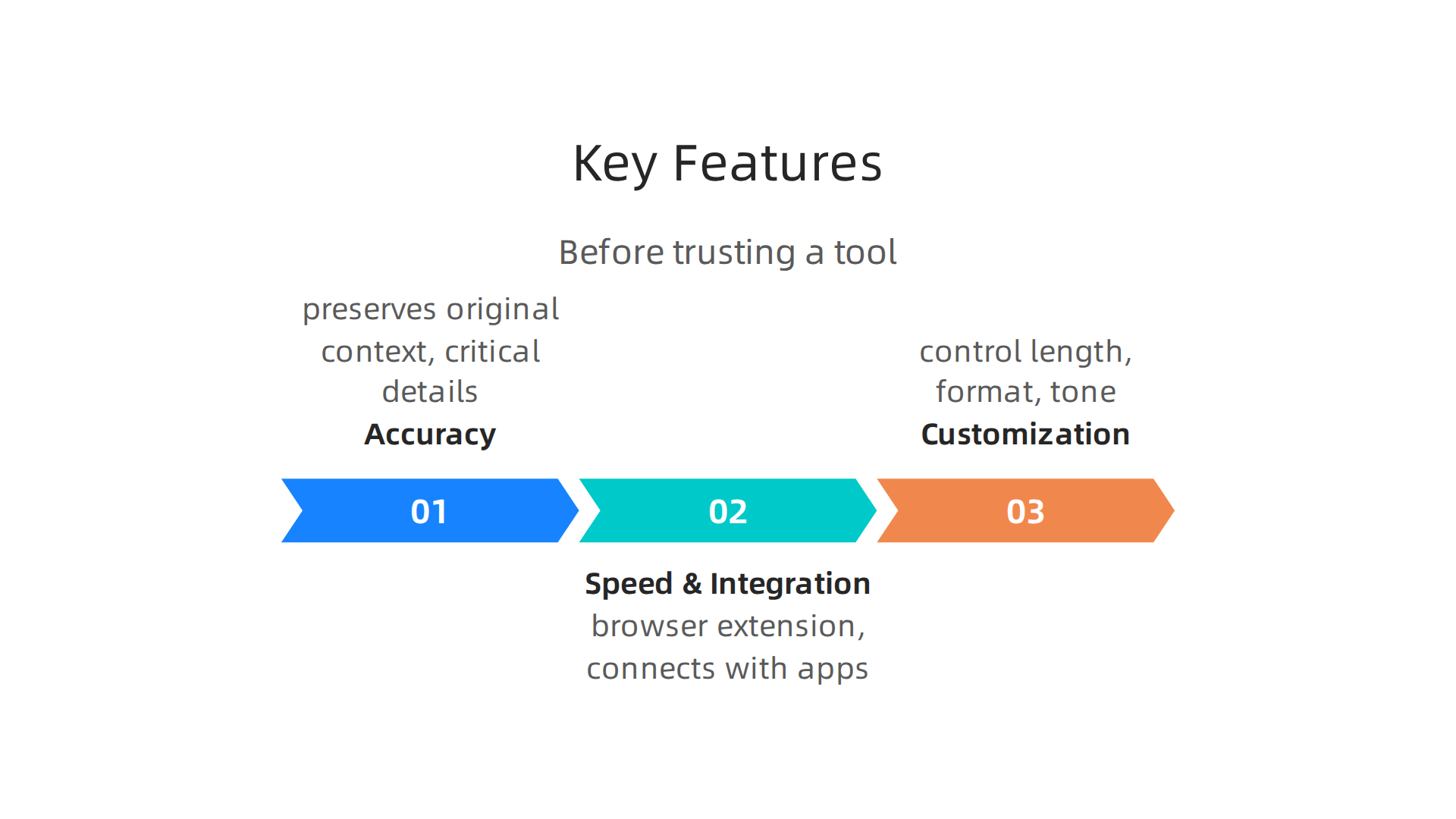
Accuracy comes first, always. A website summarizer that changes the meaning of the original text is worse than useless. It is dangerous. You might base a decision on a summary that got the facts wrong. The best summarizers use advanced AI models that have been tested against human-written reference summaries. Researchers measure this with something called ROUGE scores. These scores check how much the AI summary overlaps with a perfect human version. A tool that scores well on these tests will preserve the original context and keep the critical details intact. If you want to go deeper on how this works, check out this deep dive on the accuracy of an AI-generated summary using ROUGE scores. It explains why word overlap alone is not enough and why semantic meaning matters even more.
Speed and integration matter just as much. A great tool works where you already spend your time. It should live inside your browser as an extension. It should connect with your favorite apps. You should be able to highlight a long article and get a clean summary without opening a new tab or copying text manually. Every extra click is a chance for your focus to break. The best summarizers feel invisible. They do their job in seconds so you can keep moving. This kind of seamless integration is part of the broader trend of AI tools becoming embedded in our daily workflows. You can see how this trend is playing out across the tech world with the latest Elon Musk AI 2026 developments and how different platforms are converging.
Customization turns a good tool into a perfect one. Your needs change throughout the day. Sometimes you want a single sentence that captures the main idea. Other times you need three bullet points with key statistics. Maybe you prefer paragraph format for reading aloud. A high-quality website summarizer lets you control the length, the format, and even the tone. You decide if you want a short summary or a detailed breakdown. You choose between bullet points and flowing text. The tool adapts to you, not the other way around.
When these three features work together, you get a tool that does not just save time. It protects your mental energy and helps you make smarter decisions faster. And if you want to stay ahead of the curve on how AI is changing the way we consume information, The AI Newsletter Worth Reading delivers clear daily updates to your inbox without the noise.
Top Use Cases for Website Summarizers in 2026
Now that you know what makes a great website summarizer, let’s look at the real ways people are putting them to work in 2026. These tools aren’t just nice to have. For many professionals, they have become essential.
Researchers and analysts live on information. Every day they face long academic papers, market reports, and competitor news. Reading everything from start to finish is impossible. A website summarizer changes that. They paste a URL or upload a PDF and get the key findings in seconds. This lets them cover more ground and focus on the parts that really matter. The team at Web Highlights explains that their summarizer is especially helpful for summarizing academic work and literature reviews because it preserves context and structure. You can see their full analysis in this guide to the top AI website summary tools in 2026. For analysts tracking competitors, a quick summary of a rival’s product launch page can save hours of digging.
Content curators have a different challenge. They need to find great articles and share the best insights with their audience. That means skimming dozens of posts each day. A summarizer speeds this up dramatically. Curators pop links into tools like TLDR This and get a short version of every article. They can decide in seconds if something is worth sharing. Then they use the full summary to write their own commentary. For example, a curator covering Apple news might quickly digest a long Reddit thread about upcoming phones. You could see how that works with this real example of iPhone 17 Pro Reddit insights that a summarizer would condense into bullet points. This flow works across newsletters, social media, and team Slack channels.
Learning and development professionals need to stay current. Industry trends change fast. New research comes out every week. These pros are responsible for creating training materials and advising teams. They can’t spend all day reading. A website summarizer helps them digest key reports and convert them into summaries they can share with colleagues. Some tools even turn long articles into visual mind maps, which makes complex ideas easier to teach. According to a 2026 comparison of the best AI text summarizers, tools that create structured visual summaries are ideal for people who need to actually learn and remember the content. That kind of tool helps L&D professionals build training faster and with better accuracy.
Whether you are a researcher, a content curator, or a learning and development pro, a good website summarizer saves you time and keeps you sharp. You stop drowning in text and start focusing on what actually matters.
How to Choose the Right Website Summarizer
Now that you have seen how people use website summarizers, how do you pick the best one for yourself? The right choice comes down to three things: your main task, the tool’s accuracy and features, and the price.
Match the tool to your use case. If you mostly read blog posts and news, a quick web summarizer like TLDR This works great. For academic papers, look for a tool that preserves structure and context, like Scholarcy. If you need flexible formats for general writing, QuillBot lets you pick bullet points or paragraphs. A detailed comparison of tools for different tasks can be found in this 2026 guide to the best AI summarizers, which rates each one on accuracy, speed, and supported inputs.
Compare accuracy and format options. Not every summarizer catches the main ideas. Some leave out important details or produce messy results. The best tools let you choose summary length, such as short, detailed, or bullet-style. They also work with PDFs, YouTube videos, and long web pages. Look for one that gives clean, natural-sounding summaries.
Check integrations and pricing. If you use productivity apps like Notion or Obsidian, a summarizer that connects to them saves time. Many tools offer browser extensions for one-click summaries. Free versions often cap the number of summaries or word count. Paid plans start around $4 per month and go higher. Make sure the tool fits your workflow and budget.
AI summarizers are part of a larger trend in smart technology. To see how AI is reshaping everything from phones to cars, check out this analysis of Elon Musk AI 2026. And if you want to keep learning about AI daily, get clear daily AI updates from The Deep View Newsletter by subscribing to The AI Newsletter Worth Reading.
Security and Privacy Considerations
Before you start using any website summarizer, there is one thing you need to check first. How does the tool handle your data?
Many summarizers send the content you paste or link to their own servers for processing. That data may be stored, logged, or even used to train AI models. This is a real concern. A detailed look at AI data security threats explains how user inputs can be retained without proper safeguards. The same types of risks apply when using any online platform, which is why learning to spot safety risks of digital services is a good habit.
So how do you protect yourself?
Read the privacy policy before you use a tool. Look for clear language about data retention, sharing, and deletion. Some services keep your prompts for months. Others delete them right away. If the policy is vague or missing, do not trust it with anything sensitive.
Choose tools that process data on your device. On-device processing means your information never leaves your computer or phone. This is the safest option for confidential work. Tools with end-to-end encryption also add a strong layer of protection.
Never paste sensitive information into a free or public summarizer. Things like personal identification numbers, financial records, medical information, or business secrets should stay out of these tools. Free versions are especially risky because your data may be used for training. If you must summarize sensitive content, use a paid plan with a clear data protection policy.
Picking the right summarizer is about more than features. It is also about keeping your information safe. Take a few minutes to review how each tool handles your data. Your privacy is worth it.
Integrating Website Summarizers into Your Productivity Stack
Now that you know how to protect your data, let’s talk about making a website summarizer a real part of your daily routine.

The best tools don’t just save you time. They fit into the way you already work.
Browser extensions are the easiest way to start. Instead of copying and pasting text from your browser to a summarizer, a good extension lets you do it in one click. You are reading an article, click the icon, and a summary appears right there. No extra tabs. No copy-paste. This reduces friction and keeps you focused on what matters.
The next step is connecting your summarizer to where you keep information. Many people take notes in apps like Notion, Obsidian, or Evernote. Can you send a summary straight to your note-taking app? Some tools have direct integrations. Others let you copy the output and paste it in a few seconds. The goal is to capture the main points without losing them in a random folder or forgetting about them. The same logic that helps you organize your phone can apply here. You do not need a complicated system. Just a simple habit of sending summaries to your notes after you read them.
Automation platforms take this to the next level. Tools like Zapier can act as the middleman. You set up a simple workflow. When you save an article to a specific folder or share it to a specific email address, the automation sends the content to your summarizer and stores the result in a second app like Google Docs or a project management board. This means you never have to manually handle the process. The summary just appears where you need it. An overview of best AI automation tools for workflows in 2026 shows how these connections between apps make the whole process feel seamless.
Think of it this way. Your website summarizer is the engine. Your browser extension is the steering wheel. Your note-taking app is the destination. And automation is the autopilot that drives you there without extra effort. Start with one integration. Add another when it feels natural. Soon you will wonder how you managed without it.
If you want to keep learning about tools that make your day easier, a good way is to check out smart layout ideas for productivity and security for your phone. Small changes add up.
Finally, staying ahead of new tools and tips is easier with a trusted source. For clear daily updates on AI and productivity trends, consider The AI Newsletter Worth Reading. It helps you spot the next useful tool before everyone else does.
Expert Tips for Getting the Most Out of Summarizers
Having a website summarizer in your workflow is a great first step. But getting reliable, useful results requires a little know-how. Here are three expert tips to make sure your summarizer works for you, not the other way around.
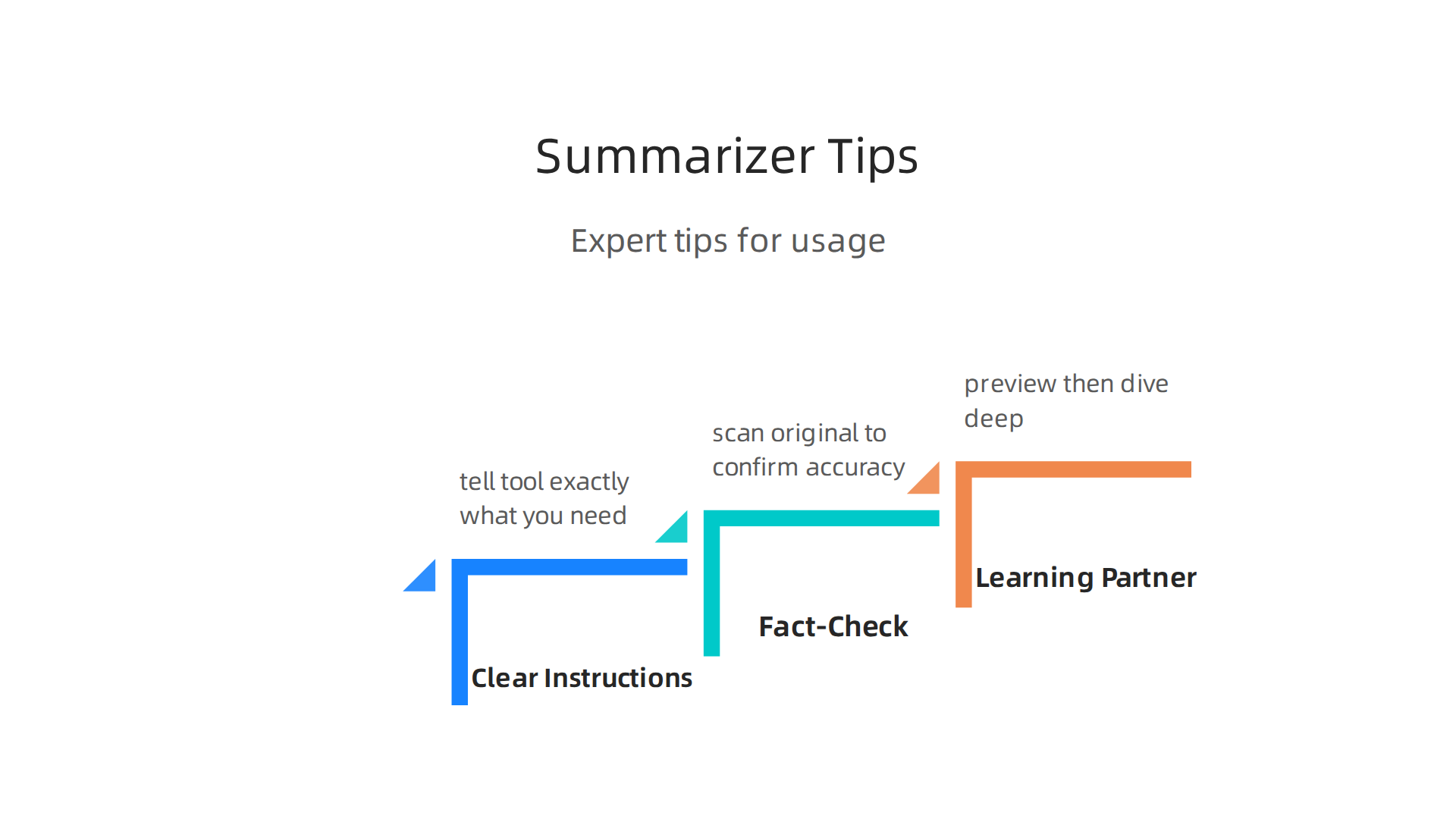
1. Give Clear Instructions
Do not just ask for a summary. Tell the tool exactly what you need. For example, you can write a prompt like "summarize key statistics from this article" or "list the main action items." A specific prompt helps the AI focus on what matters to you. The best productivity gains come from targeted use rather than broad application. An overview of Best AI Tools for Productivity in 2026 explains how solving one specific workflow gap at a time leads to real results.
2. Always Fact-Check the Output
Here is the thing. AI summarizers are impressive, but they can make mistakes. They might miss a key detail or get a fact slightly wrong. For any important task, you should scan the original article to confirm the summary is accurate. Treat the summary as a smart assistant, not the final word. Following Process Automation Best Practices in 2026 means building in regular checks to keep your results reliable over time.
3. Use It as a Learning Partner, Not a Replacement
A website summarizer should speed up your reading, not replace your thinking. Try reading the summary first, then skim the original for the parts that matter most to you. This combo helps you learn the material deeply and spot things the AI may have smoothed over. Using a tool for data driven analysis of safety risks and alternatives shows how human judgment combined with AI summaries leads to smarter decisions.
By using these tips, you will move from just having a summarizer to truly mastering it. You will save time and keep your thinking sharp.
Ethical Use and Avoiding Over-Reliance
It is easy to fall into the trap of reading only summaries for everything. But a website summarizer is a tool, not a replacement for your own thinking.

The real risk of over-relying on any AI tool is that you start missing nuance, context, and the small details that often matter most.
The key is to use the summarizer to brief yourself quickly, then dive into the original source for anything important. For example, if you are making a big decision like buying a new phone, a five-line summary might miss key trade-offs. A deep read of something like our detailed breakdown of iPhone 17 Pro features and pricing will give you the complete picture. The same logic applies to any article you trust for decisions.
Another ethical practice is disclosure. If you share condensed content from an AI summarizer with colleagues or clients, be open about it. Say "I used a summarizer to pull the key points." This builds trust and helps everyone understand the limits of the output.
The bigger concern is that over-trusting AI can lead to poor judgment. A study on risks of over-relying on AI warns that people often accept AI-generated responses without question. That is dangerous when the content matters.
Stay sharp. Use your summarizer to save time, but keep your brain in the driver’s seat. Want to stay current on how AI tools are evolving and how to use them wisely? Get clear daily AI updates from The AI Newsletter Worth Reading.
Conclusion: Mastering Digital Productivity with Smart Summarization
So where does that leave you? A website summarizer is one of the most powerful tools you can add to your digital toolkit. When you use it thoughtfully, it slices through the noise and hands you exactly what you need.
But here is the truth: the tool only works as well as the person using it. The numbers tell a clear story. According to a 2026 guide on beating information overload, AI-powered summarizers help people cut email time by 25 to 45 percent and consolidate dozens of newsletters into one digest. That kind of time savings is real. Yet the same report warns that without critical thinking, you risk missing the details that matter.
Here are the three things to remember going forward:
- Use summarizers to preview, not replace. Let them give you the quick view. Then dive into the original when the stakes are high.
- Keep your own judgment sharp. Ethical use means questioning what you read, not accepting it blindly. Trust your experience.
- Stay current. AI tools evolve fast. Tools like the Deep View Newsletter keep you updated so you never fall behind.
The smartest users combine a great summarizer with their own critical eye. They batch their reading, ignore the noise, and focus on what moves the needle.

Want to explore how AI is shaping the future of productivity? Check out our analysis on how Elon Musk’s AI ecosystem is converging across xAI, Tesla, and Neuralink for a deeper look.
You already have the tools. Now use them wisely. Your time, your focus, and your peace of mind are worth it.
Summary
This guide explains what website summarizers are, how they work, and why they matter for busy knowledge workers facing information overload. It describes the underlying NLP and transformer technology, highlights the core features that separate useful tools from harmful ones, and shows common real-world uses for researchers, content curators, and L&D professionals. The article walks you through how to choose a summarizer—matching accuracy, integrations, and price to your needs—while calling out important security and privacy checks before you paste sensitive information. It also gives practical tips for integrating summarizers into your browser, note apps, and automations, and offers expert advice on prompting, fact-checking, and avoiding over-reliance. Read this to learn how to regain hours of focused work time without sacrificing judgment or data safety.