

Why Your Samsung IMEI Number Matters More Than You Think
Imagine buying a used Samsung phone that looks perfect. You take it home, set it up, and a few days later it stops connecting to your carrier. Or worse, you find out it was reported stolen.
That is where your Samsung IMEI number comes in.
The IMEI (International Mobile Equipment Identity) is a unique 15-digit code assigned to every mobile device. Think of it as your phone’s fingerprint. It links your device to networks, warranty records, and security databases. Without it, your phone cannot legally connect to a cellular network.
For Samsung users, the IMEI is even more critical. A quick Samsung IMEI check can tell you if your phone is genuine, if it is carrier locked, and whether it has been blacklisted. This matters whether you own a Samsung smartwatch, a Galaxy Note 10, or rely on Samsung Health to track your fitness. Even Samsung’s Find My Mobile service uses the IMEI to locate a lost device.
If you skip checking, you risk buying a stolen phone, losing warranty coverage, or missing out on important diagnostics. You can find your IMEI easily. Samsung’s official guide for finding your IMEI recommends dialing *#06# or checking your phone’s settings under "About phone."
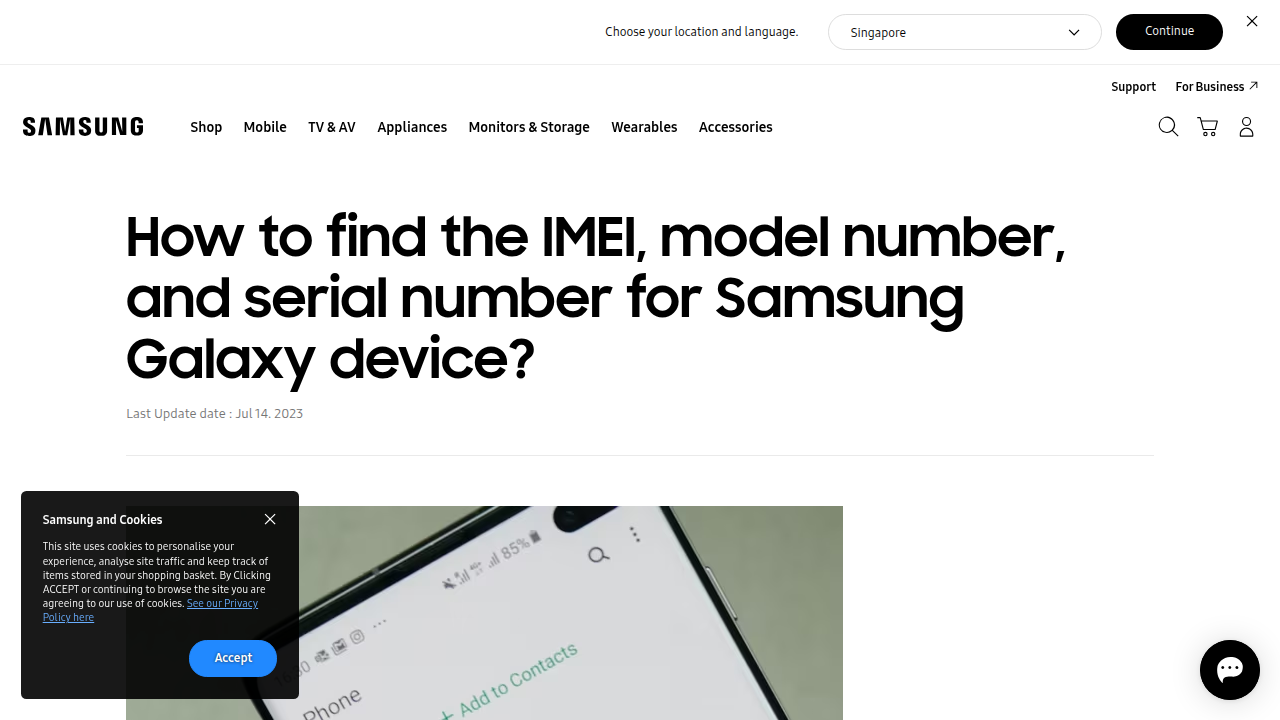
The IMEI is also printed on the box and sometimes on the back of the device.
Knowing your Samsung IMEI puts you in control. It helps you verify authenticity, unlock your phone if needed, and troubleshoot issues faster. For more daily insights on the tech world, including tips for protecting your devices, check out The AI Newsletter Worth Reading.
Understanding the IMEI Number on Your Samsung Device
Now that you know why the IMEI matters, let’s look at what this number actually means. IMEI stands for International Mobile Equipment Identity. It is a 15-digit code that every Samsung phone gets when it is made. Think of it as your device’s unique ID card that never changes.
The 15 digits are not random. They follow a strict pattern. The International Mobile Equipment Identity structure breaks down into three parts. The first 8 digits are the Type Allocation Code (TAC). This part tells you who made the phone and what model it is. For example, it can identify whether you have a Galaxy Note 10 or a newer Galaxy S25. The next 6 digits are the Serial Number (SNR). This is unique to your exact device. The final digit is a check digit that helps confirm the whole number is valid.
Why does this matter for you? When you do a samsung imei check, the service reads these digits to pull up your device details. Carriers use the IMEI to let your phone onto their network. If your device is stolen, authorities can use the IMEI to block it from working on any network. Even your Samsung smartwatch has an IMEI if it connects to cellular data.
Understanding the IMEI structure helps you trust what a check tells you. It is not a secret code. It is just a smart way to label every phone ever made. Once you know your IMEI, you can use it to access Samsung support, check warranty status, or even perform a finder search samsung if you lose your device.
Now that you understand your IMEI, you might want to transform your Samsung phone with a better layout to boost your daily productivity.
How IMEI Uniquely Identifies Your Samsung Device
No two Samsung phones in the world share the same IMEI. This 15-digit code is assigned by Samsung during manufacturing and stays with your device forever. Even if you factory reset your phone, the IMEI remains stored in the firmware. The serial number portion of the IMEI is what makes it truly unique. This code is also tied to your device’s model, color, storage size, and the exact date it was made. That is why a samsung imei check can tell you so much about your phone. If you have a Samsung smartwatch with cellular, it has its own IMEI too. For more on Samsung wearables, check out our Samsung Galaxy Watch 7 review.
The Connection Between IMEI and Network Compatibility
Your Samsung phone’s IMEI does more than just identify the device. Carriers use this number to verify compatibility with their network bands, as explained in this IMEI number guide. If your device is locked to a specific carrier, you will need an IMEI based unlock code to switch providers. In 2026, IMEI based whitelists are common across the US and EU for 5G and LTE networks. That is why running a samsung imei check before buying a used Samsung is a smart move. To see what the latest models offer, check out our Samsung Note 2026 guide. Stay on top of the latest tech developments with The AI Newsletter Worth Reading.
How to Find Your Samsung IMEI: Three Reliable Methods
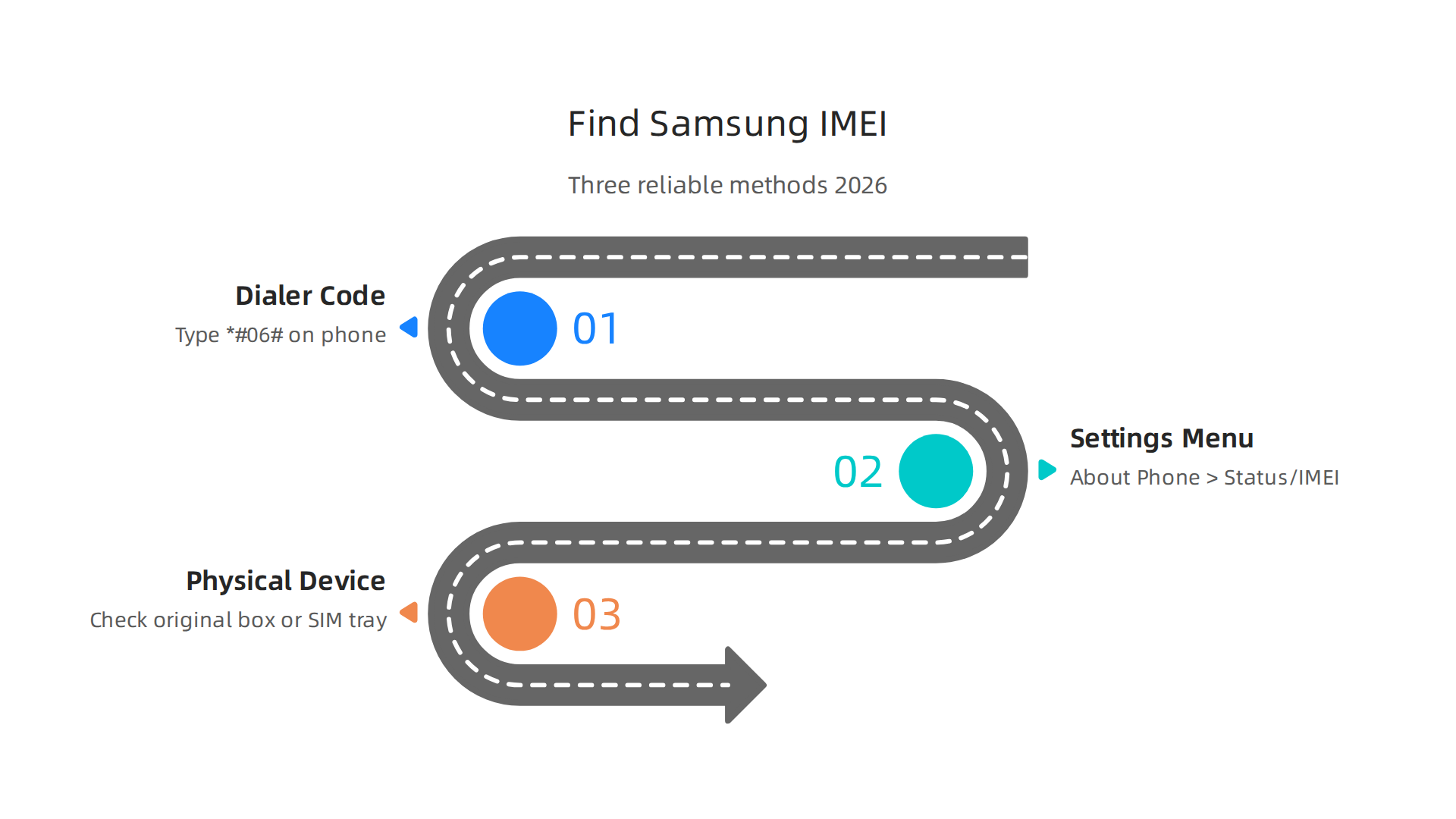
Finding your Samsung IMEI is something every owner should know how to do. Whether you are checking a used phone or setting up a new one, running a samsung imei check is a smart first step. Here are three easy ways to locate it in 2026.
Method 1: Use the Dialer Code
The absolute fastest way is to open your phone dialer, type *#06#, and your IMEI will appear instantly. This works on nearly every Samsung model, from the latest foldables to older Galaxy devices. For official guidance, you can follow the official Samsung support instructions.
Method 2: Check Your Settings Menu
If you prefer navigating menus, go to Settings > About Phone > Status or IMEI Information. This section displays your IMEI, serial number, and model number. According to a Understanding IMEI Numbers breakdown, this path is standard for most Android devices, including Samsung phones.
Method 3: Look at the Physical Device or Packaging
You can also find the IMEI printed on the original box label. On some phones, it is etched onto the SIM tray or printed on the back of the device. This samsung imei check method is useful if the phone screen is broken.
Once you have your IMEI, you can use it to check carrier compatibility or verify the device status. If you are looking to complement your phone with a wearable, check out our full Samsung Galaxy Watch 7 review to see how it pairs with your Samsung ecosystem.
Dialer Code Method: The Quickest Way to Check IMEI
The fastest way to get your IMEI is still the dialer code. Open your Phone app, type *#06#, and your IMEI appears instantly — no call needed. This samsung imei check works on every Samsung device, from the latest Galaxy smartwatches to an older Samsung Note 10. The best part? It even works if your screen is cracked, as long as the touchscreen still registers. That makes it perfect for verifying your IMEI before a trade-in or sale. For a step-by-step breakdown of the *#06# dialer code method, see the 1NCE guide. If you are considering a new tablet, check out our guide to the best samsung tablet 2026. And to stay on top of all things tech, get the daily AI updates from The AI Newsletter Worth Reading.
Locating IMEI via Samsung Settings
If the dialer code does not work for you, there is another simple way to perform a samsung imei check. Open your Settings app, go to About Phone, and tap Status Information. Your IMEI number will be listed right there. For devices with dual SIM, both IMEI numbers will appear. This is useful for tracking each line separately. Samsung even recommends taking a screenshot or writing the number down for safe keeping, as explained in the official Samsung IMEI guide. This method works on every Samsung device, including the latest Galaxy smartwatch models like the Samsung Galaxy Watch 7.
Finding IMEI on the Original Box and Device Label
If you still have the original Samsung box, the quickest way to do a samsung imei check is to look at the barcode label. The IMEI is printed right below the barcode. That number matches the one inside your phone, so you can trust it.
For newer Galaxy phones, you can also find the IMEI on a small sticker inside the SIM tray slot. Just pop out the tray with the tool that came in the box, and you will see the number printed there. Some older models, like the Galaxy S10 series, even have the IMEI laser-engraved on the back panel. According to IMEI number information from 1NCE, many manufacturers also place the IMEI on the packaging or under the battery. These physical backups are great if your screen is broken or your battery is dead.
If you are curious about other Samsung devices, check out our Samsung Note 2026 rumors and specs for more details.
Official Samsung IMEI Check for Warranty and Authenticity
You just bought a new Samsung phone. How do you know it is real and still covered? The safest method is Samsung’s own system. Use the Samsung Members app or the official website. Both connect directly to Samsung’s database. So the info you get is 100% trustworthy.
Open the Samsung Members app on your phone. Go to the "Support" tab and tap "Check warranty." The app reads your IMEI automatically. You will see the exact model, storage size, color, and whether the device is refurbished. The warranty end date also appears. If you do not have the app, visit the Samsung warranty check page on your computer. Log in with your Samsung account and enter your IMEI. Everything shows up right away.
This official check beats any third party tool because it queries Samsung’s own records. After confirming your phone is genuine, you might want to set it up for better productivity. Check out our guide on smart layout ideas for your Samsung phone to organize your apps and save time.
If you want to keep learning about the latest tech and how to protect your devices, The AI Newsletter Worth Reading delivers clear daily updates straight to your inbox.
Check Warranty Status with Samsung Members
The Samsung Members app gives you the quickest way to check. Open it, go to Support > View Diagnostics > IMEI Information. Your warranty status and exact end date appear immediately. No extra tools needed.
You can also log into findmydevice.samsung.com with your Samsung account. All your connected devices show up with their IMEI numbers. This is handy if you own more than one Samsung device like a phone and a smartwatch. The official Samsung product registration page walks you through adding new devices and checking warranty coverage for everything in your account.
Samsung warranties usually last 12 to 24 months from the original purchase date. The tool tells you exactly when yours expires.
If your warranty is almost up and you are thinking about an upgrade, check out our best Samsung tablet 2026 comparison to find the right model for you.
What a Samsung IMEI Check Reveals (Model, Color, Serial Number)
Running a samsung imei check reveals more than just warranty status. It shows the exact model number, like SM-S928B, the color variant, and the device serial number.

This is crucial when buying a used Samsung phone or Samsung smartwatch. You can verify the listing matches the real specs before you pay. The check also tells you the country of origin and whether the device is a carrier variant or factory unlocked. Always ask the seller for the IMEI on older models like the Note 10 and run it through the official Samsung warranty page sellers. For newer models, check our Samsung Note 2026 rumors guide.
Third-Party IMEI Check Tools: What You Should Know
Not every IMEI checker on the internet is reliable. Official Samsung tools give you model, color, and warranty data for free. But third-party websites can offer even more details. Things like carrier history, blacklist status, and estimated market value. That extra info helps when you are buying a used phone from a stranger.
Here is the thing though. Some third-party tools are great. Others give wrong data or put your privacy at risk. A 2026 roundup of the best free IMEI checker tools for iPhone and Android lists services like Swappa, IMEI24, and IMEIPro.info as trustworthy options. These connect to real carrier databases and tell you if a device is clean, lost, or blocked.
But not every site is that accurate. A Reddit discussion about IMEI checker accuracy shows real users who saw mismatched colors and storage sizes. One person’s phone showed as black 256GB on the Samsung site but burgundy 128GB on a third-party checker. That is a big red flag.
Privacy is another concern. When you enter your IMEI on a random website, you give away your device’s unique ID. Some services store that data for marketing or worse. Stick with well-known names or official sources when possible. The same rule applies if you own a Samsung smartwatch or tablet. Check the specs before buying used by reading our Samsung Galaxy Watch 7 review for more tips on verifying your devices.
When to Use Third-Party Tools vs. Official Methods
For warranty checks and authenticity verification, always use official methods first. Samsung pulls data straight from its own servers, so you get accurate model, color, and warranty info every time. The easiest way to start is by finding your Samsung phone’s IMEI through Settings or dialing *#06# as shown in the official Samsung support guide on how to find your IMEI number.
Third-party tools make sense in other situations. Use them to check carrier unlocking status, blacklist databases, or estimate trade-in value. Reliable services like Swappa connect to GSMA registry data for accurate clean-or-blocked results. If you are buying a used Samsung phone, you might also want to check up on the latest Samsung Note 2026 rumors to compare specs before you commit.
But before you type your IMEI into any site, read the privacy policy first. That one step keeps your device ID safe from misuse.
Risks and Red Flags with Unverified IMEI Check Services
Not every Samsung IMEI check site is safe. Some fake services exist just to collect your IMEI number. They sell or clone it for fraud. Watch for these red flags:
- Asking for too much personal info like email or address.
- Requiring payment upfront without a clear reason, even for older phones like the Note 10.
- Missing HTTPS in the website address (no padlock icon in your browser).
Stick to well-known tools with good reviews. A Reddit discussion on IMEI checker accuracy warns that third-party sites can be wrong. Always double-check with official Samsung sources.
For extra safety, you can also transform your Samsung phone smart layout ideas for productivity and security to reduce risk across your device.
Advanced IMEI Diagnostics and Troubleshooting for Samsung
Beyond staying safe from fake check sites, your Samsung phone has advanced tools that use the IMEI for deeper diagnostics. For example, the Samsung Smart Switch software pulls device diagnostics using your IMEI to check battery health and verify storage capacity. This built-in tool makes it easy to spot problems early.
Sometimes you might see errors like "Invalid IMEI", "Not Registered on Network", or "Null IMEI". These are common but often fixable by restoring the firmware or updating product codes. A visit to official Samsung support can guide you through the steps. Even older models like the Samsung Galaxy Note 10 benefit from these checks. You can also explore the Samsung Note 2026 rumors and specs for context on modern IMEI features.
IMEI troubleshooting also helps with carrier lock issues and activation problems. Using official tools like Samsung Members or Finder Search Samsung ensures your device stays connected. For daily tech updates that keep your knowledge sharp, check out the The AI Newsletter Worth Reading for clear insights delivered straight to your inbox.
Using Smart Switch for Device Health Check and IMEI Management
Your Samsung phone’s IMEI is the door to a deeper health check through Smart Switch for PC.
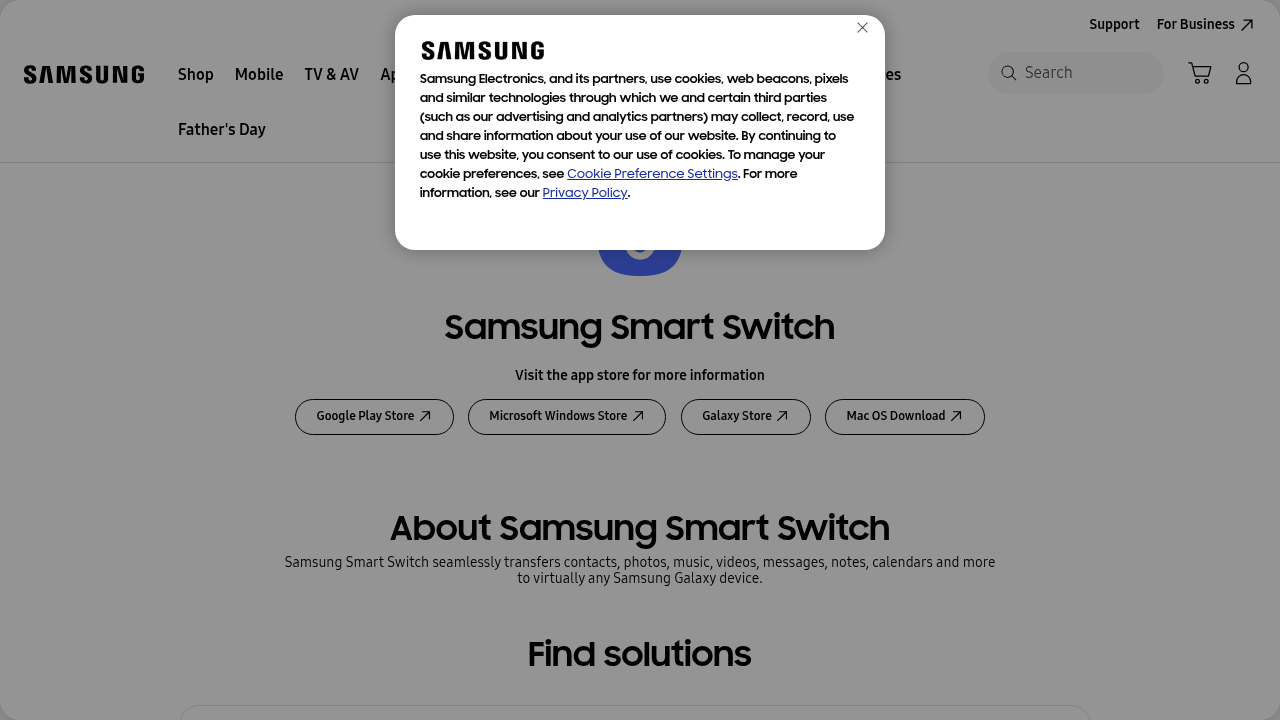
This free official tool reads your device’s IMEI and runs a full diagnostics report that covers battery health, screen condition, and network status. You can also use it to perform firmware updates and full backups, which often resolve stubborn "Invalid IMEI" or "Null IMEI" errors. For step-by-step instructions on finding your IMEI through phone settings, check out Samsung’s official guide. Smart Switch works across the whole Galaxy lineup, so whether you have a phone or a tablet, your data stays safe. Take a look at our roundup of the best Samsung tablet 2026 to see which models support these advanced IMEI-based diagnostics.
But sometimes you run into problems like Null IMEI or Invalid IMEI.
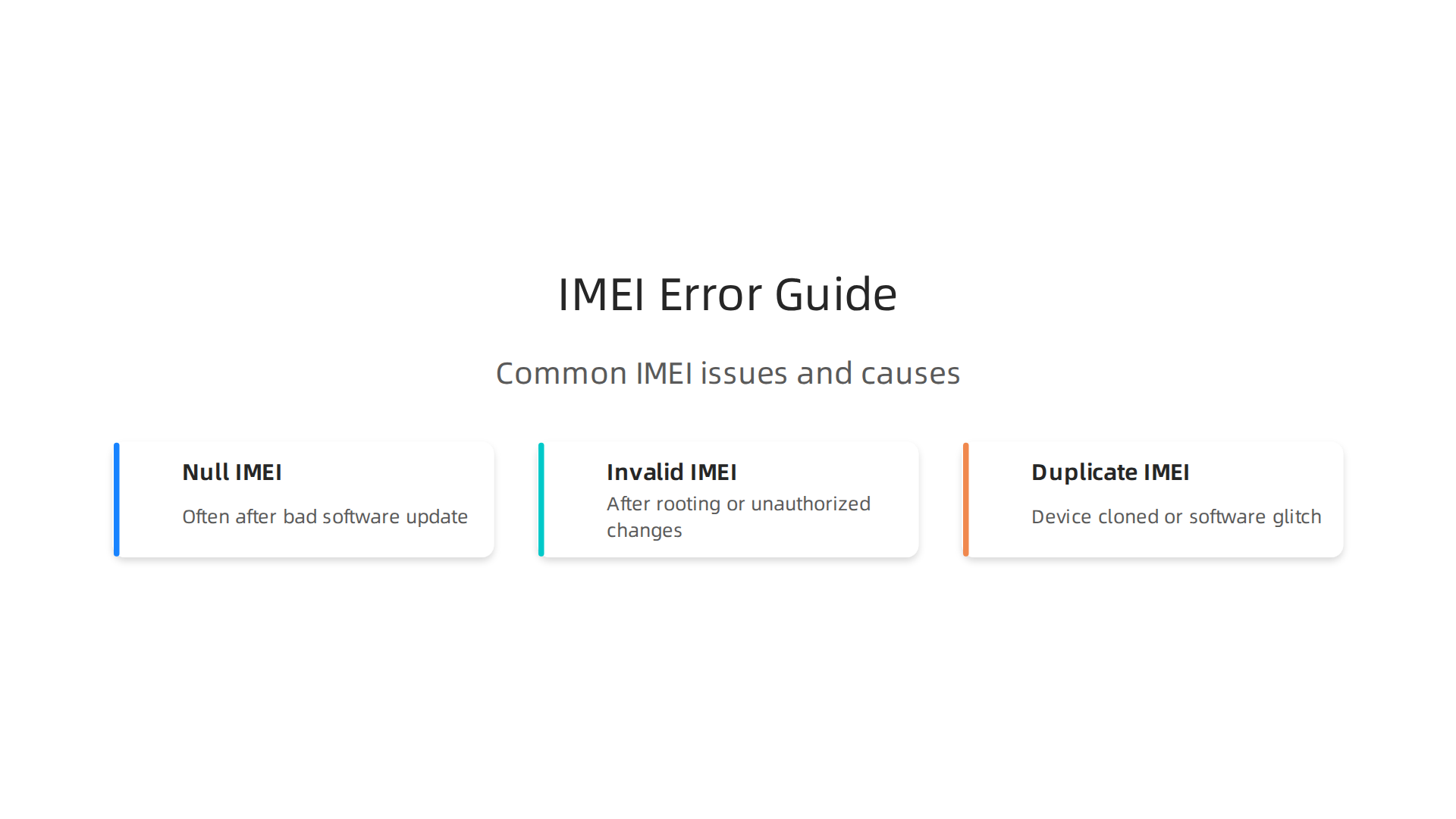
A Null IMEI often shows up after a bad software update. You can fix this by reinstalling the stock firmware using a tool like Odin. An Invalid IMEI usually happens after rooting your phone or making unauthorized changes. Going back to the stock software or updating your product codes often solves it. A Duplicate IMEI is rare and may mean your device was cloned or has a software glitch. For help, reach out to official Samsung Support. They can re-register the correct IMEI for you. Stay informed on the latest Samsung fixes and tech trends with The AI Newsletter Worth Reading, which delivers daily updates to your inbox. For more Samsung tips, check out our Samsung Note 2026 rumors and specs guide.
Security and Privacy Best Practices for IMEI
Your IMEI number is a key to your device. If it falls into the wrong hands, someone could clone your phone, track your location, or even bypass anti-theft measures.

That is why protecting your IMEI matters.
Never share your IMEI publicly. Avoid posting it on forums, social media, or entering it into apps you do not trust. Scammers often ask for IMEI numbers to trick you.
When buying a used Samsung phone, always run a proper check. Samsung offers official IMEI blacklist checks through their support channels. Use those instead of random third-party sites. A free IMEI checker like Swappa can also tell you if a device is clean or blocked.
Your IMEI is not just for phones. Devices like the Samsung Galaxy Watch 7 also have IMEI numbers. Even older models like the Note 10 need protection. If you use Samsung Health or other apps, your device’s IMEI might be linked to your account.
To stay safe, only do a samsung imei check through official or trusted services. Protect your IMEI like you protect your passwords.
IMEI Blacklisting and Its Impact
When a phone is lost or stolen, carriers blacklist its IMEI so it cannot be used on their networks. This blocks calls, texts, and data. If you are buying a used Samsung phone, always run a samsung imei check against a GSMA blacklist database first. Samsung’s Find My Mobile service also lets you blacklist your own IMEI instantly if your device is stolen. This applies to all Samsung devices, including older ones like the Note 10. Protect yourself by transforming your Samsung phone with smart security layouts.
How to Protect Your IMEI from Fraud
Your IMEI is like a fingerprint for your phone. If fraudsters get it, they can clone your device and use it on their network. Here is how to protect yourself.
Stick with trusted tools. Many free IMEI check websites are scams designed to collect your number. Instead, use a well-known service like the IMEI Blacklist Status Check from IMEI.org or Swappa’s free checker. These are much safer.
When you need to share your IMEI for unlocking or support, only do it through a secure support ticket on Samsung’s official website. Never post it on public forums or social media. This applies to all models, even older ones like the Note 10.
Finally, check your device’s network status regularly. A sudden loss of signal could mean someone cloned your IMEI. Staying alert helps catch fraud early. For more Samsung tips, read through our Samsung Note 2026 rumors and specs guide.
Conclusion: Master Your Samsung IMEI Check for Peace of Mind
When you buy a used phone, sell your old device, or just want to know your Samsung is clean and valid, performing a regular IMEI check gives you real control. You avoid buying a stolen phone, you confirm warranty status, and you catch blacklist problems before they ruin your day.
Samsung’s own tools should always be your first stop. They are the most trustworthy sources for official device info. But for a quick cross-reference, third party services are also useful. For example, a free IMEI check service from Swappa can tell you if a device is clean or blocked in the global GSMA registry. This is handy when you are shopping on a marketplace and want a second opinion.
Do not forget about IMEI privacy and blacklist risks. A phone that was reported lost or stolen could end up completely bricked. If you ever buy a secondhand Samsung model like a Note 10, always check its status first. Also, if you own a Samsung Galaxy Watch 7 review or any other smartwatch, remember those devices also carry an IMEI that can be blacklisted.
Staying informed is the best defense. By making IMEI checks a habit, you protect your investment and avoid nasty surprises. And if you want to keep up with the latest tech safety tips and AI advances, consider subscribing to a daily update that filters the noise for you. The The AI Newsletter Worth Reading delivers clear, practical insights straight to your inbox. It is one more way to stay ahead in 2026.
Summary
This article explains why your Samsung IMEI — the unique 15‑digit identifier assigned at manufacture — matters for authenticity, network access, warranty checks, and theft prevention. It walks you through the IMEI structure, why carriers and Samsung use it, and three reliable ways to find your IMEI (dialer code, settings, and box/device label). The guide compares official Samsung tools versus third‑party checkers, highlights privacy and fraud risks, and shows how to use Smart Switch and Samsung Members for diagnostics and warranty lookups. You’ll also learn common IMEI error causes (Null/Invalid IMEI), simple troubleshooting steps, and practical rules for safely checking a used phone before buying. By the end, readers will know how to find, verify, protect, and act on IMEI information to avoid stolen devices and activation problems.