

Have you ever been browsing online and seen something you really liked, but weren’t ready to buy it right away? Maybe you wanted to save it for later, compare it with other things, or share it with a friend for a gift idea.

That’s where a wishlist website comes in handy!
A wishlist website is like your own special online notebook for things you want. It’s a place where you can keep track of items from different stores or even just ideas you have. For people shopping online in 2026, these sites are super helpful. They let you save products you’re interested in, watch if their prices change, and even organize them for different events, like birthdays or holidays. Think of it as a personal online planner for all your future purchases.
But it’s not just about shopping. A wishlist website also helps the companies that sell products. When businesses see what customers are saving on their wishlists, it helps them understand what people truly want. This is a big part of how modern technology helps companies make better products and offer things people will love. Many online shoppers find this feature very useful; in fact, roughly 3 out of 10 online shoppers actively use wishlists today, and about 44% want a wishlist feature when they shop online Shopify Wishlist Statistics 2026.
This guide is here to help you figure out everything about creating or using a wishlist website. We’ll look at some important decisions you’ll need to make:
- What features you need: Do you just want to save items, or do you want to share your list, get price drop alerts, or add notes?
- Choosing the right platform: Will you use a simple tool, or do you want to learn how to build your personal website for 2026 professional success where you can add a wishlist feature? There are many choices, from easy-to-use sites to more advanced options like using a cargo website builder if you want to make something very unique.
- Privacy and security: It’s important to know who can see your list and how your information is kept safe.
By the end of this guide, you’ll feel confident about making the best choices for your own wishlist needs, whether you’re a casual shopper or someone looking to create your own digital space.
Want to stay on top of all the latest tech trends and how they impact your life? Make sure you get The AI Newsletter Worth Reading for clear, daily updates.
Core Wishlist Website Features Users Expect
Let’s dive into what makes a good wishlist website. When you’re looking for one, or even thinking about how to build your own, there are some basic things it just has to do. These are the core features people expect.
First, a great wishlist website lets you add and save items easily. This means you should be able to grab items from almost any online store, not just one. Many of the best wishlist apps in 2026, like GiftX and WishGiven, offer this universal adding feature by letting you paste a link or use a special browser tool, as highlighted in "7 Best Wishlist Apps in 2026: Tested, Ranked & Compared – GiftX" 7 Best Wishlist Apps in 2026: Tested, Ranked & Compared – GiftX. Once you save items, you’ll want to organize them into different lists. Maybe one list for "Birthday Gifts," another for "Home Decor Ideas," and a third for "Things I Want to Buy Later." This helps keep everything neat and easy to find.
Another key feature is sharing your lists. You might want to share your birthday list with family or a registry for a special event. Good wishlist sites let you decide if your list is public for everyone to see, or private for just a few chosen people. And because we use so many devices these days, having your wishlist sync across all your devices is a must. You should be able to add an item on your phone, then view it later on your computer without any trouble. This is a common part of modern what is information technology.
Beyond the basics, some features make a wishlist website even better. These are what we call "quality-of-life" features:
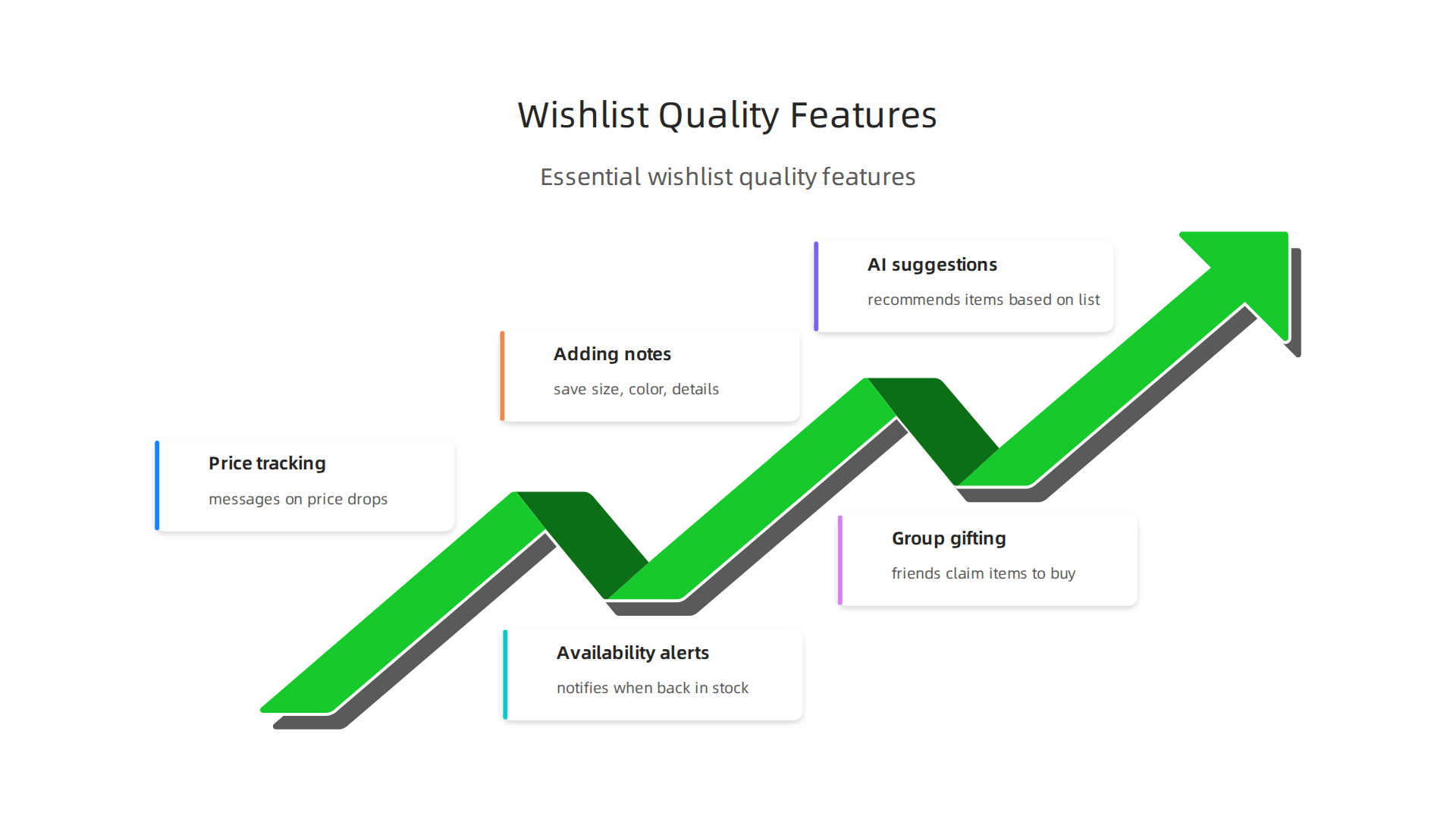
- Price tracking and notifications: Imagine getting a message when an item on your list drops in price! This is a super helpful feature, with many shoppers using wishlists specifically to monitor price drops, according to "Building a Wishlist: Key Data to Drive Ecommerce Success" Building a Wishlist: Key Data to Drive Ecommerce Success.
- Availability alerts: Sometimes things go out of stock. A good wishlist can tell you when an item is back on sale.
- Adding notes: You might want to remember the size you need or a special color for an item. Adding notes lets you do that.
- Group gifting and claiming: If you’re sharing a list for a group gift, features that let friends "claim" items they plan to buy help avoid everyone buying the same thing. Several top apps in 2026 offer this, making group gifting smooth, as explored in "Best Wishlist Apps & Makers (2026 Tested & Ranked) – WishApp" Best Wishlist Apps & Makers (2026 Tested & Ranked) – WishApp.
- AI suggestions: Newer wishlist services are starting to use AI to suggest other items you might like, based on what’s already on your list or what’s popular. This is a neat example of how everyday technology is making things smarter.
When picking a wishlist website, think about which of these features matter most to you. Some people might just need the basics, while others want all the bells and whistles for a truly personal online shopping assistant. If you are thinking about building something more custom, you might explore options like a best website builder to create a unique space for your lists, perhaps even using a specific tool like a cargo website builder for advanced customization.
User experience and accessibility best practices for wishlists
After picking the right features for your wishlist website, the next big step is making sure it’s super easy for everyone to use. This means paying attention to user experience (UX) and accessibility. A great wishlist isn’t just about what it does, but how well it works for every person, no matter their needs.

Making Wishlists Easy to Use
Good usability patterns reduce friction, which is just a fancy way of saying they make things smooth and hassle-free. When you add items to your wishlist, it should feel natural. Think about clear buttons and simple steps. If you have to jump through hoops to save an item or find your lists, people won’t want to use your wishlist website.
Here are some simple ideas:
- Clear buttons and links: All buttons, like "Add to Wishlist" or "Share List," should be easy to see and understand.
- Simple steps: Adding an item from another store should only take a few clicks or a quick paste of a link. Organizing your lists should also be straightforward.
- Helpful messages: If something goes wrong, like a link doesn’t work, the website should tell you clearly how to fix it.
- Consistent design: The wishlist should look and feel the same across all its pages. This helps you learn how to use it quickly. Good website design is a key part of the Ecommerce UX Research Report for any online shopping tool.
Making Wishlists Accessible for Everyone
Accessibility means making sure your wishlist website can be used by people with different abilities. This is super important in 2026. Websites should follow guidelines like WCAG (Web Content Accessibility Guidelines) to be fair to all users. Many countries also have laws about making websites accessible, like the ADA in the US, as explained in an Ecommerce Accessibility Guide 2026.
Key accessibility points for your wishlist website include:
- Keyboard navigation: Not everyone uses a mouse. People should be able to move through your entire wishlist site using just their keyboard. This means all links, buttons, and forms need to be reachable with the Tab key. Important elements should have clear focus indicators that show where you are on the page and these indicators should not be hidden behind other website parts like pop-ups or chat boxes. This is a crucial point for Accessibility for E-commerce in 2026 according to WCAG 2.2 guidelines.
- ARIA roles: This is a special code that helps screen readers. Screen readers are tools that read out loud what’s on the screen for people who can’t see well. ARIA (Accessible Rich Internet Applications) roles help these readers understand what different parts of the website do, like if something is a menu, a button, or a list. Learning to build your personal website for 2026 professional success often involves understanding these fundamental coding practices.
- Responsive design: Your wishlist needs to work well on all devices: phones, tablets, and computers. The layout should change so it’s always easy to see and use, no matter the screen size.
- Descriptive text: All images should have "alt text" that describes what they show. Links should have clear text that tells you where they go, not just "click here." Providing text alternatives for non-text content is a core principle for Website Accessibility: A 2026 Guide for Retailers.
- Touch target size: Buttons and other things you tap on a screen, like "remove item" icons, need to be big enough to easily tap with your finger. The WCAG 2.2 guidelines suggest interactive elements should be at least 24×24 pixels to make them easier to hit.
By keeping these usability and accessibility tips in mind, your wishlist website will not only look good and have great features, but it will also be a welcoming and effective tool for everyone. To stay informed about the latest tech insights and how they shape our digital world, you might find a daily update helpful.
Get clear daily AI updates from The AI Newsletter Worth Reading.
After making your wishlist website easy for everyone to use, the next big step is deciding how you will actually build it. There are a few main ways to go, each with its own good and bad points.
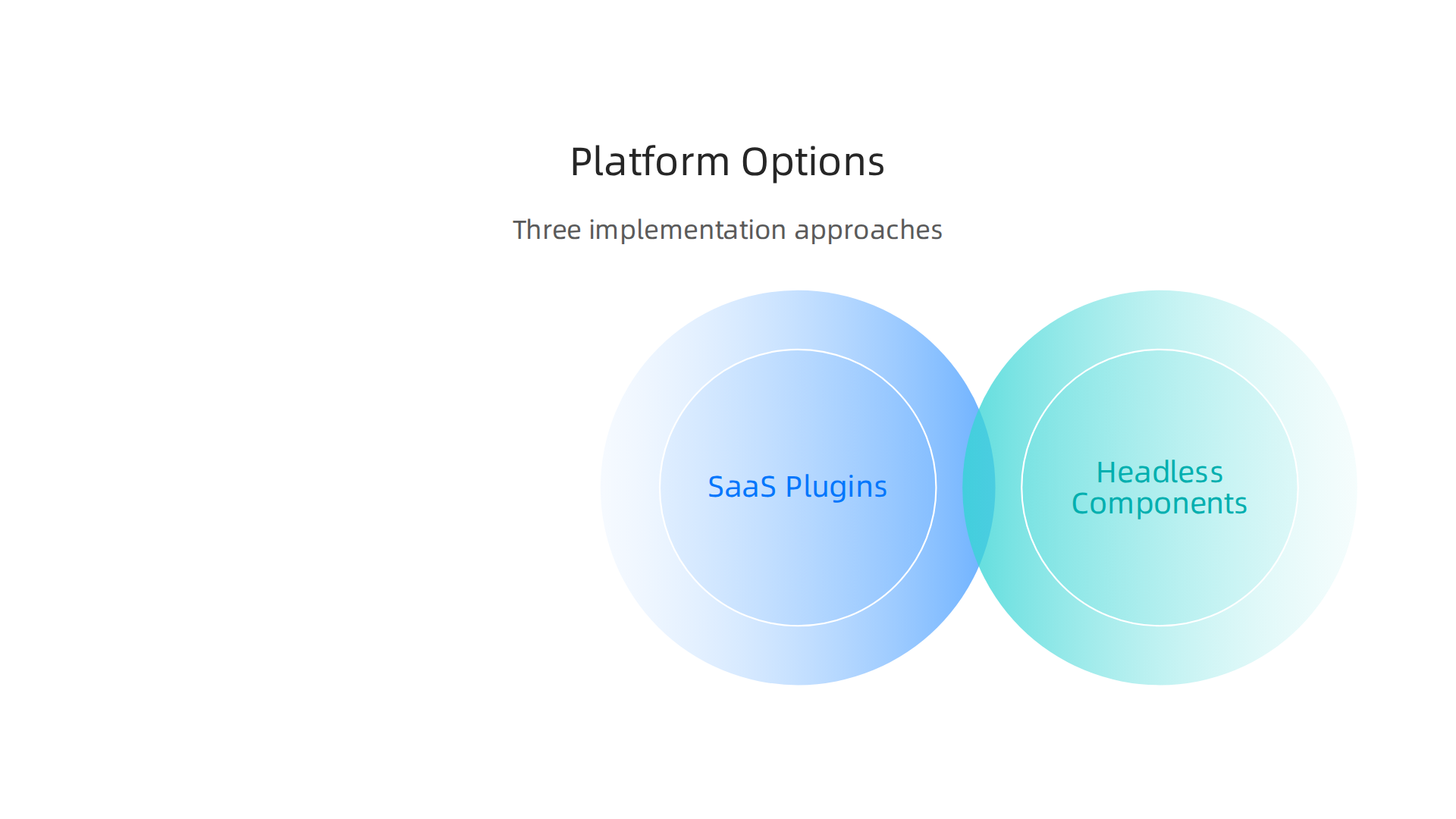
You need to think about how much work it will be, if it can grow with your needs, and how well it will connect with other tools you use.
SaaS Wishlist Plugins
This is often the easiest way to add a wishlist to an existing online store. SaaS means "Software as a Service." Think of it like a ready-made app you just plug into your website. If you use popular online store platforms like Shopify or WordPress, you can find many wishlist plugins.
- Pros: They are usually very simple to set up and start using right away. The company that made the plugin handles all the tricky updates and fixes for you. They can be cheaper to start with. Many of these ready-made options offer great features, as you can see when comparing some of the Top 10 Best Wishlist Software: 2026 Comparison.
- Cons: You might not have much control over how the wishlist looks or works. It might not perfectly match your brand’s unique style. If you want very special features, the plugin might not be able to do them. Getting it to work smoothly with all your other website tools can sometimes be tricky.
Headless Components
This option is a bit more advanced. Imagine building blocks for your wishlist. With headless components, you get the behind-the-scenes parts of a wishlist (like where items are saved and managed), but you get to design the front part yourself. This means you control exactly how it looks to your users.
- Pros: This gives you a lot more freedom with design. Your wishlist website can look totally unique and fit your brand perfectly. It’s also good for growing because you can change parts of it without breaking everything else.
- Cons: This way needs more technical help. You’ll likely need a web developer to put all the pieces together and make sure everything works well. It takes more time and can cost more money upfront than a simple plugin.
Custom Builds
Building a custom wishlist website means starting from scratch and making everything yourself. This is like designing and building a house from the ground up, exactly how you want it. This could even involve thinking about how to make a specialized platform, much like a best website builder 2026 would let you customize.
- Pros: You get total control over every single detail. You can add any feature you dream of, and it will be perfectly tailored to your needs. This is great for making truly unique personal website examples of wishlists and can grow exactly as your business grows.
- Cons: This is the most expensive and time-consuming option. It needs a lot of skilled developers to build and then ongoing care to keep it updated and running smoothly. You also need to truly define technology needs and plan everything out carefully.
When picking the best way to build your wishlist website, think about your budget, how much control you want, and the technical skills you have or can hire.

Each choice has its own set of trade-offs.
Now that you know how to build your wishlist website, the next big step is to make sure it helps you reach your goals. This means figuring out how to make money, what numbers to watch, and how to keep people excited about using your site.
Monetization, analytics, and engagement strategies
A well-made wishlist website isn’t just a nice extra. It can be a powerful tool for making more sales and understanding your customers better.
How Wishlists Make Money
Think about it: when someone adds something to a wishlist, they’re telling you exactly what they want. This is super helpful!
- Personalized Marketing: You can send special emails when a wishlisted item goes on sale or comes back in stock. These kinds of emails often work very well and can recover sales that might otherwise be lost. Some platforms even report double-digit sales growth by using wishlist data in their marketing efforts in 2026, as seen in Real results from real retailers.
- Cart Recovery: Sometimes, people put things in their shopping cart but don’t buy them right away. A wishlist can act as a "save for later" spot. This helps lower the number of people who leave without buying, which is called cart abandonment. In fact, wishlists are great for reducing shopping cart abandonment and turning interest into actual sales, according to Building a Wishlist: Key Data to Drive Ecommerce Success.
- Affiliate Models: If your wishlist website is about recommending products from other companies, you can earn money when your users buy those items through your links. This is a common way for many personal website examples and blogs to make money.
Studies show that simply adding a wishlist can increase overall sales conversions. One report noted a 6% increase in conversion rate after adding a wishlist feature.
Important Numbers to Track (Analytics)
To know if your wishlist website is doing well, you need to look at some key numbers.
- Saved-to-Purchase Conversion: This tells you how many items that get added to a wishlist actually get bought later. It’s a direct measure of how useful your wishlist is for driving sales. For instance, on platforms like Steam, the average wishlist conversion rate in 2026 is around 10 to 11 sales for every 100 wishlists at launch.
- List Churn: How many people stop using their wishlists? If many people create a list and then never come back, you might need to find ways to make it more engaging.
- Re-engagement Metrics: This includes how often people return to their wishlists, open your wishlist-related emails, or share their lists. These actions show that users are still interested.
Remember to only collect data that is truly necessary for these goals, keeping privacy in mind. It’s a good practice to limit personal data collection to what you really need.
Keeping Users Engaged
Making sure people keep using and loving your wishlist website is key.
- Sharing Options: Let users easily share their wishlists with friends and family. This can bring new people to your site and turn wishlists into gift registries. Many sites allow sharing via social media, email, or a direct link, as shown in a Case study: E-commerce Wishlist.
- Email Reminders: Gentle reminders about items on their list, especially if a price drops or an item is selling fast, can bring users back. This is a powerful way to quietly recover sales over time, as explained in a guide on Why Every Shopify Store Needs A Wishlist App In 2026.
- Interactive Features: Think about adding ways users can organize their lists, add notes, or even get recommendations based on their wishlisted items.
By keeping track of these things, you can make your wishlist website a valuable part of your online business. If you are keen to learn more about how technology shapes our daily lives and professional work, consider getting some expert analysis.
Get clear daily AI updates from The AI Newsletter Worth Reading.
Protecting user data is just as important as understanding how your wishlist website makes money. As technology grows, so do the rules about keeping private information safe. This is true for any online space, from a simple personal website example to a complex shopping platform.
Security, privacy, and compliance for wishlist data
When people add items to a wishlist, they are sharing their personal tastes and desires. This information, if not handled carefully, can cause problems. It’s a bit like someone writing down their holiday gift ideas on a public board. You want to make sure only the right people see it.
What are the privacy risks?
A wishlist website holds a lot of personal clues about your users. They save items they like, which tells you about their preferences and buying habits. If these lists are linked to their names, email addresses, or other personal details, it becomes personally identifiable information.
The biggest risks are:
- Data breaches: This is when bad actors get into your system and steal private user data. This could expose what people want, their contact info, and more.
- Misuse of data: Even if not stolen, companies could use this data in ways users didn’t agree to. Imagine getting ads for things you wishlisted, but from a company you never gave permission to.
- Trust issues: If users feel their privacy isn’t respected, they won’t use your wishlist website. They might even stop visiting your site entirely.
Following the rules (compliance)
Different places have different rules about keeping data safe. Two big ones are GDPR in Europe and CCPA in California. These rules help protect user privacy and tell you how to handle data correctly.
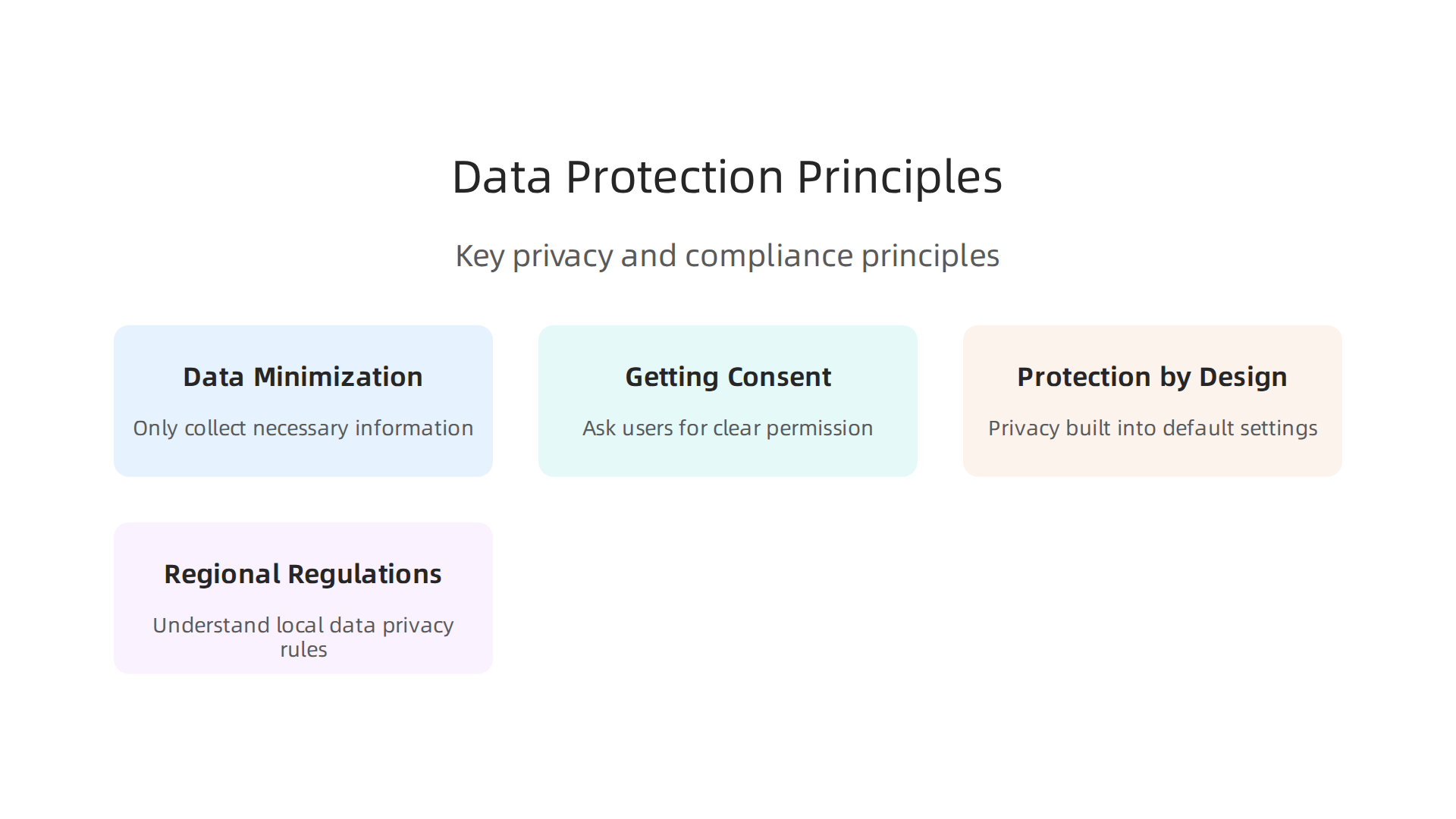
- Data Minimization: This big idea means you should only collect the information you absolutely need. If you don’t need a user’s full home address to let them create a wishlist, then don’t ask for it. This helps reduce risks. It’s best practice to limit the personal information you gather and store, using special checks to prevent collecting too much data, as explained in a guide on Data Minimization Under GDPR and CCPA.
- Getting Consent: Before you collect any personal data, you need to ask users for their clear permission. They should understand what data you’re collecting and how you’ll use it. This consent should be easy to give and easy to take back.
- Protection by Design: Think about privacy from the very start when you are building your wishlist website. This means making sure privacy is built into the site’s design and default settings, not just added later. This is a core idea of data protection by design and by default under GDPR.
- Regional Regulations: You must understand the rules for where your users live. For example, the California Consumer Privacy Act (CCPA) Compliance Guide requires clear privacy notices and ways for users to control their data. If you’re building a website using a tool like a cargo website builder or any other platform, always check if it helps you follow these rules.
To truly understand how to manage data in today’s world, it helps to define technology not just as tools, but also as the practices around them. It’s about knowing how to keep users safe and happy. Making sure your website follows these rules will help build trust and keep your business strong. You can learn more about how to set up your online presence to be both successful and secure by reviewing resources on how to Build Your Personal Website for 2026 Professional Success.
After understanding how important it is to keep user data safe, the next big step is to pick the right tools to build your wishlist website. Choosing the right platform is like picking the right foundation for a house. It needs to be strong and fit your needs now and in the future.
How to choose the right wishlist platform: decision criteria and checklist
Picking the best wishlist platform in 2026 needs careful thought. You’ll want a platform that not only works well but also helps you grow. It’s not just about what features it has, but also how easy it is to use and how safe it keeps your users’ information.
Key things to think about
When looking at different wishlist platforms, consider these important points:
- Cost: Some platforms are free, while others charge a monthly or yearly fee. Free options might have fewer features or show ads. Paid options often give you more control and better support. Think about what your budget is and what you get for your money.
- Integrations: Can the wishlist platform easily connect with other tools you use? For example, if you have an online store, can it link up with that store to pull product info? Smooth connections make your work much easier.
- Reliability: You want a wishlist website that works all the time without problems. Check reviews or ask other users how stable the platform is. A reliable platform means happy users and less stress for you.
- Extensibility: Can your wishlist platform grow as your needs change? Maybe you start small, but later you want to add new features like group gifting or custom designs. Make sure the platform allows you to expand without having to start over. This is especially true if you’re building something beyond just personal website examples, maybe even using a Best Website Builder 2026 to build your site.
Many different wishlist tools are out there. Some are very simple, while others, like WishGiven or GiftX, offer many advanced features such as universal store imports and AI suggestions, as seen in recent comparisons of Best Wishlist Apps in 2026.
Your wishlist platform checklist
Here is a simple checklist to guide you when choosing a platform for your wishlist website:
- Does it offer the features your users need? Think about things like universal item adding (from any store), private lists, or options for group gifting.
- Is it easy for users to understand and use? A simple design is always best.
- Does it have good customer support? If something goes wrong, can you get help quickly?
- Does it meet privacy rules like GDPR and CCPA? This is very important for keeping user data safe.
- Can you customize its look and feel? You’ll want it to match your brand.
- Does it handle many users and items well? It should not slow down if it gets popular.
By asking these questions, you can find a wishlist platform that helps you build a strong online presence. Staying updated on the latest in technology can also help you make smart choices. For more in-depth daily insights on AI and tech, you might find The AI Newsletter Worth Reading helpful.
After picking the perfect platform for your wishlist website, the next big step is to bring your idea to life. This means building, checking, and finally showing your website to the world. Let’s look at the steps to get your wishlist online.
Implementation roadmap: prototyping, testing, and launching your wishlist
Building a great wishlist website takes more than just choosing a platform. You need a clear plan, like a roadmap, to guide you from an idea to a working site. This plan usually includes prototyping, careful testing, and a thoughtful launch.
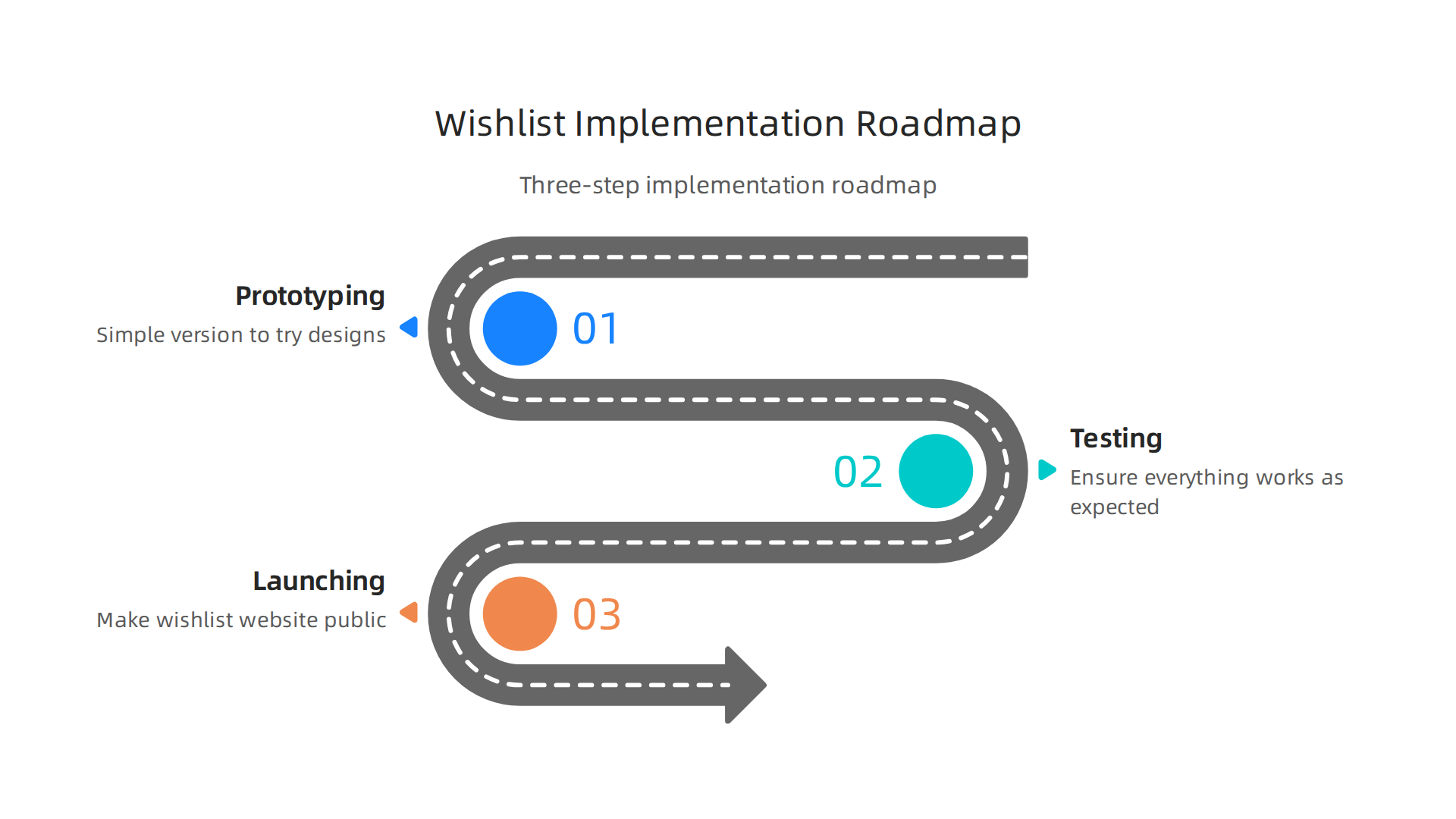
Step 1: Prototyping your wishlist website
Think of prototyping as drawing a rough sketch before painting a picture. It means making a simple version of your wishlist website to see how it might look and work. You don’t build the whole thing yet. Instead, you create basic layouts and click-through examples.
This early step helps you:
- See your ideas: You can quickly try out different designs and see what feels right.
- Get feedback: Show your simple prototype to a few friends or future users. Ask them if it’s easy to use and if anything is confusing.
- Fix problems early: It’s much easier to change a drawing than to rebuild a whole house. Catching issues now saves time and money later.
This stage is all about making sure your wishlist website concept is sound before you put in too much effort. It helps you really define technology in a practical sense for your users.
Step 2: Testing and checking everything
Once you have a good prototype, you start building the real thing. But don’t just put it online right away. Testing is super important. This is where you make sure everything works the way it should.
- User Testing: Ask different people to use your wishlist website. Watch how they add items, share lists, and find things. Do they get stuck? Is anything too slow?
- A/B Tests: This is a smart way to test changes. For example, you might show half your users a green "Add to Wishlist" button and the other half a blue one. Then, you see which button more people click. This helps you make small changes that lead to big improvements.
- Performance Checks: Make sure your website loads quickly. If it’s too slow, people might leave. Also, check that it works on different devices, like phones, tablets, and computers. A slow site can make users abandon their carts or wishlists. For instance, roughly 3 out of 10 online shoppers actively use wishlists, so it’s key to make the experience smooth for them Shopify Wishlist Statistics 2026: What Data Shows.
- Security Checks: Double-check that all user information is safe and private. This ties back to what we talked about regarding data security.
Testing helps ensure your wishlist website is top-notch and ready for many users. Some companies have seen a 6% increase in overall conversions just by adding a wishlist feature, showing how important it is to get it right Wishlist conversion rate increase.
Step 3: Launching your wishlist website
After all the testing, it’s time to launch! This means making your wishlist website public. But launching isn’t just one moment; it’s also about what you do next.

- Soft Launch (Pilot): You might want to launch to a small group first. This is like a small opening before the grand one. It lets you find any hidden problems with fewer people affected.
- Full Launch: When you’re confident, you open your website to everyone. Tell people it’s ready! Share it on social media, in emails, or wherever your future users spend time.
- Keep Watching: Even after launch, you need to keep an eye on how your wishlist website is doing. Look at:
- How many people visit?
- How many people create wishlists?
- How many items are added?
- Are people sharing their lists?
- Are there any complaints or technical problems?
These metrics are your key success indicators. They help you understand what’s working and what needs more attention, letting you continually improve your site and offer the best experience.
Summary
This article explains what a wishlist website is, why it matters for both online shoppers and retailers, and how to plan, build, and run one in 2026. It walks through core features—universal item adding, sharing, price tracking, group gifting and AI suggestions—then covers usability and accessibility best practices so everyone can use your site. The guide compares build approaches (SaaS plugins, headless components, and fully custom builds), explains monetization and analytics to turn wishlists into revenue, and details privacy, security and regulatory steps like data minimization and consent. You’ll get a practical checklist for choosing a platform, a step-by-step roadmap for prototyping, testing, and launching, and advice on measuring success and keeping users engaged. After reading, you’ll know which features to prioritize, which technical route fits your budget and skills, and how to protect user data while growing conversions.