Do you ever feel like your professional life is scattered all over the internet? Maybe you have a LinkedIn profile here, a few project samples on a cloud drive there, and old blog posts on another site. For busy people, keeping all these parts of their work separate can waste time and make it hard for others to find what you do best. It’s like having all your important papers spread across many different desks instead of one organized binder.

This messy digital presence makes you less efficient and harder for people to discover.
This challenge is a real problem in 2026. Professionals and small business owners are always looking for ways to get more done. Actually, many business owners report saving about five hours each week just by using better technology tools Small Business Technology Use Survey (March 2026). Imagine what a focused space could do for you!
That’s where a well-made personal website comes in. It’s fast becoming the future standard for everyone, from creative professionals showing off their portfolio website examples to consultants who need a central hub. A personal website brings all your important work, ideas, and contact information into one simple, easy-to-find spot. It helps you save time, look more professional, and makes sure people can easily see your skills and projects.
This guide will give you a clear plan to build your own personal website, making it one of the smartest productivity investments you can make. We will help you set clear goals for your site, pick the right platform to build it on, connect all your existing tools, keep your site safe from harm, and understand how to check if it’s working well for you. Get ready to gather your digital life and boost your professional presence.
To stay on top of the latest technology that can help your productivity even more, consider signing up for The AI Newsletter Worth Reading. It offers clear daily AI updates and deep insights.
Now that you know how a personal website can organize your work and boost your professional presence, the first step is to decide what you want it to do. Think of your personal website as a tool. Like any tool, it works best when you know exactly what job you need it for. Setting clear goals upfront helps you build a site that truly saves you time and improves your productivity, rather than becoming just another thing to manage.

Without clear goals, your website might end up with too many features you don’t need, making it hard to maintain. This is called "scope creep" and it can waste a lot of your precious time. Instead, focus on a few main jobs your site needs to do. This ensures you build what is called a "minimum viable product" which means just enough features to meet your main goals.
Here are some common goals people have for their personal websites in 2026, and how they help your productivity:
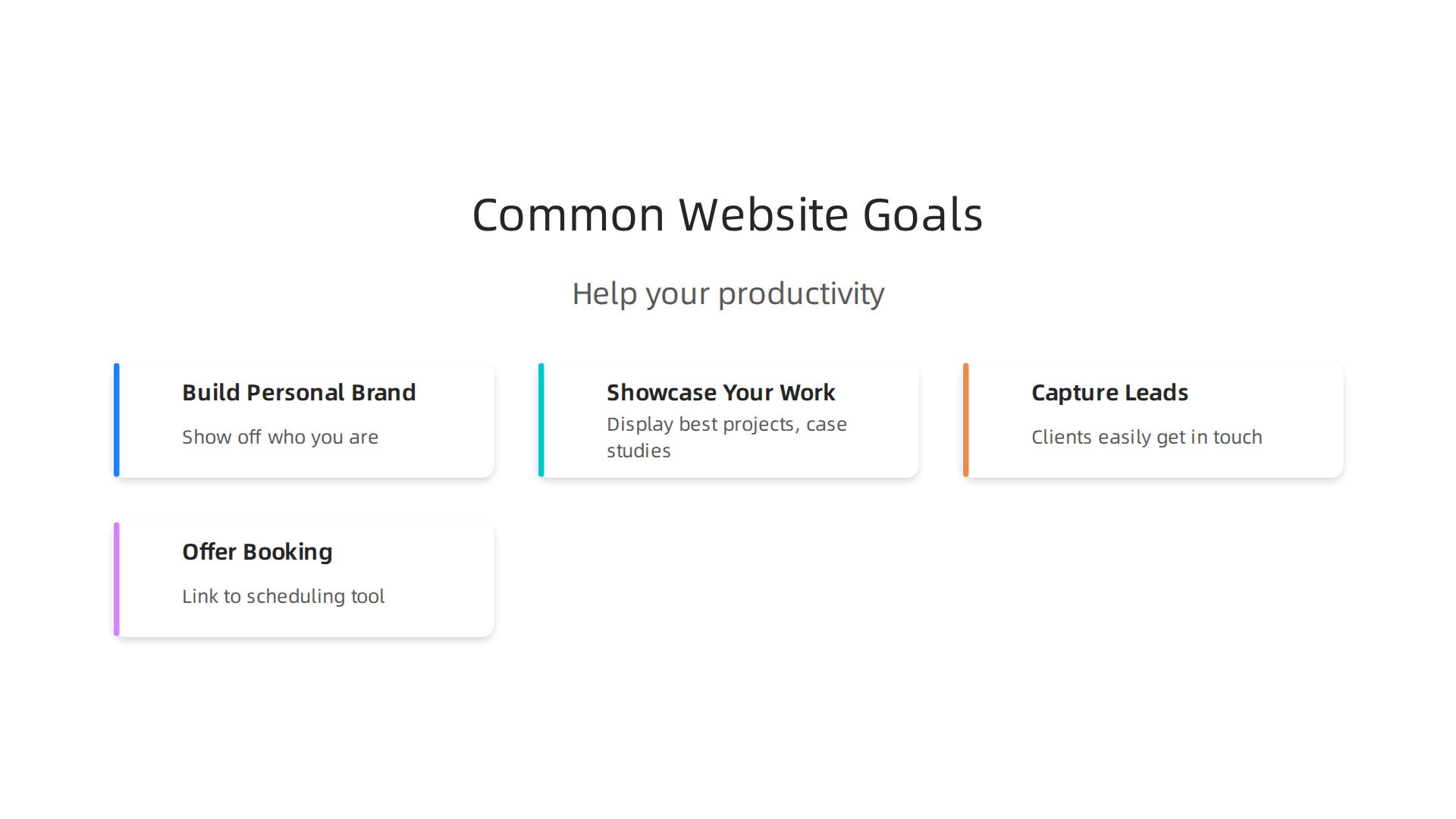
- Build Your Personal Brand: This means showing off who you are and what you’re good at. A strong personal website makes you look more trustworthy and expert in your field. In fact, studies show that professionals with personal websites are seen as 71% more credible by hiring managers and others 10 Personal Website Examples to Inspire Your Own in 2026. This helps you stand out without having to explain yourself repeatedly. Creating a dedicated digital hub can even increase how many new clients find you Build Your 2026 Personal Brand Digital Hub.
- Showcase Your Work (Portfolio): If you’re a designer, writer, artist, or consultant, your site can be a fantastic online portfolio. You can display your best projects, case studies, and achievements. When showing off your work, remember to highlight the measurable results you got for clients, like "helped company increase sales by 30%." This makes your skills very clear and impressive How to Write Website Case Studies That Win Clients. A good website makes your work easy for others to explore, which saves you from sending individual samples all the time Personal Website Examples: 15 Personal Brand Sites That Work.
- Capture Leads and Network: Do you want potential clients or collaborators to easily get in touch? Your website can have clear contact forms, sign-up buttons for your newsletter, or links to your social media. Making it easy for people to reach you means less effort on your part to find new connections.
- Offer Booking and Scheduling: If you offer services that require appointments, your website can link to or even include a scheduling tool. This lets people book time with you directly, taking away the back-and-forth emails about availability.
By focusing on these clear goals, you create a personal website that actively works for you, freeing up your time for more important tasks. It’s about making your professional workflows smarter and more secure. To enhance your digital interactions further, learn how a client portal can maximize productivity with secure digital workflows.
After you know what your personal website needs to do, the next big step is picking the right tools to build it. Think of it like choosing a car: some are easy to drive but can’t carry much, while others are harder to handle but can do a lot more. The best choice for your personal website depends on how easy you want it to be to use versus how much freedom you want to change things.
Here’s a look at the main types of platforms you can choose for your personal website:
Website Builders (Hosted)
These are like all-in-one kits for building websites. You sign up, pick a design, and drag and drop your content into place. Companies like Duda and Squarespace are good examples. They are called "hosted" because the company you pay takes care of all the technical stuff, like making sure your site stays online and is safe. This means less work for you. Duda, for instance, has a high performance rating, with many sites built on it achieving good speeds in 2026, while Squarespace is also a popular choice for easy setup but might be a bit slower [11 Fastest CMS Platforms Ranked by Performance (2026)].
Pros:
- Easy to use: Great for beginners, no coding needed.
- Fast setup: You can often have a site ready in a few hours.
- Maintenance-free: The company handles updates and security.
Cons:
- Less flexible: You can only do what the builder allows. It’s harder to make unique changes.
- Monthly costs: You usually pay a fee every month or year.
- Less control: You don’t "own" the software, just rent its use.
Self-Hosted CMS (Content Management Systems)
A CMS is software that helps you manage your website’s content. WordPress.org is the most famous example of a self-hosted CMS. With this option, you rent space on a web server (this is called "hosting") and then install the CMS software there. "Self-hosted" means you have full control over your site, but you also have to manage the updates, security, and backups yourself [What Is the Difference Between Hosted and Self Hosted?].
Pros:
- Full control: You can customize almost anything and add many different features with plugins.
- Scalable: Can grow with you as your needs change.
- Ownership: You own all your site’s files and content.
Cons:
- More complex: Requires some technical skill to set up and maintain.
- Time-consuming: You’re responsible for updates and security.
- Performance can vary: A WordPress site’s speed can depend a lot on how well it’s set up and what plugins you use [11 Fastest CMS Platforms Ranked by Performance (2026)].
Static Site Generators (SSG)
These are a bit more advanced and are becoming a future standard for certain types of websites because they are very fast and secure. An SSG takes your content and turns it into simple HTML files before anyone even visits your site. Then, when someone asks to see your site, the server just sends these ready-made files. There’s no complex database or fancy software running in the background. Popular SSGs in 2026 include Astro, Hugo, and Eleventy [9 Best Static Site Generators in 2026 (Real Benchmarks)]. Hugo is known for building huge sites very quickly [Best Static Site Generators 2026 Compared].
Pros:
- Super fast: Because the pages are pre-built, they load almost instantly.
- Very secure: There’s less complex software for hackers to attack.
- Cheap to host: Simple files don’t need expensive servers.
Cons:
- Needs coding skills: You need to know a bit about code to set them up and manage them.
- Less dynamic: Adding interactive features can be harder.
- Can be difficult to update content: Some SSGs require you to edit text files, not a visual editor.
When picking a platform, also think about extra costs, who will own your data, and how easy it will be to keep your site running smoothly for years. If you’re looking for more details on powerful new tools, you might enjoy reading The AI Newsletter Worth Reading for clear daily updates on how technology is changing. For a deeper dive into common choices, check out our guide on the best website builder for 2026.
After choosing the best tools to build your personal website, the next step is to plan what you’ll actually put on it. This means thinking about the different pages your site will have, what kinds of things you’ll share, and how often you’ll update it. Having a clear plan from the start helps you build a strong and useful personal website.
Planning Your Website’s Pages and Content
Think of your personal website as a house with different rooms, each for a special purpose. A good website needs a clear layout so people can easily find what they’re looking for.
Here are some main pages most personal websites should have:
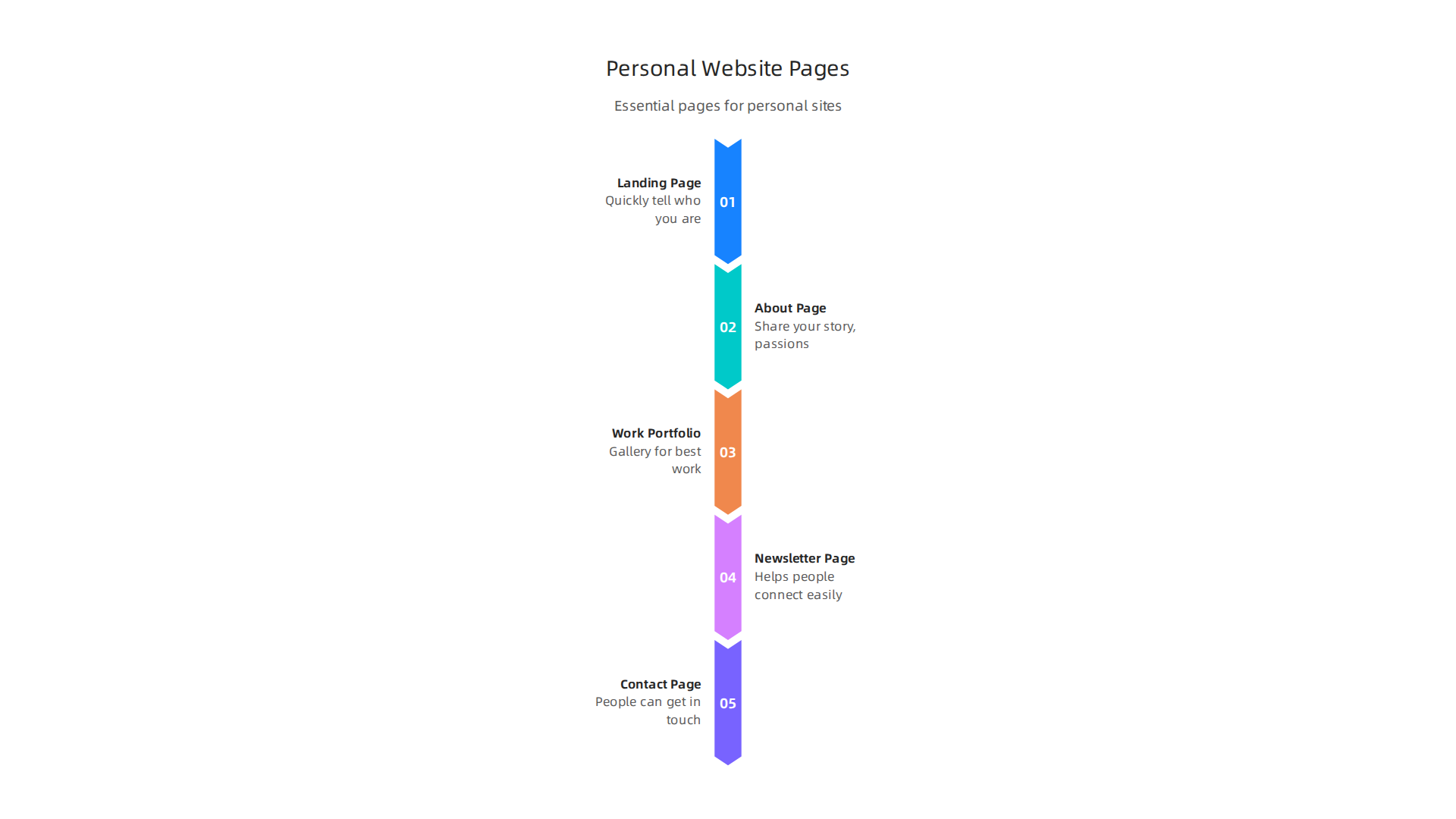
- Landing Page (Home Page): This is the front door of your website. It should quickly tell visitors who you are and what you do. It’s often the first thing people see, so make it welcoming!
- About Page: This is where you share your story. Talk about your background, what you’re passionate about, and what makes you unique.
- Work or Portfolio Page: If your personal website is for showing off your skills or past projects, this page is super important. It’s like a gallery for your best work. For example, a designer might show off their portfolio website examples here.
- Newsletter or Sign-up Page: If you plan to share updates or have a mailing list, this page helps people connect with you easily.
- Contact Page: Make it simple for people to get in touch with you. Include your email, social media links, or a simple contact form.
Besides these main pages, you might also want a blog for sharing your thoughts or a "Resources" page if you have helpful links or tools for others. When adding content, think about different types: written articles, pictures, videos, or even helpful guides. Varying your content keeps things fresh and interesting.
Making Updates Easy
Once your personal website is live, you’ll want to keep it updated. This is where planning your content ahead of time, known as an "editorial cadence," really helps. It means deciding how often you’ll add new blog posts, portfolio items, or updates.
To make updating your site easier and reduce stress, you can use "modular assets." These are like ready-made building blocks or templates for your content. For example, if you often write project case studies, you can create a template for them. This way, each new case study uses the same design, saving you time and ensuring your site looks consistent. Tools like content calendars can help you plan out what to post and when, making sure you stay organized and keep your personal website active [Best content calendar tools for 2026: how to choose]. Being organized with your content planning can greatly improve your workflow and productivity. To make sure your digital tasks run smoothly, learn more about how to maximize productivity and secure digital workflows.
Making sure your personal website stays fresh and exciting can take a lot of time. But what if your website could do some of the hard work for you? That’s where smart tools and "integrations" come in. Integrations mean linking different computer programs or services so they can talk to each other and work together. This is becoming a future standard for managing any online presence.
Integrations that save time: automations, calendar booking, forms, and AI assistants
To really make your personal website work smarter, think about connecting it with other helpful services. These connections can save you many hours by doing tasks that used to be repetitive.
Here are some important integrations:
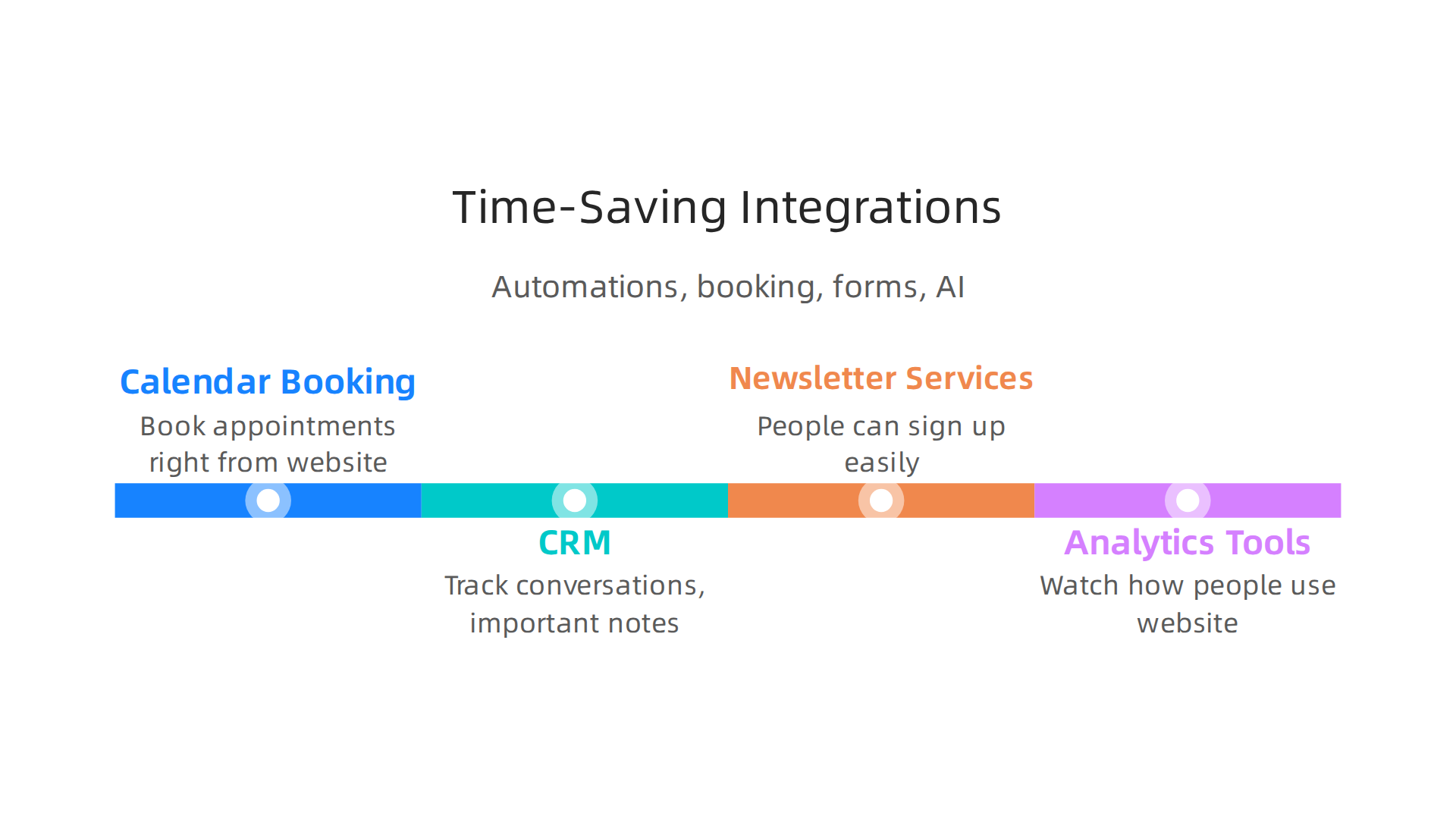
- Calendar Booking: If people need to set up a meeting or call with you, a calendar booking tool can let them see your free times and book an appointment right from your website. No more back-and-forth emails trying to find a good time!
- CRM (Customer Relationship Management): This is like a smart address book for all the people you connect with through your site. It helps you keep track of conversations and important notes.
- Newsletter Services: If you have a newsletter, linking it directly to your site means people can sign up easily. Then, when you write a new update, it can be sent out automatically.
- Analytics Tools: These tools watch how people use your personal website. They tell you which pages are popular and how long visitors stay. This helps you make your site even better.
Using Smart Helpers to Keep Things Moving
Beyond just linking tools, you can also use "automations" and "AI assistants" to handle tasks for you. Simple automations can do things like send a "thank you" email when someone fills out a contact form or add new sign-ups to your newsletter list without you lifting a finger.
AI features are like super-smart helpers that can do even more. They can route messages to the right place, help update content, or even write small updates for your social media. For example, some small business owners say they save about five hours each week by using AI tools [Small Business Technology Use Survey (March 2026)]. This shows how much time these tech electronics can really free up!
This kind of smart setup can turn your personal website or even portfolio website examples into a much more efficient machine. It helps you focus on your best work, not on small, repeated tasks. To learn more about how technology can make your life easier and safer, check out how to unlock the smart future.
Want to stay on top of the latest AI and tech trends that can make your life easier?
The AI Newsletter Worth Reading
Measure and Protect: Analytics, Privacy, and Security Best Practices
After making your personal website smart with integrations, it’s also important to know how well it’s working and keep it safe. This means looking at "analytics" (like checking how many people visit) and making sure your site has good "privacy" and "security."
Analytics tools help you see how people use your personal website. They can show you which pages are popular and how long visitors stay.
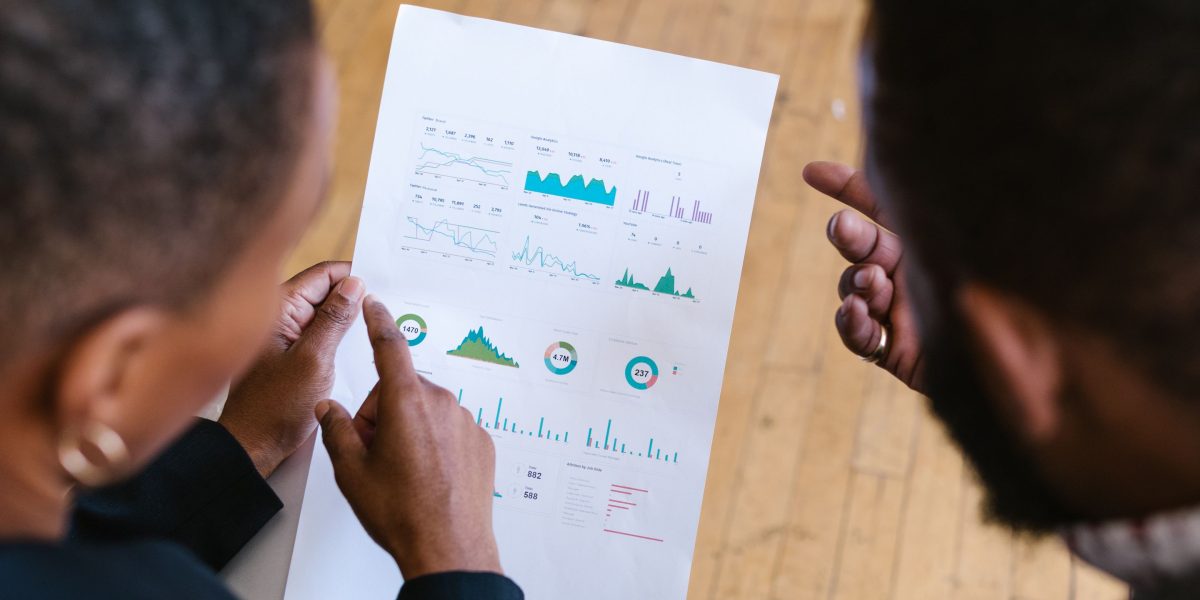
But here’s the thing: it’s important to pick tools that respect people’s privacy. You want to get useful information without collecting too much personal stuff about them. Think about ways to get insights while still protecting your visitors’ information, often called "privacy-preserving data analytics methods" [International Journal of Innovative Research in Science].
Keeping your personal website safe is a big deal. This is called "security hygiene," and it means taking simple steps to protect your site and your visitors’ information. In 2026, using HTTPS (the little lock icon you see in your browser’s address bar) is a basic "future standard" for any website. This goes for all websites, even "portfolio website examples" [Guidelines on Information Security Practices for Government Entities]. HTTPS makes sure that any information shared between your site and a visitor is sent in a secret code, so others can’t easily peek at it.
You should also use strong passwords for your website’s special admin area. A good password mixes letters, numbers, and even special symbols [A Guide to Technology Standards and Security]. Don’t forget to regularly update your website’s software. These updates often fix little holes that bad guys could use to get in.
It’s also important to be careful with any information people share with you. Always protect user data and be clear about how you handle it. The goal is to build trust with your visitors and avoid problems later on [National Strategy to Advance Privacy-Preserving Data Sharing]. You want to prevent "privacy incidents" where someone’s information might be seen by the wrong people. Even if you’re using older tech electronics, like an old Samsung Note 9 for managing things, make sure its security is still strong. For more tips on keeping your devices safe, you can learn to secure your phone and find digital balance for mobile tech wellness.
Keeping your website safe is one part of having a good online presence, but it’s also key to keep it fresh and growing. This means setting up easy ways to update your site so you don’t get tired of it, using simple tests to see what your visitors like, and knowing when your personal website needs to get bigger or change how it works.
Easy Ways to Keep Your Site Fresh
To avoid burnout, you want maintenance to be simple. Many people choose to use "static site generators" or easy website builders for their personal website. These tools help you use templates to make updates quickly and keep your content looking new. For example, in 2026, tools like Astro, Eleventy, and Hugo are popular choices for blogs and personal sites because they are low-maintenance and good for content-focused pages [Best Static Site Generators in 2026 – Complete Comparison …]. With these, you can often write new posts or change layouts without needing to be a coding expert. This makes it easier to keep your website updated regularly.
Test What Works and Plan for Growth
Even a personal website needs to grow smartly. This is where "A/B testing" comes in, which just means trying out two different versions of something on your site to see which one works better.
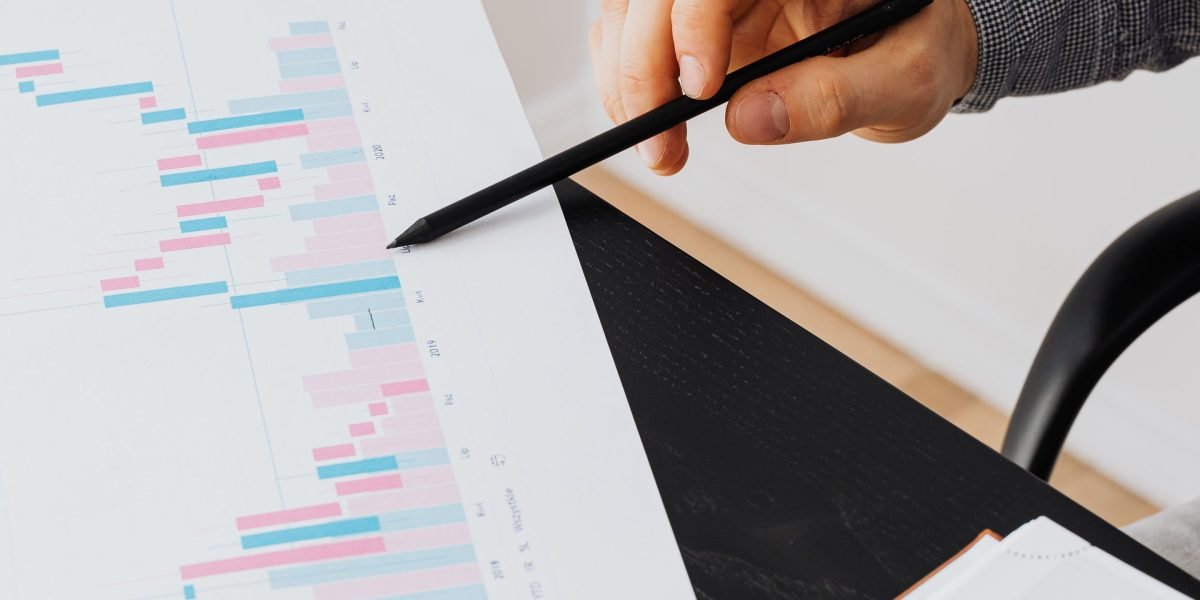
For example, you might try a different headline or a different picture to see which one gets more people to click. Using your analytics (like we talked about before) helps you see the results of these small experiments. This helps you understand what your visitors like and what makes them take the next step you want them to. Great personal website examples for 2026 often know exactly what they want visitors to do and make it easy to do it.
As your site gets more popular or your needs change, you might need to think about "scaling" it. This means making it bigger or more powerful. You might start with a simple, "hosted" website where a company manages most of the tech for you. But if you need more control or special features, you might look into a "self-hosted" option. The difference between these is simply who handles the technical setup and upkeep of your website [What Is the Difference Between Hosted and Self Hosted?].
When deciding to grow, think about what new features you need. Do you want to add an online store, a special members-only area, or a much bigger blog? These things can tell you it’s time to move to a different type of website platform, like a more robust content management system (CMS) or a more powerful web hosting plan. Choosing the best website builder for 2026 depends a lot on your goals and how much you plan to expand.
Staying updated on the latest trends and tools can help you make these choices.
Want to stay ahead of the curve with technology insights? Discover practical updates focused on how technology impacts daily life and professional workflows by checking out The AI Newsletter Worth Reading.
Summary
This article explains why a personal website is one of the smartest productivity investments for professionals in 2026 and then walks you through building one step by step. It shows how to set clear goals so your site serves real work needs, compares the main platform choices (hosted website builders, self‑hosted CMS, and static site generators), and outlines essential pages and content planning. You’ll learn practical integrations—calendar booking, CRM, newsletters, automations and AI helpers—that save time, plus how to measure success with privacy-friendly analytics. The guide also covers basic security hygiene, maintenance strategies to avoid burnout, and when to scale your site so it keeps working for you as your needs grow.