
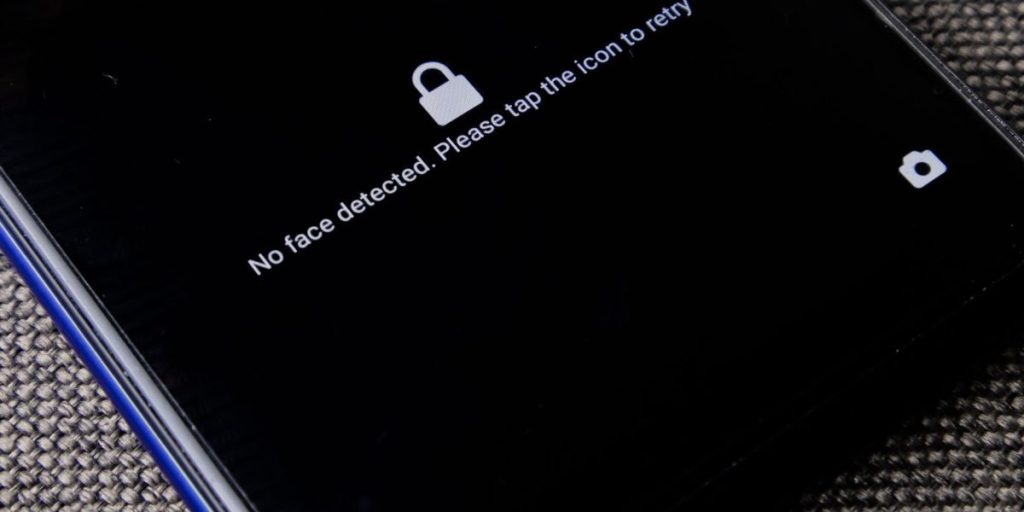
Apple AirTags have become very popular for helping people find lost keys, wallets, and bags. These small tracking devices work really well with iPhones. Because they are so handy, many people using Android phones, like a Samsung Galaxy, wonder if they can also use an airtag for android devices. It’s a common question in 2026, especially as more people want to keep track of their belongings with smart gadgets.
The simple answer is that Apple’s AirTags are made specifically for Apple devices. This means you cannot set up an AirTag with an Android phone or track it the same way an iPhone user can. However, that does not mean Android users are left out when it comes to location tracking or, more importantly, protection from unwanted tracking.
Actually, a big change happened recently. Apple and Google worked together to create a new system called Detecting Unwanted Location Trackers (DULT). This system helps your phone, whether it is an iPhone or an Android, warn you if an unknown tracking device is moving with you. For example, all Google-certified Android phones running version 6.0 or newer can now detect unwanted Bluetooth trackers, including AirTags, without needing a special app Apple and Google Roll Out ‘DULT’ Unwanted Bluetooth Tracker Detection. This is a huge step for everyone’s safety and privacy.
This guide is here to clear up all your questions about AirTags and Android phones. We will look at how AirTags work, why they are not fully compatible with Android for regular use, and what it means for the broader world of device tracking.
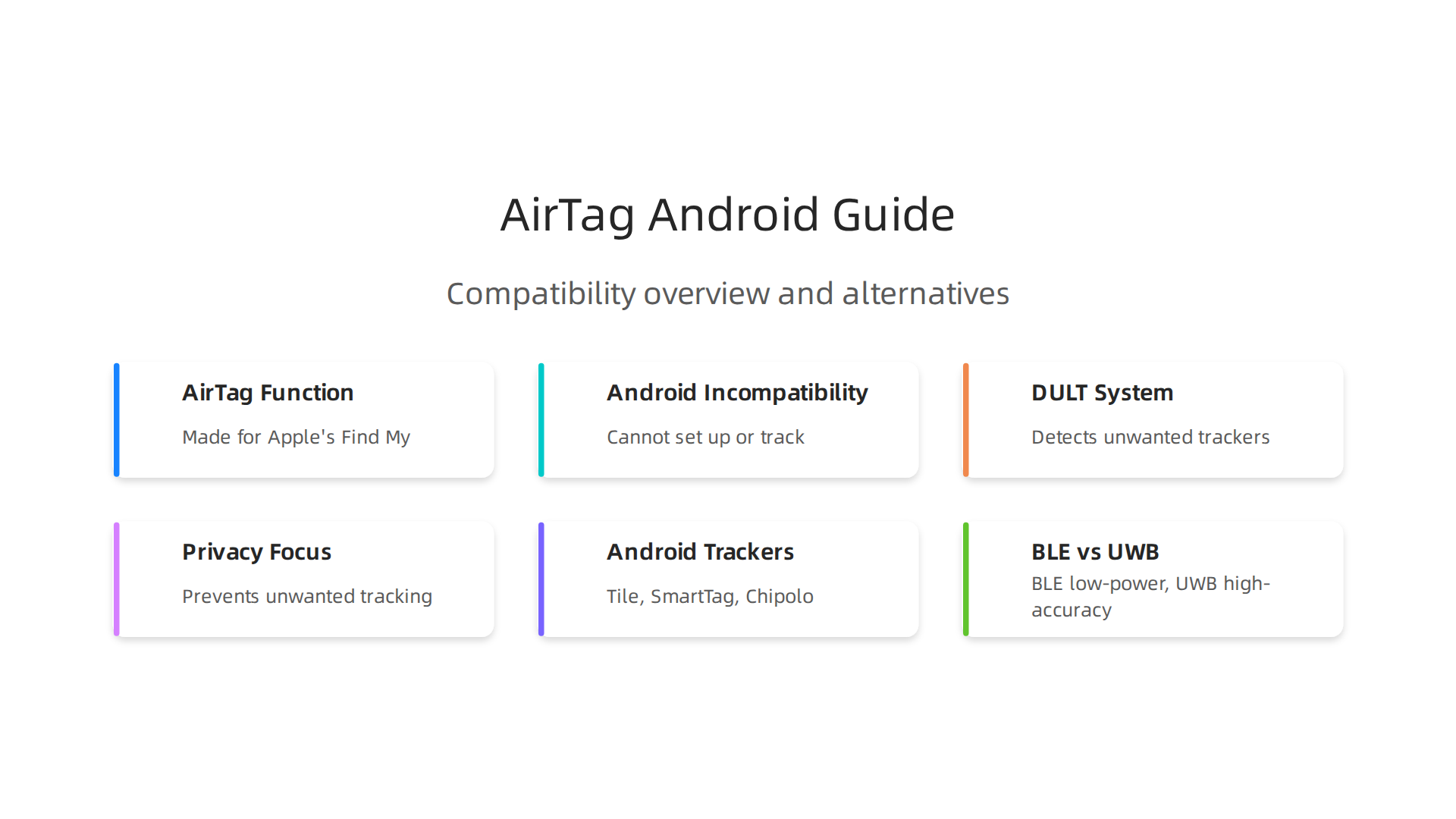
We will also dive into important privacy ideas, show you how Android phones can detect unwanted trackers, and share the best Android-native options to track your own items. If you own a Samsung wearable or a samsung watch 5, knowing your device’s tracking settings is key to staying secure. Learn more about managing your privacy by understanding how to master your Samsung notification and tracking settings for enhanced privacy.
By the end of this article, you will know exactly what you can and cannot do with an AirTag on an Android phone, and how to keep your personal items safe and your privacy protected in 2026.
Stay informed about the latest tech trends and smart devices, including new AI applications that impact your daily life.
The AI Newsletter Worth Reading
Can Android Devices Detect Apple AirTag? A Practical Overview
While Apple AirTags are great for iPhone users to keep track of their own belongings, the story is a bit different for Android phones. An AirTag sends out a secure Bluetooth signal that nearby Apple devices pick up. These devices then send the AirTag’s location to Apple’s "Find My" network, allowing the owner to see where their item is on a map.
For everyday use, an airtag for android device cannot be set up or tracked in the same way an iPhone can. Android phones cannot join Apple’s "Find My" network to actively help you locate your own lost AirTag. This is a core limitation due to how Apple built its ecosystem. So, if you’re hoping to clip an AirTag to your keys and track them with your Samsung Galaxy phone, that won’t work directly.
However, when it comes to detecting unwanted AirTags, the situation has greatly improved for Android users. Thanks to a joint effort between Apple and Google, there’s now a system called Detecting Unwanted Location Trackers (DULT).
This system helps any Google-certified Android phone, running Android 6.0 or newer, find out if an unknown Bluetooth tracker, like an AirTag, is traveling with them without their knowledge.
This means your Android phone can now automatically warn you if an AirTag that doesn’t belong to you has been following you for a while. The DULT system sends a notification to your phone, letting you know that an unknown tracker has been detected.

This is a big step for privacy and safety, as it helps prevent people from being tracked without their consent Android, Apple devices to get anti-stalking tracker alerts. Before DULT, Android users often had to download a separate app, like Apple’s "Tracker Detect," to scan for nearby AirTags. Now, the protection is built right into the phone’s system.
This cross-platform detection feature helps protect against misuse of tracking devices. If you get such an alert, your Android phone can help you find the unwanted AirTag and even give you tips on what to do next How to stop being tracked via Bluetooth beacons like AirTag. This makes the user experience much safer for Android owners who might encounter an AirTag they don’t own. It’s a clear example of how staying informed about what is information technology helps you navigate the digital world securely.
Stay informed about the latest tech trends and smart devices, including new AI applications that impact your daily life. The AI Newsletter Worth Reading
Now, let’s look closer at the clever tech inside these trackers and phones. Two main types of wireless tech make tracking work: Bluetooth Low Energy (BLE) and Ultra-Wideband (UWB).
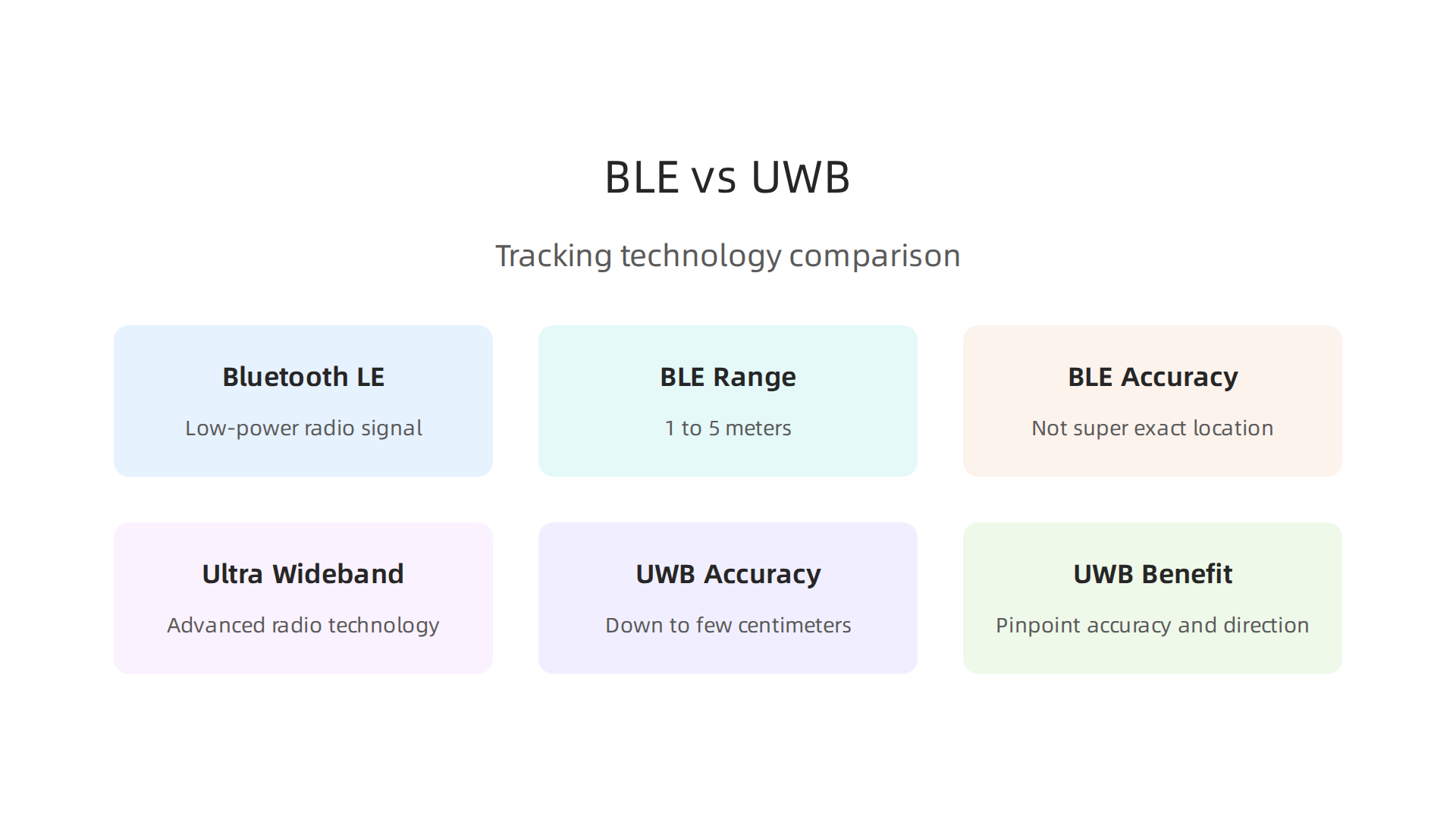
They help devices find each other in different ways.
Bluetooth Low Energy (BLE) Beacons for Basic Tracking
First, there’s Bluetooth Low Energy, or BLE. Think of BLE as a tiny, low-power radio signal that devices send out. An airtag for android device, or any small tracker, uses BLE to constantly "ping" the area around it. This signal can be picked up by other devices that also have Bluetooth, like your smartphone or even smart home gadgets. The official Bluetooth website has more details on how this core technology works Core Specification | Bluetooth® Technology Website.
BLE is great for finding things nearby, usually within about 1 to 5 meters. It’s what lets a tracker tell a phone, "Hey, I’m here, and I’m close!" This basic connection is how devices like Apple AirTags create their large "Find My" network. Any iPhone or iPad that walks by an AirTag can pick up its signal and share its location with the owner. It is also used by many fitness trackers and even a samsung wearable device to connect to your phone. However, BLE isn’t super exact about where something is in a room. For very precise finding, we need a different kind of radio.
Ultra-Wideband (UWB) for Pinpoint Accuracy
That’s where Ultra-Wideband (UWB) comes in. UWB is a newer, more advanced radio technology. Imagine trying to find a coin hidden under a rug with just sound. BLE is like hearing a faint noise. UWB, however, is like having a special tool that can tell you exactly where that coin is, down to a few centimeters. This is because UWB sends out very short, quick pulses of radio energy, which lets devices measure distances with amazing accuracy, even telling you the direction a tracker is in Ultra Wideband.
Many modern Android phones, especially newer, high-end models, now support UWB. This feature started appearing more widely with Android 13. Devices like Google Pixel Pro phones (Pixel 6 Pro and newer), the Google Pixel Fold, and many Samsung Galaxy phones (like the S21 and newer, and Galaxy Z Fold series) include UWB tech Ultra-wideband (UWB) communication – Android Developers. For example, if you have a recent Samsung Galaxy phone, it likely has UWB, which helps with very accurate finding tasks. You can learn more about managing your phone’s privacy settings to control how these technologies are used by reviewing how to master your samsung notification and tracking settings for enhanced privacy.
While Apple’s AirTags use both BLE and UWB to help iPhone users find lost items with great accuracy, UWB support for tracking other brands’ items with Android phones is still growing in 2026. However, the DULT system ensures that even if you have an Android phone, you’ll be alerted if an unwanted tracker, like an AirTag, is trying to follow you, using these underlying technologies.
Even though Apple’s AirTags are made for iPhones, Android users still need to know about them, especially for safety. The good news is that people with Android phones can detect if an unwanted AirTag is traveling with them. This is thanks to smart workarounds and apps. Let’s look at how an airtag for android detection works and what it can and can’t do.
How Android Phones Detect AirTags
When an AirTag is separated from its owner for a long time, it’s designed to make a sound to alert people nearby. It also uses Bluetooth Low Energy (BLE) signals. This is where Android phones come in. Google and Apple worked together to create a system called "Detecting Unwanted Location Trackers" (DULT). This system helps both iPhone and Android users get alerts about unknown trackers.
For Android users, this means that your phone can scan for AirTags that seem to be traveling with you, but aren’t yours. If your phone spots an AirTag that has been with you for a while, it will send you an alert. This alert helps you find the unwanted tracker and remove it. This system is crucial for safety, so you don’t have to worry about silent tracking.
Third-Party Apps and Limitations
While Android has its own built-in system, there are also other apps you can use. Apple even made an app for Android called "Tracker Detect." This app lets you manually scan for nearby AirTags that are not linked to your Apple ID. If it finds one that has been away from its owner, it can help you locate it.
Here’s what these workarounds mean for an Android user:
- Detection, Not Tracking: You can detect if an AirTag is following you, but you can’t use an AirTag to find your own lost items if you have an Android phone. AirTags are designed to work only with Apple’s "Find My" network.
- BLE-Based: Most detection relies on Bluetooth Low Energy. This means it can tell you an AirTag is nearby, but it won’t give you the super-precise, arrow-like directions that Ultra-Wideband (UWB) offers on newer iPhones. However, some newer Android phones are starting to use UWB for their own tracking networks. For example, some Google Pixel Pro models and certain Samsung Galaxy phones support UWB, but this is mainly for finding Android-compatible trackers, not Apple AirTags with pinpoint accuracy for you as an Android user. You can see a list of UWB-enabled devices, including some from Google and Samsung, to understand which models support this advanced tech List of UWB-enabled mobile devices.
- Manual Scans: Sometimes, you might need to open an app like "Tracker Detect" and manually start a scan to find an unwanted AirTag. This is different from how iPhones get automatic, continuous alerts.
- Privacy First: These detection methods are all about protecting your privacy and safety from unwanted tracking. They help you stay aware and take action if someone tries to track you without your knowledge.
- Focus on Android’s Own Network: While AirTag detection is important, Google is also building up its "Find My Device" network for Android. In 2026, there are more trackers coming out that work with this network, some of which may use UWB for more precise finding for Android users. Still, Android Find Hub trackers for UWB are not as common yet Android Find Hub trackers continue to ignore UWB – here’s why.
Staying informed about how these tracking technologies work and how to manage your privacy settings is key to feeling safe with your phone. You can learn more about how to keep your digital life secure and balanced by checking out our guide on how to secure your phone and find digital balance for mobile tech wellness.
The world of tech changes fast. To keep up with all the latest in AI and how it affects your devices and privacy, make sure you don’t miss out.
Get clear daily AI updates from The Deep View Newsletter. The AI Newsletter Worth Reading
Top Android-Compatible Trackers: Tile, Samsung SmartTag, Chipolo and Others
While an AirTag for Android lets you find unwanted trackers for safety, you might also want a tracker to help find your own stuff.

This is where Android-friendly trackers come in handy. In 2026, many smart devices work great with your Android phone, helping you keep track of keys, bags, or even your pet. Let’s look at the best options available.
Tile Trackers
Tile has been around for a long time and is one of the most popular choices for Android users. They offer different shapes and sizes, like small tags for keys and slim cards for wallets.
- Compatibility: Tile works with almost all Android phones. You just download the free Tile app from the Google Play Store. You can learn how to set up your Tile using the app here or by following the setup guide.
- How They Work: Tile trackers use Bluetooth to connect to your phone. If an item is lost nearby, you can make the Tile ring. If it’s farther away, Tile uses a special "finding network." This network is made up of other Tile users’ phones. If your lost Tile passes by another Tile user, you’ll get an update on its location. This community finding feature is very helpful.
- Range and Features: Tile trackers usually have a good Bluetooth range. Some newer Tile models also offer more precise finding within a shorter distance.
Samsung Galaxy SmartTag
If you have a Samsung Galaxy phone, the Samsung SmartTag is a great choice. It’s built to work seamlessly with Samsung’s own ecosystem.
- Compatibility: Samsung SmartTags are best for Samsung Galaxy phone users. You need the Samsung SmartThings app installed to use them. For example, to connect a SmartTag, you would press the button on the tag and open the app on your phone, as described in the Samsung Galaxy SmartTag User Manual.
- How They Work: Similar to Tile, SmartTags use Bluetooth. But for finding things far away, they tap into Samsung’s SmartThings Find network. This network uses millions of other Samsung Galaxy devices to help locate your lost items. This is especially useful if you also own a Samsung Galaxy Watch 7 review or another samsung wearable.
- Unique Features: The SmartTag+ model uses Ultra-Wideband (UWB) technology with compatible Samsung phones. This means you can get very precise directions to your lost item, almost like a compass pointing right to it. It’s a nice upgrade for finding things quickly. You can also automate tasks with SmartThings, like turning on lights when your SmartTag comes home. Staying on top of your privacy settings for any smart device, including your Samsung phone and trackers, is a good idea. To learn more, check out our guide on how to master your Samsung notification and tracking settings.
Chipolo Trackers
Chipolo is another strong player in the Android tracker space, known for its colorful trackers and integration with Google’s network.
- Compatibility: Chipolo trackers work well with Android phones. You can download the Chipolo app from the Google Play Store. Setting up a new Chipolo with your Android device is quite simple, often just requiring you to press a button on the Chipolo and pair it with your phone, as explained in the Chipolo support guide.
- How They Work: Chipolo trackers use Bluetooth to connect to your phone. Like other brands, they have their own network of users to help find items further away. What’s new in 2026 is that Chipolo is also a big part of Google’s expanded "Find My Device" network. This means Chipolo trackers can use the vast network of Android phones worldwide to help you find your lost items.
- Features: Some Chipolo models offer loud rings to help you find items hidden under cushions. They also have a selfie feature where you can shake the Chipolo to take a picture on your phone. Chipolo offers different battery types, with some having replaceable batteries and others having a built-in battery that lasts a long time.
Other Options
While Tile, Samsung SmartTag, and Chipolo are the main players for general-purpose tracking on Android, there are other small brands, especially those that focus on specific items like wallets or bikes. The key is to look for trackers that use a wide "finding network" and have an easy-to-use app for your Android phone.
Choosing the right tracker depends on your phone and what you want to find. Luckily, Android users have plenty of great choices beyond an AirTag for Android detection.
Choosing the Right Tracker for Android: Use Cases and Buying Guide
Now that we’ve looked at the main Android-friendly trackers like Tile, Samsung SmartTag, and Chipolo, how do you pick the best one for you? It really comes down to what you want to track and what features are most important. Here’s a simple guide to help you decide in 2026.
What Do You Need to Track?
Different items need different kinds of trackers.
- Keys: For car keys or house keys, a small tracker that can attach to a keyring is best. You’ll want one with a loud ring so you can find it quickly when it’s under a couch cushion. The Tile Pro is a good choice here, known for its loud speaker and durability for everyday items The Best Bluetooth Trackers We’ve Tested for 2026.
- Wallets or Purses: A slim, card-shaped tracker fits perfectly inside your wallet without making it bulky. These are often quieter but very discreet.
- Bags and Luggage: If you’re tracking a travel bag or backpack, a tracker with a long range and strong network is key. These items might be far away, so you’ll want the tracker to connect with as many other phones as possible to report its location.
- Pets: For a pet, you need a tracker that is tough, waterproof, and securely attaches to a collar. Battery life is also super important so you don’t have to change it too often.
- Kids’ Items: For things like a child’s school bag or favorite toy, durability and a strong connection are helpful.
Key Things to Think About When Buying a Tracker
When looking for an airtag for android alternative, keep these points in mind:
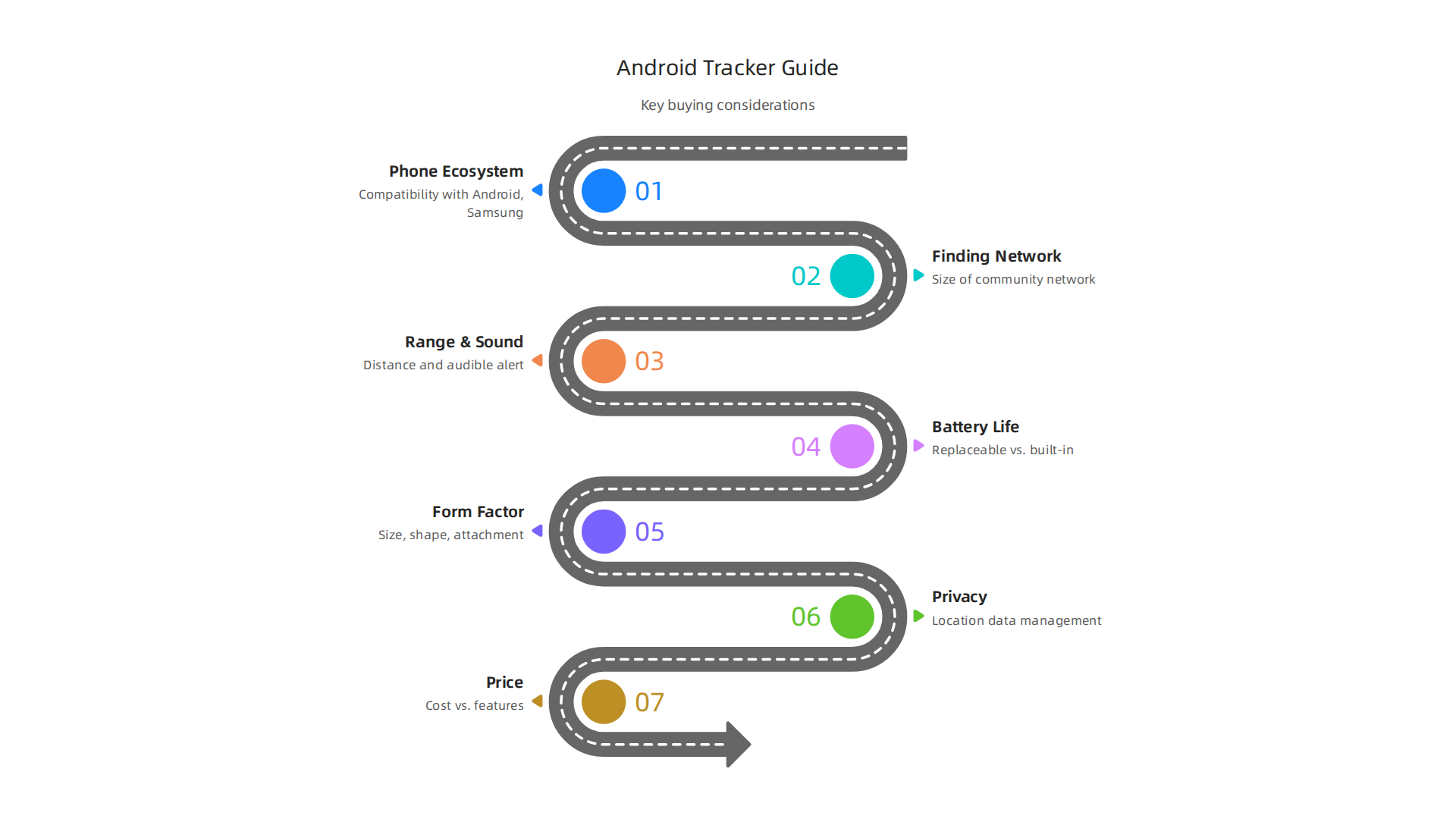
- Your Phone Ecosystem:
- Samsung Phones: If you have a Samsung Galaxy phone, a tracker like the Samsung SmartTag is often the best fit. It works seamlessly with your phone’s SmartThings app and uses Samsung’s big network. It can even connect with your other Samsung devices, like a Samsung tablet vs iPad 2026 or a
samsung wearabledevice, to create a smart home network. - Other Android Phones: For other Android phones, Tile and Chipolo are great. Chipolo is especially good because it uses Google’s new "Find My Device" network, which is very wide. Many options are available as great Best Alternative to AirTags in 2026: GPS & Asset Tracker Guide.
- Samsung Phones: If you have a Samsung Galaxy phone, a tracker like the Samsung SmartTag is often the best fit. It works seamlessly with your phone’s SmartThings app and uses Samsung’s big network. It can even connect with your other Samsung devices, like a Samsung tablet vs iPad 2026 or a
- Finding Network: How many other devices can help find your lost item? Google’s Find My Device network (used by Chipolo) and Samsung’s SmartThings Find network are very large. Tile has its own network, which is also big. The larger the network, the better chance you have of finding something far away.
- Range and Sound: If you often lose things at home, a tracker with a loud ring and good short-range finding is important. Some trackers, like the Tile Pro, are known for being extra loud.
- Battery Life and Type:
- Replaceable Batteries: Some trackers let you change the battery yourself. This is good because the tracker can last for many years. Many of the Best AirTag Alternatives For Android Users In 2026 offer replaceable batteries.
- Built-in Batteries: Other trackers have a battery that lasts a few years but can’t be replaced. Once it dies, you need a new tracker.
- Form Factor (Size and Shape): Do you need a small keyring tag, a thin card for a wallet, or something else? Think about how you’ll attach it. For example, some trackers can even stick to the back of a phone case. You can always transform your Samsung phone with different cases that might include tracker spots.
- Privacy: Always think about privacy settings. Make sure you understand how the tracker shares location information and what options you have to keep your data safe. It’s smart to review how to secure your phone and find digital balance for overall digital safety.
- Price: Trackers come at different price points. Think about how much you want to spend versus the features you get. Sometimes, waiting for deals at 2026 tech shops and classifieds can save you money.
By thinking about these things, you can choose the best tracker that works with your Android phone and helps you keep track of your important items.
Want to stay informed about the latest tech innovations that impact your daily life and workflows, including new smart devices and AI applications? Get clear daily AI updates from The Deep View Newsletter.
Security and Privacy: Risks, Stalking Concerns, and Safety Features
While finding your lost items with an airtag for android alternative is super handy, it’s also very important to think about security and privacy. These small trackers can sometimes be used in ways that are not good, like for unwanted tracking.
What Are the Risks?
The main worry is "stalking." This means someone could hide a tracker, like a small Chipolo or Samsung SmartTag, in your bag or car without you knowing. Then, they could follow where you go. This is a serious concern with any small tracking device, not just those made for Android phones The 2 Best Bluetooth Trackers for 2026.
For example, even though Apple’s AirTags are made for iPhones, stories about them being misused led to changes. Android users need to know that airtag for android options also have to deal with these same problems. This is why companies build in safety features.
Built-in Protections and Safety Features
Tracker makers know about these worries and work hard to add safety features.
- Unknown Tracker Alerts: Both Google’s Find My Device network (used by trackers like Chipolo) and Samsung’s SmartThings Find network have ways to tell you if an unknown tracker is moving with you. If your Android phone senses a tracker that doesn’t belong to you, it will send a message to your screen. This is a very important step to protect your privacy.
- Sound Alerts: Many trackers are designed to play a sound if they have been separated from their owner for too long. This helps you find them if they are lost, but it also helps you find an unwanted tracker if someone has hidden it near you.
- Strong Networks for Safety: The large networks of Android phones help find lost items, but they also help spot possible misuse. When many phones are listening for signals, it’s easier to detect a tracker that is consistently in a strange place or with someone it shouldn’t be with.
Samsung, for example, has features built into its phones and devices, like a samsung wearable or even a samsung watch 5, that work together to enhance location security. You can find more details on how to control these settings to keep your data safe by learning to master your Samsung notification and tracking settings for enhanced privacy.
What Android Users Can Do
If you’re using an airtag for android alternative or any tracker, here are simple steps to keep yourself safe in 2026:
- Pay Attention to Phone Alerts: If your Android phone sends you a warning about an unknown tracker, take it seriously. It means a device is traveling with you that your phone doesn’t recognize.
- Check Your Belongings: If you get an alert, or if something just feels off, check your bag, pockets, car, or anything you carry often. Look for small, hidden devices.
- Keep Your Phone Updated: Always make sure your Android phone’s software is the newest version. Updates often include better security features and privacy settings that help protect you from unwanted tracking.
- Review App Permissions: Regularly check which apps have access to your location information. You can do this in your phone’s settings. Limit location access to only the apps that truly need it.
- Understand Your Tracker’s Features: Read about the specific safety and privacy tools built into your chosen tracker. Knowing how it works helps you use it safely. Many resources are available to help you find the Best AirTag Alternatives for Android Users.
By being aware and using the built-in safety features, you can enjoy the convenience of location trackers while keeping your privacy and security intact. To further understand how technology keeps us safe, explore how to unlock the smart future how technology transforms life and stays secure.
Now that we’ve talked about how to stay safe, let’s look at how to properly set up and take care of your airtag for android options. This way, you can get the most out of them while keeping things running smoothly.
How to Set Up Your Android Tracker
Getting your tracker ready is usually simple. Here’s a general guide for pairing your new device, like a Samsung SmartTag or a Chipolo tracker:
- Charge or Check Battery: Make sure your tracker has power. Some trackers come with a battery already inside, while others might need a quick charge or for you to pull a tab to activate the battery.
- Download the Right App: Most trackers need a special app on your Android phone. For Samsung SmartTags, you’ll use the SmartThings app. For Tile trackers, you’ll need the Tile app, and for Chipolo, it’s the Chipolo app Setting up a new Chipolo with Android. You can find these apps in the Google Play Store.
- Create an Account: Open the app and follow the steps to make a new account or sign in if you already have one.
- Turn on Bluetooth: Your Android phone needs its Bluetooth turned on to find the tracker. You can usually do this from your phone’s quick settings menu.
- Add Your Tracker: In the app, look for a button like "Add Device" or a plus sign (+). The app will then guide you to press a button on your tracker or bring it close to your phone to finish pairing. For example, to set up a Samsung Galaxy SmartTag, you will launch the SmartThings app on your device Samsung Galaxy SmartTag User Manual.
- Name Your Tracker: Give your tracker a name, like "Keys" or "Wallet." This helps you know what you’re looking for later.
Keeping Your Tracker Working Well
Once set up, a little upkeep can prevent problems.
- Battery Life: Trackers use small batteries. Some last a year or more and can be replaced, while others are built to last a few years before you need a new tracker. The app will usually tell you when the battery is low.
- Firmware Updates: Just like your phone, trackers sometimes get software updates to work better. Keep your tracker app updated, and it will often tell you if your tracker needs new "firmware" or internal software. Keeping your Samsung phone’s firmware updated is important for all connected devices. Learn more about how to troubleshoot and flash your Galaxy phone with a Samsung firmware update.
- App Permissions: Make sure the tracker app has the right permissions on your phone, especially for location and Bluetooth. Without these, it can’t find your items.
Troubleshooting Common Tracker Issues
Sometimes, things don’t work perfectly. Here are quick fixes:
- Tracker Not Connecting:
- Make sure Bluetooth is on and your phone is close to the tracker.
- Check the battery. A dead battery is a common reason for no connection.
- Close the app and open it again. Sometimes this helps.
- Location Isn’t Accurate:
- Make sure your phone’s location services are on and the tracker app has permission to use them.
- Remember, trackers work best when other phones are nearby to help them be found. If your item is in a very remote place, it might take longer to get a precise location.
- Tracker Doesn’t Make Sound:
- Check the app settings to make sure the sound feature is turned on.
- The battery might be too low to play a loud sound.
By following these tips, you can make sure your airtag for android alternative is always ready to help you find your lost items, whether it’s a samsung wearable or just your car keys.
Summary
Apple AirTags are designed to work inside Apple’s Find My network, so you can’t set up or actively track your own AirTag with an Android phone. However, Android users aren’t blind to AirTags: a joint Apple–Google initiative called Detecting Unwanted Location Trackers (DULT) now lets Google‑certified Android phones running Android 6.0+ warn you if an unknown tracker appears to be traveling with you. The article explains the underlying radios (Bluetooth Low Energy for basic discovery and Ultra‑Wideband for precise direction), what Android can and cannot do with AirTags, and practical detection options (built‑in alerts, Apple’s Tracker Detect app, and manual scans). It also reviews Android‑native tracker alternatives—Tile, Samsung SmartTag, Chipolo—how to choose the right one for keys, wallets, bags, or pets, and simple setup, maintenance, and troubleshooting steps. The guide closes with concrete privacy and safety advice so you can use item trackers without exposing yourself to unwanted tracking.