
Owning an iPhone in 2026 is great for many reasons. Apple phones are known for being easy to use and secure. In fact, many iPhone users prefer Apple and stay with the brand because they are already invested in how the whole Apple system works together, like with apps and other devices, according to a 2026 survey on smartphone loyalty iPhone Loyalty Hits 96.4% as Android Users Four Times More Likely.
But sometimes, you might want more freedom with your phone. Maybe you travel a lot and want to use a local SIM card in other countries. Or perhaps your phone is tied to a certain phone company, and you want to switch to a different one for a better deal or just to try something new.

You might even be thinking about selling your old phone, and an unlocked phone can be worth more. This is where an iphone unlocker comes in handy. It means your iPhone can work with any phone company’s network.
Many people find changing phones or phone companies a bit scary. They worry it might be too much trouble or that they might lose important pictures and contacts. A study showed that these worries keep many people from switching phones Mobile Consumer Survey. That’s why knowing how to properly use an iphone unlocker is important. It helps you get around these worries.
This guide is here to help you understand all about unlocking your iPhone. We will look at different ways to unlock your phone, talk about the good parts and the things you need to be careful about, and help you make a safe choice. Whether you are thinking about an android vs iphone switch, or just want to make your current iPhone more flexible, we will show you how to compare options and make smart decisions. For example, if you are looking at newer models, you might want to read our guide on choosing an iPhone 17 Pro Max Unlocked: Features, Performance, and Buying Guide.
Staying updated on the latest tech changes and smart ways to use your devices is key. Get clear daily AI updates to help you stay ahead.
The AI Newsletter Worth Reading
In 2026, an iphone unlocker is more than just a tool to let your phone work with any carrier. The idea of "unlocking" an iPhone has grown quite a bit. It now covers different ways to get your phone working the way you want it to, especially with new rules and tech changes.
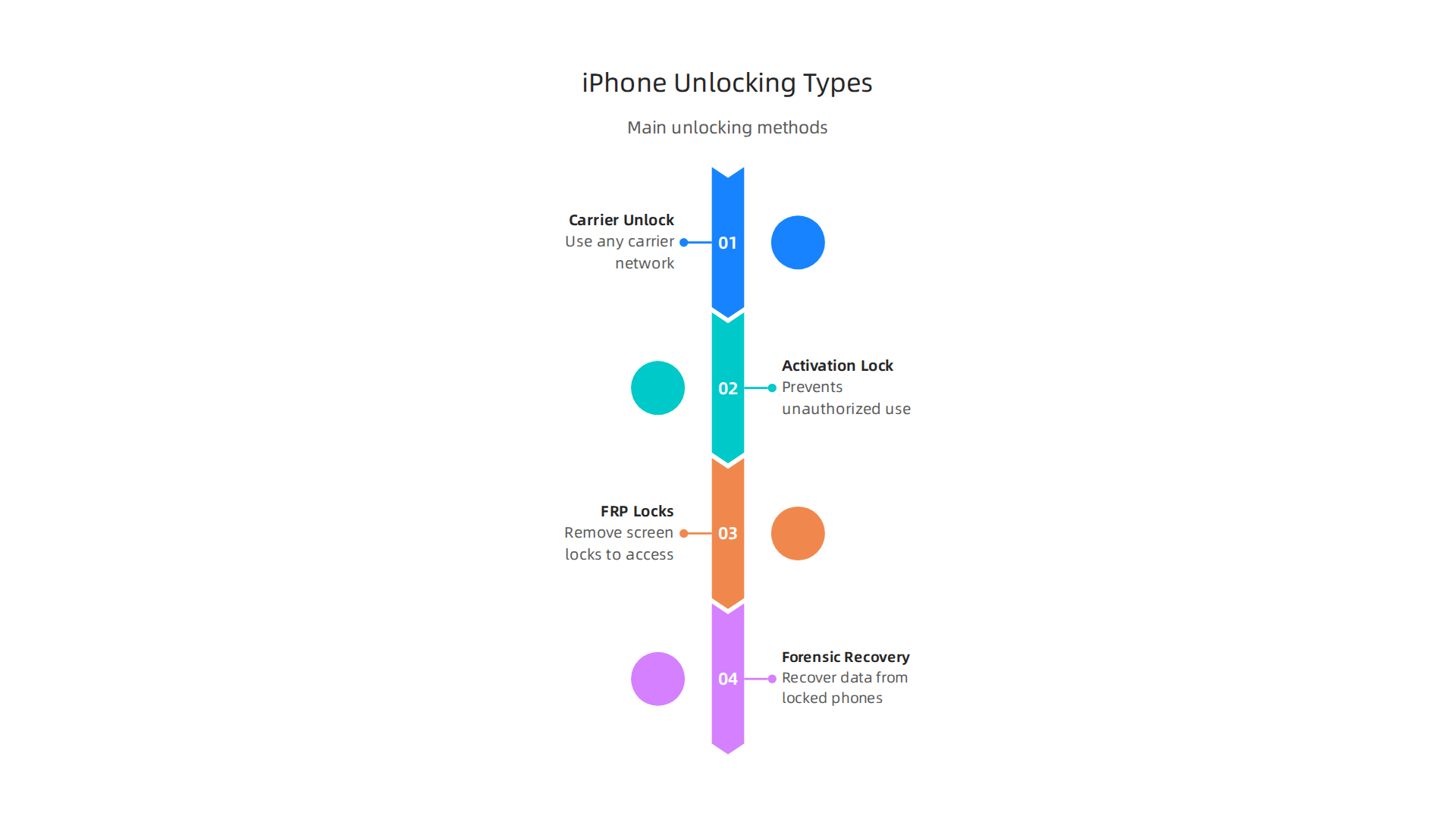
Here are the main types of iPhone unlocking:
-
Carrier Unlocking (SIM Unlock)
This is the most common kind of unlock. It means your iPhone can use any phone company’s network, not just the one you bought it from. If your iPhone is tied to a specific carrier, they might limit which SIM cards you can use. But in many places like the U.S. and Canada, it’s legal to unlock your phone once you’ve paid it off or met your contract terms. Rules from places like the FCC in the U.S. and the CRTC in Canada make it clear that carriers often have to unlock your device for free once certain conditions are met How to Unlock the Phone: 2026 Guide for Resale & Travel and Telecom Notice of Consultation CRTC 2026-210. This type of unlocking is great if you travel a lot or want to switch carriers for a better deal. -
Activation Lock Bypass
This type of lock is about security. If your iPhone is stolen or lost, Apple’s Activation Lock stops anyone else from using it. This lock is linked to your Apple ID. If you buy a used iPhone that still has an Activation Lock on it, or if you forget your own Apple ID details, you might need an unlocker tool to get past this. This is a common issue that makes people seek help.

-
FRP-style Locks and Passcode/Screen Lock Removal
"FRP" stands for Factory Reset Protection, which is mostly a term used for Android phones. However, iPhones have similar safety features. If you forget your iPhone’s passcode or lock screen password, or if your screen is broken and you can’t type it in, you’re locked out. Specialized software, often called an iphone unlocker, can help remove these screen locks. This can be very useful for getting back into your own device. When you think about an iPhone 17 vs iPhone 16 or even an android vs iphone, these security features are a big part of protecting your data. -
Forensic and Recovery Tools
These are more advanced tools. They are used to get data off an iPhone that might be damaged or totally locked. Law enforcement or data recovery experts might use these to get important information from a device.
The market for these unlocking services has changed a lot by 2026. More people are buying and selling used phones, which has made the need for secure unlocking solutions grow. Also, forgotten passwords and tricky security features mean more people are looking for ways to get back into their own devices. New software and tools are always coming out to help with these issues, making it easier for users to manage their phones. You can find many guides on the best iPhone unlocker software available in 2026 Best Iphone Unlock Software 2026.
The market for iPhone unlocking keeps growing, which means more tools and ways to get your phone working just how you need it. Let’s look at how these different unlock methods actually work.
How Common iPhone Unlock Methods Work (High-Level)
Each type of iPhone unlock uses a special approach. Knowing how they work helps you understand what’s safe and what might be risky.
Carrier Unlocking: The IMEI Whitelist
When you want to use your iPhone with any phone company, you need a carrier unlock. This is often done by changing your phone’s status on a big list called an IMEI whitelist. IMEI stands for International Mobile Equipment Identity. Think of it as your phone’s unique serial number, a bit like a car’s VIN.
Here’s how it usually works:
- Official Request: You contact your current phone company. If you’ve paid off your phone or finished your contract, they can update your IMEI status in their system. This tells all other phone companies that your device is now "unlocked" and can use any network. This is the safest and best way to get a cost to unlock an iPhone without problems.
- Third-Party Services: Some companies offer to do this for you, especially if your carrier won’t. They use special tools or connections to get your IMEI added to the global unlocked list. This can cost money, and you should always check reviews to make sure they are real. Knowing your Samsung IMEI check is also important for similar reasons on Android devices.
Activation Lock Bypass: A Tough Nut to Crack
Apple’s Activation Lock is a strong security feature. It links your iPhone to your Apple ID. If you reset your phone without logging out of iCloud, or if someone tries to use a stolen phone, Activation Lock stops them. Getting around this is much harder.
Here’s what you need to know:
- Official Removal: The best way to remove Activation Lock is if you are the original owner. You can sign in with the Apple ID and password linked to the device, or contact Apple Support with proof that you bought the phone legitimately. This is the only truly safe and Apple-approved way to bypass Activation Lock on iPad, iPhone & Mac.
- Unofficial Methods & Scams: There are many tools and services online claiming to bypass Activation Lock quickly and cheaply. Be very careful. Most of these are scams, especially for newer iPhone models, and won’t work or could even harm your device iPhone iCloud Activation Unlock And Bypass Removal Tools Exposed: 99% Are Scams. There have been reports of security holes, like firmware vulnerabilities in iOS 26.3, that researchers have found, but these are often complex and not meant for the average user iOS 26.3 activation lock research — 31 firmware vulnerabilities + VU …. For most people, if you can’t prove ownership, bypassing Activation Lock is very difficult and usually not possible.
Passcode/Screen Lock Removal: Getting Back Into Your Own Phone
Forgot your passcode? Screen broken? An iphone unlocker tool can help remove the screen lock without your password.
- Software Tools: These are computer programs you install. You connect your iPhone to your computer, and the software guides you through steps to erase the phone and remove the screen lock. This usually means all data on the phone will be lost, so it’s a last resort if you don’t have a backup. Many tools, like those listed among the Top 8 Free and Freemium iPhone Unlocker Tools in 2026, promise to help with this.
Forensic and Recovery Workarounds
These are very advanced and often involve special hardware or deep software knowledge. They are mainly used by experts to get data from phones that are badly damaged or deeply locked. These tools can sometimes get past common locks, showing that even strong phone security can have weaknesses Cellebrite shatters smartphone security illusion: everything can be unlocked.
Understanding these methods helps you pick the right iphone unlocker or service for your needs. Always weigh the convenience against the cost and risks involved. Keeping up with the newest tech and security news is key to making smart choices for your devices.
Staying informed about new technologies and their impacts is crucial in 2026.
Get clear daily AI updates from The AI Newsletter Worth Reading.
Choosing the right tool to unlock your iPhone can feel like a puzzle. With so many choices, it’s good to know what each kind of tool offers.
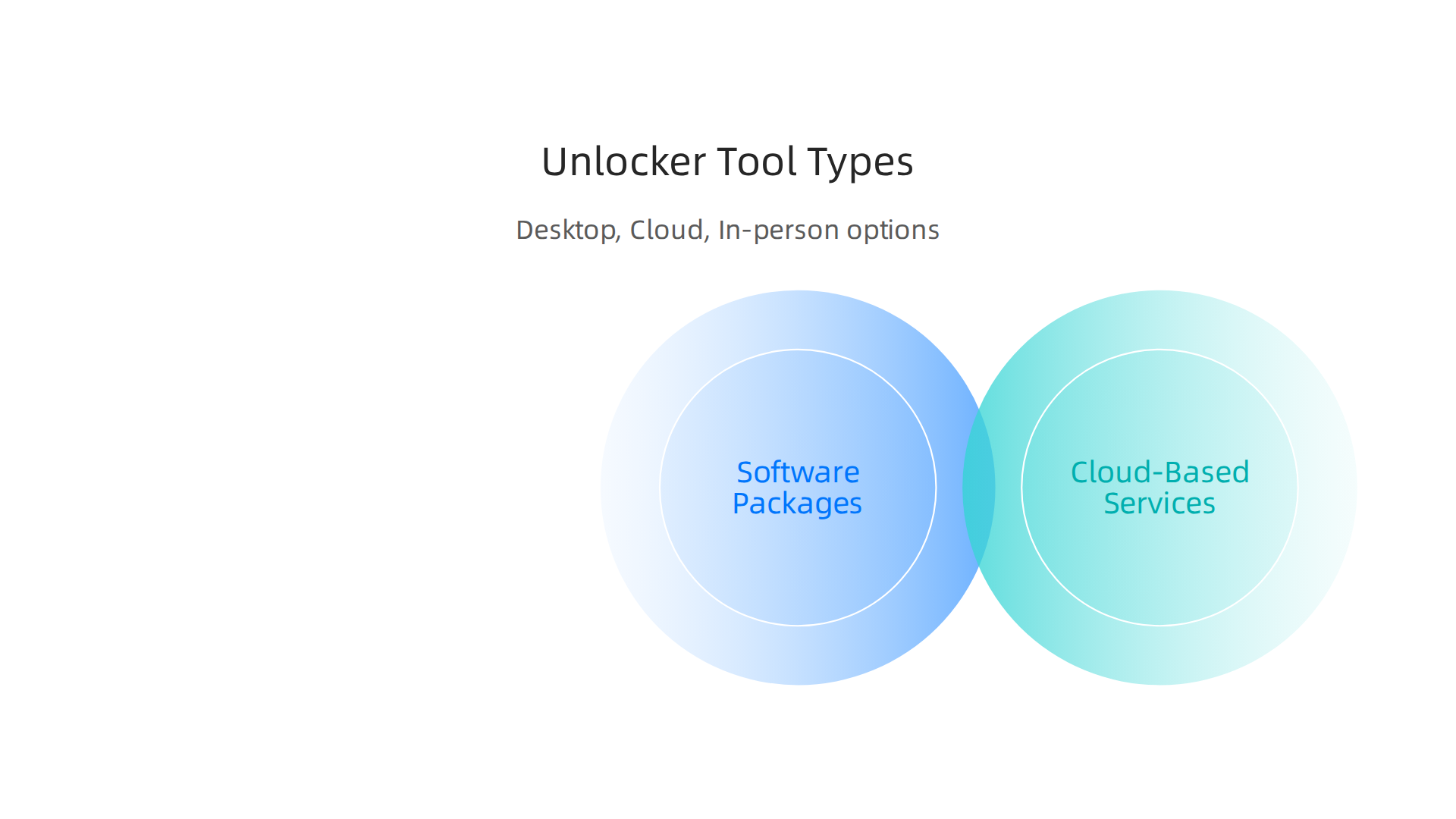
This helps you pick the safest and best option for your needs in 2026.
Software Packages: Desktop Apps You Install
Many people turn to special computer programs called desktop apps. You download and install these programs on your own computer. Then, you connect your iPhone using a USB cable. These programs are often used if you forgot your screen passcode or if your screen is broken and you can’t type it in.
- How they work: The software guides you step by step. It often helps you erase your phone to remove the lock. This means your data will be gone if you don’t have a backup.
- Setup: You need a computer (Windows or Mac) and the software itself. Programs like EaseUS MobiUnlock, iMyFone 4uKey, and Joyoshare iPasscode Unlocker are popular options in 2026 for this kind of help, according to reviews of the Best Iphone Unlock Software 2026.
- Required info: Usually, you don’t need your Apple ID password for screen lock removal, but you must have access to your computer and the phone.
- Cost: These tools often come with a one-time fee or a yearly subscription. For example, some tools might cost around $30 for a few uses or $60 for more uses over a year, as seen with some ApowerUnlock Pricing 2026 options.
- Success rates: They are often very good for removing screen locks. However, they are generally not useful for bypassing Activation Lock unless you are the original owner and can provide proof.
Cloud-Based and Online Services
These services work a bit differently. You don’t install any software. Instead, you go to a website, give them your phone’s IMEI number, and pay a fee. These are most commonly used for carrier unlocking, which lets you use your iPhone with any phone company.
- How they work: These services claim to add your phone’s IMEI number to an official "unlocked" list. This means your phone can then work on any network.
- Setup: All you need is internet access and your phone’s IMEI. You don’t connect your phone to a computer for this.
- Required info: Your IMEI number is key. Sometimes, they might ask for your carrier details.
- Cost: Costs can vary a lot, from around $5 to over $100, depending on the service and your phone model. Some services like DoctorSIM or UnlockBoot offer different pricing tiers, as noted in guides about How Much Does It Cost to Unlock iPhone SIM/iCloud/Screen Lock.
- Success rates: For genuine carrier unlocks, these services can be successful if your phone is eligible. But be careful. Many online services claiming to remove Activation Lock this way are often scams, as that lock is very hard to bypass without the original owner’s details. It’s smart to do your homework and read reviews before using any online iPhone unlocker.
In-Person Service Providers
Sometimes, the best solution is to visit a local phone repair shop or an expert service provider. These are people you can meet face-to-face. They might have special tools or methods that aren’t available to the public.
- How they work: You bring your phone to them. They use their expertise and equipment to try and unlock it. This could involve software, hardware tools, or contacting networks directly.
- Setup: Just bring your phone to the store.
- Required info: They might ask for proof that you own the phone, especially for more complex unlocks. This helps them avoid dealing with stolen devices.
- Cost: These services can sometimes be more expensive than online options because you’re paying for their skill and time. The price can depend on the type of unlock needed.
- Success rates: A good, reputable local shop often has a higher success rate for complicated issues because they can physically inspect the device and use specialized gear. Always choose a shop with good reviews and clear pricing.
No matter which type of iphone unlocker you consider, always weigh the service’s reputation, its cost, and its typical success rate. Thinking about how to secure your phone and find digital balance for mobile tech wellness can guide you toward safer options.
Choosing an iPhone unlocker is not just about finding a tool that works. It’s also very important to know the rules and do what’s right. The laws about unlocking phones can be different depending on where you live. This part will help you understand the legal and ethical sides of using an iPhone unlocker in 2026.
Understanding the Law by Region
The good news is that in many big parts of the world, like the United States, the UK, Europe, Australia, and Canada, it is generally legal to unlock your phone. This usually means unlocking it from a carrier so you can use it with any phone company. But there are some important details.
- United States: In the US, it is legal to unlock your cell phone, especially since 2014. The rules from the Federal Communications Commission (FCC) allow this, mostly when your phone contract is over or the phone is fully paid for. This helps you use your phone with different networks or sell it later. To learn more about US laws, you can read about Unlocking Cell Phones–The Law and the DMCA Exemption.
- Canada: Canada also has clear rules. Phone companies must unlock your device for free once your contract is finished, or after a set time if you bought the phone outright. This helps consumers use their phones freely. You can find more details in Canada’s Telecom Decision CRTC 2019-169.
- UK, Europe, and Australia: These regions also generally allow carrier unlocking. The main idea is that once you own the device and have met your contract terms, you should be able to use it with any carrier you choose. Getting an iPhone unlocker for this purpose is typically allowed. A helpful guide on How to Unlock the Phone: 2026 Guide for Resale & Travel confirms this across major markets.
Activation Lock: A Different Story
While carrier unlocking is often legal, bypassing an Activation Lock is very different. Activation Lock is a special security feature from Apple that stops anyone else from using your iPhone if it’s lost or stolen. It links the phone to the owner’s Apple ID.
Trying to use an iPhone unlocker to get past an Activation Lock without the original owner’s permission or proof of purchase is usually illegal and unethical. This is because doing so could mean you are trying to use a stolen phone. Always make sure you are the rightful owner and have the Apple ID details if you need to deal with Activation Lock.
Ethical Concerns and Consumer Protection
Beyond the law, there are ethical things to think about when using an iPhone unlocker:
- Ownership Proof: Always make sure you own the phone you are unlocking. If you buy an iPhone from someone else, ask for proof that they are the original owner. This helps avoid buying a stolen device. You can often check the status of a phone with its IMEI number.
- Scams: Be careful of online services that promise to unlock an Activation Lock easily or very cheaply. Many of these are scams. If something sounds too good to be true, it probably is.
- Resale: Unlocking a phone can make it more valuable for resale because the new owner can use it with their preferred carrier. However, make sure you’re honest about the phone’s history and that it’s legally unlocked.
Understanding these points helps you make smart choices when you need to unlock a phone. Keeping up with the latest in tech can be overwhelming, but knowing the rules helps.
Staying informed about technology and its impact is key in 2026. For more in-depth daily insights on AI and broader tech trends, consider getting The AI Newsletter Worth Reading.
After learning about the rules and ethics of using an iPhone unlocker, it’s just as important to understand the hidden dangers. Using the wrong tool or service can put your phone and your personal information at big risk. In 2026, many bad actors try to trick people into downloading harmful software or giving up private data.
This section will help you spot these dangers, like malware, losing your data, and fraud, so you can stay safe.
Malware and Risky Software
One of the biggest risks when looking for an iPhone unlocker is falling for fake software. Many websites offer "free" or "easy" ways to unlock your iPhone. But these often come with a hidden cost. They might install harmful programs, called malware, onto your computer or phone. This malware can steal your passwords, banking details, or even lock your computer until you pay money.
Even if a tool promises to bypass Apple’s Activation Lock, be very careful. Many such tools are scams. Experts have warned that most "bypass" tools are either scams, risky, or against the law, especially for newer iPhone models. In fact, 99% of claimed iCloud activation unlock and bypass tools are scams, meaning they do not work and could harm your device or data.
Cloud Account Compromise and Data Loss
When you use an unofficial iPhone unlocker, you might be asked to give them access to your Apple ID or iCloud account. This is a huge red flag. Giving out your login details to an unknown service can let them take over your account. Once they have access, they can:
- Lock you out of your own account.
- Steal your personal photos, messages, and other data stored in iCloud.
- Use your payment information connected to your Apple ID.
It’s also possible for your data to be leaked during the unlocking process. Some services might make copies of your phone’s data. If they don’t handle this information carefully, it could fall into the wrong hands. It’s a good idea to know how to keep your phone secure and find a digital balance to protect yourself. Researchers have shown that even modern smartphones are often vulnerable to data extraction after being unlocked for the first time, highlighting these risks.
How to Spot Unsafe Tools and Red Flags
To protect yourself in 2026, here are some warning signs that an iPhone unlocker tool or service might be unsafe:
- Promises that are too good to be true: If a tool says it can unlock any iPhone instantly for free, or bypass Activation Lock with no questions asked, it’s likely a scam. Real unlocking processes have steps and limitations.
- Asks for sensitive information: A trustworthy service for carrier unlocking will usually only need your IMEI number, not your Apple ID password. If they ask for your cloud account details, walk away.
- No clear privacy policy: Legit businesses will clearly state how they handle your data. If you can’t find this information, or it’s hard to understand, don’t trust them.
- Poor or no reviews: Do a quick search online. If a service has many bad reviews, no reviews, or only very vague good reviews, it’s best to avoid it. Check if you can also find details about how to do an IMEI check on your phone.
- Unusual payment methods: Be careful if a service only accepts strange payment methods or asks for payment before giving any real details about their process.
Always prioritize your privacy and security. While some iPhone unlockers are legitimate, especially for carrier unlocking, it is crucial to understand the very real dangers involved in others. Learning more about how to bypass Activation Lock on iPad, iPhone & Mac through legitimate means can help you avoid risky solutions.
Now that you know the hidden dangers, let’s talk about how to be smart and safe when you need to use an iPhone unlocker. It’s really important to check everything carefully before you pick a tool or service. This way, you can keep your phone and your personal information safe in 2026.
How to Pick a Safe iPhone Unlocker
When you are looking for an iPhone unlocker, think about these things first. They are like a checklist to help you choose wisely:
- Who is the company? A good company will have a clear name and a history of helping people. Look for reviews from others. If you can’t find much about them, or if their website looks poorly made, that’s a warning sign.
- Can you get your money back? What if the unlocker doesn’t work? A trustworthy service should have a clear policy about refunds. This shows they believe in their product or service.
- How do they handle your data? You’ll be sharing important details. A good company will tell you exactly how they keep your information private and secure. They should not ask for your Apple ID password. Checking how companies handle your data is key to online safety, much like knowing how to unlock the smart future how technology transforms life and stays secure.
- Does it work with your phone? Not all unlockers work for all iPhone models or iOS versions. Make sure the service clearly states it supports your exact device. They should also tell you what your device needs before starting, like being charged up or connected to Wi-Fi.
Step-by-Step Safety Checklist Before You Unlock
Before you try any iPhone unlocker or hire a service, follow these steps to keep your data safe:
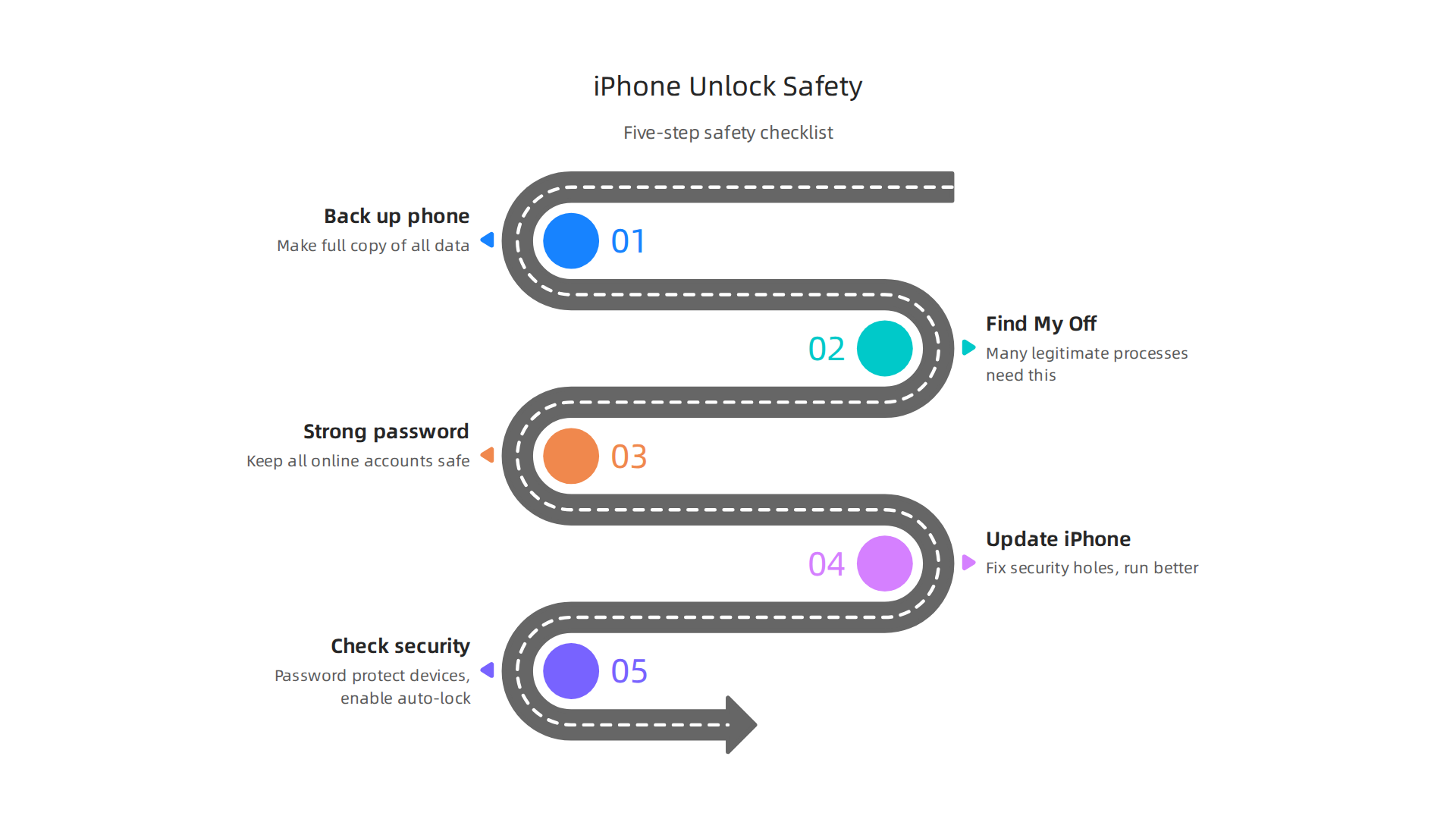
- Back up your phone. This is the most important step. Make a full copy of all your photos, contacts, and other important data to iCloud or your computer. If anything goes wrong, you can get your information back.
- Turn off "Find My iPhone." Many legitimate unlocking processes need this feature turned off. This is different from giving someone your Apple ID password. You turn it off yourself in your iPhone settings.
- Use a strong password. Make sure your Apple ID password is very strong, even if you are not sharing it. This is a general rule for keeping all your online accounts safe.
- Update your iPhone. Make sure your iPhone has the latest software updates. This can help fix security holes that older software might have.
- Check security best practices. It’s wise to review general tips for mobile device safety. Always password protect your devices and enable auto-lock features to protect your information, as advised in security best practices for Mobile Devices Security Best Practices.
By following these steps, you can greatly lower the risks involved when you need to use an iPhone unlocker. Staying informed about technology changes and safety is always a good idea.
Get clear daily AI updates from The AI Newsletter Worth Reading.
Choosing an iPhone unlocker needs careful thought, just like we talked about before. Now, let’s look at how to decide if you should try to unlock your phone yourself, hire someone, or maybe not do it at all. We will also talk about how to keep your phone safe after it’s unlocked in 2026.
When to Unlock Your iPhone: Make the Right Choice
It’s important to know when to take action and when to step back. Here’s a simple guide to help you decide:

- Do it yourself (DIY) if it’s simple.
If you just forgot your screen passcode, and you have your Apple ID and password, you might be able to fix it yourself with official steps from Apple. Or, if you simply want to organize your apps, you can do that on your own. This is usually the safest way because you are in control. - Use a trusted service when it’s tricky.
Sometimes, the problem is bigger. Maybe your iPhone is locked to a network, or you bought a used phone that has an iCloud lock. In these cases, a special service might be needed to use the iPhone unlocker tool. Remember to pick a company that has good reviews and a clear process. They should also tell you how they keep your data safe. - Do NOT proceed if it feels wrong.
If an unlocker service asks for your Apple ID password directly, or if the price seems too good to be true, it’s a big warning sign. Also, if they promise to unlock any phone no matter what, without asking for details, be careful. Giving out your Apple ID password can put all your private information at risk. It’s better to walk away than to risk your data.
Keeping Your iPhone Safe After Unlocking
After your iPhone is unlocked, your job isn’t quite finished. You need to keep it safe.
- Check your phone’s settings. Go through your privacy and security settings to make sure everything is how you want it. This helps protect your personal information.
- Always update your iPhone. Apple regularly sends out updates that fix security holes and make your phone run better. Make sure your iPhone always has the latest software. This is a simple but powerful way to stay secure.
- Think about your warranty. Be aware that using an unofficial iPhone unlocker can sometimes void your phone’s warranty or insurance. If something goes wrong later, Apple or your insurance company might not cover it.
- Keep backing up your phone. Even after unlocking, continue to back up your photos, contacts, and other important files regularly. If you ever have another issue, you’ll be glad you have a copy of everything.
- Be smart about new apps. Only download apps from the official App Store. Apps from other places might have hidden problems that can hurt your phone’s security. It’s smart to think about what you put on your phone, whether it’s an iPhone or a device from another company.
- Remember phone safety. Keeping your phone secure is an ongoing task. You can learn more about how to protect your device and find balance with technology by reading about mobile tech wellness.
By being careful and following these tips, you can enjoy your unlocked iPhone safely. Always remember that your data security is very important. In fact, many people who switched from Android to iPhone did so because they believed Apple offered better security features for their devices in 2026, showing how much security matters to users today Smartphone Security Drives Android Users to Switch, US.
Summary
This guide explains what an iPhone unlocker is, the common unlocking methods in 2026, and why people use them — from using local SIMs while traveling to increasing resale value. It covers carrier (IMEI) unlocking, Activation Lock issues, passcode/screen-lock removal, and advanced forensic tools, showing how each works and where they succeed or fail. The article explains legal and ethical differences across regions, highlights common scams and security risks, and gives practical safety steps such as backing up data, turning off Find My iPhone, and checking a provider’s reputation. You’ll learn how to pick between DIY tools, cloud services, and in-person shops, what information legitimate services need, and how to protect your data before and after unlocking. By the end, readers should be able to evaluate unlock options, avoid risky providers, and follow a clear checklist to unlock an iPhone safely when needed.