Introduction — Why understanding ‘What is information technology’ matters today
Think about how fast the world of technology changes. It feels like new gadgets, apps, and ways to connect pop up every day. This quick change can make it tricky to really understand what "Information Technology" or "IT" truly means. Many people find themselves wondering: what is information technology, exactly? What does it include, and why does it matter so much to our daily lives and to businesses?
Actually, IT is a big part of everything we do in 2026. From the phone in your pocket to the complex systems that run big companies, it’s all part of the tech domain. But because the field is so huge and always growing, it’s easy to feel lost. You might hear the term "IT" and think only of fixing computers. However, it’s much more than that. It covers building networks, keeping our information safe, and even making sure all our digital tools work well together to solve problems, according to experts at Southern New Hampshire University What is IT? Understanding Information Technology Today. Another simple way to think of it, often used as a synonym technologies term, is the study or use of computers and other devices to handle information Information technology – Wikipedia.
This guide is here to help clear things up. We will define what is information technology in easy terms.

We’ll look at its main parts, show how it’s used every day (both for you at home and for businesses), and talk about how it keeps our digital world secure. We will also explore the different jobs you can find in this important tech domain. This article aims to be your tech authority.
To make sure you get the best and most helpful information, we looked at many sources. This includes clear definitions from school experts, reports from big companies in the tech world, and advice from people who work in IT every day. We want to give you a clear and trustworthy picture of this important topic. If you’re looking to navigate other areas of consumer tech, you might also find our guide on how to define technology helpful.
Staying updated with the latest in tech, especially in areas like AI, can be tough with so much information out there.
Get clear daily AI updates from The AI Newsletter Worth Reading.
Let’s get right to it and answer the big question: what is information technology? Simply put, Information Technology (IT) is all about using computers and other electronic systems to handle information. This includes creating, storing, moving, and using data. It’s a huge field that helps people and businesses manage and work with digital information.
Many experts agree on this basic idea. For example, Coursera explains that IT is about using computer systems to manage, process, protect, and exchange information, aiming to use technology to solve problems. It’s a broad professional and academic area, says Purdue Global, focusing on using computer systems to store, send, and receive information. And the University of Phoenix notes that IT broadly describes the use of computers, software, and networks by businesses to organize data.
The Main Parts of Information Technology
To understand what is information technology fully, it helps to break it down into its main parts. Think of these as the building blocks that make up this entire tech domain:
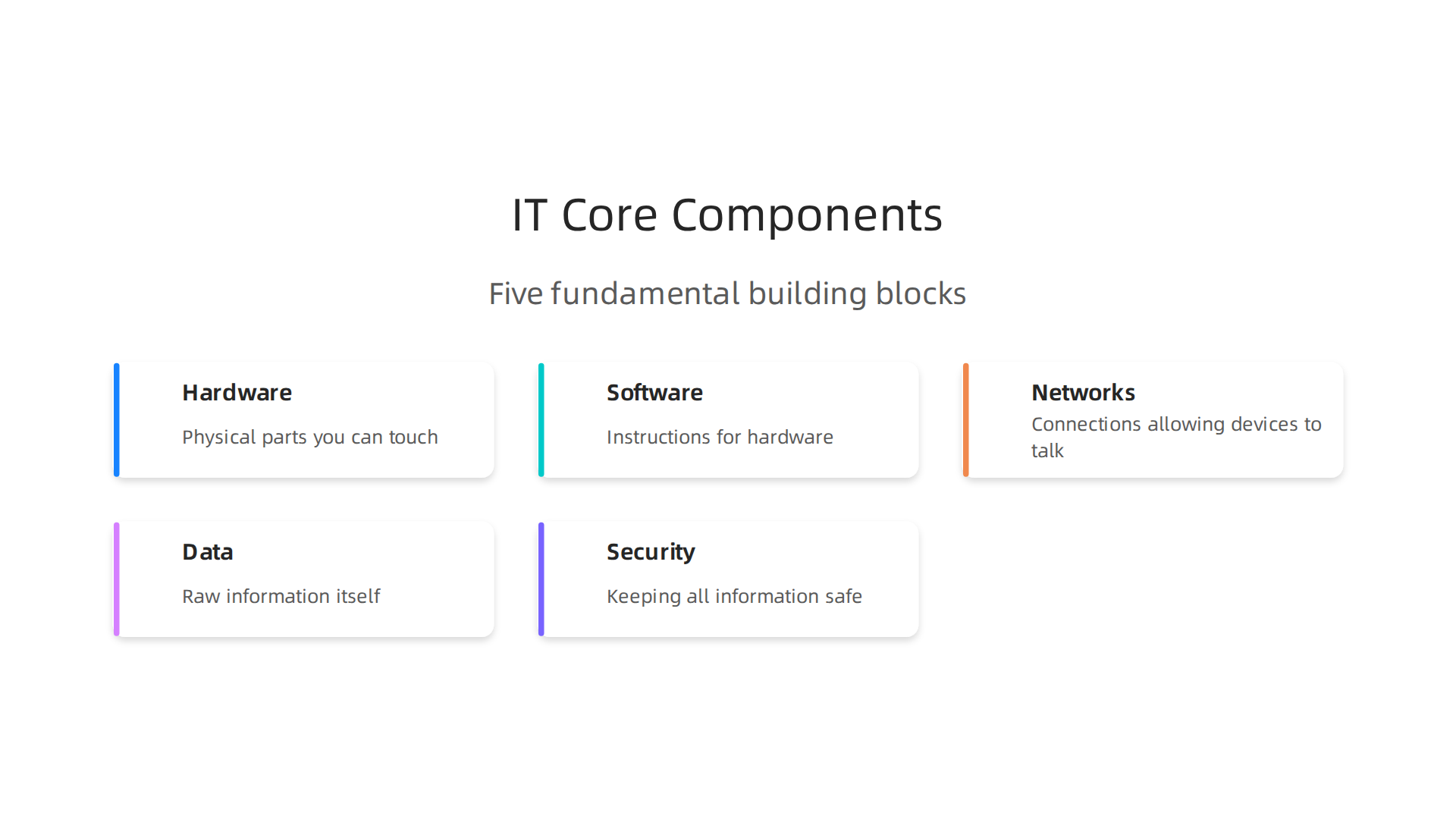
- Hardware: These are the physical parts you can touch. This includes computers, servers (big computers that store information for many users), phones, tablets, and even printers. Without hardware, software and networks wouldn’t have anything to run on.
- Software: This is the set of instructions that tells the hardware what to do. Apps on your phone, programs on your computer, and the operating system itself (like Windows or macOS) are all software. They help us do tasks like writing documents, browsing the internet, or playing games.
- Networks: These are the connections that allow computers and devices to talk to each other. Your home Wi-Fi, the internet, and the systems that connect all the computers in a big office are examples of networks. They let us share information and resources.
- Data: This is the raw information itself. It could be your photos, emails, bank records, or reports from a business. IT helps collect, store, manage, and analyze this data to make it useful.
- Security: Keeping all this information safe is a huge part of IT. This involves protecting systems and data from hackers, viruses, and other threats. Good security makes sure only the right people can access important information. The need for strong security is always growing, with reports like the Global Cybersecurity Outlook 2026 highlighting ongoing challenges Global Cybersecurity Outlook 2026 | World Economic Forum.
IT Versus Computer Science and Computing
Sometimes, people get confused between IT, computer science, and general computing. While they are related, they focus on different things:
- Computer Science is more about the theories behind computers. It’s like the scientists who discover new ideas and invent new algorithms. They ask "how can we make computers do this better?" or "what are the limits of what computers can do?".
- Information Technology (IT) is about applying those computer science ideas to solve real-world problems. It’s more about how to use existing technology to manage information and keep systems running smoothly for people and businesses. This often involves working with software, hardware, and networks that are already built.
- Computing is a very broad term that covers anything to do with computers. Both computer science and information technology fall under the bigger umbrella of computing.
So, while a computer scientist might invent a new way to store data, an IT professional would be the one to set up and manage the system that uses that new method in a company.
IT in Your Daily Life and in Business
You interact with IT all the time, maybe without even realizing it.
At home, when you stream a movie, video call a friend, or use a smart device, you’re using IT. The apps on your smartphone, the online services you use for banking or shopping, and even how your smart TV connects to the internet are all powered by IT. To learn more about managing your devices, you might find our guide on how to navigate digital technology useful.
For businesses, IT is absolutely vital. It helps companies:
- Manage customer information: Think of online shopping sites or customer service centers.
- Communicate: Emails, video meetings, and internal chat systems are all IT tools.
- Keep records: From sales figures to employee details, IT systems store it all.
- Automate tasks: Many routine jobs are now done by computers, saving time and money.
- Stay safe: Protecting important company secrets and customer data from cyber threats is a major IT focus.
In fact, the world of IT is growing bigger every year. Global IT spending was expected to reach over $6 trillion in 2026, with a lot of that growth coming from areas like AI 2026 Global Hardware and Consumer Tech Industry Outlook – Deloitte. This makes IT a powerful force in our modern world, truly a central tech authority that touches almost everything.
You interact with IT all the time, maybe without even realizing it. The world of IT is growing bigger every year, truly a central tech authority that touches almost everything. To really grasp what is information technology and its huge impact, let’s look closer at its core building blocks.
Core components of IT: Hardware, software, networks, and data
Think of these parts as different kinds of tools that work together in the vast tech domain of information technology. Each one plays a super important role in how we use computers and digital services every day.
-
Hardware: The Physical Foundation
Hardware refers to all the physical things you can touch. These are the machines and gadgets that make up an IT system. Without hardware, there would be no place for information to live or for programs to run.- Why it matters: It’s the engine. From the tiny chips inside your phone to the huge servers that run websites, hardware is the base that makes everything else possible.
- In your daily life: Your smartphone, smart TV, laptop, tablet, and even your smartwatch are all examples of hardware. When you look for a new phone case, like a MagSafe iPhone 15 case, you’re thinking about protecting your hardware.
-
Software: The Smart Instructions
Software is like the brain that tells the hardware what to do. It’s the set of programs, applications, and operating systems that let you do tasks. You can’t touch software, but you use it constantly.- Why it matters: Software turns raw hardware into useful tools. It allows you to browse the internet, write documents, play games, and connect with friends. Think of all the different synonym technologies that work together to bring an app to life.
- In your daily life: The apps on your phone (like social media or banking apps), the operating system on your computer (like Windows or macOS), and even the firmware inside your smart appliances are all software.
-
Networks: The Connections
Networks are the systems that let different pieces of hardware and software talk to each other. They’re the invisible roads that information travels on.- Why it matters: Networks allow us to share information, communicate across distances, and access services online. Without them, your devices would work alone, unable to connect to the bigger digital world.
- In your daily life: Your home Wi-Fi network, the mobile data (like 5G) on your phone, and Bluetooth connecting your headphones are all examples. Even the way your smart home devices link up is thanks to networks. Things like "Edge AI IoT devices" are making their way into homes and daily use in 2026, meaning more devices will be smart and connected around you Edge AI IoT devices are hitting mass market in 2026.
-
Data: The Information Itself
Data is the raw information that IT systems collect, store, process, and use. It’s the content that fills our digital world.- Why it matters: Data is incredibly valuable. It helps businesses make smart choices, keeps our personal memories safe, and allows apps to give us useful information. What is information technology truly shines in how it handles data.
- In your daily life: Your photos, videos, emails, messages, online shopping history, and even your health records are all forms of data. When you use cloud storage services like Google Drive or iCloud, you’re storing your data.
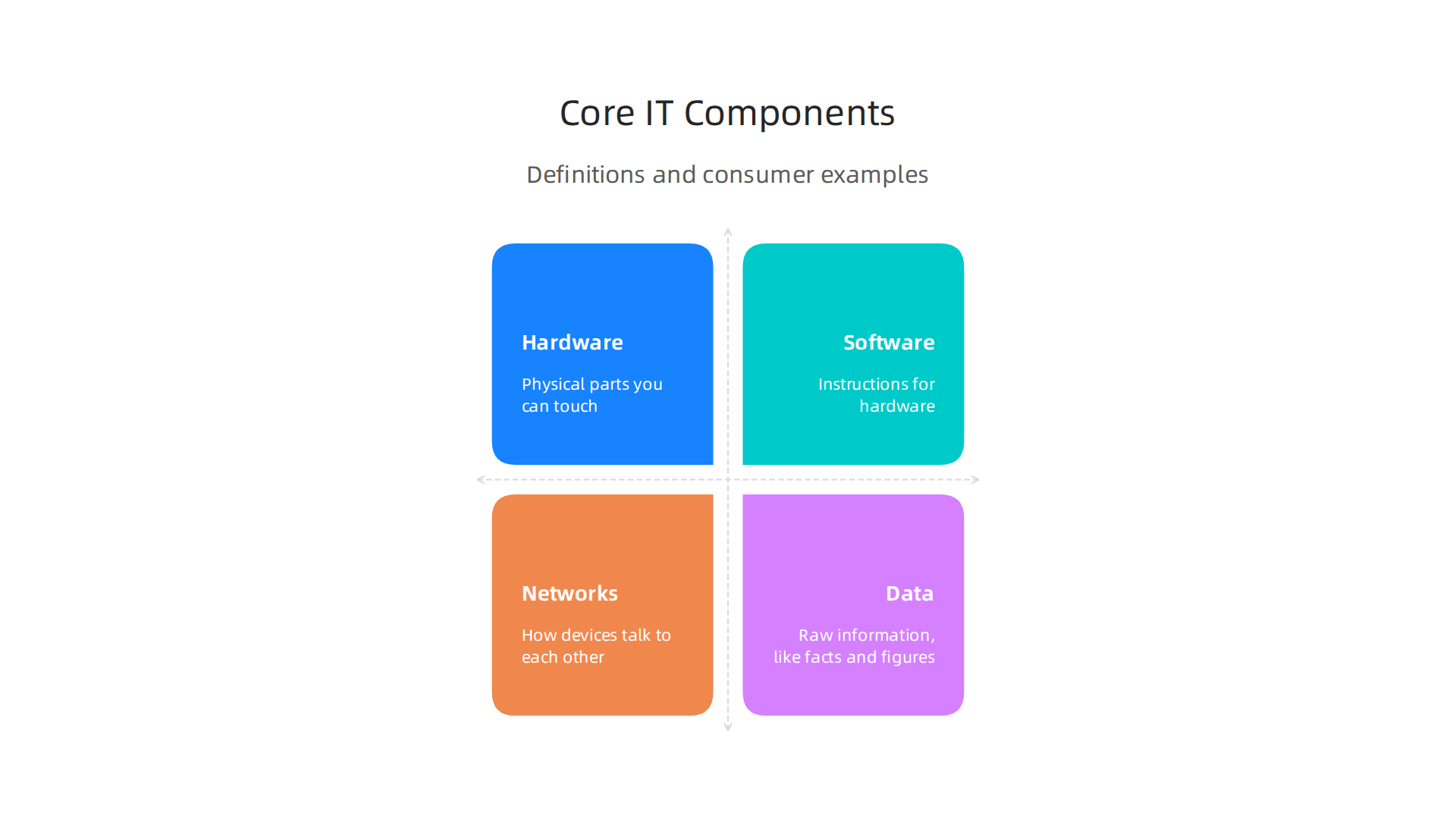
To make it even easier to understand how these parts fit together, here is a quick overview:
| Component | What It Is (Simple Definition) | Why It Matters | Consumer Example |
|---|---|---|---|
| Hardware | Physical parts you can touch | Powers everything else | Smartphone, laptop, smartwatch |
| Software | Instructions for hardware | Makes devices useful for tasks | Mobile apps, computer programs |
| Networks | How devices talk to each other | Enables sharing and communication | Home Wi-Fi, mobile data, Bluetooth |
| Data | Raw information, like facts and figures | The content that IT manages | Your photos, emails, online purchases |
After understanding the main parts of IT, like hardware and software, it’s time to see how these pieces come together to form big, working systems. This is where IT infrastructure and the cloud come in. They are how information technology systems are built and run every single day.
IT infrastructure and the cloud: how systems are built and operated
Imagine you have all your building blocks (hardware, software, networks, data). Now, how do you make a giant city out of them that everyone can use? That’s what IT infrastructure does.

It’s the whole setup that supports your apps, websites, and all the digital services you use.
Data Centers: The Big Computer Rooms
At the very core of this "city" are data centers. Think of them as giant buildings filled with thousands of powerful computers, storage devices, and networking gear. These are the physical places where a huge amount of data lives and where many important software programs run. In 2026, data centers are growing faster than ever, especially because of all the new AI technologies that need a lot of computing power. In fact, worldwide IT spending is set to go over $6 trillion this year, with data centers being a big part of that growth 2026 Global Hardware and Consumer Tech Industry Outlook – Deloitte.
Cloud Computing: Renting Computer Power
For most people and many businesses, having their own data center is too much work and too expensive. This is where cloud computing helps. Cloud computing means renting computer services, like servers, storage, databases, networking, software, and more, over the internet from a big company. Instead of owning and maintaining all the expensive equipment yourself, you just pay to use someone else’s.
-
On-Premises vs. Cloud:
- On-Premises: This means you own all the IT equipment and keep it in your own office or building. You’re responsible for everything.
- Cloud: You use services owned and managed by a cloud provider. You just pay for what you use, like paying for electricity.
-
Why Cloud Matters: It helps businesses grow easily (scalability) without buying new machines. It can save money because you only pay for what you need. This helps many companies offer amazing services to you.
-
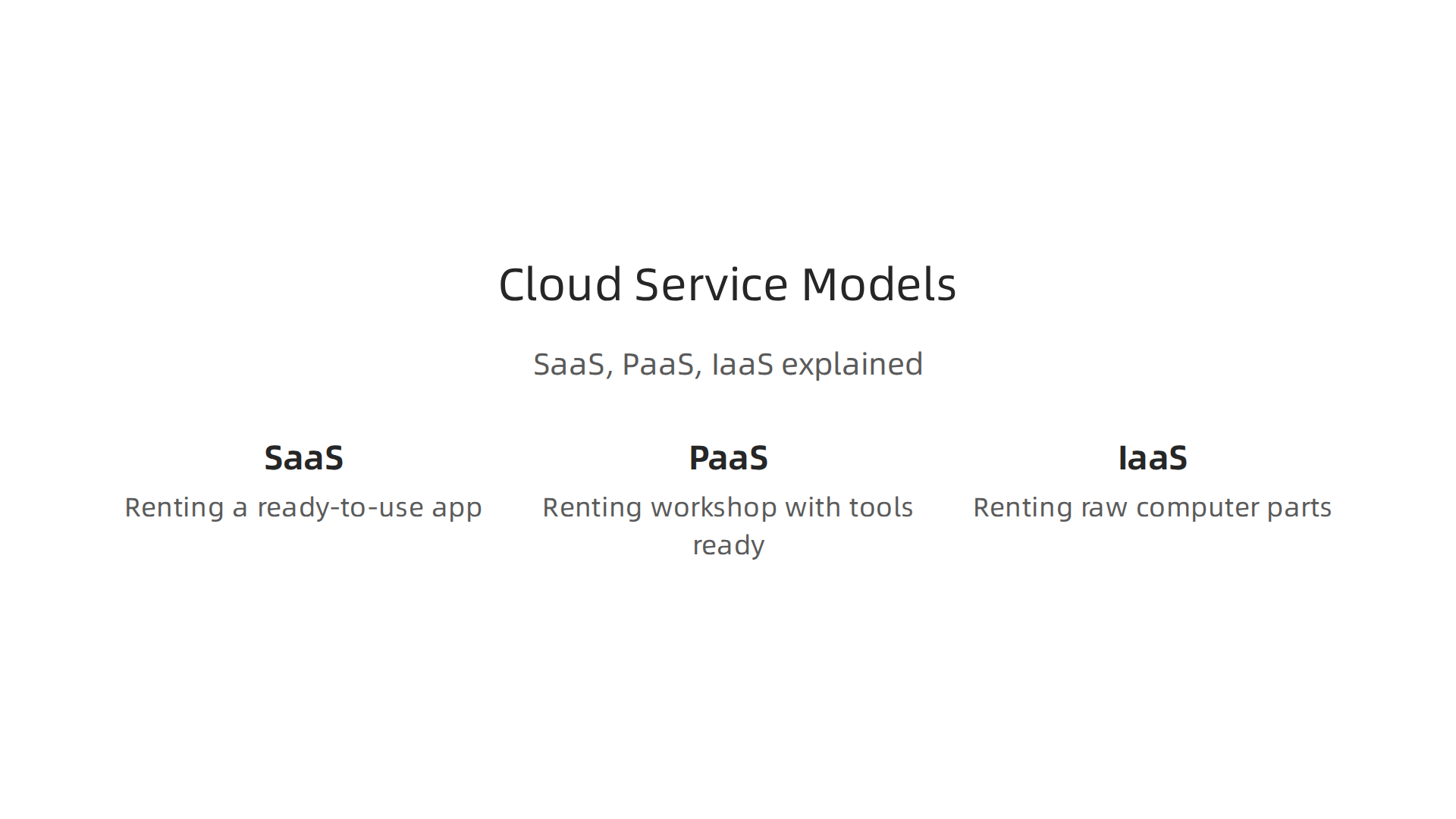
**Cloud Service Models (Simple Ideas):
**
* SaaS (Software as a Service): This is like renting a ready-to-use app. Think of web-based email (like Gmail) or online tools you use for work. You just log in and use it.
* PaaS (Platform as a Service): This is for people who want to build their own apps but don’t want to worry about the actual computers. It’s like renting a workshop with all the tools ready for you.
* IaaS (Infrastructure as a Service): This is the most basic level. It’s like renting the raw computer parts (servers, storage) over the internet. You still build and manage your own software on top of it.
Virtualization: Making One Computer Act Like Many
A key part of how data centers and cloud services work is called virtualization. It lets one powerful computer act like many smaller, separate computers. This helps companies use their hardware more efficiently. It’s like having one big cake, but you can cut it into many different slices, and each slice can be used for a different purpose.
Edge Computing: Bringing the Power Closer
While cloud computing uses big central data centers, edge computing is about processing data closer to where it’s actually created. Remember those "Edge AI IoT devices" we talked about? Edge computing makes them super smart. For example, your smart security camera might process video right there to detect a person, instead of sending all that video to the cloud first. This makes things faster and more private. In 2026, more and more smart devices are using edge AI to make quick decisions, helping them work better and faster Edge AI and IoT: How AI Is Moving to the Network Edge in 2026.
These ways of building and running IT systems mean that many of the digital tools and apps you rely on daily can work smoothly. From managing your smart home to using online banking, this hidden infrastructure makes it all possible.
To make the most of today’s always-on digital world, it’s good to understand how these tools help you. If you want to dive deeper into how to handle all the digital tools and avoid feeling overwhelmed, learn to navigate digital technology master smart use and avoid overwhelm.
These ways of building and running IT systems mean that many of the digital tools and apps you rely on daily can work smoothly. From managing your smart home to using online banking, this hidden infrastructure makes it all possible.
To make the most of today’s always-on digital world, it’s good to understand how these tools help you. If you want to dive deeper into how to handle all the digital tools and avoid feeling overwhelmed, learn to navigate digital technology master smart use and avoid overwhelm.
How IT powers consumer tech: AI, IoT, mobile and cloud in everyday products
All those building blocks of information technology, like the cloud and edge computing, work together to create the amazing consumer tech you use every day.

From the smartphone in your pocket to your smart home devices, "what is information technology" really comes to life in these products. It’s the engine behind many everyday "synonym technologies" that make your life easier and more connected.
Smartphones and Wearables: Your Personal IT Hubs
Think about your smartphone. It’s a tiny powerhouse of IT.
- Hardware and Software: It has powerful computer parts (hardware) and many apps (software).
- Cloud: When you back up your photos, stream music, or use apps that share data, that’s cloud computing at work. A company like OPPO uses cloud services and AI models to make features like AI Recording Summary on their phones even better 7 AI case studies in consumer electronics.
- AI (Artificial Intelligence): Your phone uses AI for things like face recognition, smart photo editing, or even guessing what word you’ll type next. Many of these AI tasks happen right on your phone, thanks to edge AI. This means your phone processes data itself, making things faster and more private. By 2026, these Edge AI IoT devices are hitting mass market in many products.
- Networks: Mobile networks and Wi-Fi connect your phone to the internet and other devices, allowing all these technologies to talk to each other.
Wearable devices, like smartwatches, use the same ideas. They track your health, connect to your phone, and often use cloud services to store and analyze your fitness data.
Smart Home Devices: Connected Living
Your smart home is a great example of the Internet of Things (IoT) in action, all powered by IT.
- IoT Devices: Smart lights, thermostats, doorbells, and security cameras are all IoT devices. They have small computers and sensors that let them gather information and connect to networks. Many of these devices are getting smarter with AI.
- Edge AI in the Home: Your smart camera might use edge AI to tell the difference between a person and a pet, sending you alerts only when truly needed. This keeps much of your private video data from leaving your home network.
- Cloud Control: When you use an app on your phone to turn on your smart lights from far away, the cloud is making that connection possible. The command goes from your phone, through the internet to the cloud, and then back to your home device.
- Benefits: These devices offer convenience, energy saving, and better security.
- Limitations: Sometimes, you might worry about privacy, or if all your different smart devices will work well together.
Streaming and Personal AI Assistants
Think about streaming movies or talking to a smart speaker.
- Streaming Services: When you watch a movie online, that content is stored in big data centers (the cloud). The streaming service uses a lot of computing power and smart networks to get that video to you smoothly, no matter where you are.
- Personal AI Assistants: Tools like Siri, Alexa, or Google Assistant use AI to understand your voice and answer your questions. When you ask them something, your voice is often sent to the cloud, where powerful AI models process it and send back an answer. These AI technologies are growing fast, with more and more real-world generative AI use cases appearing in consumer products.
A Look at the Connections
Imagine a simple diagram for a smart home:
- Center: Your Wi-Fi router, connecting everything.
- Inside your home (Edge): Smart cameras, smart thermostat, smart lights. These have tiny computers and can use edge AI.
- Outside your home (Cloud): Your smartphone connects to a cloud service. The cloud then talks to your home devices through your router. This is how you control things when you’re not home.
- AI: Both the devices themselves and the cloud services use AI to make smart decisions.
This blend of hardware, software, networks, cloud, and AI is at the heart of the "tech domain" we live in. It shows us what information technology truly means in our daily lives.
Staying up-to-date with how AI and other technologies shape consumer products is key to being a smart user.
The Deep View Newsletter offers clear daily updates on AI and technology. Get timely insights delivered right to your inbox.
The AI Newsletter Worth Reading
While information technology makes our daily lives easier and more connected, it also comes with important questions about safety, privacy, and doing the right thing. Knowing about these parts of "what is information technology" is key to being a smart user in our modern "tech domain."
Security, privacy and ethics: risks and best practices in IT
The digital world, powered by all these amazing "synonym technologies," brings great benefits, but it also has its hidden dangers. Just like we talked about how IT makes your smart devices work, it also carries risks if not handled carefully.
What are the main risks?
When you use consumer tech and interact with IT systems, there are a few big things to watch out for:
- Data Breaches: This happens when bad people get into computer systems and steal your personal information, like your name, address, or even bank details. This can come from websites, apps, or even companies that store your data. Strong cybersecurity measures are needed to prevent this Cyber Security, Data Privacy, and Ethical Computing.
- Telemetry and Data Collection: Many of your devices and apps collect information about you. This is called telemetry. Sometimes, this data helps make the product better. Other times, it might be used to show you ads or is shared with other companies. It’s important to know what information is being collected and why.
- Insecure IoT Devices: Your smart home devices, like cameras or doorbells, are part of the Internet of Things (IoT). If these devices aren’t made with good security, they can be easy targets for hackers. This means someone could watch you through your camera or even break into your home network.
How to stay safe: Best practices
To protect yourself and your information, there are some simple steps you can take, and big companies also follow rules.
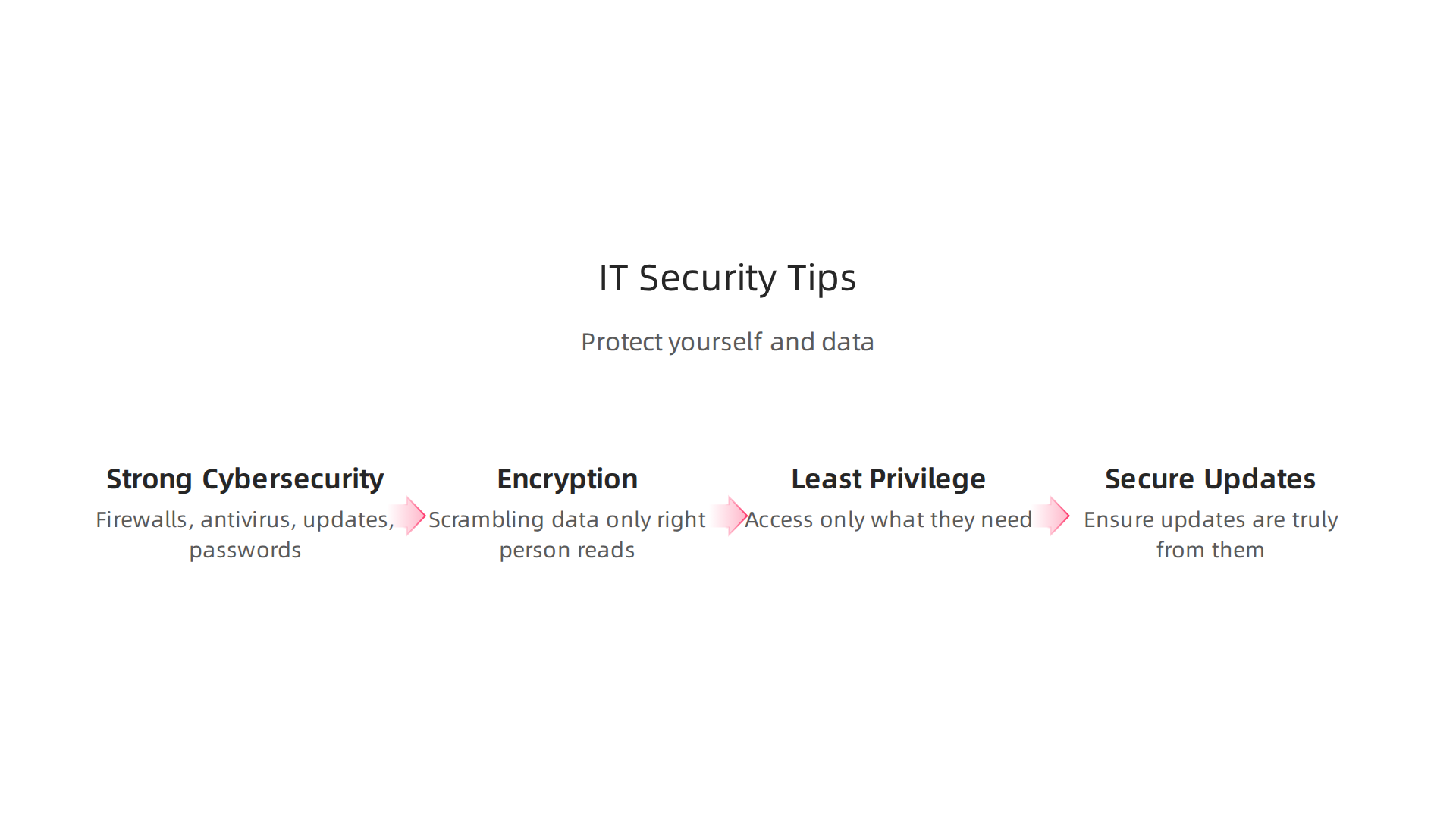
- Strong Cybersecurity: This is like putting a strong lock on your digital door. It means using:
- Firewalls: These block unwanted visitors from your network.
- Antivirus software: This stops bad programs from hurting your computer.
- Regular updates: Always install software updates. They often fix security holes.
- Secure passwords: Use long, unique passwords for all your accounts.
- Encryption: Think of encryption as scrambling your data so only the right person can read it. When you send an email or bank online, encryption helps keep that information private.
- Least Privilege: This is a fancy way of saying that apps and systems should only have access to the information they absolutely need to do their job. For example, a game doesn’t need to see your contact list.
- Secure Updates: Companies should make sure that when your device gets an update, it’s truly from them and hasn’t been changed by a hacker. The National Institute of Standards and Technology (NIST) provides many guidelines for security and privacy Cybersecurity and privacy.
If you want to dive deeper into protecting your phone and finding a good digital balance, you can learn to secure your phone and find digital balance for mobile tech wellness.
Doing the right thing: Ethical considerations
Beyond just security, there’s also the question of ethics. This is about what’s fair and right in how we use "what is information technology."
- Data Ethics: This means thinking about how data is collected, used, and shared. Is it fair? Is it transparent? Companies have a responsibility to handle your data respectfully. Ethical principles like transparency and accountability are key in cybersecurity and data privacy strategies Microsoft Word – ijrrr-Special-Issue-2025-paper13.docx.
- Bias in AI: AI systems learn from data. If the data they learn from is unfair or incomplete, the AI can make unfair decisions. For example, face recognition might not work as well for certain groups of people. It’s important to build AI that is fair to everyone.
- Policy and Standards: Governments and big organizations create rules and guidelines to help make sure IT is used safely and ethically. These rules help companies build better, safer products for everyone. There are frameworks that help guide ethical decisions in cybersecurity A principlist framework for cybersecurity ethics.
Understanding these risks and best practices helps you move through the "tech domain" with more confidence. It makes you a more informed user of all the great consumer tech out there.
Understanding these risks and best practices helps you move through the "tech domain" with more confidence. It makes you a more informed user of all the great consumer tech out there. But what if you want to do more than just use technology? What if you want to be part of building and managing it?

The world of information technology is always growing, and it offers many exciting jobs in 2026.
Careers and skills in IT: what to learn and where the jobs are in 2026
The field of information technology is a big one. It’s all about using computers and systems to handle information. This can mean building networks, keeping data safe, or fixing computer problems What is IT? Understanding Information Technology Today. As we look at 2026, many jobs need special skills, and knowing "what is information technology" opens many doors.
Common IT jobs and what they do
Here are some popular jobs in the IT world and the skills you’ll need for them:
- System Administrator: These folks make sure computer systems run smoothly. They handle things like setting up new computers, keeping software updated, and fixing problems.
- Skills: Knowing how operating systems (like Windows or Linux) work, network basics, and problem-solving.
- Certifications: CompTIA A+, Microsoft Certified: Azure Administrator Associate.
- Network Engineer: A network engineer makes sure all computers and devices can talk to each other. They design, set up, and keep computer networks running.
- Skills: Understanding how networks are built, setting up routers and switches, and security.
- Certifications: CompTIA Network+, Cisco CCNA.
- Security Analyst: This job is all about protecting computer systems and data from bad actors. They watch for threats and help make sure privacy rules are followed. Cybersecurity skills are very important for IT jobs in 2026 Want a tech job? These skills will matter most in 2026, State of IT report shows.
- Skills: Knowing about firewalls, spotting dangers, and how to recover from attacks.
- Certifications: CompTIA Security+, Certified Ethical Hacker (CEH).
- Data Engineer: These professionals build and manage systems that collect, store, and process large amounts of information. They make sure data is ready for analysis.
- Skills: Database knowledge (like SQL), programming (Python is popular), and understanding cloud tools.
- Certifications: Google Cloud Professional Data Engineer.
- Cloud Architect: With more and more businesses using cloud services (like Amazon Web Services or Microsoft Azure), cloud architects design how these cloud systems work for a company.
- Skills: Cloud platforms (AWS, Azure, Google Cloud), network design, and security.
- Certifications: AWS Certified Solutions Architect, Microsoft Certified: Azure Solutions Architect Expert.
- AI/ML Engineer: These engineers build smart systems that can learn and make decisions, like those used in smart assistants or self-driving cars. Artificial intelligence is a major area of growth in the IT job market for 2026 IT Career Association Releases 2026 IT Career Outlook Report ….
- Skills: Programming (Python is key), math, and understanding machine learning models.
- Certifications: IBM AI Engineer Professional Certificate.
Learning the skills: Your next steps
If you’re interested in a career in this exciting tech domain, there are many ways to start learning. For beginners with no IT background, you can start with basic hardware and software skills, then move on to networking and security Certification Career Roadmap 2026: From Beginner to IT Professional.
- Online Courses: Websites like Coursera and Udemy offer courses for many IT skills. Some even give you certificates. You can find free online IT certifications to get started in 2026 Free IT Certifications 2026 | Complete Guide.
- Certifications: Getting certified in specific areas like CompTIA A+, Network+, or Security+ shows employers you have proven skills. There are clear roadmaps to follow for these certifications IT Certification Roadmap 2026: Where to Start & Next Steps.
- Hands-on Projects: Building your own small network, setting up a server, or trying out coding projects are great ways to learn by doing.
- Keep Learning: The world of information technology changes fast. Always be ready to learn new "synonym technologies" and update your skills. Cloud, Python, cybersecurity, and AI-assisted workflows are some of the most in-demand technical skills this year Technical Skills in Demand 2026: What to Learn.
Why IT knowledge helps everyone
Even if you don’t want an IT job, understanding "what is information technology" is super helpful. In 2026, almost every job uses technology. Knowing how computers work, keeping your data safe, or even just fixing small tech issues makes you more valuable. It helps you navigate digital technology better in your daily life and work. This basic understanding helps make you a "tech authority" in your own field.
If you want to stay ahead of the curve in the fast-changing world of tech, especially with new AI trends, make sure you’re getting the best information.
Get clear daily AI updates from The AI Newsletter Worth Reading.
Summary
This article explains what information technology (IT) is, why it matters, and how it shapes both everyday life and modern business. It breaks IT into its core parts — hardware, software, networks, data and security — then shows how those pieces form infrastructure like data centers, cloud services, virtualization and edge computing. The guide connects these foundations to consumer tech such as smartphones, wearables, smart homes, streaming and AI assistants, and it highlights the privacy, cybersecurity and ethical issues users should watch for. Practical best practices for staying safe online are provided alongside a clear look at common IT careers, the key skills employers want in 2026, and how to begin learning through projects and certifications. Overall, readers will come away able to define IT, recognize its components in daily products, evaluate basic security steps, and plan a path into IT work if they choose.